
مقدمة
This manual provides comprehensive instructions for the Care Bears Wireless Speaker, featuring the Grumpy Bear design (Model: CBSPKGRB101-MFN). This compact and portable Bluetooth speaker is designed for audio playback from compatible devices. It includes a rechargeable battery for on-the-go use and Bluetooth 5.2 for stable wireless connectivity.
تتضمن الميزات الرئيسية ما يلي:
- قابلة للشحن والمحمولة: Equipped with a 300 mAh battery, offering up to 4 hours of playtime and a 2-hour recharge time.
- Grumpy Bear Design: A unique design for visual appeal.
- صوت عالي الجودة: Features a 3W speaker driver for clear audio.
- اتصال بلوتوث 5.2: Provides stable wireless streaming up to 33 feet.
محتويات الحزمة
تأكد من وجود جميع العناصر في العبوة:
- Care Bears Wireless Speaker (Grumpy Bear)
- كابل الطاقة USB
- دليل المستخدم (هذا المستند)

Image: Packaging of the Grumpy Bear Wireless Speaker, highlighting its features and design.
يثبت
1. شحن مكبر الصوت
- حدد موقع منفذ الشحن على مكبر الصوت.
- Connect the provided USB power cable to the speaker's charging port.
- قم بتوصيل الطرف الآخر من كابل USB بمحول طاقة USB (غير متضمن) أو بمنفذ USB الخاص بالكمبيوتر.
- سيضيء مؤشر الشحن. يستغرق الشحن الكامل حوالي ثلاث ساعات.
- بعد اكتمال الشحن، قد يتغير لون ضوء المؤشر أو ينطفئ. افصل السماعة عن مصدر الطاقة.
ملحوظة: تأكد من شحن السماعة بالكامل قبل الاستخدام الأول للحصول على عمر بطارية مثالي.
2. تشغيل / إيقاف التشغيل
- To power on, press and hold the power button (location may vary, typically on the back or bottom) for a few seconds until an indicator light illuminates and/or an audible tone is heard.
- To power off, press and hold the power button again for a few seconds until the indicator light turns off and/or an audible tone is heard.
3. اقتران بلوتوث
- Ensure the speaker is powered on and within 33 feet (10 meters) of your Bluetooth-enabled device.
- The speaker will automatically enter pairing mode, indicated by a flashing LED light (e.g., blue).
- على جهازك (الهاتف الذكي، الجهاز اللوحي، الكمبيوتر)، انتقل إلى إعدادات البلوتوث.
- بحث عن available devices. The speaker should appear as "Care Bears Speaker" or similar.
- حدد المتحدث من القائمة لبدء عملية الاقتران.
- Once successfully paired, the speaker will emit an audible confirmation, and the LED indicator light will typically become solid.
ملحوظة: If prompted for a password, enter "0000". The speaker will automatically reconnect to the last paired device when powered on, if that device's Bluetooth is active and within range.
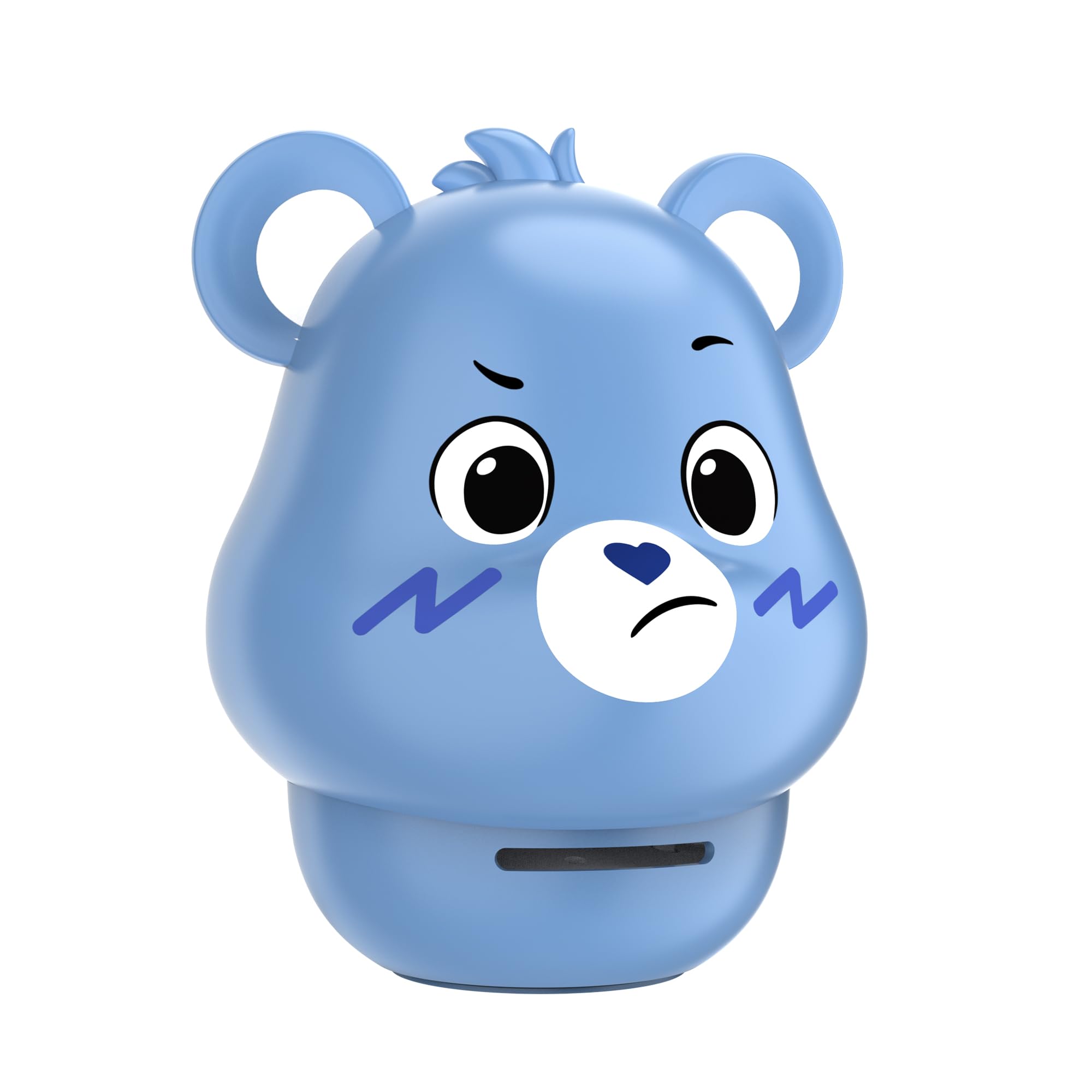
Image: The Grumpy Bear Wireless Speaker, ready for use.
تعليمات التشغيل
1. تشغيل الصوت
- After successful Bluetooth pairing, open your preferred audio application on your connected device.
- Start playing music or other audio content. The sound will be routed through the Care Bears Wireless Speaker.
2. التحكم في مستوى الصوت
- Volume is primarily controlled via your connected Bluetooth device. Adjust the volume on your smartphone, tablet, or computer.
- The speaker itself may have touch controls for volume adjustment (refer to specific product markings if present).
3. Call Handling (if applicable)
If the speaker supports hands-free calling (check product specifications), you may be able to:
- الرد/إنهاء المكالمة: اضغط على الزر متعدد الوظائف (غالباً زر الطاقة أو زر مخصص للاتصال) مرة واحدة.
- رفض المكالمة: اضغط مع الاستمرار على الزر متعدد الوظائف لمدة 2 ثوانٍ.

Image: The Grumpy Bear Wireless Speaker in a typical usage environment.
صيانة
- تنظيف: امسح السماعة بقطعة قماش ناعمة وجافة. لا تستخدم المنظفات الكاشطة أو الكحول أو المذيبات الكيميائية.
- تخزين: قم بتخزين مكبر الصوت في مكان بارد وجاف بعيدًا عن أشعة الشمس المباشرة ودرجات الحرارة القصوى.
- العناية بالبطارية: للحفاظ على عمر البطارية، اشحن السماعة بالكامل مرة واحدة على الأقل كل ثلاثة أشهر إذا لم تكن تستخدمها بانتظام. تجنب تفريغ البطارية بالكامل بشكل متكرر.
- التعرض للماء: هذه السماعة غير مقاومة للماء. تجنب تعريضها للماء أو الرطوبة الزائدة.
استكشاف الأخطاء وإصلاحها
| مشكلة | الحل المحتمل |
|---|---|
| لا يتم تشغيل مكبر الصوت. | تأكد من شحن البطارية. قم بتوصيل السماعة بمصدر طاقة باستخدام كابل USB واتركها تشحن لمدة 15 دقيقة على الأقل قبل محاولة تشغيلها مرة أخرى. |
| لا يوجد صوت من السماعة. |
|
| فشل اقتران البلوتوث. |
|
| جودة صوت رديئة أو اتصال متقطع. |
|
تحديد
| اسم الموديل | Care Bears Wireless Speaker - Grumpy Bear |
| رقم الموديل | CBSPKGRB101-MFN |
| ماركة | دببة الرعاية |
| تكنولوجيا الاتصال | بلوتوث 5.2 |
| مدى البلوتوث | حتى 33 قدم (10 أمتار) |
| طاقة خرج السماعة | 3W |
| وضع إخراج الصوت | ستيريو |
| سعة البطارية | 300 مللي أمبير |
| وقت اللعب | تصل إلى 4 ساعة |
| شحن وقت | حوالي 2 ساعات |
| طريقة التحكم | يلمس |
| أبعاد المنتج | 4.5 بوصة عمق × 5 بوصة عرض × 6 بوصة ارتفاع |
| وزن العنصر | 13.9 أونصات |
| مادة | بلاستيك |
| الشركة المصنعة | شركة ساوثرن تيليكوم |
| رمز المنتج الموحد | 680079024796 |
ملحوظة: المواصفات عرضة للتغيير دون إشعار.
معلومات الضمان
يأتي هذا المنتج مع ضمان محدود. The specific terms and duration of the warranty are provided by the manufacturer, Southern Telecom. Please retain your proof of purchase for any warranty claims.
The warranty typically covers manufacturing defects and malfunctions under normal use. It generally does not cover damage caused by misuse, accidents, unauthorized modifications, or normal wear and tear.
يدعم
For technical assistance, troubleshooting beyond this manual, or warranty inquiries, please contact the manufacturer:
الشركة المصنعة: شركة ساوثرن تيليكوم
Please refer to the contact information provided on the product packaging or the manufacturer's official webالموقع للحصول على تفاصيل الدعم الحالية.