
1. المقدمة
The Rettru XDWIFI-Battery camera is a compact and versatile surveillance device designed for various monitoring needs. Its miniature size allows for discreet placement, making it suitable for home security, baby monitoring, pet observation, or office surveillance. This manual provides comprehensive instructions for setting up, operating, and maintaining your camera to ensure optimal performance.

The Rettru XDWIFI-Battery camera's compact size, shown held between fingers, allows for discreet placement. The accompanying mobile app provides a live feed, as illustrated on the smartphone screen.
2. ماذا يوجد في الصندوق
Upon unboxing your Rettru XDWIFI-Battery camera, please verify that all the following components are included:
- 1 x Rettru XDWIFI-Battery Camera
- 1 × قاعدة مغناطيسية
- 1 X بطاقة مايكرو التنمية المستدامة قارئ
- 1 × دليل المستخدم
- 1 × كابل شحن USB
- ملحقات التركيب (براغي، وسادات لاصقة)

Contents of the Rettru XDWIFI-Battery camera package, including the camera unit, power cable, user guide, rotating bracket, and card reader.
3. مواصفات المنتج
- تصميم فائق الصغر: Measuring approximately 1.57 x 1.18 x 0.5 inches, this camera is designed for discreet placement.
- HD 1080P Video Resolution: يلتقط مقاطع فيديو واضحة ومفصلةtage.
- Upgraded Night Vision: Equipped with two 940nm infrared lights, providing clear visibility up to 26ft in low light or total darkness without visible glow.
- تعزيز كشف الحركة: Intelligent motion detection with customizable monitoring areas and times. Sends alarm notifications with images to your phone upon detection.
- الربط اللاسلكي: Supports 2.4G Wi-Fi for remote viewing via the V380 Pro app. (Note: 5G Wi-Fi is not supported).
- التسجيل المتكرر: يقوم تلقائيًا بالكتابة فوق الأقدم fileعندما تمتلئ بطاقة الذاكرة، يتم التسجيل بشكل مستمر.
- وضع الطاقة المزدوج: Features a built-in battery for portable use and supports continuous operation via plug-in power (USB-C).
- تركيب متعدد الاستخدامات: Includes a magnetic base and mounting accessories for flexible installation on various surfaces.

Detailed dimensions of the Rettru XDWIFI-Battery camera, measuring 1.5 x 1.3 x 0.4 inches, highlighting its miniature form factor.
4. دليل الإعداد
Follow these steps to set up your Rettru XDWIFI-Battery camera:
- اشحن الكاميرا: Before initial use, fully charge the camera using the provided USB charging cable.
- تنزيل التطبيق: Scan the QR code found in the user manual or on the camera itself to download the V380 Pro application on your iOS or Android device.
- تشغيل الطاقة: Locate the power switch on the camera and turn it on.
- إضافة جهاز في التطبيق: Open the V380 Pro app, create an account if you haven't already, and select 'Add Device'.
- الاتصال بشبكة Wi-Fi: Follow the in-app instructions to connect the camera to your 2.4G Wi-Fi network. This typically involves scanning a QR code displayed on your phone with the camera's lens.
- الإعداد الكامل: Once connected, the app will guide you through any remaining setup steps.
This video demonstrates the setup process for the Rettru XDWIFI-Battery camera, including app installation, Wi-Fi connection, and accessing the live feed.
5. تعليمات التشغيل
Once your camera is set up, you can utilize its features through the V380 Pro app:
- يعيش View: قم بالوصول إلى التطبيق لـ view real-time video from your camera from anywhere.
- كشف الحركة: Configure motion detection settings within the app. You can define specific areas for monitoring and set schedules. When motion is detected, the camera will send an alarm notification to your phone.
- الرؤية الليلية: تتحول الكاميرا تلقائيًا إلى وضع الرؤية الليلية في ظروف الإضاءة المنخفضة، مما يوفر صورًا واضحة بالأبيض والأسود.tage.
- أوضاع التسجيل: Choose between continuous recording or motion-activated recording. Footage is saved to the Micro SD card or cloud storage.
- التشغيل: Review recorded videos directly from the app. You can access footage stored on the Micro SD card or in the cloud.

The V380 Pro mobile application allows multiple users to view the live feed from a single camera, enabling shared monitoring of different areas.
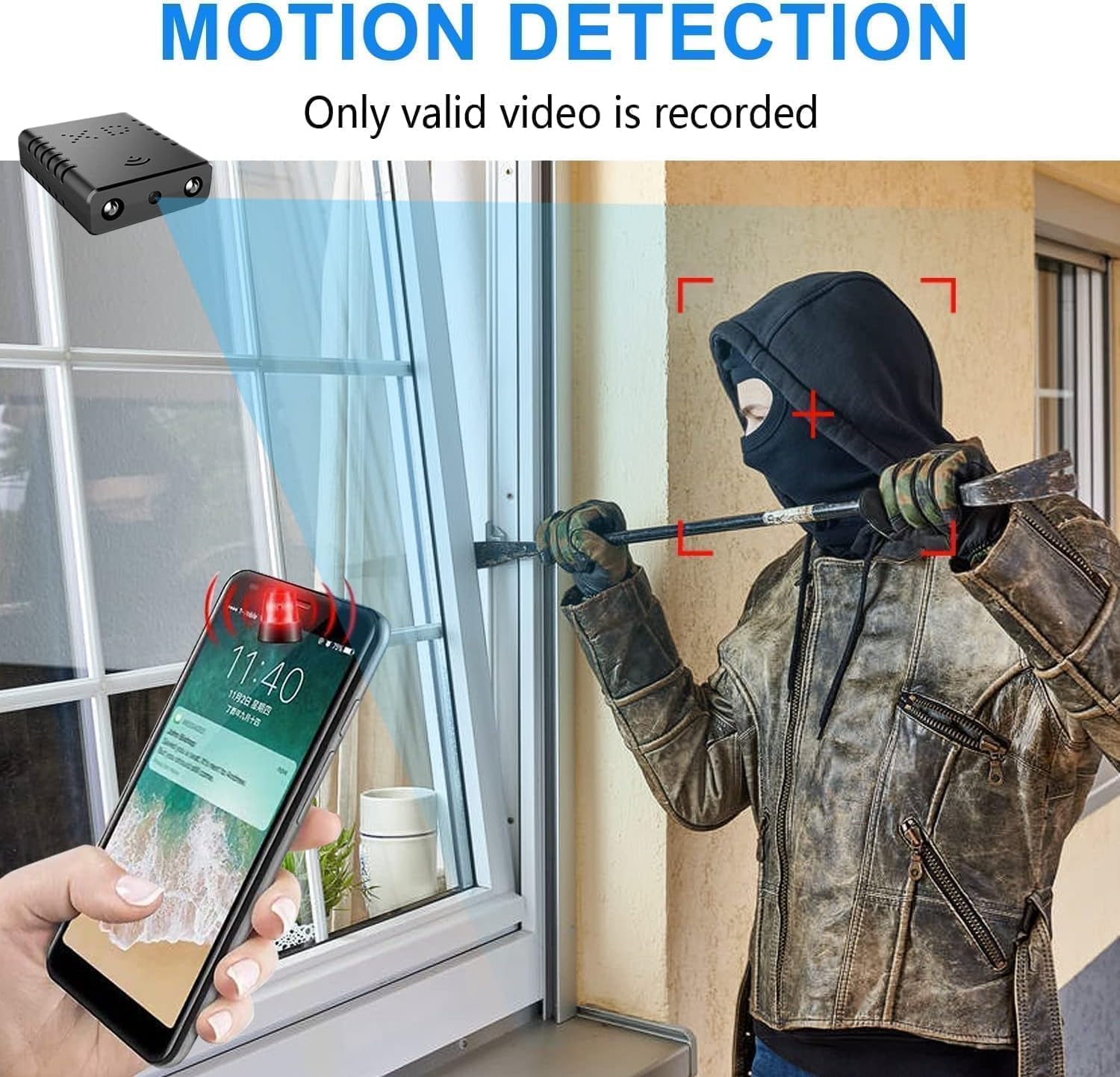
Illustration of the camera's motion detection feature, showing an alert notification on a smartphone when activity is detected, ensuring timely security awareness.

Comparison of day and night vision capabilities, demonstrating the camera's ability to capture clear images in both well-lit and low-light conditions using infrared technology.
6. التركيب والوضع
The Rettru XDWIFI-Battery camera offers flexible mounting options:
- قاعدة مغناطيسية: Use the included magnetic base for easy attachment to metal surfaces.
- Adhesive/Screw Mounting: For non-metal surfaces or more permanent installation, utilize the provided adhesive pads or screws with the magnetic base.
- زاوية قابلة للتعديل: The camera can be adjusted to various angles, including a 180-degree rotating lens, to capture the desired field of view.
- الموقع: Suitable for both indoor and outdoor use, allowing you to monitor different areas of your property.
A brief demonstration of the Rettru XDWIFI-Battery camera's live display, showcasing its compact size and real-time monitoring capabilities.
This video highlights the discreet placement options for the Rettru XDWIFI-Battery camera, demonstrating how it can blend into various environments for security monitoring.
7. خيارات التخزين
The camera offers two primary storage methods for your video footage:
- بطاقة مايكرو التنمية المستدامة: Insert a Micro SD card (up to 128GB, purchased separately) into the designated slot for local storage. The camera supports loop recording, ensuring continuous footage.
- التخزين السحابي: For enhanced security and accessibility, the camera supports cloud storage. Refer to the V380 Pro app for details on cloud service plans.

Visual representation of the camera's storage options, including a Micro SD card slot for local recording and an icon indicating support for cloud storage.
8. المواصفات
| ميزة | التفاصيل |
|---|---|
| اسم الموديل | XDWIFI-Battery |
| رقم موديل العنصر | USA-WIFI-PRO-JIAN07598-134 |
| دقة التقاط الفيديو | 1080 بكسل |
| دقة الفيديو الفعالة | 1080 |
| تكنولوجيا الاتصال | لاسلكي (واي فاي) |
| بروتوكول الاتصال | واي فاي |
| الأجهزة المتوافقة | iOS/Android Phone/Window/Mac PC |
| نوع وحدة التحكم | تطبيق V380 Pro |
| مصدر الطاقة | تعمل بالبطارية (بطارية ليثيوم أيون واحدة متضمنة) |
| الاستخدام الداخلي والخارجي | داخلي، خارجي |
| نوع التركيب | Wall-Mounted & Surface-Mounted |
| Viewزاوية جي | 160 درجة |
| معدل الإطارات | 30 إطارًا في الثانية |
| أبعاد المنتج الطول × العرض × الارتفاع | 1.5 × 1.4 × 0.3 بوصة |
| وزن العنصر | 0.64 أونصات |
| تقنية الإضاءة المنخفضة | لون الليل |
| Video Encoding/Format | ام بي اي جي-4 |
9. الصيانة
- الشحن: Recharge the camera using the provided USB-C cable when the battery is low. For continuous operation, keep it plugged into a power source.
- تنظيف: Gently wipe the camera lens with a soft, dry cloth to ensure clear image quality. Avoid using harsh chemicals.
- العناية بالبطارية: To prolong battery life, avoid extreme temperatures and fully charge the camera before long periods of inactivity.
- تحديثات البرامج الثابتة: Check the V380 Pro app regularly for any available firmware updates to ensure optimal performance and security.
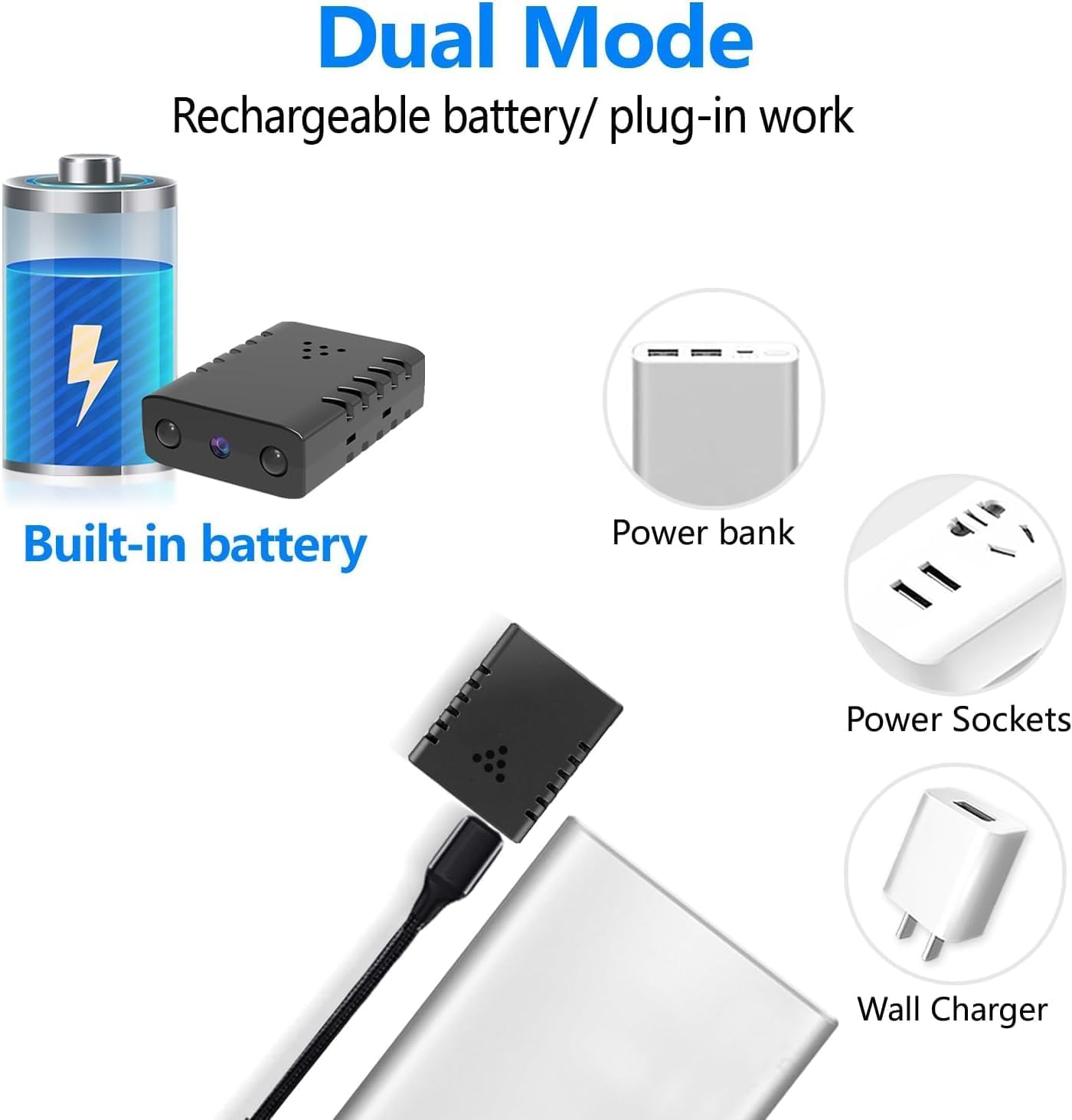
Display of the camera's versatile power options, featuring its built-in battery, and compatibility with external power sources like power banks and wall chargers via USB.
10. استكشاف الأخطاء وإصلاحها
If you encounter issues with your Rettru XDWIFI-Battery camera, consider the following:
- مشاكل الاتصال: Ensure your Wi-Fi network is 2.4G. Verify the camera is within range of your router. Restart both the camera and your router.
- التطبيق لا يتصل: Check if the V380 Pro app is updated to the latest version. Ensure your phone's internet connection is stable.
- لا تسجيل: Confirm that a Micro SD card is properly inserted and formatted, or that your cloud storage subscription is active. Check recording settings in the app.
- ضعف جودة الصورة: Clean the camera lens. Ensure adequate lighting, especially if night vision is not activating correctly.
- عمر البطارية: If battery life is shorter than expected, ensure the camera is fully charged. Consider keeping it plugged in for continuous use.
- مساعدة إضافية: Refer to the FAQ section within the V380 Pro app for more detailed troubleshooting steps or contact Rettru customer support.
11. الضمان والدعم
For warranty information and customer support, please refer to the documentation included with your product or visit the official Rettru website. The V380 Pro app also provides a comprehensive FAQ section that can assist with common inquiries.