
1. المقدمة
Thank you for choosing the Nikai 85-inch 4K QLED Smart TV, model NIK85MEU4QLED. This manual provides essential information for the safe and efficient use of your new television. Please read it thoroughly before operating the device and retain it for future reference.
This television features a frameless design, 4K QLED display for stunning visuals, and runs on Web OS with built-in Wi-Fi, offering access to various streaming services and smart functionalities.

Image: The Nikai 85-inch 4K QLED Smart TV showcasing a crystal clear 4K image with vibrant colors.
2. معلومات السلامة
- مزود الطاقة: Ensure the TV is connected to a power source matching the voltage specified on the product label (220V AC, 50Hz).
- تهوية: لا تسد فتحات التهوية. اترك مساحة كافية حول التلفزيون لتدفق الهواء بشكل صحيح ومنع ارتفاع درجة حرارته.
- الماء والرطوبة: لا تعرض التلفزيون للمطر أو الرطوبة، ولا تضع أشياء مملوءة بالسوائل على التلفزيون أو بالقرب منه.
- تنظيف: افصل التلفزيون عن الكهرباء قبل التنظيف. استخدم قطعة قماش ناعمة وجافة. لا تستخدم المنظفات السائلة أو البخاخات.
- الموقع: Place the TV on a stable, level surface or mount it securely to a wall. Keep it away from direct sunlight, heat sources, and strong magnetic fields.
- أطفال: راقب الأطفال لمنعهم من التسلق على التلفزيون أو اللعب بجهاز التحكم عن بعد.
- الخدمة: لا تحاول خدمة هذا المنتج بنفسك. قم بإحالة جميع أعمال الصيانة إلى أفراد الخدمة المؤهلين.
3. محتويات العبوة
تأكد من وجود جميع العناصر في العبوة:
- Nikai 85-inch 4K QLED Smart TV Unit
- جهاز التحكم عن بعد القياسي
- جهاز التحكم السحري
- كابل الطاقة
- دليل المستخدم (هذا المستند)
- مكونات حامل التلفزيون (إن وجدت)
- Screws for TV Stand (if applicable)
4. الإعداد
4.1 فك التعبئة
أخرج التلفاز من عبوته بحرص. يُنصح بوجود شخصين للقيام بهذه العملية نظراً لحجم التلفاز ووزنه.
4.2 تركيب الحامل (اختياري)
If you plan to place the TV on a tabletop, attach the stand according to the instructions provided with the stand components. Ensure all screws are tightened securely.
4.3 التركيب على الحائط (اختياري)
If you plan to wall-mount the TV, use a VESA-compatible wall mount (VESA standard: 75 x 100 mm). Consult a professional for wall mounting to ensure safety and proper installation. Note: The VESA standard provided (75x100mm) is unusually small for an 85-inch TV. Please verify the correct VESA pattern with your wall mount manufacturer or the TV's physical specifications before installation.
4.4 توصيل الطاقة
Plug the power cable into the TV's power input, then into a wall outlet. Do not power on the TV yet.
4.5 توصيل الأجهزة الخارجية
Connect your external devices (e.g., cable box, Blu-ray player, gaming console) to the TV's input ports:
- منافذ HDMI (3 إجمالي): للأجهزة الصوتية والفيديو عالية الدقة.
- USB Ports (3 total, 2 are USB 3.0): For USB storage devices or other compatible peripherals.
- منفذ إيثرنت: للاتصال بالإنترنت السلكي.
- مخرج الصوت الرقمي البصري: للاتصال بأنظمة الصوت الخارجية.
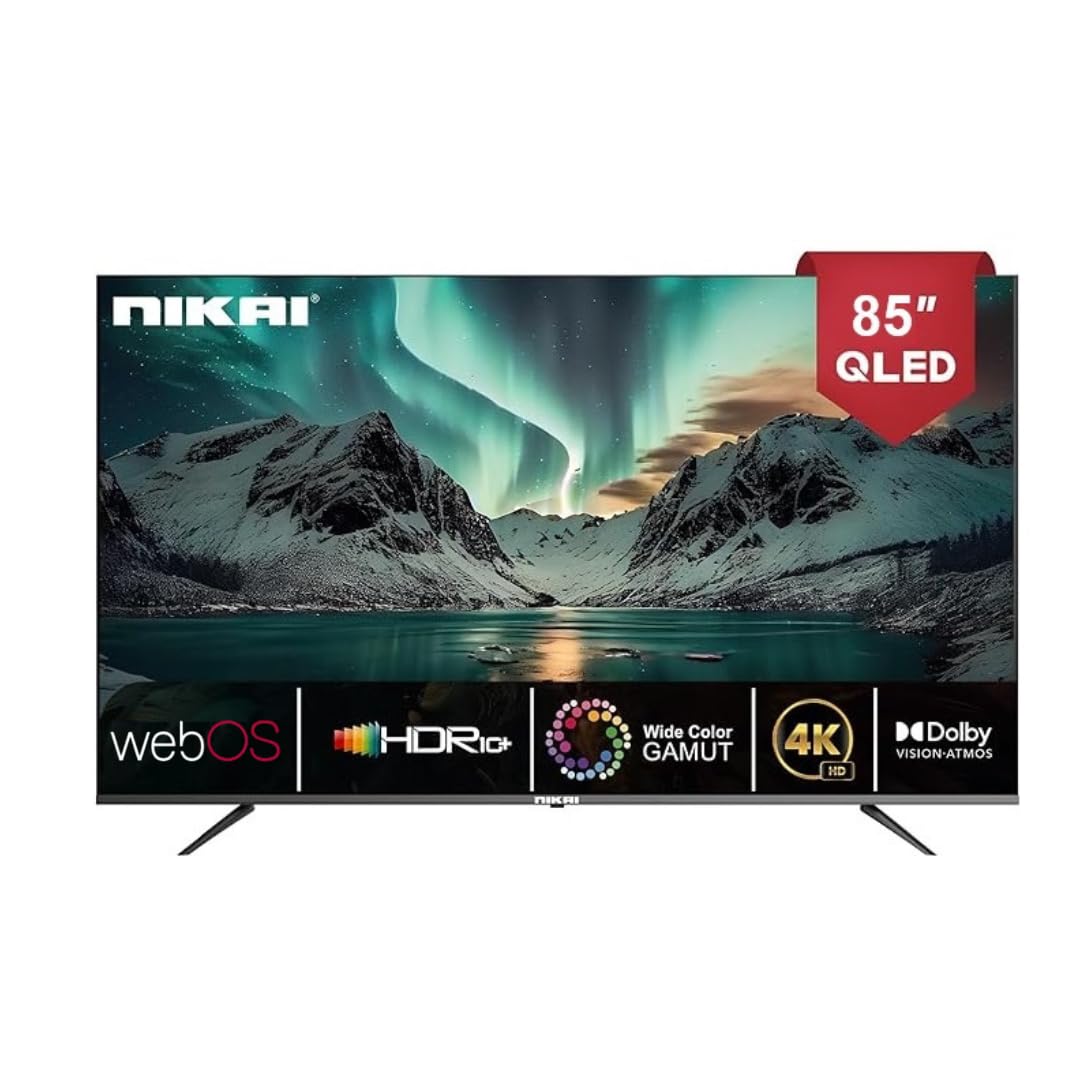
Image: The back of the Nikai 85-inch 4K QLED Smart TV, illustrating connection points for various devices.
4.6 التشغيل الأولي والإعداد لأول مرة
After connecting all necessary cables, plug the TV into the power outlet and press the power button on the TV or remote control. Follow the on-screen instructions for initial setup, which typically includes language selection, network connection, and channel scanning.
5. تعليمات التشغيل
5.1 وظائف التحكم عن بعد
Your TV comes with two remote controls. The Magic Remote offers advanced features:

Image: A detailed diagram of the Magic Remote, highlighting its key functions such as Air Mouse, Voice Control, and Quick Access buttons.
- زر الطاقة: تشغيل التلفزيون أو إيقاف تشغيله.
- عدد الأزرار: لاختيار القناة المباشرة.
- رفع/خفض الصوت: يضبط مستوى الصوت.
- القناة لأعلى/لأسفل: تغيير القنوات التلفزيونية.
- الإدخال / المصدر: Selects the input source (HDMI, USB, etc.).
- Navigation Buttons (Arrow Keys, OK/Enter): للتنقل عبر القائمة.
- Magic Remote Specifics:
- ماوس هوائي: Use air gestures for convenient control.
- التحكم العالمي: Control your set-top box, speakers, and satellite TV.
- التحكم الصوتي: Command your remote to find desired content.
- عجلة التمرير: Use to scroll vertically and horizontally, and adjust zoom level.
- أزرار الوصول السريع: أزرار مخصصة لخدمات البث الشهيرة مثل Netflix وPrime Video.
5.2 وظائف التلفزيون الأساسية
- تشغيل/إيقاف التشغيل: اضغط على زر الطاقة الموجود في جهاز التحكم عن بعد أو التلفزيون.
- اختيار مصدر الإدخال: Press the 'Input' or 'Source' button on the remote and select the desired input (e.g., HDMI 1, USB).
- ضبط إعدادات الصورة: Navigate to the TV's settings menu to adjust brightness, contrast, color, and picture modes.
- ضبط إعدادات الصوت: Access the sound settings to modify bass, treble, balance, and select sound modes. This TV supports Dolby Atmos for immersive audio.

Image: A family enjoying content on the Nikai 85-inch 4K QLED Smart TV, highlighting the Dolby Audio feature for rich sound.
6. الميزات الذكية والاتصال
6.1 Web واجهة نظام التشغيل
Your TV operates on Web OS, providing an intuitive and user-friendly interface for accessing apps, settings, and content.
6.2 اتصال الشبكة
- واي فاي: Navigate to Network Settings to connect to your home Wi-Fi network.
- إيثرنت: Connect an Ethernet cable from your router to the TV's Ethernet port for a stable wired connection.
6.3 Streaming Services and Apps
Access a variety of pre-installed and officially licensed streaming applications directly from your TV, including:
- نيتفليكس
- يوتيوب
- برايم فيديو
- تلفزيون آبل
- ديزني+
- StarzPlay Arabia
- OSN Stream
- MBC Shahid
- فيو
- Sony Liv
- اتش بي او ماكس
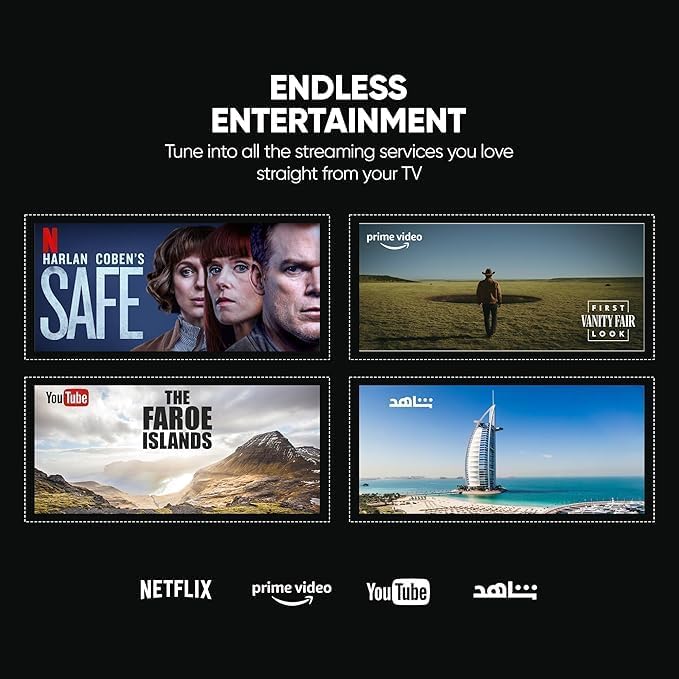
Image: The Nikai Smart TV displaying various streaming service interfaces, demonstrating its entertainment capabilities.
6.4 انعكاس الشاشة
Share content from your mobile devices to the TV using:
- اير بلاي: لأجهزة أبل.
- Miracast: For compatible Android devices.
6.5 Voice Control and AI Features
Utilize voice commands for easy control and content search through integrated AI features. The TV supports Google Assistant, Amazon Alexa, and Apple AirPlay for smart home integration.

Image: The Nikai Smart TV demonstrating ThinQ AI and voice control capabilities, compatible with various smart home ecosystems.
7. الصيانة
- تنظيف الشاشة: امسح الشاشة برفق بقطعة قماش ناعمة وخالية من الوبر. لإزالة البقع الصعبة، امسحها برفق.ampبلل قطعة القماش بالماء أو بمنظف الشاشة المتخصص (لا ترش مباشرة على الشاشة).
- تنظيف هيكل التلفزيون: Use a soft, dry cloth to clean the TV's frame and back panel.
- تحديثات البرامج: Periodically check for and install software updates via the TV's settings menu to ensure optimal performance and access to new features.
- ادارة التخزين: The TV has 16GB of internal storage (ROM). Manage installed apps and media to ensure sufficient space for smooth operation.
8. استكشاف الأخطاء وإصلاحها
إذا واجهت مشكلات مع التلفزيون الخاص بك، فراجع المشكلات والحلول الشائعة التالية:
| مشكلة | السبب المحتمل | حل |
|---|---|---|
| لا يوجد طاقة | تم فصل كابل الطاقة، ومشكلة في مأخذ الطاقة. | تأكد من توصيل كابل الطاقة. جرب منفذًا كهربائيًا آخر. |
| لا توجد صورة، ولكن الصوت موجود | Incorrect input source selected, faulty HDMI cable. | Verify input source. Check/replace HDMI cable. |
| لا يوجد صوت، ولكن الصورة موجودة | صوت منخفض أو مكتوم، مشكلة في نظام الصوت الخارجي. | قم بإلغاء كتم الصوت، ثم ارفع مستوى الصوت. تحقق من توصيلات الصوت الخارجية. |
| جهاز التحكم عن بعد لا يعمل | Batteries depleted, obstruction, remote not paired. | Replace batteries. Remove obstructions. Re-pair Magic Remote if necessary. |
| مشاكل اتصال الشبكة | Wi-Fi signal weak, incorrect password, router issue. | Check Wi-Fi signal strength. Re-enter password. Restart router. Try wired Ethernet connection. |
| التطبيقات لا يتم تحميلها/تتعطل | Insufficient memory, app error, outdated software. | Close other apps. Clear app cache. Update TV software. Reinstall app. |
إذا استمرت المشكلة بعد تجربة هذه الحلول، فاتصل بدعم العملاء.
9. المواصفات
| ميزة | مواصفة |
|---|---|
| اسم الموديل | NIK85MEU4QLED |
| حجم الشاشة | 85 بوصة |
| تكنولوجيا العرض | تلفزيون كيو إل إي دي |
| دقة | 4K (3840 × 2160) |
| معدل التحديث | 60 هرتز |
| نظام التشغيل | Web OS |
| كبش | 2 جيجا بايت |
| التخزين الداخلي (ROM) | 16 جيجا بايت |
| دعم HDR | HDR10, HDR10+, Dolby Vision Atmos |
| تحسين الحركة | MEMC (Motion Estimation, Motion Compensation) |
| مخرج الصوت | 2.1 قناة، دولبي أتموس |
| الاتصال | واي فاي، بلوتوث، إيثرنت |
| منافذ الإدخال | 3 x HDMI, 3 x USB (2 x USB 3.0), Ethernet, Optical Audio |
| انعكاس الشاشة | AirPlay, Miracast |
| التحكم الصوتي | Google Assistant, Amazon Alexa, Apple AirPlay |
| أبعاد المنتج (العرض × الارتفاع × العمق) | 189 cm x 114 cm x 15 cm (approximate, based on 15D x 189W x 114H cm) |
| وزن العنصر | 35 كجم |
| مزود الطاقة | 220V AC، 50Hz |
| معيار التثبيت VESA | 75 x 100 mm (Please verify with wall mount manufacturer) |
10. الضمان والدعم
10.1 معلومات الضمان
This Nikai 85-inch 4K QLED Smart TV comes with a two-year agent warranty. Please retain your proof of purchase for warranty claims. The warranty covers manufacturing defects under normal use conditions. It does not cover damage caused by misuse, accidents, unauthorized repairs, or natural disasters.
10.2 دعم العملاء
For technical assistance, troubleshooting beyond this manual, or warranty service, please contact your local Nikai authorized service center or the retailer where you purchased the product. Refer to your warranty card or Nikai's official webالموقع للحصول على تفاصيل الاتصال المحددة.


