
1. المقدمة
This manual provides detailed instructions for the installation, operation, and maintenance of your BISOFICE 80mm Receipt Printer. Please read this manual thoroughly before using the printer to ensure proper function and to prevent damage.
The BISOFICE 80mm Receipt Printer is a high-efficiency thermal printer designed for various business environments, including retail, restaurants, and supermarkets. It features fast printing, an auto cutter, and supports both USB and LAN connections.
2. معلومات السلامة
- لا تعرض الطابعة للماء أو الرطوبة.
- Ensure the power supply matches the printer's requirements.
- Avoid touching the thermal print head immediately after printing, as it may be hot.
- Use only specified thermal paper.
- لا تحاول تفكيك الطابعة أو إصلاحها بنفسك. اتصل بالدعم الفني في حال واجهت أي مشاكل.
3. محتويات العبوة
تأكد من وجود جميع العناصر في العبوة:
- BISOFICE 80mm Receipt Printer
- لفافة ورق حراري
- محول الطاقة
- كابل يو اس بي
- سلك الطاقة
- دليل المستخدم (هذه الوثيقة)

Figure 3.1: Included items in the BISOFICE 80mm Receipt Printer package.
4. انتهى المنتجview
The BISOFICE 80mm Receipt Printer is designed for efficient and reliable thermal printing. Key features include a fast print speed of 200mm/s and an integrated auto cutter for clean receipt separation.
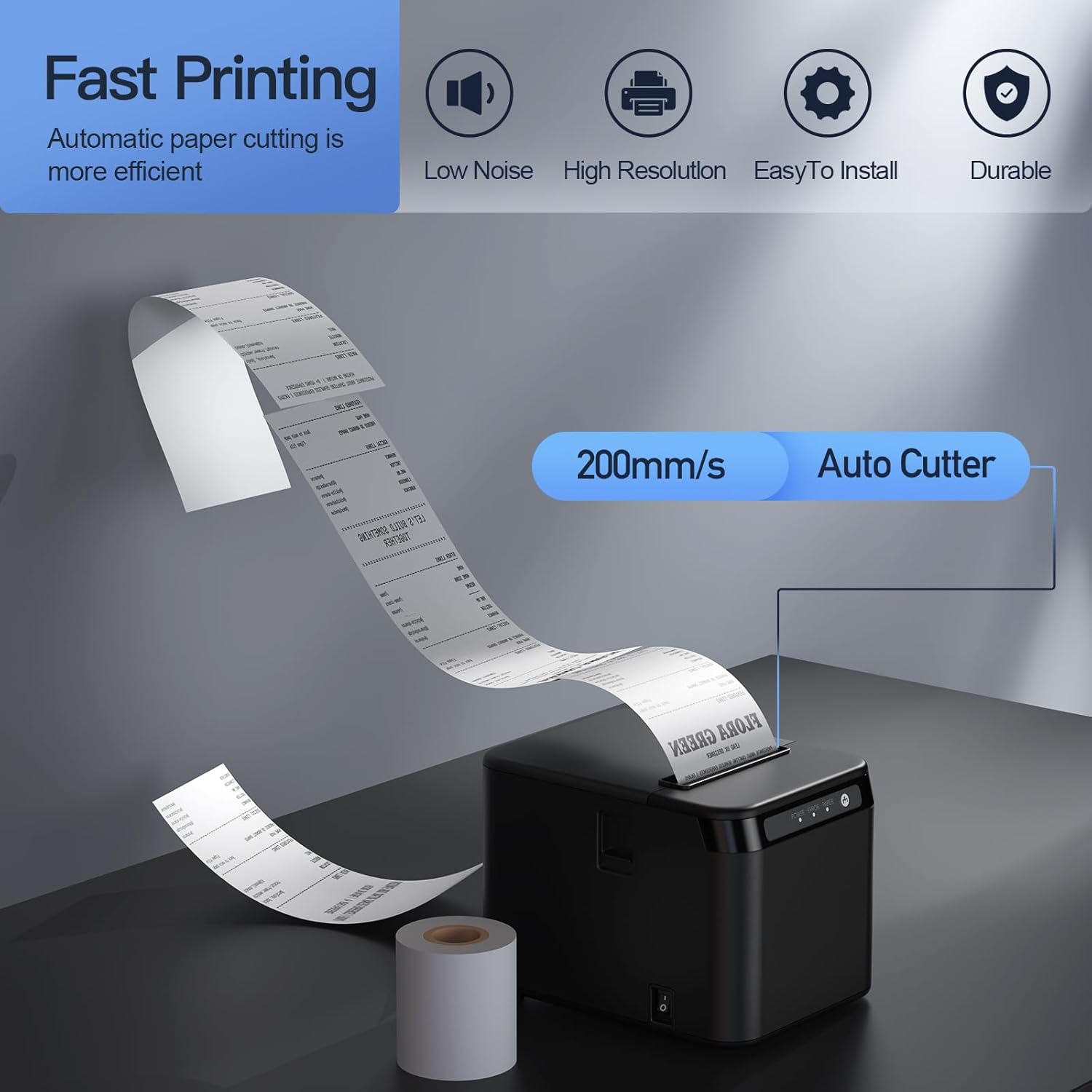
Figure 4.1: Printer features: 200mm/s speed and auto cutter.
This thermal printer operates without ink cartridges or ribbons, reducing operational costs. It uses standard 80mm thermal paper rolls.
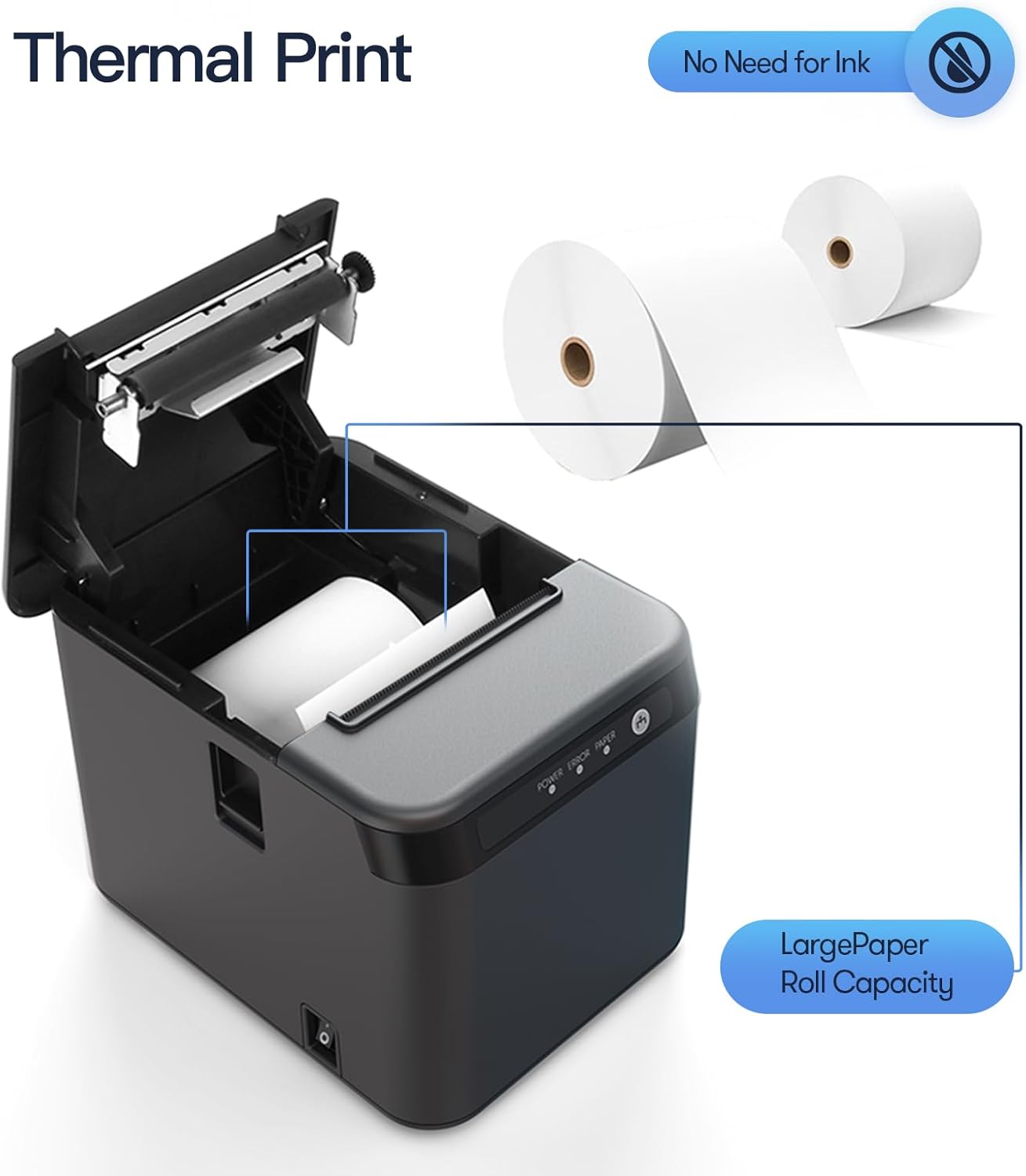
Figure 4.2: Thermal printing mechanism and paper roll capacity.
4.1 Printer Components and Ports
Familiarize yourself with the printer's external components and connection ports:

الشكل 4.3: الأمامي والخلفي view of the printer with labeled components and ports.
- زر فتح الغطاء: Releases the top cover to access the paper compartment.
- زر التغذية: Manually feeds paper.
- أضواء المؤشر: Display printer status (Power, Error, Paper).
- زر التغيير: مفتاح التشغيل / الإيقاف.
- منفذ LAN: Connects to a network for Ethernet printing.
- منفذ USB: Connects to a computer for USB printing.
- Cash Port: Connects to a cash drawer.
- منفذ الطاقة: يتصل بمحول الطاقة.
5. الإعداد
5.1 تحميل الورق الحراري
- Press the cover open button to open the printer's top cover.
- Insert the thermal paper roll into the compartment, ensuring the paper feeds from the bottom and the leading edge extends slightly past the cutter.
- أغلق الغطاء العلوي بإحكام حتى يستقر في مكانه.
5.2 توصيل الكابلات
- توصيل الطاقة: Connect the power adapter to the printer's power port and then plug the power cord into a suitable electrical outlet.
- اتصال USB: للاتصال المباشر بجهاز الكمبيوتر، قم بتوصيل أحد طرفي كابل USB بمنفذ USB الخاص بالطابعة والطرف الآخر بمنفذ USB متاح على جهاز الكمبيوتر الخاص بك.
- اتصال الشبكة المحلية: للطباعة عبر الشبكة، قم بتوصيل كابل إيثرنت من منفذ LAN الخاص بالطابعة إلى جهاز توجيه الشبكة أو المحول الخاص بك.
- اتصال درج النقود: If using a cash drawer, connect its cable to the printer's Cash port.
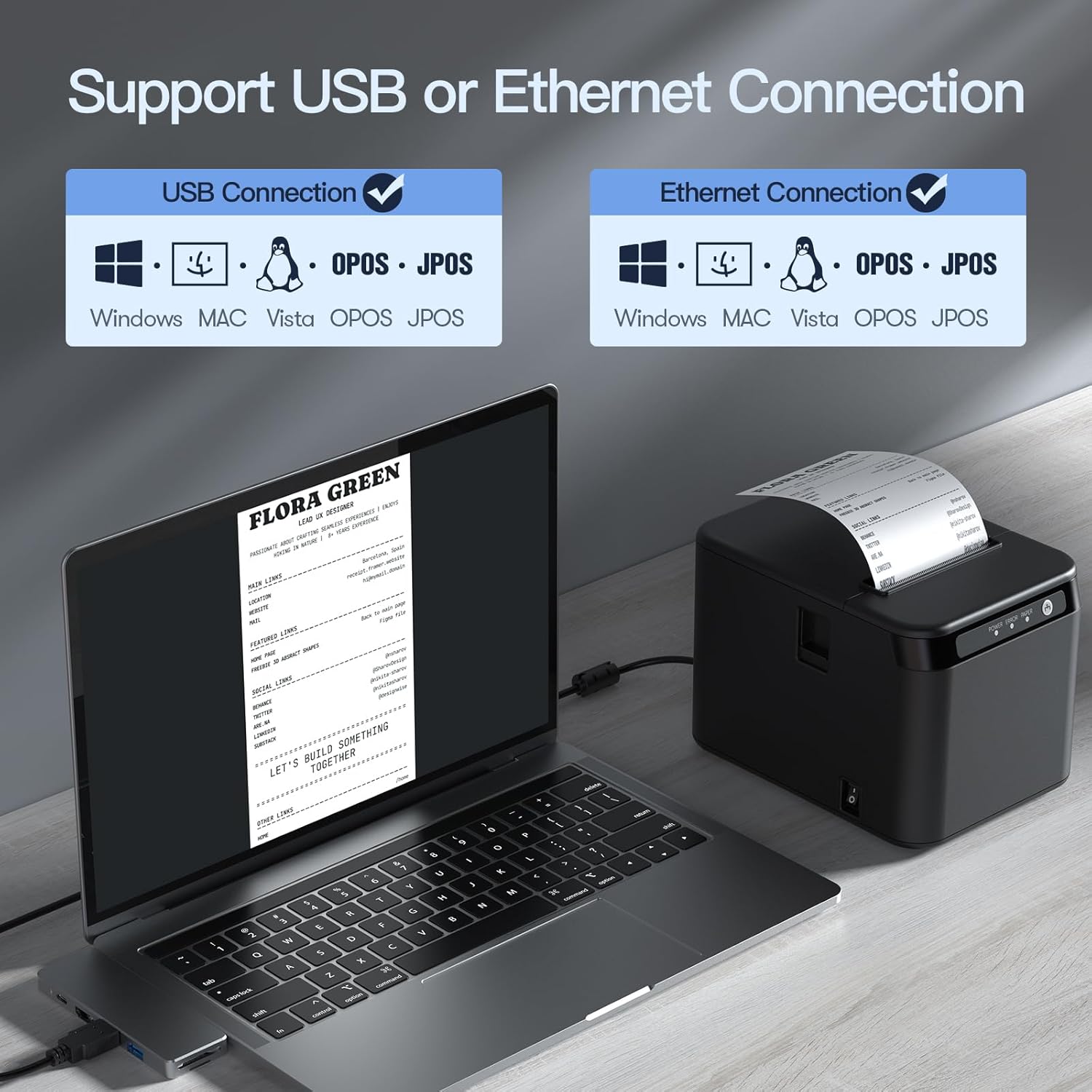
Figure 5.1: USB and Ethernet connection options.

الشكل 5.2: مثالample of LAN connection setup.
5.3 تثبيت برنامج التشغيل
The printer requires drivers for proper communication with your computer. Drivers are typically provided on a CD or can be downloaded from the manufacturer's website. The printer is compatible with Windows XP/VISTA/7/8/10, Linux, and macOS.
- Insert the driver CD or navigate to the driver download page on the Bisofice webموقع.
- Select the appropriate driver for your operating system (Windows, Linux, or macOS).
- اتبع الإرشادات التي تظهر على الشاشة لإكمال تثبيت برنامج التشغيل.
- بعد التثبيت، أعد تشغيل الكمبيوتر إذا طُلب منك ذلك.
Note: Some users have reported needing to download drivers from a specific Chinese website. Refer to the support section if the provided drivers do not work.
6. التشغيل
6.1 الطباعة الأساسية
- تأكد من تشغيل الطابعة وتوصيلها بالكمبيوتر أو الشبكة.
- افتح المستند أو التطبيق الذي ترغب في الطباعة منه (مثل برنامج نقاط البيع، محرر النصوص).
- Select the BISOFICE 80mm Receipt Printer from your printer options.
- Initiate the print command. The printer will automatically print the receipt and use its auto cutter.
6.2 التركيب على الحائط
The printer features two hanging holes on the bottom for wall mounting, allowing you to save counter space.
- Identify a suitable location on a wall for mounting.
- Measure the distance between the two hanging holes on the printer's base.
- Drill two corresponding holes in the wall and insert appropriate wall anchors and screws (not included).
- Carefully align the printer's hanging holes with the screws and mount the printer securely.

Figure 6.1: Desktop and wall-mount usage scenarios.
7. الصيانة
7.1 تنظيف الطابعة
يساعد التنظيف المنتظم على الحفاظ على جودة الطباعة وإطالة عمر الطابعة.
- الخارج: امسح الجزء الخارجي للطابعة بقطعة قماش ناعمة و...amp قماش. لا تستخدم مواد كيميائية قاسية أو منظفات كاشطة.
- رأس الطباعة الحرارية: Gently clean the thermal print head with an alcohol swab or a specialized thermal printer cleaning pen. Ensure the printer is off and cooled down before cleaning.
- مسار الورق: قم بإزالة أي غبار أو شوائب ورقية من مسار الورق باستخدام فرشاة ناعمة أو هواء مضغوط.
7.2 استبدال لفائف الورق
When the paper roll is depleted or running low, replace it following the steps in Section 5.1.
8. استكشاف الأخطاء وإصلاحها
This section addresses common issues you might encounter with your BISOFICE 80mm Receipt Printer.
8.1 المشكلات والحلول الشائعة
| مشكلة | السبب المحتمل | حل |
|---|---|---|
| الطابعة لا تعمل. | لا يوجد طاقة، محول الطاقة/السلك معيب. | Check power connections. Ensure the power outlet is functional. |
| ممنوع الطباعة. | No paper, paper jammed, incorrect driver, loose connection. | Load paper correctly. Clear any jams. Reinstall drivers. Check USB/LAN cable connections. |
| جودة طباعة رديئة. | Dirty print head, low-quality thermal paper. | Clean the thermal print head (Section 7.1). Use high-quality thermal paper. |
| لا يعمل قاطع الدائرة الآلي. | انحشار الورق، انسداد آلية القطع. | Clear any paper jams. Power cycle the printer. |
| لم يتم التعرف على الطابعة بواسطة الكمبيوتر. | Incorrect/missing drivers, loose USB/LAN cable. | Install or reinstall the correct drivers. Ensure cables are securely connected. Try a different USB port. |
| Incompatible with Square or iPad. | Specific software/hardware limitations. | This printer is not compatible with Square POS systems or iPads. Verify compatibility with your specific POS software before purchase. |
8.2 حالة ضوء المؤشر
- Power Light (Solid Green): Printer is on and ready.
- Error Light (Flashing Red): Indicates an error (e.g., paper jam, print head error).
- Paper Light (Flashing Red): Indicates low or no paper.
9. المواصفات
| ميزة | التفاصيل |
|---|---|
| نموذج | ZGV9622812387288LP |
| طريقة الطباعة | حراري مباشر |
| سرعة الطباعة | تصل إلى 200 مم/ثانية |
| عرض الورق | 80 ملم |
| عرض الطباعة | 72 ملم |
| Max Paper Roll Diameter | 83 ملم |
| دقة | 576 نقطة / خط |
| الواجهة | USB + LAN (Ethernet) |
| قاطع آلي | نعم |
| توافق نظام التشغيل | Windows XP/VISTA/7/8/10, Linux, macOS |
| الأبعاد (تقريبًا) | 128mm (عرض) × 173mm (D) × 127mm (H) |
| وزن العنصر | 2.68 رطل (حوالي 1.22 كجم) |
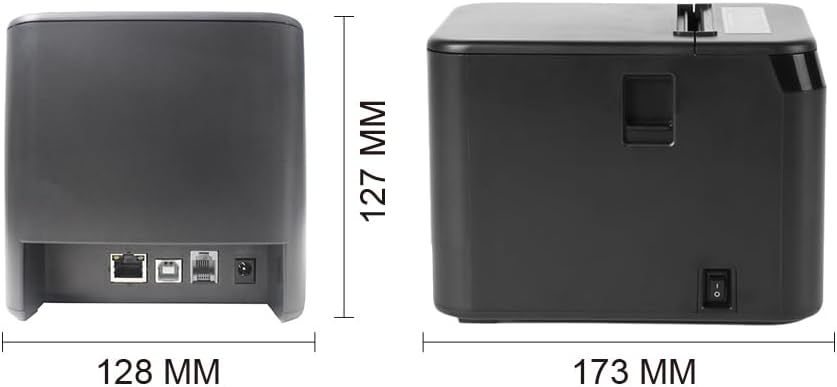
الشكل 9.1: أبعاد الطابعة.
10. الضمان والدعم
For warranty information, technical support, or service inquiries, please contact Bisofice customer service through your purchase platform or the official Bisofice website. Please have your model number (ZGV9622812387288LP) and purchase date available when contacting support.
Note: Information regarding specific warranty periods was not available at the time of this manual's creation. Please refer to your product's packaging or the seller's terms for details.