
سيارات الدفع الرباعي E11
دليل مستخدم آلة طباعة الملصقات بتقنية البلوتوث SUPVAN E11
مقدمة
This manual provides detailed instructions for the setup, operation, maintenance, and troubleshooting of your SUPVAN E11 Bluetooth Label Maker Machine. Please read this manual thoroughly before using the device to ensure proper function and longevity.
معلومات السلامة
- احفظ الجهاز بعيدًا عن الماء والرطوبة العالية.
- لا تعرض الجهاز لدرجات حرارة شديدة أو لأشعة الشمس المباشرة.
- Use only SUPVAN approved label tapes to prevent damage to the print head.
- لا تحاول تفكيك الجهاز أو إصلاحه بنفسك. اتصل بدعم العملاء للحصول على المساعدة.
- يحفظ بعيدًا عن متناول الأطفال.
محتويات الحزمة
تأكد من وجود جميع العناصر في الحزمة الخاصة بك:
- صانع الملصقات E11
- دليل المستخدم
- كابل USB-C
- 2 Rolls White Continuous Label Tape (15 mm x 6 m)
- 2 Rolls White Die-cut Label Tape (12 mm x 40 mm)

Image: Contents of the SUPVAN E11 Label Maker package, including the label maker, USB-C cable, user manual, and four rolls of label tape.
المنتج انتهىview
The SUPVAN E11 is a portable thermal label maker designed for various labeling needs. It features a QWERTY keyboard for direct input and Bluetooth connectivity for app-based design and printing.
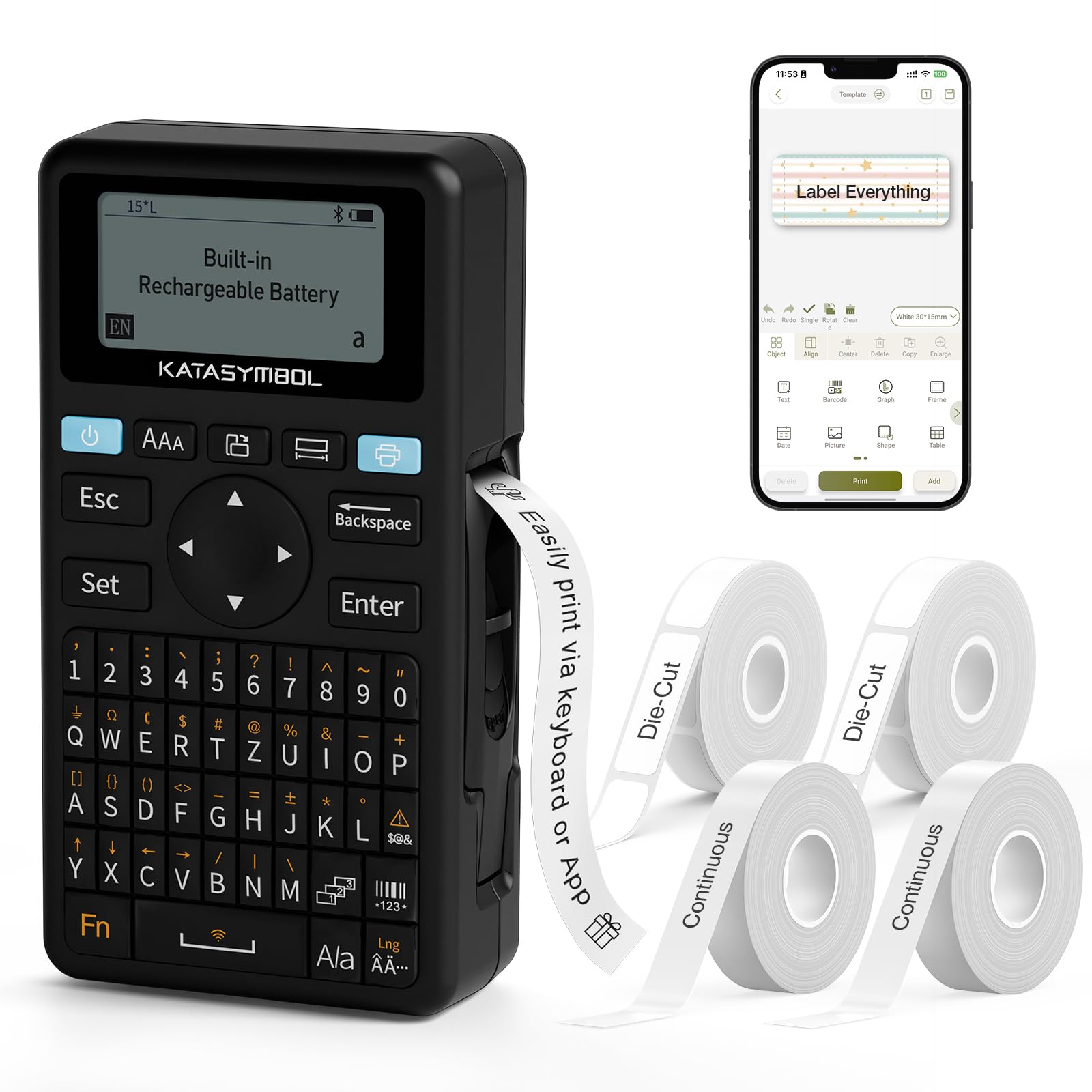
الصورة: الجبهة view of the SUPVAN E11 Label Maker, showing the QWERTY keyboard and display screen.
يثبت
1. شحن الجهاز
The SUPVAN E11 features a built-in 1200 mAh rechargeable battery. Before initial use, fully charge the device using the provided USB-C cable.
- Connect the USB-C cable to the charging port on the label maker.
- قم بتوصيل الطرف الآخر من الكابل بمحول طاقة USB (غير مرفق) أو بمنفذ USB في الكمبيوتر.
- The charging indicator on the device will show the charging status.

Image: The SUPVAN E11 Label Maker demonstrating that it uses thermal paper and requires no ink or toner.
2. تركيب شريط الملصقات
The E11 label maker uses thermal label rolls. Follow these steps to install a new roll:
- Open the label compartment cover on the side of the device.
- Insert the label roll into the compartment, ensuring the label tape feeds out from the bottom and through the guide slot.
- أغلق غطاء المقصورة بشكل آمن.

Image: A hand demonstrating how to install a label tape roll into the SUPVAN E11 Label Maker.
3. الاتصال عبر البلوتوث (التطبيق)
For advanced customization and printing, connect your label maker to the companion app:
- Download the official SUPVAN app from your device's app store.
- Turn on the label maker and ensure Bluetooth is enabled on your smartphone.
- Open the SUPVAN app and follow the on-screen instructions to pair with your E11 device.

Image: A visual guide showing the step-by-step process of connecting the label maker to the mobile app via Bluetooth.
عملية
1. Keyboard Printing
For quick and frequent labeling, use the integrated QWERTY keyboard:
- قم بتشغيل جهاز طباعة الملصقات.
- Type your desired text using the keyboard. The text will appear on the LCD display.
- Press the 'Print' button to print the label.
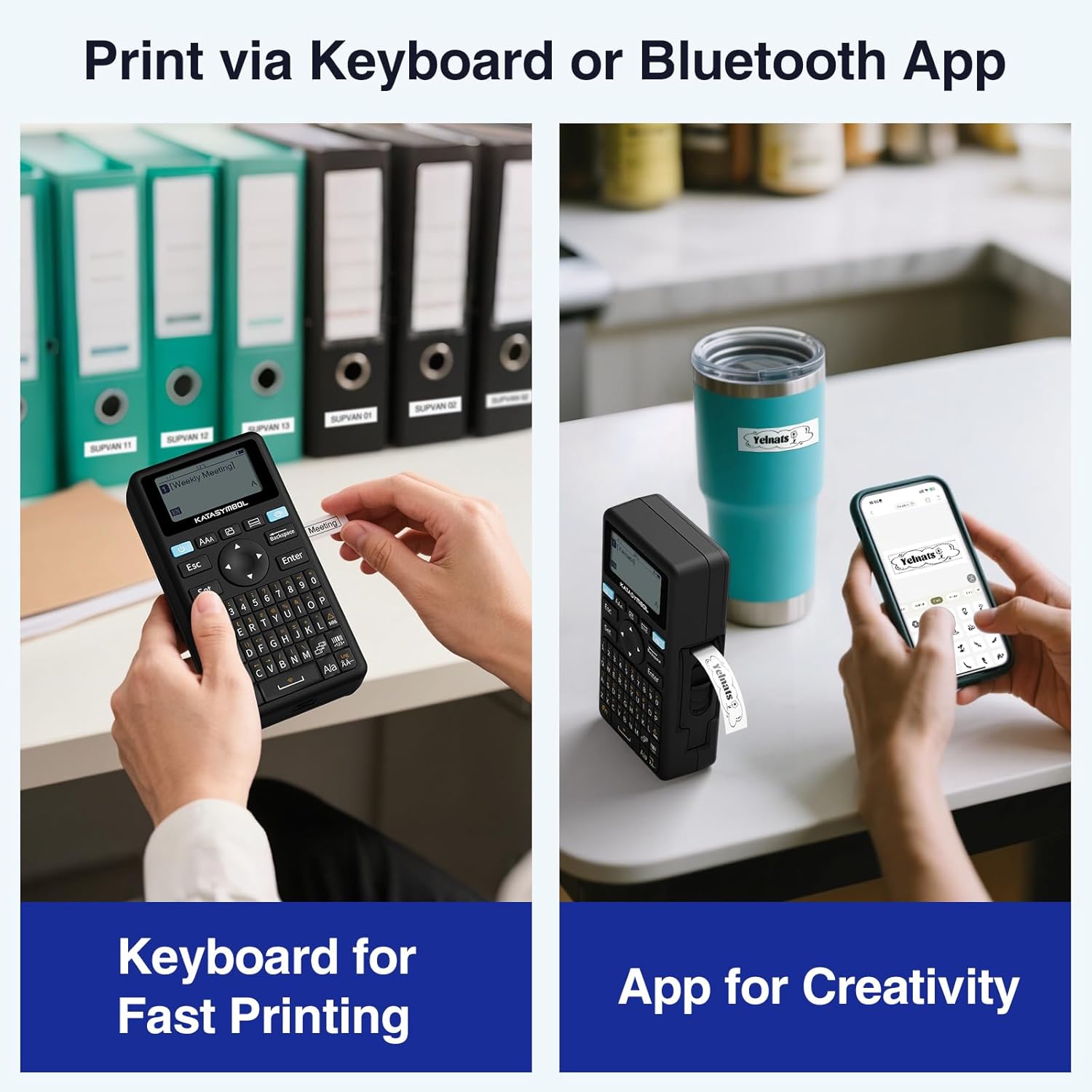
Image: A person using the SUPVAN E11 Label Maker's keyboard to type and print a label.
2. App Printing and Customization
The SUPVAN app offers extensive customization options:
- Ensure your device is connected to the app via Bluetooth.
- Open the app and select your label design.
- Utilize the app's features to customize your label:
- الخطوط: اختر من بين أكثر من 30 خط.
- الإطارات: Apply from over 50 frames.
- الأيقونات: اختر من بين أكثر من 660 أيقونة.
- QR Codes & Barcodes: Generate and print QR codes and various barcode types.
- القوالب: Create and save your own label templates.
- Once your design is complete, tap the 'Print' button in the app.
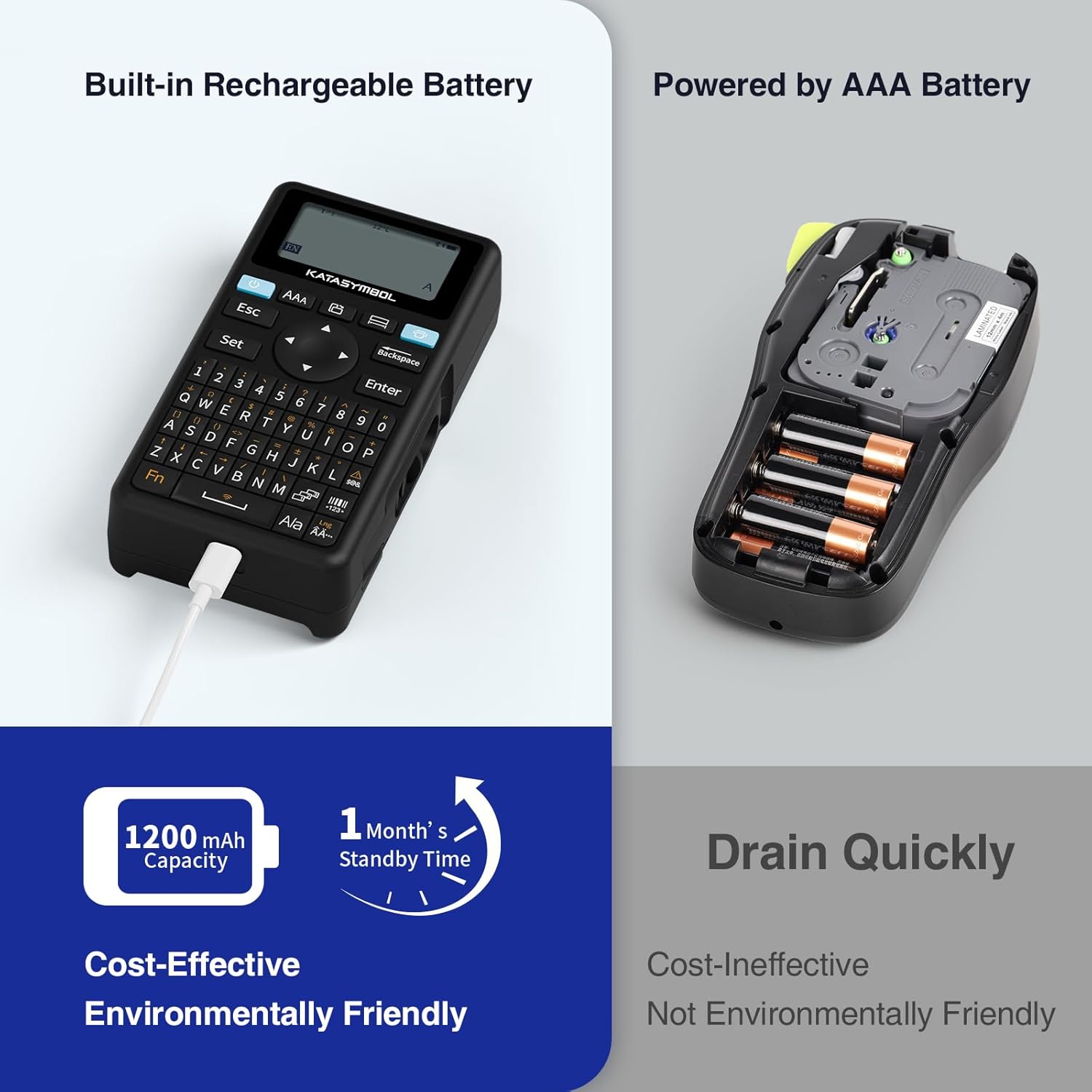
Image: A person using the SUPVAN E11 Label Maker in conjunction with the mobile app to design and print a customized label.

Image: A visual representation of the SUPVAN Label App's features, including a wide selection of fonts, frames, icons, and options for QR codes and barcodes.
Adjusting Label Font Size in the App
Video: This video demonstrates how to adjust the font size of your label text within the SUPVAN mobile application.
Adjusting Font Styles in the App
Video: This video illustrates the process of changing font styles and applying various formatting options to your labels using the SUPVAN mobile application.
3. Label Types and Minimal Margin Printing
The E11 supports both continuous and die-cut labels, offering flexibility for different applications. It also features minimal margin printing, reducing label waste.
- ملصقات متصلة: Ideal for long text or custom lengths.
- ملصقات مقطوعة بالقالب: Pre-sized labels for specific items or standard applications.
- Minimal Margin: The E11 prints with only a 0.2-inch margin, significantly less than many other label makers, saving tape.

الصورة: السابقamples of die-cut and continuous labels printed by the SUPVAN E11, showcasing its versatility for different label types.
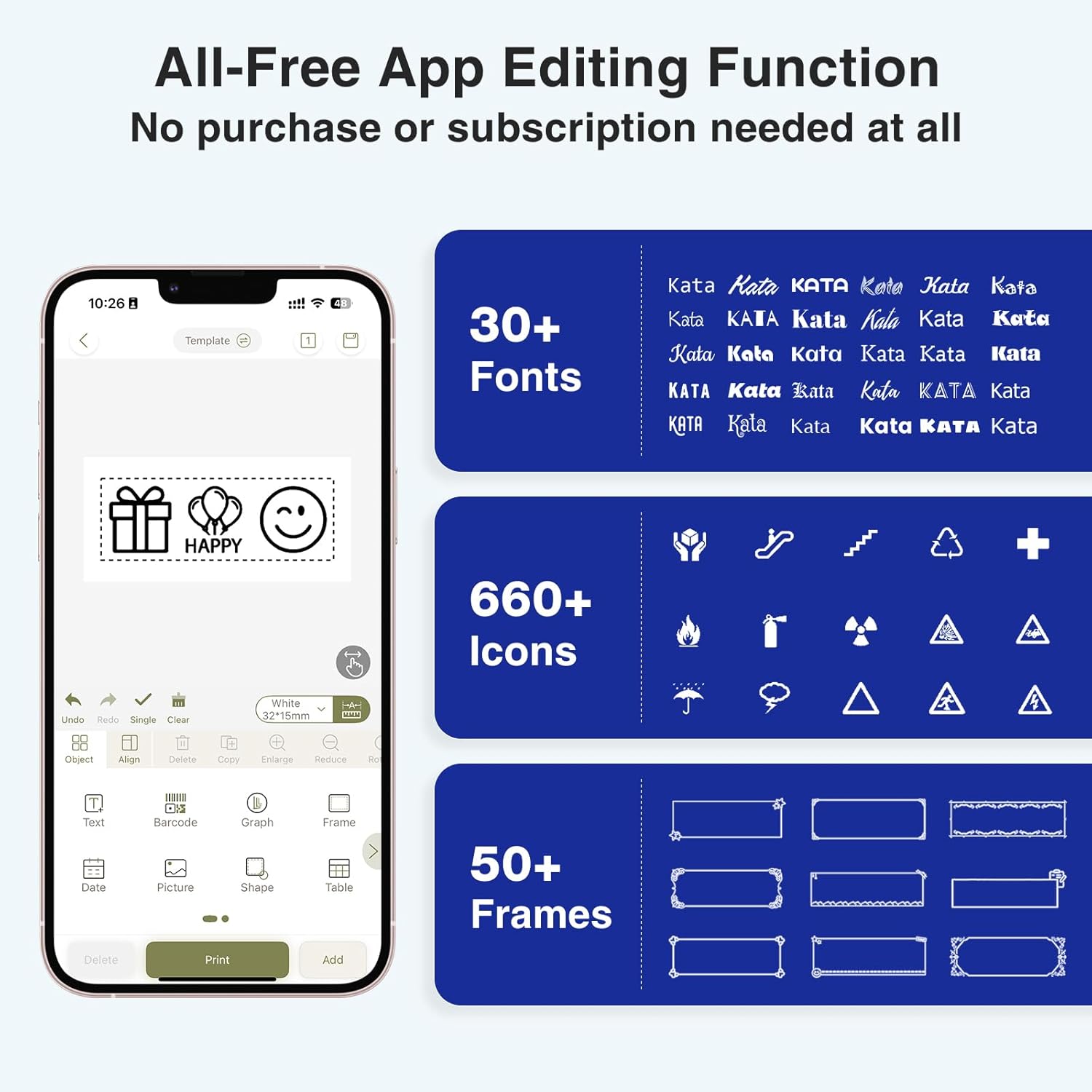
Image: A visual comparison highlighting the minimal 0.2-inch margin of SUPVAN labels versus the larger 1-inch margin of other label makers, demonstrating material efficiency.
4. Wide Applications
The SUPVAN E11 is suitable for various organizational tasks in different environments:
- بيت: Organizing pantry items, storage bins, and personal belongings.
- مطبخ: Labeling food containers, spices, and expiry dates.
- مكتب: Categorizing fileالملفات والمجلدات واللوازم المكتبية.
- مدرسة: Labeling school supplies, books, and projects.
- المرآب/الورشة: Organizing tools and parts.

Image: A collage showing various applications of labels created with the SUPVAN E11, including labeling bottles, file folders, and storage containers.
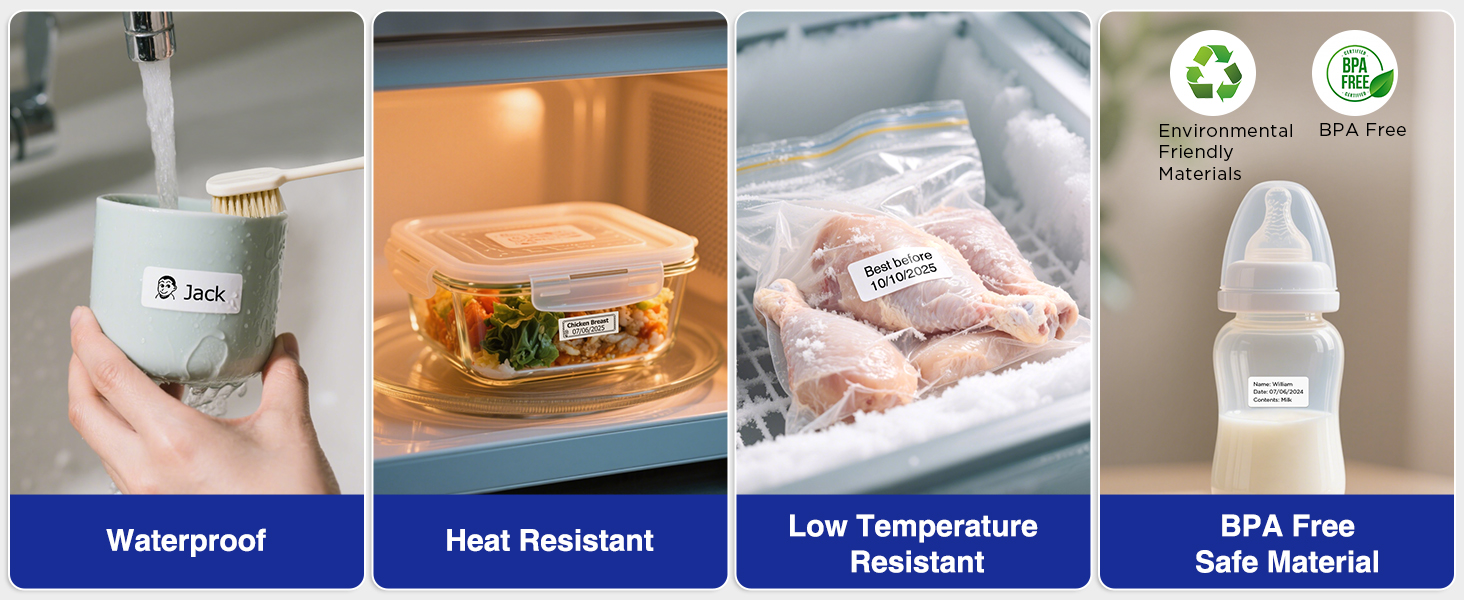
Image: A display illustrating the durability of SUPVAN laminated labels, highlighting their waterproof, heat-resistant, low-temperature resistant, and BPA-free characteristics.
صيانة
1. تنظيف رأس الطباعة
To ensure optimal print quality, regularly clean the print head:
- Turn off the label maker and open the label compartment.
- امسح رأس الطباعة برفق بقطعة قماش ناعمة وخالية من الوبر.ampمخفف بالكحول الأيزوبروبيل.
- اترك رأس الطباعة يجف تمامًا قبل إغلاق الحجرة واستخدام الجهاز.
2. العناية بالبطارية
لإطالة عمر البطارية:
- تجنب تفريغ البطارية بالكامل بشكل متكرر.
- قم بشحن الجهاز بانتظام، حتى لو لم يكن قيد الاستخدام، للحفاظ على صحة البطارية.
- قم بتخزين الجهاز في مكان بارد وجاف عندما لا يكون قيد الاستخدام لفترات طويلة.
استكشاف الأخطاء وإصلاحها
| مشكلة | السبب المحتمل | حل |
|---|---|---|
| Device does not turn on or turns off unexpectedly. | Low battery; device overload during long prints. | Ensure the device is fully charged. For long prints, try breaking the text into shorter segments. |
| Poor print quality (faint, streaky, or blank labels). | Print head is dirty; incorrect label tape installation; faulty label tape. | Clean the print head as described in the Maintenance section. Reinstall the label tape correctly. Try a new roll of label tape. |
| مشاكل الاتصال بالبلوتوث. | Bluetooth is off; device not paired; app issues. | Ensure Bluetooth is enabled on both devices. Re-pair the label maker through the app. Restart the app and the label maker. |
| Labels are not feeding correctly or jamming. | Improper tape installation; foreign object in the feed path. | Open the compartment and re-install the tape, ensuring it is aligned. Check for any obstructions and carefully remove them. |
تحديد
| ميزة | التفاصيل |
|---|---|
| ماركة | سيارات الدفع الرباعي |
| اسم الموديل | إي11 |
| تكنولوجيا الاتصال | بلوتوث |
| تكنولوجيا الطباعة | حراري |
| مخرجات الطابعة | أحادي اللون |
| أقصى سرعة طباعة أحادية اللون | 40 مم/ثانية |
| دقة | 203 نقطة في البوصة |
| وزن العنصر | 0.5 رطل (حوالي 227 جرام) |
| أبعاد المنتج (العمق × العرض × الارتفاع) | 5.8 بوصة × 3.1 بوصة × 1.5 بوصة (تقريبًا 14.7 سم × 7.9 سم × 3.8 سم) |
| سعة البطارية | 1200 مللي أمبير |
| واجهة الشحن | يو اس بي نوع سي |
| نوع العرض | شاشة الكريستال السائل |
| طريقة التحكم | التطبيق، زر الضغط |
| الحد الأقصى لحجم الوسائط | 15 مم × 6 متر |
معلومات الضمان
The SUPVAN E11 Label Maker comes with a ضمان المصنع لمدة عاميغطي هذا الضمان عيوب المواد والتصنيع في ظل الاستخدام العادي. يُرجى الاحتفاظ بإيصال الشراء للمطالبة بالضمان.
For detailed warranty terms and conditions, please refer to the official SUPVAN webالموقع أو الاتصال بدعم العملاء.
دعم العملاء
If you encounter any issues or have questions not covered in this manual, please contact SUPVAN customer support:
- Webموقع: Visit the official SUPVAN webالموقع للأسئلة الشائعة وموارد الدعم.
- بريد إلكتروني: راجع عبوة المنتج أو الموقع الرسمي webموقع مخصص لعناوين البريد الإلكتروني لخدمة العملاء.
Ask a question about this manual
Ask about setup, troubleshooting, compatibility, parts, safety, or missing instructions. Manuals+ will review the question and use this page’s manual context to help answer it.