
مقدمة
This manual provides instructions for the AWEI H25 Smart Watch. Please read this manual carefully before using the device to ensure proper operation and maintenance.

Figure 1: AWEI H25 Smart Watch in use.
1. الإعداد
1.1 محتويات العبوة
تأكد من تضمين العناصر التالية في الحزمة الخاصة بك:
- AWEI H25 Smart Watch
- كابل الشحن
- دليل المستخدم (هذا المستند)
1.2 شحن الجهاز
Before first use, fully charge the smart watch. Connect the charging cable to the charging port on the back of the watch and to a standard USB power adapter (not included).
- يستغرق الشحن الكامل عادةً 2-3 ساعات.
- The watch has a 230mAh battery capacity.
- Battery life is approximately 5-7 days with daily use, and up to 30 days in standby mode.

Figure 2: Battery life and performance overview.
1.3 تنزيل التطبيق وإقرانه
To utilize all features, download the companion app to your smartphone. Scan the QR code provided in the watch's interface or search for the app name (usually mentioned in the watch's initial setup screen or packaging) in your phone's app store.
- قم بتمكين البلوتوث على هاتفك الذكي.
- افتح التطبيق المصاحب واتبع التعليمات التي تظهر على الشاشة لإنشاء حساب أو تسجيل الدخول.
- Select "Add Device" or "Pair Device" within the app.
- The app will search for available devices. Select "AWEI H25" from the list.
- قم بتأكيد طلب الاقتران على كل من ساعتك والهاتف الذكي.
1.4 تخصيص واجهة الساعة
The AWEI H25 features a 1.83-inch screen. You can customize the watch face through the companion app.
- Choose from multiple cloud-based watch faces.
- Upload your own photos to create a personalized watch face.
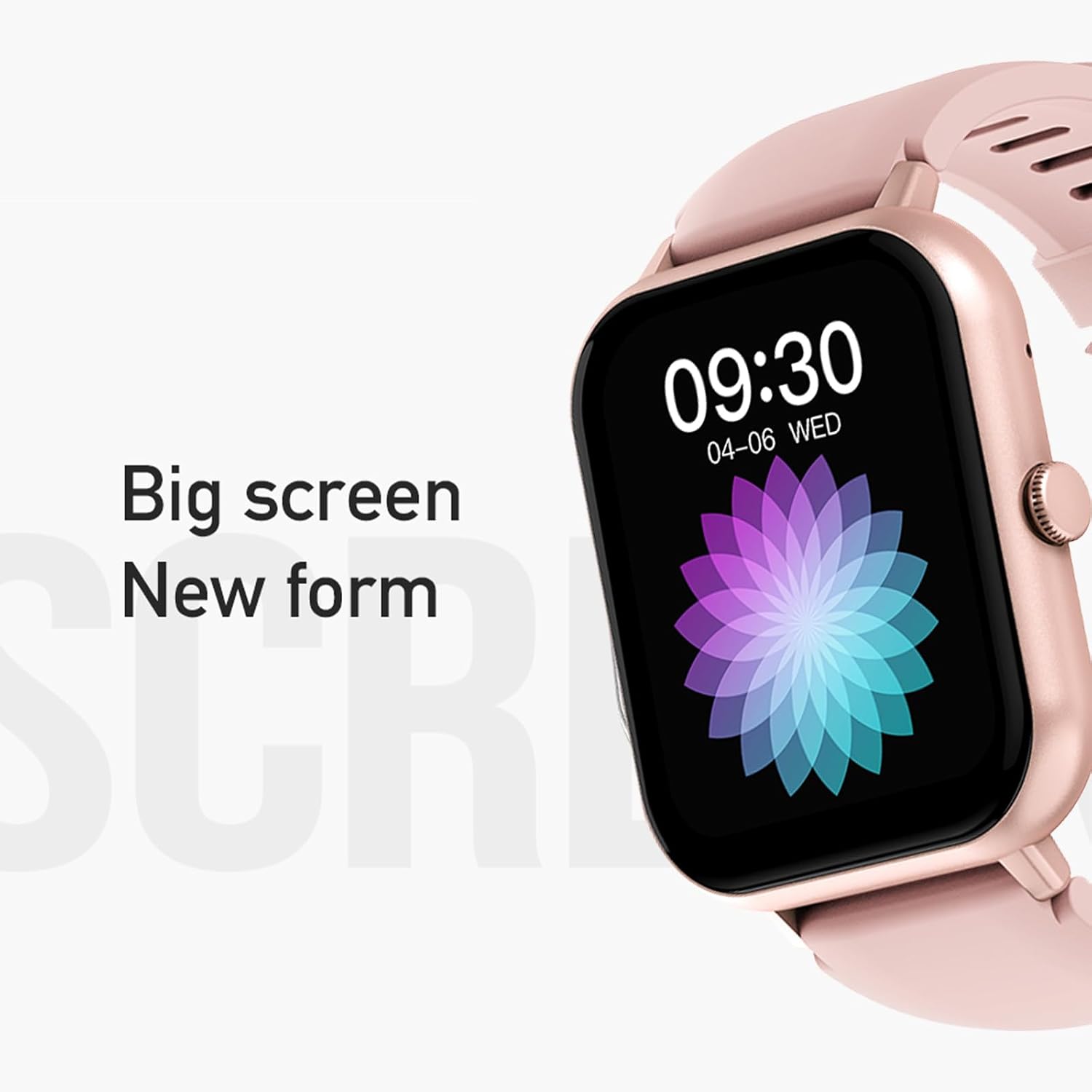
Figure 3: The 1.83-inch screen of the AWEI H25 Smart Watch.
2. تعليمات التشغيل
2.1 الملاحة الأساسية
- اسحب لأعلى/لأسفل: تصفح القوائم والإشعارات.
- اسحب لليسار/اليمين: الوصول إلى الوظائف أو الأدوات بسرعة.
- اضغط على الزر الجانبي: العودة إلى الشاشة الرئيسية أو الوصول إلى قائمة التطبيقات.
- الضغط لفترة طويلة على الزر الجانبي: Power on/off or access system settings.
2.2 وظيفة مكالمات البلوتوث
After successful pairing with your smartphone, the watch supports Bluetooth calls.
- الرد على المكالمات: When a call comes in, tap the green icon on the watch screen.
- اجراء اتصالات: قم بالوصول إلى لوحة الاتصال أو قائمة جهات الاتصال الموجودة على الساعة لبدء مكالمة.
2.3 أوضاع الرياضة
The AWEI H25 offers over 100 sport modes to track your physical activity.
- Access the "Sports" menu on the watch.
- Select your desired activity (e.g., Running, Walking, Hiking, Basketball, Cycling, Yoga).
- The watch will track exercise time, calories burned, and other relevant metrics.

الشكل 4: انتهىview of available sport modes.
2.4 مراقبة الصحة
The watch provides monitoring for various health metrics:
- رصد معدل ضربات القلب: Continuous or on-demand heart rate measurement.
- مراقبة ضغط الدم: يوفر قراءات تقديرية لضغط الدم.
- مراقبة الأكسجين في الدم: Measures blood oxygen saturation (SpO2).
- الدورة الفسيولوجية الأنثوية: Track and predict menstrual cycles (requires setup in the app).
- تذكير المستقرة: ينبهك للتحرك بعد فترات من الخمول.
ملحوظة: The health monitoring features are for reference only and should not be used for medical diagnosis or treatment. Consult a medical professional for health concerns.
2.5 المساعد الصوتي الذكي
After binding the watch to the companion app, you can use the smart voice assistant function.
- Click the voice function icon on the watch's menu screen.
- Speak your command (e.g., "What's the weather today?", "Call [Contact Name]").

Figure 5: Smart Voice Assistant interface.
2.6 ميزات إضافية
- التحكم بالموسيقى: التحكم في تشغيل الموسيقى على هاتفك الذكي.
- التصوير عن بعد: استخدم الساعة كجهاز تحكم عن بعد لكاميرا هاتفك.
- التنبيه: اضبط المنبهات مباشرة من الساعة.
- عرض الوقت: Standard time and date display.
- Wrist-Flip Display: Screen activates when you raise your wrist.
3. الصيانة
3.1 تصنيف مقاومة الماء (IP67)
The AWEI H25 Smart Watch has an IP67 waterproof rating. This means it is protected against dust ingress and can withstand immersion in water up to 1 meter for up to 30 minutes.
- Suitable for daily use such as washing hands, face, or light rain.
- غير مناسب ل: Swimming, diving, hot showers, saunas, or high-pressure water activities.
- Avoid contact with hot water, steam, or corrosive liquids.
3.2 التنظيف والعناية
- امسح الساعة وحزامها بانتظام بقطعة قماش ناعمة وجافة.
- إذا لزم الأمر، استخدم قليلا دamp امسح بقطعة قماش مبللة بصابون خفيف، ثم جففها.
- لا تستخدم مواد كيميائية قاسية، أو منظفات كاشطة، أو مذيبات.
- احرص على إبقاء جهات اتصال الشحن نظيفة وجافة لضمان الشحن المناسب.
3.3 العناية بالبطارية
- تجنب تفريغ البطارية بالكامل بشكل متكرر.
- Do not expose the watch to extreme temperatures (very hot or very cold).
- If storing the watch for an extended period, charge it to about 50% and store in a cool, dry place.
4. استكشاف الأخطاء وإصلاحها
4.1 الجهاز لا يعمل
- تأكد من شحن الساعة بالكامل. وصلها بالشاحن لمدة 30 دقيقة على الأقل.
- Try a long press (approx. 10-15 seconds) of the side button to force a power-on.
4.2 تعذر الاقتران بالهاتف الذكي
- تأكد من تمكين Bluetooth على هاتفك الذكي.
- تأكد من أن الساعة موجودة ضمن نطاق البلوتوث (عادةً 10 أمتار).
- أعد تشغيل كل من الساعة والهاتف الذكي.
- قم بمسح ذاكرة التخزين المؤقت للبلوتوث على هاتفك (إن وجدت) وحاول الاقتران مرة أخرى.
- تأكد من تحديث التطبيق المصاحب إلى أحدث إصدار.
4.3 قراءات صحية غير دقيقة
- تأكد من ارتداء الساعة بشكل مريح على معصمك، وليس ضيقًا جدًا أو فضفاضًا جدًا.
- حافظ على نظافة المستشعر الموجود في الجزء الخلفي من الساعة وخلوه من الأوساخ.
- تجنب الحركة المفرطة أثناء القياسات.
- Remember that these readings are for reference and not medical grade.
4.4 Watch Not Receiving Notifications
- تحقق من أذونات الإشعارات الخاصة بالتطبيق المصاحب على هاتفك الذكي.
- تأكد من أن الساعة متصلة بهاتفك عبر البلوتوث.
- تأكد من أن وضع "عدم الإزعاج" غير نشط على الساعة أو الهاتف.
5. المواصفات
| رقم الموديل | ح25 |
| ماركة | أوي |
| حجم الشاشة | 1.83 بوصة |
| سعة البطارية | 230 مللي أمبير |
| الاتصال | بلوتوث |
| تصنيف مقاومة الماء | IP67 |
| المميزات الخاصة | 100+ sport modes, Multiple customizable dials, Smart voice assistant, Heart rate, Blood pressure, Blood oxygen monitoring, Bluetooth call function. |
| نظام تحديد المواقع العالمي (جي بي اس) | لا يوجد نظام تحديد المواقع العالمي (GPS) |
6. الضمان والدعم
6.1 ضمان المنتج
The AWEI H25 Smart Watch comes with a one-year warranty from the date of purchase. This warranty covers manufacturing defects under normal use. It does not cover damage caused by misuse, accidents, unauthorized modifications, or failure to follow instructions in this manual.
يرجى الاحتفاظ بإثبات الشراء الخاص بك لمطالبات الضمان.
6.2 دعم العملاء
If you encounter any issues not covered in the troubleshooting section or require further assistance, please contact AWEI customer support. Refer to the product packaging or the official AWEI webالموقع للحصول على أحدث معلومات الاتصال.