
1. المقدمة
The Awei H15 Smartwatch is designed to integrate seamlessly into your daily life, offering health monitoring, communication features, and smart notifications. This manual provides essential information for setting up, operating, and maintaining your device.
2. ماذا يوجد في الصندوق
- 1 x Awei H15 Smartwatch
- 1 × كابل شحن
- 1 × دليل المستخدم (هذه الوثيقة)
3. انتهى المنتجview
Familiarize yourself with the key components of your Awei H15 Smartwatch.
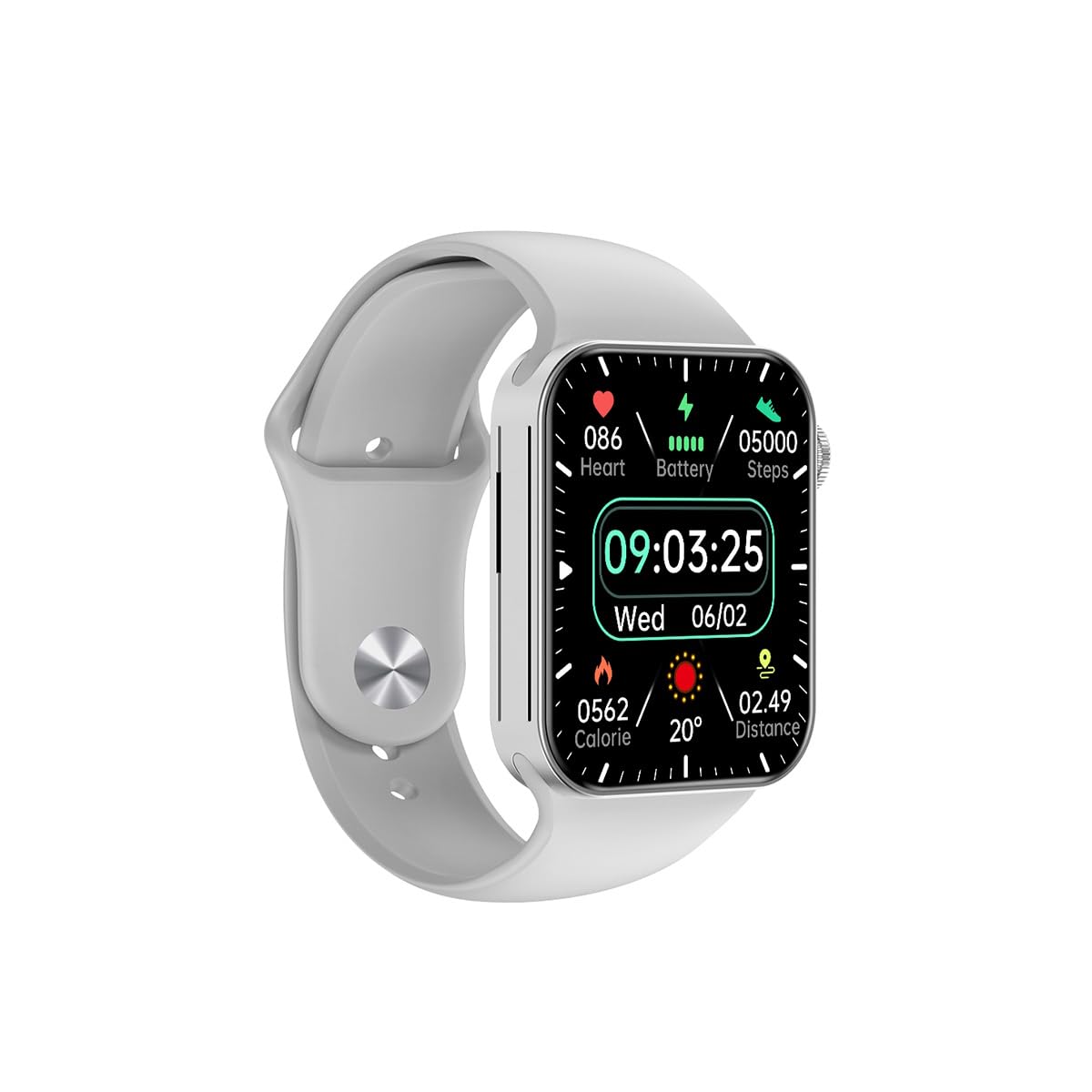
الشكل 3.1: أمام view of the Awei H15 Smartwatch display, illustrating various health metrics and time.

الشكل 3.2: جانب view of the smartwatch, highlighting the rotary crown for navigation and an additional button.
4. الإعداد
4.1 شحن الساعة الذكية
Before first use, fully charge your Awei H15 Smartwatch. Connect the provided charging cable to the charging port on the back of the watch and to a standard USB power adapter (not included).
- مدة الشحن: حوالي 2-3 ساعات للشحن الكامل.
- Battery Life: Up to 7 days with calls, up to 15 days without calls.
4.2 تشغيل/إيقاف التشغيل
- لتشغيل: اضغط باستمرار على الزر الجانبي حتى يظهر شعار Awei.
- لإيقاف التشغيل: اضغط مع الاستمرار على الزر الجانبي، ثم حدد "إيقاف التشغيل" على الشاشة.
4.3 الاقتران بهاتفك الذكي
The Awei H15 Smartwatch uses Dual Bluetooth 3.0/5.0 for stable connectivity. To unlock full features, download the companion app (refer to the packaging or quick start guide for app name) from your smartphone's app store.
- Ensure your smartwatch is powered on and fully charged.
- قم بتمكين البلوتوث على هاتفك الذكي.
- Open the companion app and follow the on-screen instructions to search for and connect to your Awei H15 Smartwatch.
- قم بتأكيد طلب الاقتران على كل من هاتفك الذكي وساعتك الذكية.
5. تعليمات التشغيل
5.1 الملاحة الأساسية
- شاشة اللمس: مرر لليسار، لليمين، للأعلى، وللأسفل للتنقل بين القوائم والشاشات. انقر لتحديد العناصر.
- التاج الدوار: Rotate the crown to scroll through lists or zoom in/out (where applicable). Press the crown to return to the home screen or confirm selections.
5.2 Multi-Dial Switching
Customize your smartwatch's appearance by switching between various watch faces.

الشكل 5.1: Examples of different watch faces available on the Awei H15 Smartwatch.
لتغيير وجه الساعة:
- From the home screen, press and hold the display.
- اسحب لليسار أو لليمين لتصفح وجوه الساعة المتاحة.
- Tap on a watch face to select it.
5.3 مراقبة الصحة
The Awei H15 Smartwatch tracks various health metrics to support your active lifestyle.
- معدل ضربات القلب: راقب معدل ضربات قلبك على مدار اليوم.
- تتبع النشاط: The built-in G-Sensor (MSA311) accurately tracks steps, distance, and calories burned.
- مراقبة النوم: Track your sleep patterns (light sleep, deep sleep, wake-up times).
Access detailed health data through the companion app on your smartphone.
5.4 الميزات الذكية
- المكالمات: Make and receive calls directly from your smartwatch when connected to your phone via Bluetooth.
- إشعارات: Receive alerts for messages, emails, and app notifications.
- تحديثات الطقس: احصل على معلومات الطقس في الوقت الفعلي.
- التحكم بالموسيقى: التحكم في تشغيل الموسيقى على هاتفك الذكي.
6. الصيانة
6.1 التنظيف
نظّف ساعتك الذكية بانتظام لضمان الأداء الأمثل والنظافة.
- امسح الشاشة والجسم بقطعة قماش ناعمة وخالية من الوبر.
- بالنسبة للأوساخ العنيدة، قم بإزالة الأوساخ برفق.ampاغسل القماش بالماء. تجنب المواد الكيميائية القاسية.
- قم بتنظيف جهات اتصال الشحن بشكل دوري لضمان الاتصال الجيد.
6.2 مقاومة الماء (IP67)
The Awei H15 Smartwatch is IP67 water-resistant, meaning it is protected against dust and can withstand immersion in water up to 1 meter for 30 minutes.
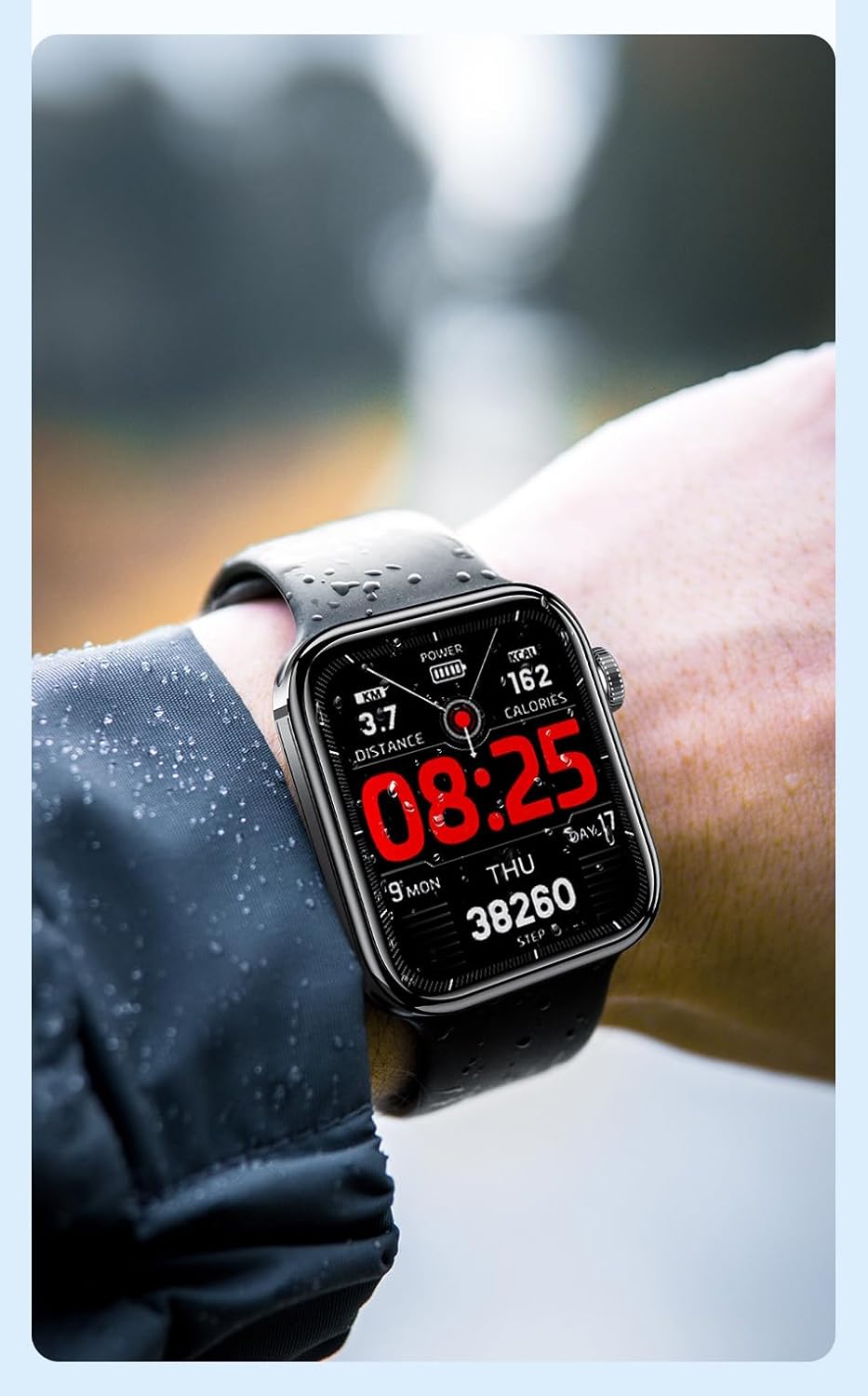
الشكل 6.1: The Awei H15 Smartwatch is designed to withstand splashes and dust.
Important: IP67 rating does not mean the watch is suitable for swimming, showering, or diving. Avoid exposing the watch to hot water, steam, or high-velocity water.
7. استكشاف الأخطاء وإصلاحها
- الساعة لا تعمل: تأكد من شحن الساعة بالكامل. وصلها بالشاحن لمدة 30 دقيقة على الأقل.
- لا يمكن الاقتران بالهاتف الذكي:
- تأكد من تمكين البلوتوث على هاتفك والساعة.
- تأكد من أن الساعة موجودة ضمن نطاق هاتفك.
- أعد تشغيل كل من الساعة والهاتف.
- تحقق مما إذا كان تطبيق المرافق محدثًا إلى الإصدار الأحدث.
- بيانات صحية غير دقيقة: تأكد من أن الساعة مُحكمة على معصمك، ليست ضيقة جدًا ولا واسعة جدًا. نظّف المستشعر الموجود على ظهر الساعة.
- عمر بطارية قصير: قلل سطوع الشاشة، وعطّل الإشعارات غير الضرورية، وقلّل من مراقبة معدل ضربات القلب المستمرة.
8. المواصفات
| ميزة | مواصفة |
|---|---|
| نموذج | ح15 |
| تكنولوجيا الاتصال | بلوتوث 3.0/5.0 |
| مقاومة الماء | IP67 |
| سعة البطارية | 260 مللي أمبير |
| وقت الشحن | 2-3 ساعات |
| وقت الاستخدام | Up to 7 days (with calls), 15 days (without calls) |
| مستشعر الجاذبية | م س أ 311 |
| أبعاد | 36.8 × 42.5 × 13.2 ملم |
| طول معصمه | 270 ملم |
| الشركة المصنعة | أوي |
9. الضمان والدعم
Your Awei H15 Smartwatch comes with a ضمان لمدة 6 شهرًا من تاريخ الشراء. يغطي هذا الضمان عيوب التصنيع في ظل الاستخدام العادي.
For warranty claims or technical support, please contact your retailer or the official Awei customer service. Keep your proof of purchase for warranty validation.