
SONRU J48
SONRU Bluetooth 5.3 Receiver User Manual
الموديل: J48
Brand: SONRU
1. المقدمة
This user manual provides detailed instructions for the SONRU Bluetooth 5.3 Receiver. This wireless audio adapter is designed to bring Bluetooth connectivity to various audio systems, including car stereos, home stereos, wired headphones, and speakers. Featuring advanced Bluetooth 5.3 technology, it ensures a faster, more stable, and smarter connection with minimal sound quality loss. The device also supports hands-free calling and dual device connection, enhancing your audio experience and convenience.
2. معلومات السلامة
Keep away from water and extreme temperatures. Do not expose to high heat or fire. Do not short-circuit. Avoid contact with liquids. Do not dispose of in fire. May interfere with other wireless devices. Follow local regulations for battery disposal.
3. محتويات العبوة
يرجى التأكد من أن جميع العناصر موجودة في طردك:
- 1 x SONRU Bluetooth Wireless Receiver (Model J48)
- 1 × محول صوت 3.5 ملم
- 1 × كابل صوت 3.5 ملم
- 1 × كابل صوت RCA
- 1 × كابل شحن من النوع C
- 1 × دليل المستخدم وبطاقة الضمان

Image: All components included in the SONRU Bluetooth Receiver package.
4. الإعداد
4.1 الشحن الأولي
Before first use, fully charge the Bluetooth receiver. Connect the provided Type-C charging cable to the receiver's charging port and a USB power source. A full charge typically takes approximately 1.5 hours. The device supports charging while in use.
4.2 الاتصال بمصدر الصوت
The SONRU Bluetooth Receiver offers versatile connectivity options:
- For 3.5mm AUX Input: Use the included 3.5mm audio adapter or 3.5mm audio cable to connect the receiver to your car's AUX port, home stereo, wired headphones, or speaker.
- For RCA Input: Use the included RCA audio cable to connect the receiver to older home stereo systems or other audio equipment with RCA inputs.

Image: The receiver's wide compatibility with various audio devices.
4.3 اقتران بلوتوث
- تشغيل الطاقة: Press and hold the multifunction button on the receiver to power it on. The LED display will light up.
- تمكين البلوتوث: On your mobile device (smartphone, tablet, etc.), go to the Bluetooth settings and ensure Bluetooth is enabled.
- اختر جهاز: Look for "J48" in the list of available Bluetooth devices and select it to pair. Once connected, the receiver will indicate successful pairing.
- تشغيل الصوت: Begin playing audio on your mobile device. The sound will now be transmitted wirelessly to the connected audio system.
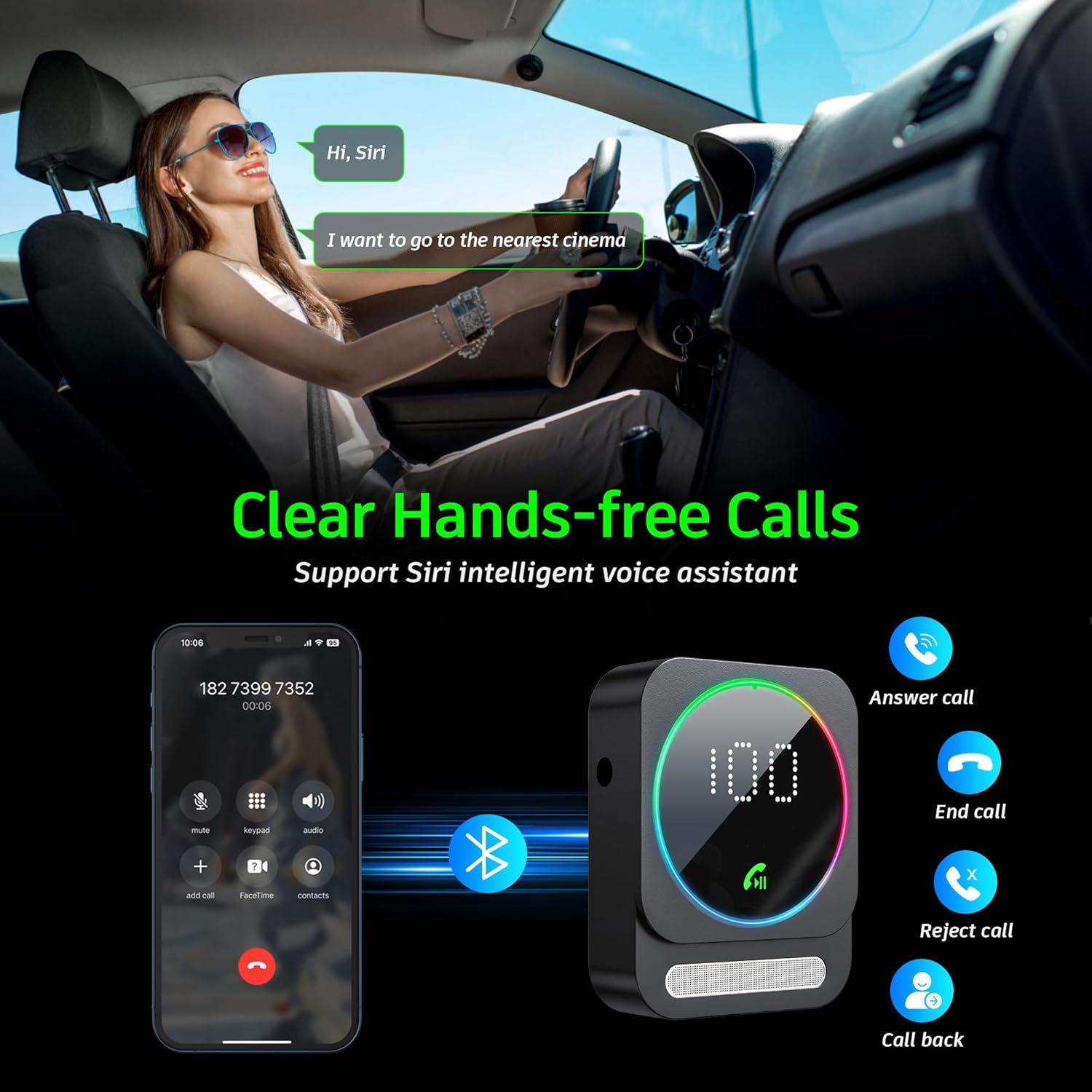
Image: Bluetooth pairing process in a car environment.
5. تعليمات التشغيل
5.1 الاتصال بدون استخدام اليدين
The receiver is equipped with a high-quality microphone and CVC8.0 technology for clear hands-free calls.
- الرد على المكالمة: اضغط على الزر متعدد الوظائف مرة واحدة.
- إنهاء المكالمة: اضغط على زر الوظائف المتعددة مرة واحدة أثناء المكالمة.
- رفض المكالمة: اضغط مع الاستمرار على الزر متعدد الوظائف لمدة ثانيتين.
- إعادة الاتصال بالرقم الأخير: اضغط مرتين على الزر متعدد الوظائف.
- تفعيل المساعد الصوتي (Siri/Google Assistant): اضغط على الزر متعدد الوظائف ثلاث مرات.

Image: Multifunction and volume buttons on the receiver.
5.2 تشغيل الموسيقى
- تشغيل/إيقاف مؤقت: اضغط على الزر متعدد الوظائف مرة واحدة.
- المسار التالي: اضغط لفترة قصيرة على زر "+".
- المسار السابق: اضغط لفترة قصيرة على زر "-".
- رفع الصوت: اضغط لفترة طويلة على زر "+".
- اخفض الصوت: اضغط لفترة طويلة على زر "-".
5.3 اتصال الجهاز المزدوج
The SONRU Bluetooth Receiver can connect to two Bluetooth devices simultaneously. This allows for convenient switching between devices for music or calls. Note that audio from both devices cannot be played simultaneously; you must switch between them.
Image: The receiver's ability to connect to two devices simultaneously.
5.4 عمر البطارية والشحن
The built-in 250mAh battery provides up to 16 hours of continuous use on a single charge. The device can be fully charged in approximately 1.5 hours using the provided Type-C cable. It supports charging while in use, making it ideal for long journeys.

Image: Visual representation of the receiver's battery life and charging features.
6. الصيانة
To ensure the longevity and optimal performance of your SONRU Bluetooth Receiver, follow these maintenance guidelines:
- تنظيف: استخدم قطعة قماش ناعمة وجافة لتنظيف الجهاز. لا تستخدم المنظفات السائلة أو البخاخات.
- تخزين: قم بتخزين الجهاز في مكان بارد وجاف بعيدًا عن أشعة الشمس المباشرة ودرجات الحرارة القصوى.
- تجنب التأثير: Do not drop or subject the device to strong impacts, as this may damage internal components.
- العناية بالكابلات: Handle cables gently. Avoid bending or pulling them excessively to prevent damage.
7. استكشاف الأخطاء وإصلاحها
If you encounter issues with your SONRU Bluetooth Receiver, please refer to the following common solutions:
| مشكلة | حل |
|---|---|
| الجهاز لا يعمل. | تأكد من شحن الجهاز بالكامل. قم بتوصيله بمصدر طاقة باستخدام كابل Type-C وحاول مرة أخرى. |
| لا يمكن الاقتران بالجهاز المحمول. |
|
| لا يوجد صوت أو جودة الصوت رديئة. |
|
| جودة المكالمة سيئة. | Ensure the microphone is not obstructed. Reduce background noise if possible. The CVC8.0 technology helps filter out echoes and background noise. |
8. المواصفات
| ميزة | التفاصيل |
|---|---|
| نسخة البلوتوث | 5.3 |
| تكنولوجيا الاتصال | AUX, RCA |
| سعة البطارية | 250 مللي أمبير |
| وقت الشحن | حوالي 1.5 ساعات |
| وقت الاستخدام | تصل إلى 16 ساعة |
| المميزات الخاصة | Hands-Free Calls, Dual AUX Outputs, Digital Display, Ambient Light |
| نطاق العمل | Up to 33ft (10m) without obstacles |
| أبعاد | 6.65 × 2.76 × 0.94 بوصة |
| وزن العنصر | 2.89 أونصات |
فيديو: أكثر منview of the SONRU Bluetooth 5.3 Receiver's features and usage scenarios.
9. الضمان والدعم
SONRU provides a warranty for this product. For detailed warranty information, please refer to the included Warranty Card in your package. If you encounter any problems or are not satisfied with your product, please contact SONRU customer support for assistance. We are committed to providing a satisfactory solution.
يمكنك عادةً العثور على معلومات الاتصال بالدعم على موقع الشركة المصنعة. webالموقع أو من خلال بائع التجزئة الذي اشتريت منه المنتج.
Ask a question about this manual
Ask about setup, troubleshooting, compatibility, parts, safety, or missing instructions. Manuals+ will review the question and use this page’s manual context to help answer it.