
1. المقدمة
This manual provides detailed instructions for the Zopsc 5K Digital Camera, a versatile device designed for photography and vlogging. It features a 48MP ultra-high resolution sensor, 16X digital zoom, a 3.5-inch display, and various flash modes. The camera is equipped with autofocus and six-axis stabilization for clear images and videos, along with built-in wireless connectivity for easy sharing.
2. محتويات العبوة
يرجى التحقق من الحزمة للتأكد من وجود جميع العناصر:
- شنومكس x كاميرا رقمية
- 1 x Battery (NP60 1050mAh)
- 1 x UV Filter
- غطاء عدسة واحد
- 1 × كابل يو اس بي
- 1 x Multimedia Cable
- 1 × قطعة قماش تنظيف
- 1 × حزام اليد
- 1 × حقيبة حمل
- 1 × دليل المستخدم

Image: All items included in the Zopsc 5K Digital Camera package.
3. انتهى المنتجview
The Zopsc 5K Digital Camera features a compact design with a 3.5-inch IPS display on the rear for clear viewing and menu navigation. The front houses the lens with 16X powerful zoom capabilities and a built-in flash. A hot shoe mount is located on top for external accessories like microphones or additional lighting.

الصورة: الأمامية والخلفية views of the Zopsc 5K Digital Camera, highlighting the display and lens.
4. الإعداد
4.1 تركيب البطارية
- حدد موقع غطاء حجرة البطارية في الجزء السفلي من الكاميرا.
- قم بتحريك المزلاج لفتح الغطاء.
- Insert the provided NP60 1050mAh lithium battery, ensuring the correct orientation according to the diagram inside the compartment.
- أغلق غطاء حجرة البطارية حتى تسمع صوت طقطقة محكم.
4.2 تركيب بطاقة الذاكرة
The camera supports storage cards from 4GB to 256GB. A C10/U1 or higher speed card is recommended for optimal performance.
- حدد مكان فتحة بطاقة الذاكرة، عادةً بالقرب من حجرة البطارية أو على جانب الكاميرا.
- قم بإدخال بطاقة الذاكرة مع توجيه جهات الاتصال نحو الاتجاه الصحيح حتى تستقر في مكانها.
- لإزالتها، اضغط برفق على البطاقة حتى تخرج.
4.3 التشغيل المبدئي
After installing the battery and memory card, press and hold the power button (usually located on the top of the camera) to turn on the device. The 3.5-inch display will illuminate.
5. تعليمات التشغيل
5.1 التشغيل الأساسي
- تشغيل/إيقاف التشغيل: اضغط مع الاستمرار على زر الطاقة.
- التنقل في القائمة: Use the directional buttons (up, down, left, right) and the 'OK' button to navigate through the camera's menu on the 3.5-inch display.
- قرص الوضع: Rotate the function dial to switch between different modes such as photo taking, video recording, continuous shooting, time lapse, loop recording, and slow motion.
5.2 ميزات التصوير الفوتوغرافي
- ضبط تلقائي للصورة: The camera features automatic focus to quickly lock onto your subject, ensuring clear images.
- أوضاع الفلاش: Select from three flash modes (e.g., Auto, Fill-in, Red-eye Reduction) to suit different lighting conditions, whether indoors or outdoors.
- تقريب رقمي 16X: Use the zoom controls to magnify distant subjects up to 16 times.

Image: Demonstration of the 16X digital zoom capability, focusing on a distant object.
5.3 تسجيل الفيديو
- تسجيل بدقة 5K: Record high-resolution videos at 5K 30FPS for detailed footage.
- التسجيل المتكرر: تسجيل الفيديو بشكل مستمر، مع استبدال أقدم نسخة. files عندما تمتلئ بطاقة الذاكرة.
- الحركة البطيئة: Capture dynamic scenes in slow motion for dramatic effects.
5.4 الميزات المتقدمة
- Six-Axis Stabilization: This feature reduces blur from camera shake, ensuring stable images and videos even when handheld or in low light.

Image: Visual representation of the 6-axis physical stabilization system, showing its effect on motion shots.
- Wireless Connectivity (Fidelity): Utilize the built-in wireless function to transfer images and videos to your smart devices for quick sharing and editing via a mobile application.
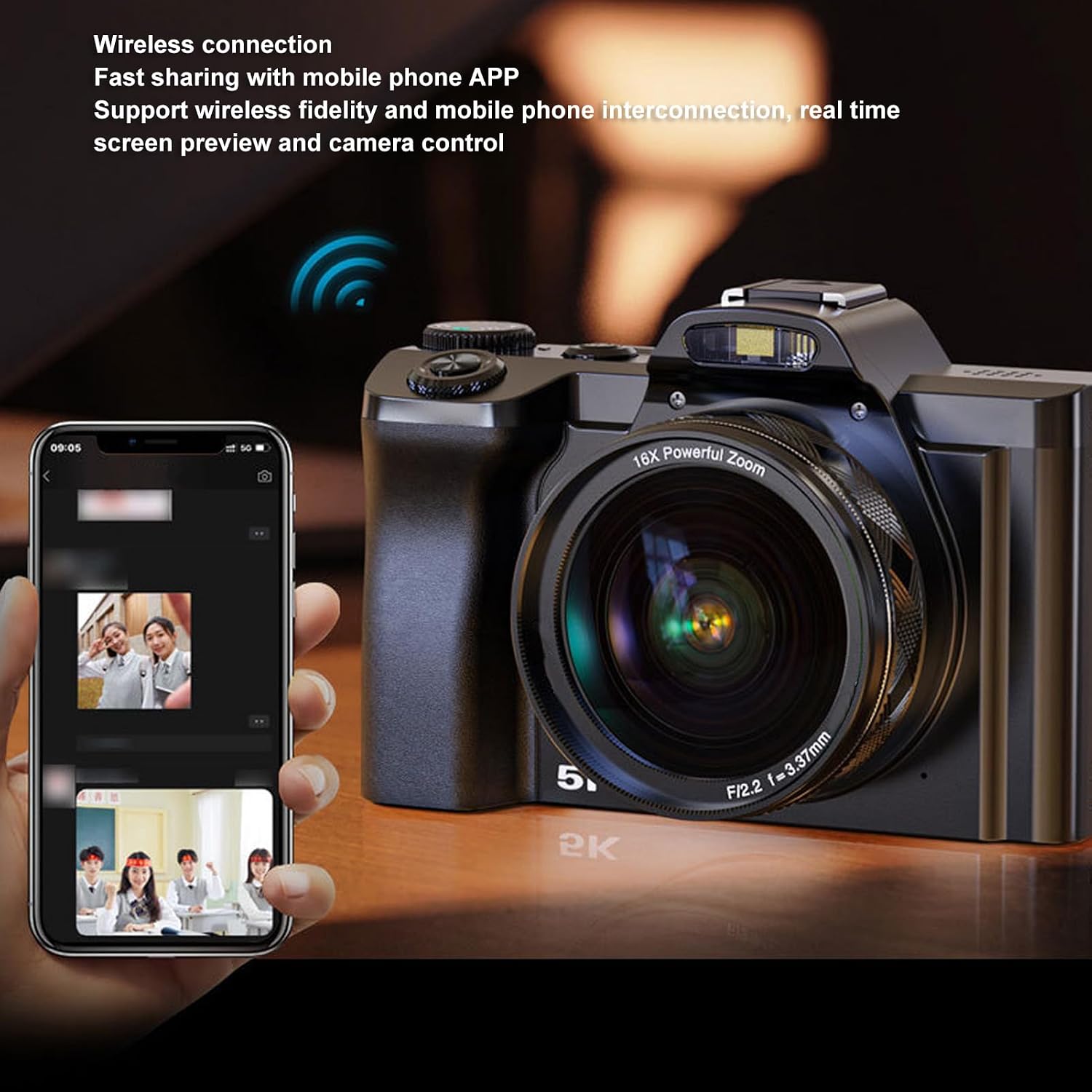
Image: The camera demonstrating wireless connection with a mobile phone application for real-time preview والسيطرة.
- External Hot Shoe: The camera features a professional hot shoe mount, allowing connection of external accessories such as noise-canceling microphones or additional flash units for enhanced audio and lighting.

Image: The camera with various external accessories like a microphone and LED light attached to its hot shoe mount.
6. الصيانة
- تنظيف: Use the provided cleaning cloth to gently wipe the lens and screen. For stubborn smudges, use a specialized lens cleaning solution. Avoid harsh chemicals.
- تخزين: When not in use, store the camera in the carrying bag in a cool, dry place away from direct sunlight and extreme temperatures. Remove the battery if storing for extended periods.
- العناية بالبطارية: Charge the battery fully before first use. Avoid completely draining the battery frequently to prolong its lifespan.
7. استكشاف الأخطاء وإصلاحها
If you encounter issues with your camera, please refer to the table below for common problems and solutions.
| مشكلة | السبب المحتمل | حل |
|---|---|---|
| الكاميرا لا تعمل. | البطارية منخفضة أو لم يتم إدخالها بشكل صحيح. | Charge the battery or re-insert it correctly. Ensure the battery compartment is closed. |
| الصور ضبابية. | Autofocus failed, camera shake, or dirty lens. | Ensure autofocus is engaged. Hold the camera steady or use the 6-axis stabilization. Clean the lens. |
| لا يمكن الاتصال بتطبيق الهاتف المحمول. | Wireless function is off, incorrect app settings, or distance too far. | Enable wireless connectivity on the camera. Check app settings and ensure camera and phone are close. |
| خطأ في بطاقة الذاكرة. | البطاقة ممتلئة أو تالفة أو غير متوافقة. | يمسح files, format the card (this will erase all data), or try a different compatible card (C10/U1 or higher). |
8. المواصفات
Detailed technical specifications for the Zopsc 5K Digital Camera:
| ميزة | مواصفة |
|---|---|
| حجم الشاشة | 3.5 inches (IPS display) |
| نسبة العرض إلى الارتفاع | 16:9 |
| أقصى دقة للصورة | 48 ميجابكسل (8000x6000) |
| دقة الفيديو القصوى | 5 ألف 30 إطارًا في الثانية |
| تقريب رقمي | 16x |
| تثبيت الصورة | Yes (6-axis physical stabilization) |
| التركيز التلقائي | نعم |
| تكنولوجيا الاتصال | Wireless (Fidelity), USB, Multimedia Cable |
| Supported Storage Card | 4GB to 256GB (C10/U1 recommended) |
| نوع البطارية | Lithium battery NP60 1050mAh |
| File شكل | JPG ، MP4 |
| اسم الموديل | Zopsce54dh2mif9 |
| ماركة | زوبسك |
9. الضمان والدعم
Your Zopsc 5K Digital Camera is covered by a manufacturer's warranty. For specific warranty terms, duration, and to register your product, please refer to the warranty card included in your package or visit the official Zopsc website. For technical support, troubleshooting assistance beyond this manual, or service inquiries, please contact Zopsc customer support through the contact information provided on their official webالموقع أو منصة الشراء الخاصة بك.