
AWEI T78
AWEI T78 Mini Wireless Earbuds User Manual
الموديل: T78
مقدمة
Thank you for choosing the AWEI T78 Mini Wireless Earbuds. These earbuds are designed to provide an immersive audio experience with advanced Bluetooth 5.4 technology, clear call performance, and a lightweight, ergonomic design. This manual will guide you through the setup, operation, and maintenance of your new earbuds to ensure optimal performance and longevity.

Image: AWEI T78 earbuds and charging case, highlighting immersive stereo sound.
ماذا يوجد في الصندوق
- سماعات الأذن اللاسلكية AWEI T78
- حافظة الشحن
- كابل شحن USB (نوع C)
- دليل المستخدم
- نصائح الأذن
المنتج انتهىview
The AWEI T78 earbuds consist of two lightweight earbuds and a portable charging case. The earbuds feature touch-sensitive controls for easy operation, while the charging case provides extended battery life on the go.
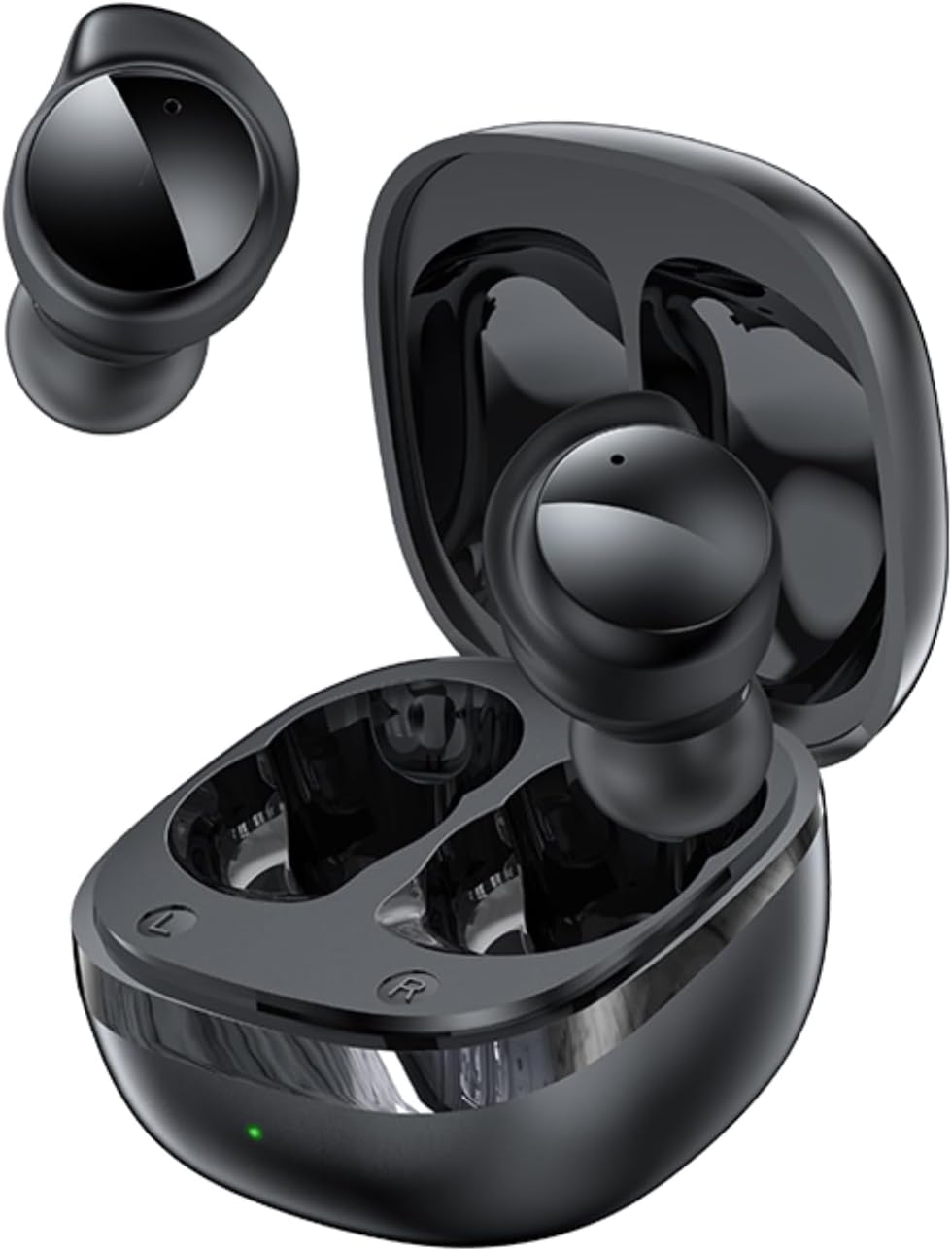
Image: AWEI T78 Mini Wireless Earbuds and Charging Case.

Image: Internal components of an AWEI T78 earbud, showcasing the 13mm speaker.
يثبت
1. شحن سماعات الأذن والعلبة
Before first use, fully charge the charging case and earbuds. Connect the provided Type-C USB cable to the charging port on the case and a power source. The charging indicator light will show the charging status.
- بطارية علبة الشحن: 200 مللي أمبير
- وقت الشحن (العلبة): حوالي ساعة واحدة
- Earbud Play Time: Up to 4 hours per charge
- Earbud Talk Time: Up to 3 hours per charge
- Total Playback with Charging Case: Up to 30 hours (dual-ear mode), up to 52 hours (single-ear alternating mode)

Image: Battery life details for AWEI T78 earbuds.
2. الاقتران بجهازك
- تأكد من شحن وسادات الأذن.
- افتح علبة الشحن. سيتم تشغيل سماعات الأذن تلقائيًا ودخول وضع الاقتران.
- على جهازك (الهاتف الذكي، الجهاز اللوحي، الكمبيوتر المحمول)، قم بتمكين البلوتوث.
- بحث عن available Bluetooth devices and select "AWEI T78" from the list.
- بمجرد الاتصال، ستسمع صوت تأكيد، وستكون سماعات الأذن جاهزة للاستخدام.
The earbuds feature Bluetooth 5.4 for a fast, stable, and low-latency connection up to 10 meters (33 feet). They will automatically reconnect to the last paired device when taken out of the case.

Image: AWEI T78 earbuds demonstrating Bluetooth 5.4 connectivity.
التشغيل
تشغيل/إيقاف الطاقة
- تشغيل الطاقة: افتح حافظة الشحن ، وسيتم تشغيل سماعات الأذن تلقائيًا.
- إيقاف التشغيل: أعد وضع سماعات الأذن في علبة الشحن وأغلق الغطاء. ستتوقف تلقائيًا وتبدأ عملية الشحن.
عناصر التحكم باللمس
The AWEI T78 earbuds feature intuitive touch controls on each earbud. The functions are as follows:
- تشغيل/إيقاف مؤقت: Tap once on either L/R earbud.
- الأغنية التالية: Tap twice on either L/R earbud.
- الأغنية السابقة: Tap thrice on either L/R earbud.
- الرد / قطع الاتصال: Tap once on either L/R earbud.
- رفض المكالمة: Touch for 1 second on either L/R earbud.
- تنشيط مساعد الصوت: Long touch for 2 seconds on either L/R earbud.

Image: Detailed diagram of AWEI T78 earbud touch controls.
وضع ياربود واحد
يمكنك استخدام سماعة الأذن اليسرى أو اليمنى بشكل مستقل. ما عليك سوى إخراج إحدى السماعتين من العلبة، وستتصل تلقائيًا بجهازك. أما السماعة الأخرى، فيمكنك تركها في العلبة أو استخدامها لاحقًا.

Image: AWEI T78 earbud worn, emphasizing its lightweight design.
صيانة
تنظيف
نظّف سماعات الأذن وعلبة الشحن بانتظام للحفاظ على الأداء الأمثل والنظافة.
- استخدم قطعة قماش ناعمة وجافة وخالية من الوبر لمسح سماعات الأذن وعلبة الشحن.
- قم بإزالة أي شمع أذن أو حطام من شبكة سماعة الأذن وجهات الاتصال الخاصة بالشحن بلطف باستخدام قطعة قطن نظيفة وجافة أو فرشاة صغيرة ناعمة.
- لا تستخدم المنظفات الكاشطة أو الكحول أو المذيبات الكيميائية.
مقاومة الماء (IPX5)
The AWEI T78 earbuds are IPX5 waterproof, meaning they are protected against low-pressure water jets from any direction. This makes them suitable for workouts and light rain. However, they are not designed for submersion in water or for use during swimming or showering.
تخزين
عندما لا تكون قيد الاستخدام، قم بتخزين سماعات الأذن في علبة الشحن الخاصة بها لحمايتها من الغبار والتلف، وللحفاظ عليها مشحونة.
استكشاف الأخطاء وإصلاحها
- سماعات الأذن غير مقترنة بالجهاز:
- تأكد من تمكين البلوتوث على جهازك.
- Make sure the earbuds are charged and out of the charging case.
- Try forgetting "AWEI T78" from your device's Bluetooth list and re-pairing.
- Restart your device and try again. - سماعة أذن واحدة فقط تعمل:
- Place both earbuds back into the charging case, close the lid, and then take them out again.
- تأكد من شحن كلتا السماعتين.
- If the issue persists, try resetting the earbuds (refer to manufacturer's webموقع للحصول على تعليمات إعادة الضبط المحددة إذا لزم الأمر). - لا يوجد صوت:
- Check the volume level on both your device and the earbuds.
- تأكد من توصيل سماعات الأذن بجهازك بشكل صحيح.
- حاول تشغيل الصوت من تطبيق أو مصدر مختلف. - حالة الشحن لا تشحن:
- تأكد من توصيل كابل الشحن بشكل آمن بكل من العلبة ومصدر الطاقة.
- Try a different charging cable or power adapter.
- Check if the charging port on the case is clean and free of debris.
تحديد
| اسم الموديل | ت78 |
| ماركة | أوي |
| تكنولوجيا الاتصال | لاسلكي (بلوتوث 5.4) |
| مدى البلوتوث | حتى 10 مترا (33 قدما) |
| مستوى مقاومة الماء | IPX5 |
| وضع الأذن | في الأذن |
| نوع التحكم | التحكم باللمس |
| منفذ الشحن | النوع-C |
| علبة شحن البطارية | 200 مللي أمبير |
| حجم السماعة | 13 ملم |
| مقاومة | 32 أوم |
| التحكم في الضوضاء | إلغاء الضوضاء النشط |
الضمان والدعم
For warranty information and technical support, please refer to the warranty card included with your product or visit the official AWEI website. If you encounter any issues not covered in this manual, please contact AWEI customer service for assistance.
Ask a question about this manual
Ask about setup, troubleshooting, compatibility, parts, safety, or missing instructions. Manuals+ will review the question and use this page’s manual context to help answer it.