
DOOGEE BLADEGTULTRA
دليل مستخدم الهاتف الذكي DOOGEE Blade GT Ultra 5G Rugged
Model: BLADEGTULTRA | Brand: DOOGEE
مقدمة
The DOOGEE Blade GT Ultra 5G Rugged Smartphone is engineered for users who demand both robust durability and cutting-edge performance. This device combines a powerful MediaTek Dimensity 7300 processor with a large 36GB RAM and 512GB ROM, ensuring seamless operation for all your tasks. Its unique dynamic LED light effects provide smart notifications and a personalized aesthetic. Built to withstand challenging environments, the Blade GT Ultra is waterproof, dustproof, and drop-proof, making it an ideal companion for outdoor adventures and demanding work conditions. This manual provides comprehensive instructions to help you get the most out of your new smartphone.

دليل الإعداد
محتويات الحزمة
قبل أن تبدأ، يرجى التأكد من وجود جميع العناصر في العبوة:
- 1 x DOOGEE Blade GT Ultra Rugged Smartphone
- 1 x Type-C USB Cable and 33W Charger
- دليل المستخدم وبطاقة الضمان
- 1 × صندوق التعبئة والتغليف

التشغيل الأولي والشحن
Your DOOGEE Blade GT Ultra comes with a powerful 5500mAh battery. For optimal performance, it is recommended to fully charge the device before first use. Use the provided 33W fast charger and Type-C USB cable.
- Connect the Type-C USB cable to the charging port at the bottom of the smartphone.
- قم بتوصيل الطرف الآخر من الكابل بشاحن 33 واط.
- قم بتوصيل الشاحن بمأخذ كهربائي. سيظهر مؤشر الشحن على الشاشة.
- Press and hold the Power button on the side of the device until the DOOGEE logo appears to power on.

تركيب بطاقة SIM وبطاقة TF
The device supports a Nano SIM + TF card in a 2-in-1 setup.
- حدد مكان درج بطاقة SIM على جانب الهاتف.
- قم بإدخال أداة إخراج بطاقة SIM في الفتحة الصغيرة الموجودة بجوار الدرج وادفع برفق حتى يخرج الدرج.
- ضع بطاقة (بطاقات) Nano SIM و/أو بطاقة TF في الفتحات المخصصة على الدرج، مع التأكد من التوجيه الصحيح.
- ادفع الدرج برفق إلى داخل الهاتف حتى يصبح مستوياً مع جسم الجهاز.
تعليمات التشغيل
العرض والملاحة
The DOOGEE Blade GT Ultra features a 6.72-inch FHD+ IPS display with a 120Hz refresh rate, providing a smooth and immersive visual experience.

Smart Dynamic LED Notifications
The smartphone features dynamic LED lights that sync with music and notifications, offering a high-tech and customizable experience. You can set different light effects for calls, messages, and various applications.


الأداء والبرمجيات
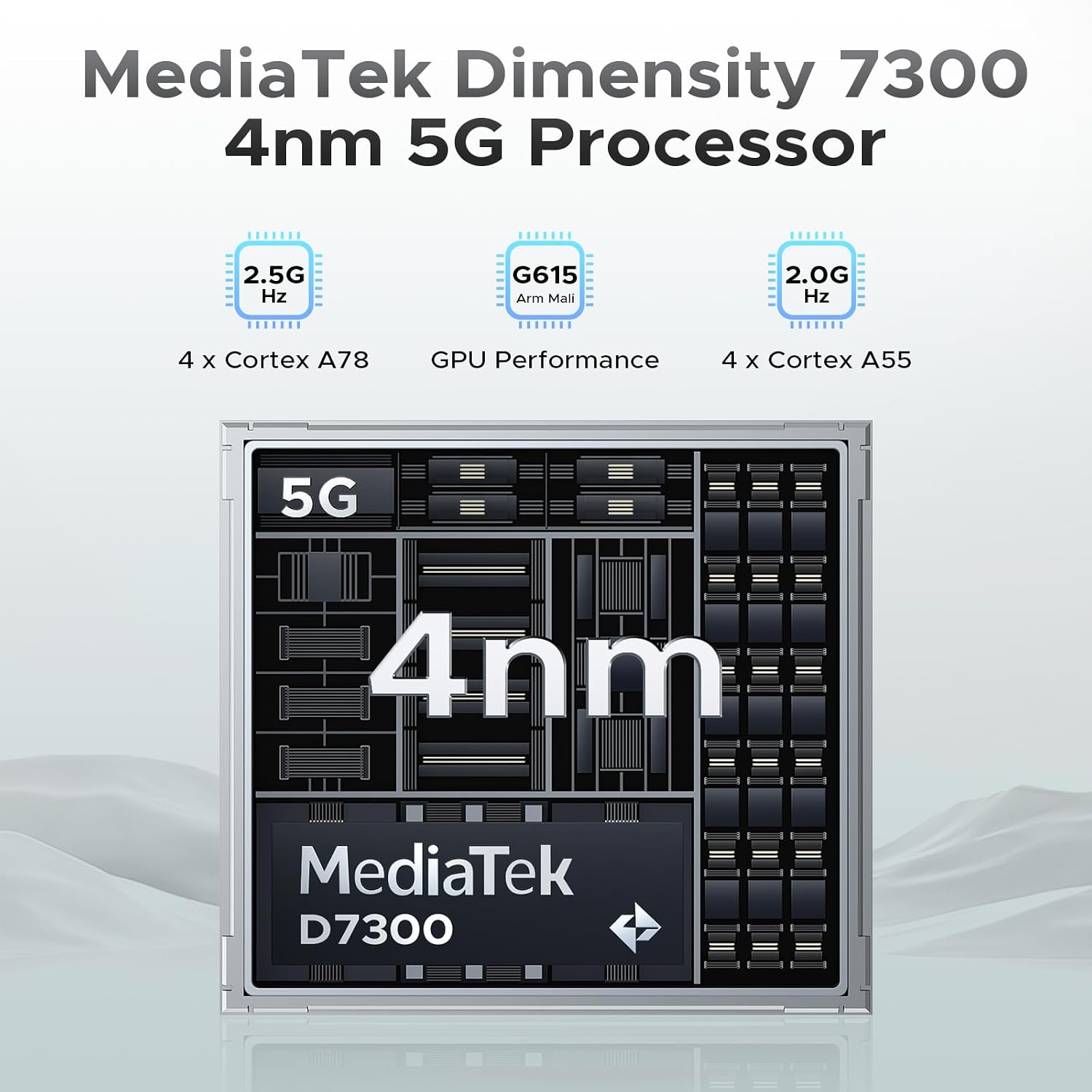
Powered by the MediaTek Dimensity 7300 octa-core processor and running Android 14, the Blade GT Ultra offers robust performance and a smooth user experience. With 36GB of RAM (16GB physical + 20GB virtual) and 512GB of ROM, expandable up to 2TB, you have ample space and speed for all your applications and data.

مميزات الكاميرا
Capture stunning photos and videos with the 100MP AI main camera, 5MP wide-angle lens, and 32MP front camera. Advanced AI features like AI Erase and AI Background Replacement enhance your photography experience.


ميزات الأمان
The Blade GT Ultra offers fast and secure access with both side fingerprint ID and face unlock.
الاتصال
Stay connected with WiFi 6 for stable, high-speed internet, NFC for Google Pay and mobile identification, and reliable navigation with GPS, Glonass, Galileo, and Beidou.

الصيانة والعناية
المتانة والحماية
The DOOGEE Blade GT Ultra is built to last, with IP68, IP69K, and MIL-STD-810H certifications, making it waterproof, dustproof, and drop-proof. While designed for rugged use, proper care will extend its lifespan.

إدارة البطارية
To maximize battery life, avoid extreme temperatures, and use the provided charger. The phone provides precise battery reminders to help you manage power efficiently.

تنظيف
استخدم قطعة قماش ناعمة وخالية من الوبر لتنظيف شاشة الهاتف وجسمه. تجنب استخدام المواد الكيميائية القاسية أو المواد الكاشطة التي قد تُلحق الضرر بالجهاز.
استكشاف الأخطاء وإصلاحها للمشكلات الشائعة
استكشاف الأخطاء وإصلاحها العامة
- الجهاز لا يعمل: تأكد من شحن البطارية. قم بتوصيلها بالشاحن وانتظر بضع دقائق قبل محاولة تشغيلها.
- الشاشة لا تستجيب: Try restarting the device by holding the Power button for about 10-15 seconds.
- مشاكل الشبكة: Check your SIM card installation. Ensure mobile data is enabled in settings. If issues persist, contact your carrier.
مشاكل البرمجيات
The Android 14 operating system includes features to help manage software performance and privacy.

المواصفات الفنية
| ميزة | مواصفة |
|---|---|
| ماركة | دوجي |
| اسم الموديل | BLADEGTULTRA-01 |
| نظام التشغيل | أندرويد 14 |
| نموذج وحدة المعالجة المركزية | MediaTek Dimensity 7300 Octa-Core |
| حجم ذاكرة الوصول العشوائي المثبتة | 36 جيجابايت (16 جيجابايت + 20 جيجابايت للتوسيع) |
| سعة تخزين الذاكرة | 512 جيجابايت (قابلة للتوسيع حتى 2 تيرابايت) |
| حجم الشاشة | شاشة IPS بدقة FHD+ مقاس 6.72 بوصة |
| معدل التحديث | 120 هرتز |
| الكاميرا الرئيسية | كاميرا رئيسية بتقنية الذكاء الاصطناعي بدقة 100 ميجابكسل |
| الكاميرا الأمامية | 32 ميجا بكسل |
| تصنيف طاقة البطارية | 5500 مللي أمبير |
| الشحن | شحن سريع بقوة 33 واط |
| تقنيات الاتصال | 5G, WIFI6, NFC, Bluetooth BT5.2 |
| ملاحة | نظام تحديد المواقع العالمي (GPS)، نظام غلوناس، نظام غاليليو، نظام بيدو |
| متانة | IP68/IP69K/MIL-STD-810H (Waterproof, Dustproof, Drop-proof) |
| أبعاد | 7.03 × 3.29 × 0.41 بوصة |
| وزن العنصر | 8.5 أونصة (242 جرامًا) |
الضمان والدعم
معلومات الضمان
Your DOOGEE Blade GT Ultra 5G Rugged Smartphone comes with a 2-Year Limited Warranty. Please refer to the included Warranty Card for detailed terms and conditions.
دعم العملاء
For any inquiries or technical assistance, DOOGEE offers 24/7 One-on-One Online Support. You can find contact information on the official DOOGEE website or through the support details provided in your package.

Ask a question about this manual
Ask about setup, troubleshooting, compatibility, parts, safety, or missing instructions. Manuals+ will review the question and use this page’s manual context to help answer it.