
1. المقدمة
Thank you for choosing the iClever OWS01 Kids Bluetooth 5.4 Air Conduction Open Ear Headphones. These headphones are designed to provide a safe, comfortable, and high-quality audio experience for children, allowing them to remain aware of their surroundings while enjoying music or educational content. This manual will guide you through the setup, operation, and maintenance of your new headphones.
2. محتويات العبوة
يرجى التأكد من وجود جميع العناصر في الحزمة:
- iClever OWS01 Air Conduction Open Ear Headphones
- كابل شحن USB-C
- دليل المستخدم (هذا المستند)

3. انتهى المنتجview
The iClever OWS01 headphones feature a lightweight, flexible design with intuitive controls. The open-ear design rests comfortably outside the ear canal, ensuring hygiene and environmental awareness.


المكونات الرئيسية:
- خطافات الأذن: Designed to sit securely over the ears without entering the ear canal.
- لوحة التحكم: Located on the side, featuring power, volume, and playback buttons.
- منفذ شحن USB-C: لإعادة شحن البطارية الداخلية.
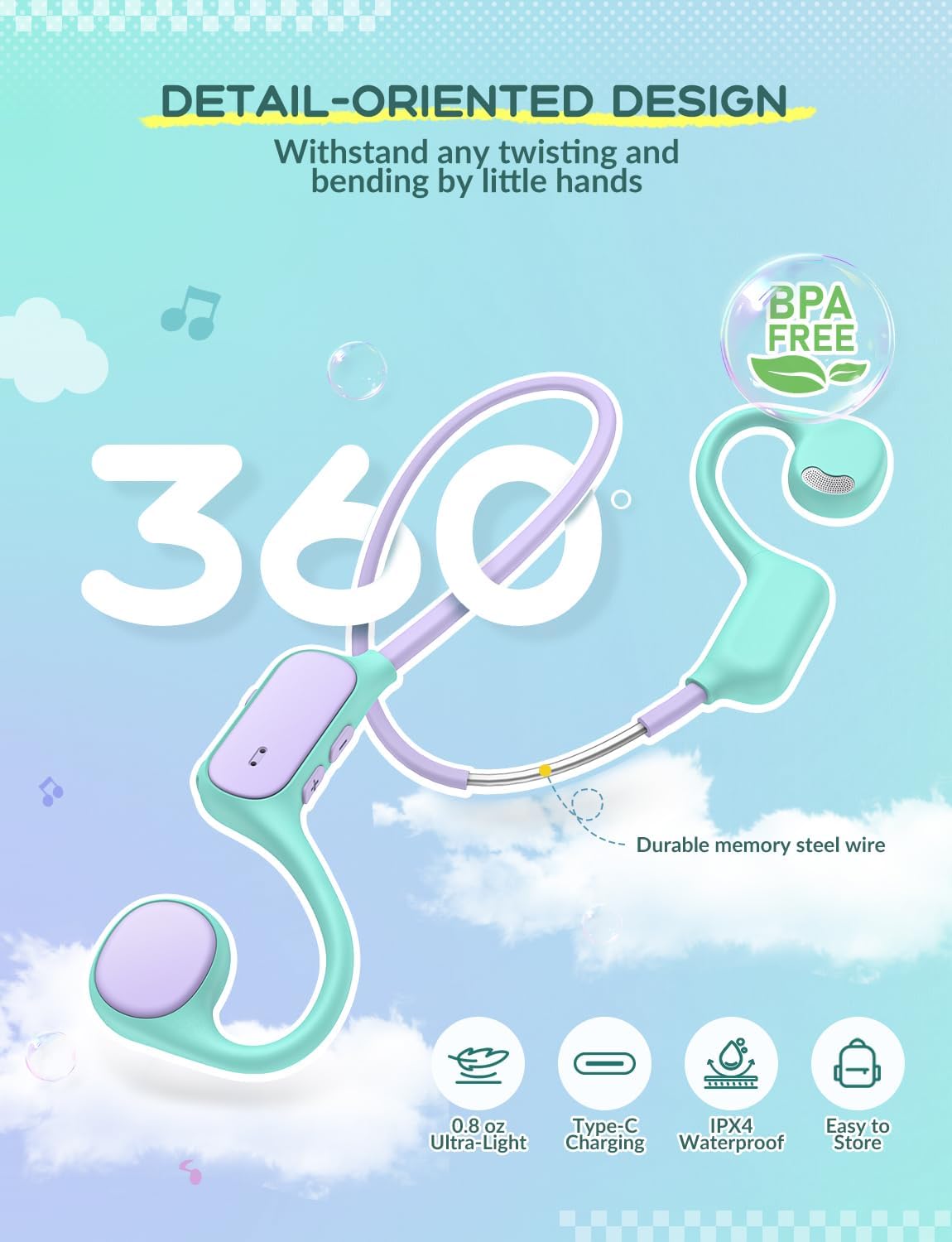
- رباط رقبة مرن: Connects the two ear units, made with memory steel wire for durability and comfort.
4. الإعداد
4.1 شحن سماعات الرأس
- Locate the USB-C charging port on the control panel of the headphones.
- قم بتوصيل كابل USB-C المرفق بمنفذ الشحن.
- قم بتوصيل الطرف الآخر من كابل USB-C بمحول طاقة USB متوافق (غير مرفق) أو بمنفذ USB في الكمبيوتر.
- سيضيء مؤشر LED أثناء الشحن وينطفئ عند اكتمال الشحن.

4.2 اقتران بلوتوث
- تأكد من شحن سماعات الرأس بالكامل.
- Press and hold the Power button on the control panel until the LED indicator flashes blue and red, indicating pairing mode.
- على جهازك (الهاتف الذكي، الجهاز اللوحي، الكمبيوتر المحمول، إلخ)، قم بتمكين البلوتوث وابحث عن الأجهزة المتاحة.
- Select "iClever OWS01" from the list of available devices.
- بمجرد الاتصال، سيُظهر مؤشر LED ضوءًا أزرق ثابتًا أو يومض باللون الأزرق ببطء.
ستحاول سماعات الرأس تلقائيًا إعادة الاتصال بآخر جهاز مقترن بها عند تشغيلها.
5. تعليمات التشغيل
5.1 تشغيل/إيقاف التشغيل
- تشغيل الطاقة: اضغط مع الاستمرار على زر الطاقة لمدة 3 ثوانٍ تقريبًا حتى يضيء مؤشر LED.
- إيقاف التشغيل: اضغط مع الاستمرار على زر الطاقة لمدة 5 ثوانٍ تقريبًا حتى ينطفئ مؤشر LED.
5.2 التحكم في مستوى الصوت
- ارفع على الصوت: اضغط على زر "+".
- تقليل الحجم: اضغط على زر '-'.
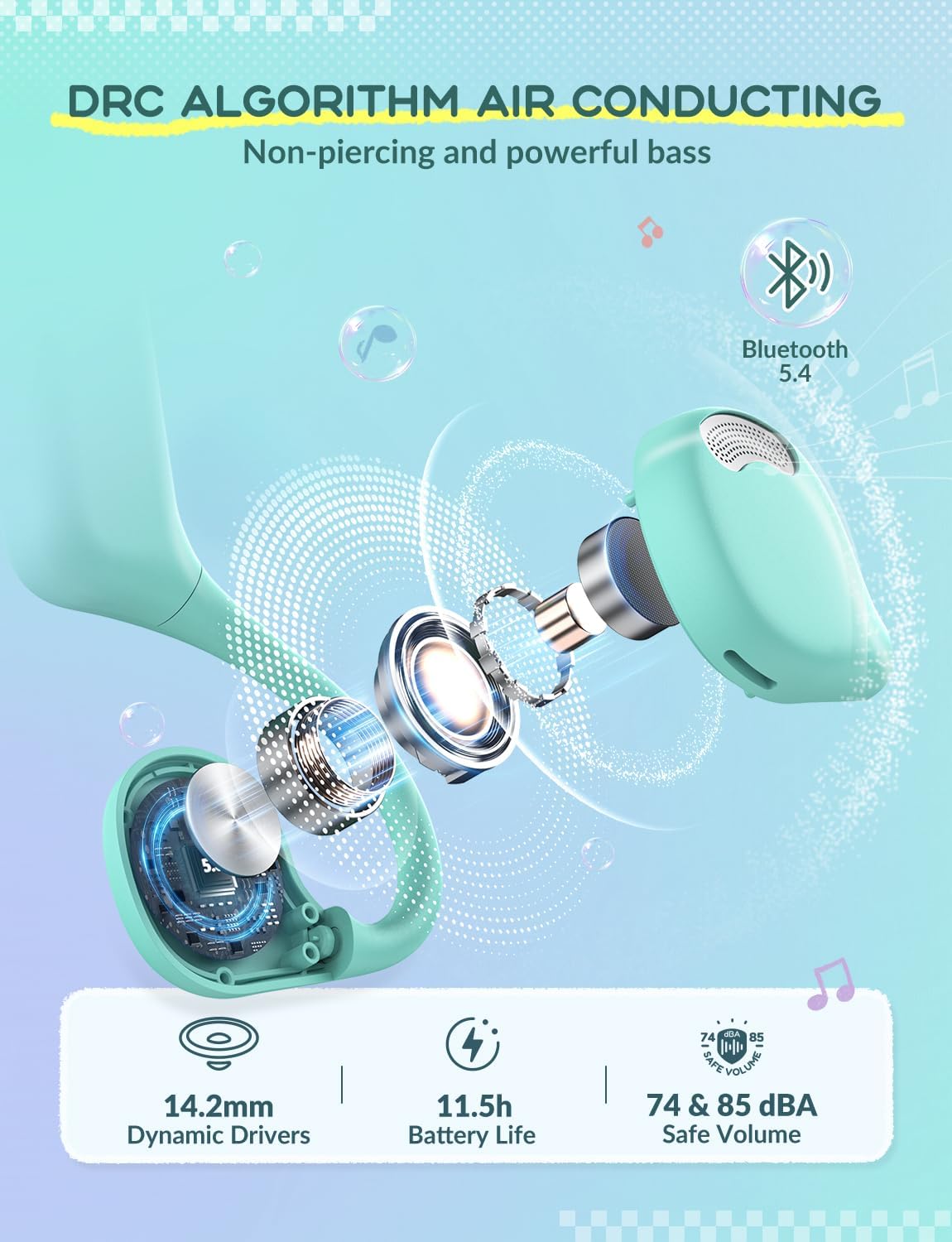
The headphones feature a safe volume limit of 74&85 dBA to protect children's hearing.
5.3 التحكم في التشغيل
- تشغيل/إيقاف مؤقت: اضغط لفترة قصيرة على زر الطاقة.
- المسار التالي: اضغط مع الاستمرار على زر "+".
- المسار السابق: اضغط مع الاستمرار على الزر '-'.
5.4 إدارة المكالمات
- الرد/إنهاء المكالمة: اضغط لفترة قصيرة على زر الطاقة.
- رفض المكالمة: اضغط مع الاستمرار على زر الطاقة لمدة ثانيتين.
6. الصيانة
تضمن الصيانة المناسبة طول عمر سماعات الرأس والأداء الأمثل لها.
- تنظيف: امسح سماعات الرأس بقطعة قماش ناعمة وجافة. تجنب استخدام المواد الكيميائية القاسية أو المواد الكاشطة.
- تخزين: خزّن سماعات الرأس في مكان بارد وجاف بعيدًا عن أشعة الشمس المباشرة ودرجات الحرارة القصوى. يتيح تصميمها المرن سهولة التخزين دون أن تتشوه.
- مقاومة الماء: The headphones are IPX4 rated, meaning they are resistant to splashing water from any direction. Do not submerge them in water.
- متانة: The memory steel wire in the neckband allows for 360° bending without deformation, making them resilient to typical child handling.
7. استكشاف الأخطاء وإصلاحها
| مشكلة | السبب المحتمل | حل |
|---|---|---|
| لا يمكن تشغيل الطاقة | بطارية منخفضة | اشحن سماعات الرأس بالكامل. |
| لا يمكن الاقتران بالجهاز | Headphones not in pairing mode; Bluetooth off on device; Device too far. | Ensure headphones are in pairing mode (flashing red/blue LED). Turn on Bluetooth on your device. Move device closer to headphones. |
| لا يوجد صوت | Volume too low; Device not connected; Media paused. | Increase headphone and device volume. Reconnect Bluetooth. Play media on your device. |
| اتصال متقطع | Interference; Device too far. | Move away from other wireless devices. Keep device within 10 meters of headphones. |
8. المواصفات
| ميزة | التفاصيل |
|---|---|
| اسم الموديل | OWS01 |
| تكنولوجيا الاتصال | لاسلكي (بلوتوث) |
| نسخة البلوتوث | 5.4 |
| وضع الأذن | أذن مفتوحة |
| نوع برنامج تشغيل الصوت | محرك ديناميكي (14.2 مم) |
| Safe Volume Limit | 74 & 85 dBA |
| مادة | الإيلاستومر الحراري البلاستيكي (TPE) |
| وزن العنصر | 0.08 كيلوغرام (2.82 أونصة) |
| طريقة التحكم | الأزرار المادية |
| الأجهزة المتوافقة | Smartphones, Laptops, Tablets, PCs, Smartwatches |
| المميزات الخاصة | Volume Control, 360° Bending, Ultra-Light, IPX4 Water Resistant |
9. الضمان والدعم
iClever products come with a standard manufacturer's warranty. For detailed warranty information, please refer to the warranty card included in your product packaging or visit the official iClever webموقع.
For technical support, troubleshooting assistance, or any product-related inquiries, please contact iClever customer service through their official webالموقع أو معلومات الاتصال المقدمة في وثائق المنتج الخاص بك.
الدعم عبر الإنترنت: www.iclever.com