1. المقدمة
This manual provides comprehensive instructions for the setup, operation, maintenance, and troubleshooting of your new Universal TV Remote Control. Designed for ease of use, this remote is compatible with a wide range of major TV brands, offering a convenient replacement for your original remote.
يرجى قراءة هذا الدليل جيداً قبل استخدام جهاز التحكم عن بعد لضمان الأداء الأمثل وطول العمر.

Figure 1: Universal TV Remote Control

Figure 2: Compatible with Major TV Brands
2. تعليمات الإعداد
Before first use, insert two AAA batteries into the remote control. Ensure correct polarity (+/-) as indicated inside the battery compartment.
2.1. Brand Setting (Recommended Method)
This method is recommended for major TV brands that have a dedicated button on the remote control (e.g., Samsung, LG, Sony, TCL, Vizio, Hisense, Sanyo, Insignia, Philips, Panasonic, Sharp, Toshiba, Hitachi, JVC, Vestel, Seiki, RCA, Magnavox, Westinghouse, Haier).
- Identify the button on the remote control corresponding to your TV brand.
- Press and hold the corresponding brand button for approximately 3 seconds.
- The LED indicator on the remote will flash three times, indicating that the setting is complete.

Figure 3: Brand Setting Method
نصيحة مفيدة: Under the Initial Setting Mode, this remote can directly control many TV brands, including LG, SAMSUNG, PHILIPS, SONY, PANASONIC, SHARP and other TV brands listed on the remote control.
2.2. Code Setting Method
Use this method for TV brands that do not have a dedicated brand button on the remote, or if the Brand Setting method does not work.
- اضغط مع الاستمرار على صامت الزر و قوة اضغط على الزر في نفس الوقت لعدة ثواني.
- Release both buttons when the LED indicator light illuminates.
- Refer to the provided code list in the physical manual (not included here) and enter the 3 or 4-digit code for your TV brand using the number buttons.
- If the code is correct, the LED will turn off, indicating successful setup. If the code is incorrect, the LED will remain lit, and you will need to re-enter the code.

Figure 4: Code Setting Method
ملحوظة: The new chip provides stronger power-off memory. Once set up, the TV brand memory will be maintained permanently, even after power off.
3. تعليمات التشغيل
Once set up, your universal remote control functions similarly to your original TV remote. Below are some common button functions:

Figure 5: Other Button Functions
- زر الطاقة: تشغيل التلفزيون أو إيقاف تشغيله.
- زر الإدخال: Cycles through video input sources (HDMI, AV, etc.).
- CC (Closed Caption) Button: يُفعّل أو يُعطّل الترجمة المصاحبة.
- الزر الذكي: Accesses the Smart TV hub or home screen.
- زر NETFLIX: الوصول المباشر إلى تطبيق نتفليكس.
- زر 3D: Activates or deactivates 3D mode (if supported by TV).
- لوحة التنقل (أعلى، أسفل، يسار، يمين، موافق): يستخدم للتنقل في القائمة والاختيار.
- زر القائمة: فتح القائمة الرئيسية للتلفزيون.
- زر التطبيقات: Accesses the TV's application list.
- Vol +/- Buttons: ضبط مستوى الصوت.
- Ch +/- Buttons: يغير القناة.
- زر كتم الصوت: كتم صوت التلفزيون أو إلغاء كتمه.
- أزرار الأرقام (0-9): إدخال القناة المباشر.
- زر الخروج: يخرج من القائمة أو التطبيق الحالي.
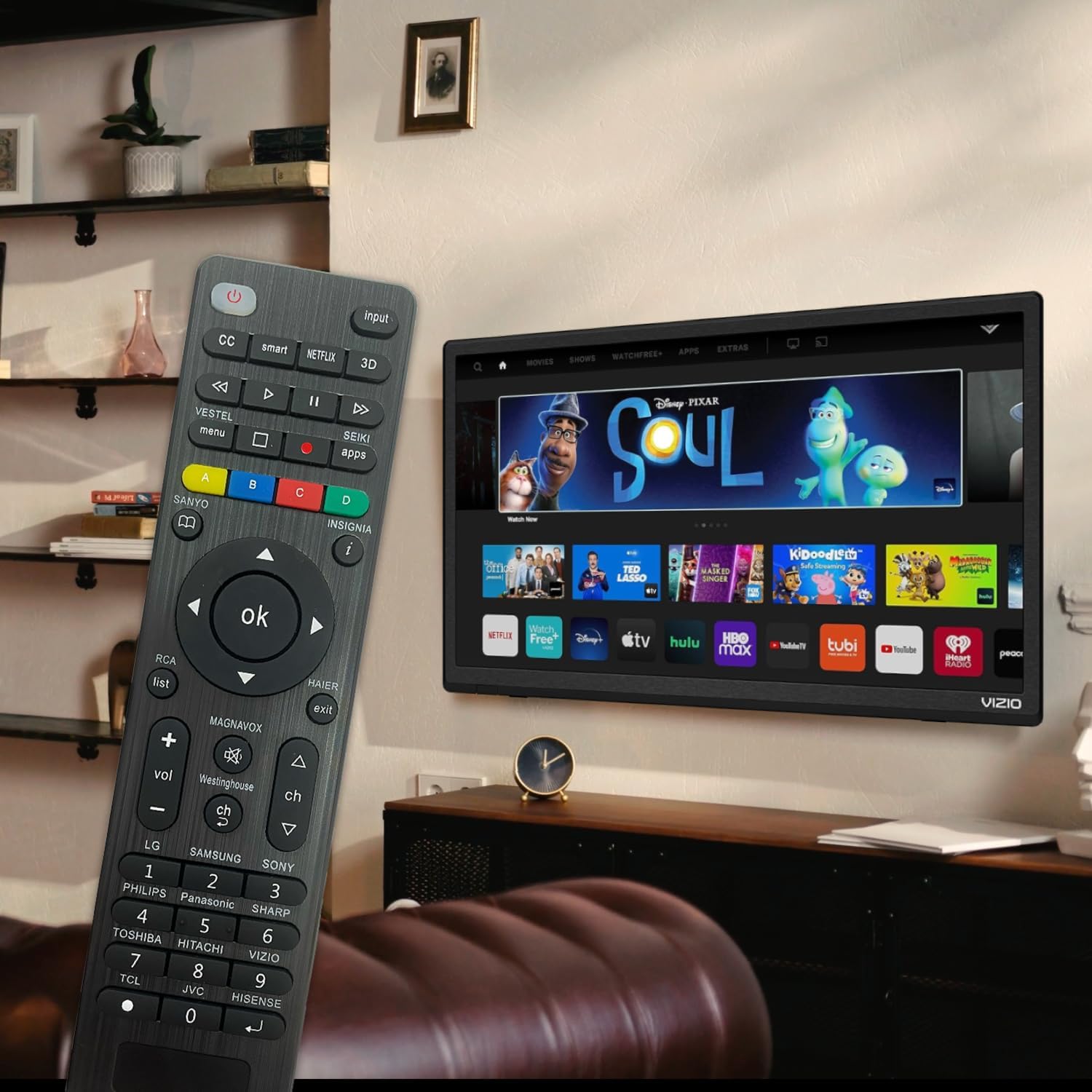
Figure 6: Remote in use with a Smart TV
4. الصيانة
- تنظيف: استخدم قطعة قماش ناعمة وجافة لتنظيف جهاز التحكم عن بعد. لا تستخدم المنظفات السائلة أو المواد الكاشطة، لأنها قد تُتلف السطح أو المكونات الداخلية.
- استبدال البطارية: Replace batteries when the remote's response becomes sluggish or the LED indicator does not light up. Always replace both batteries at the same time with new AAA batteries. Do not mix old and new batteries or different types of batteries.
- تخزين: If the remote will not be used for an extended period, remove the batteries to prevent leakage and potential damage. Store the remote in a cool, dry place away from direct sunlight and extreme temperatures.
- متانة: The remote features upgraded material with a metal dome added to the control buttons for enhanced flexibility and extended life. Avoid dropping the remote or exposing it to excessive force.
5. استكشاف الأخطاء وإصلاحها
| مشكلة | السبب المحتمل | حل |
|---|---|---|
| البعيد لا يعمل. | Batteries are dead or inserted incorrectly. Remote is not paired with the TV. Obstruction between remote and TV. | Check and replace batteries, ensuring correct polarity. Re-attempt Brand Setting or Code Setting. Ensure clear line of sight to TV's IR receiver. |
| بعض الأزرار لا تعمل. | Incorrect code or partial pairing. TV does not support certain functions. | Try a different code from the manual's code list. Verify if your TV model supports the specific function. |
| Remote is slow to respond. | انخفاض مستوى شحن البطارية. تداخل. | Replace batteries. Ensure no strong light sources or other IR devices are interfering. |
| LED indicator keeps lighting up during code setting. | تم إدخال رمز غير صحيح. | Re-enter the correct 3 or 4-digit code from the manual's code list. |
| Cannot find my TV brand button. | Brand not listed on dedicated buttons. | Use the Code Setting Method (Section 2.2) with the provided code list. |
If issues persist, please refer to the original product packaging for customer support contact information or visit the manufacturer's webموقع.
6. المواصفات
- رقم الموديل: BVTVRemote-01
- أبعاد المنتج: 1.38 × 0.6 × 6.5 بوصة
- وزن السلعة: 2.39 أونصات
- البطاريات المطلوبة: شنومكس x آا (غير مدرجة)
- لون: أسود
- ميزة خاصة: Programmable, Power-off Memory
- الحد الأقصى لعدد الأجهزة المدعومة: 3 (typically for TV, DVD/Blu-ray Player, though primarily designed for TV)
- الأجهزة المتوافقة: Television, DVD/Blu-ray Player (Universal compatibility with major TV brands)
- الشركة المصنعة: BoostVision
- بلد المنشأ: الصين
7. الضمان والدعم
For warranty information, please refer to the documentation included with your purchase or contact the seller directly. This product is typically covered by a standard manufacturer's warranty against defects in materials and workmanship.
For technical support or further assistance, please contact BoostVision customer service through their official website or the contact details provided on the product packaging.
بائع: BoostVision TV Remote
صفحة المنتج على أمازون: https://www.amazon.com/dp/B0DHCZB2DT


