
1. المقدمة
The LAMAX X5.2 is a versatile action camera designed to capture your adventures in high definition. Featuring real 4K video recording at 30 frames per second (FPS) and Full HD at 60 FPS, it ensures clear and detailed footage. The camera incorporates MAX Soft Electronic Stabilisation for smooth shots, even in dynamic environments. It is waterproof up to 40 meters with its included case, offers USB-C charging, a 2-inch LCD display, and Wi-Fi connectivity for easy file نقل.

الصورة 1.1: الجبهة view of the LAMAX X5.2 Action Camera, showcasinبفضل عدستها وتصميمها الصغير.
2. محتويات العبوة
Before using your LAMAX X5.2 Action Camera, please verify that all items are present in the package:
- كاميرا LAMAX X5.2 Action
- Waterproof Case (up to 40m)
- Mounting Accessories (various clips, mounts, and adhesive pads)
- كابل شحن USB-C
- قطعة قماش للتنظيف
- بطارية قابلة لإعادة الشحن
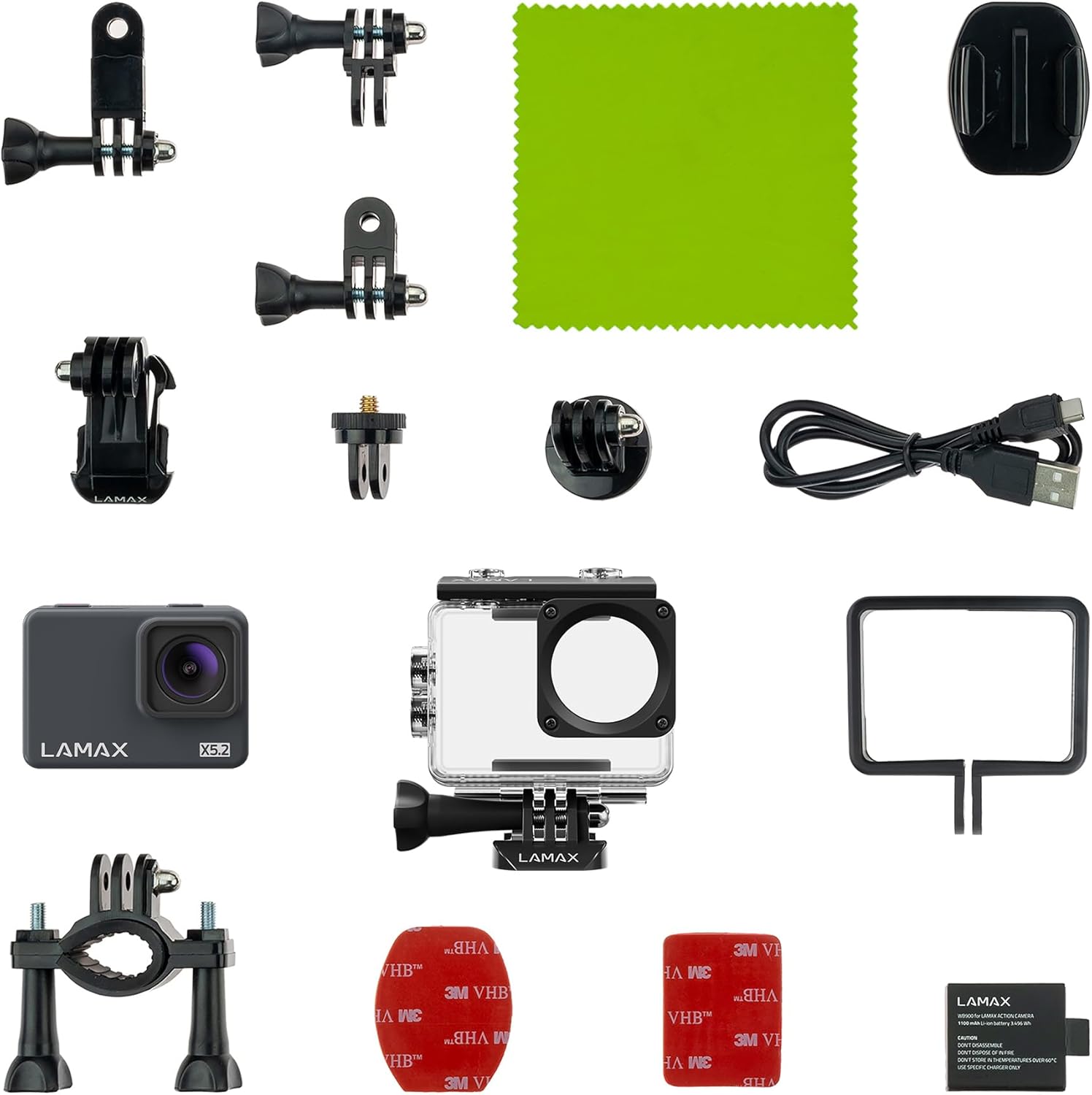
Image 2.1: All components included with the LAMAX X5.2 Action Camera, laid out for inspection.
3. البدء
3.1 شحن البطارية
Before first use, fully charge the camera battery. Connect the camera to a USB power source (e.g., computer, wall adapter) using the provided USB-C cable. The charging indicator light will illuminate during charging and turn off when complete.
3.2 إدخال بطاقة MicroSD
The LAMAX X5.2 supports microSD cards up to 128 GB. Use a high-speed card (Class 10 or UHS-I/UHS-3 recommended) for optimal performance. Open the card slot cover, insert the microSD card with the contacts facing the correct direction until it clicks into place. To remove, press the card gently until it springs out.
3.3 تشغيل/إيقاف التشغيل
- لتشغيل: اضغط مع الاستمرار على زر التشغيل/الوضع لبضع ثوانٍ حتى تضيء الشاشة.
- لإيقاف التشغيل: Press and hold the Power/Mode button again until the screen turns off.
4. التشغيل الأساسي
4.1 التنقل عبر القائمة
Use the Power/Mode button to cycle through different modes (Video, Photo, Playback, Settings). Use the Up/Down buttons (if available, or the Shutter button for selection) to navigate within menus and adjust settings on the 2-inch LCD display. The multilingual menu allows for easy customization.
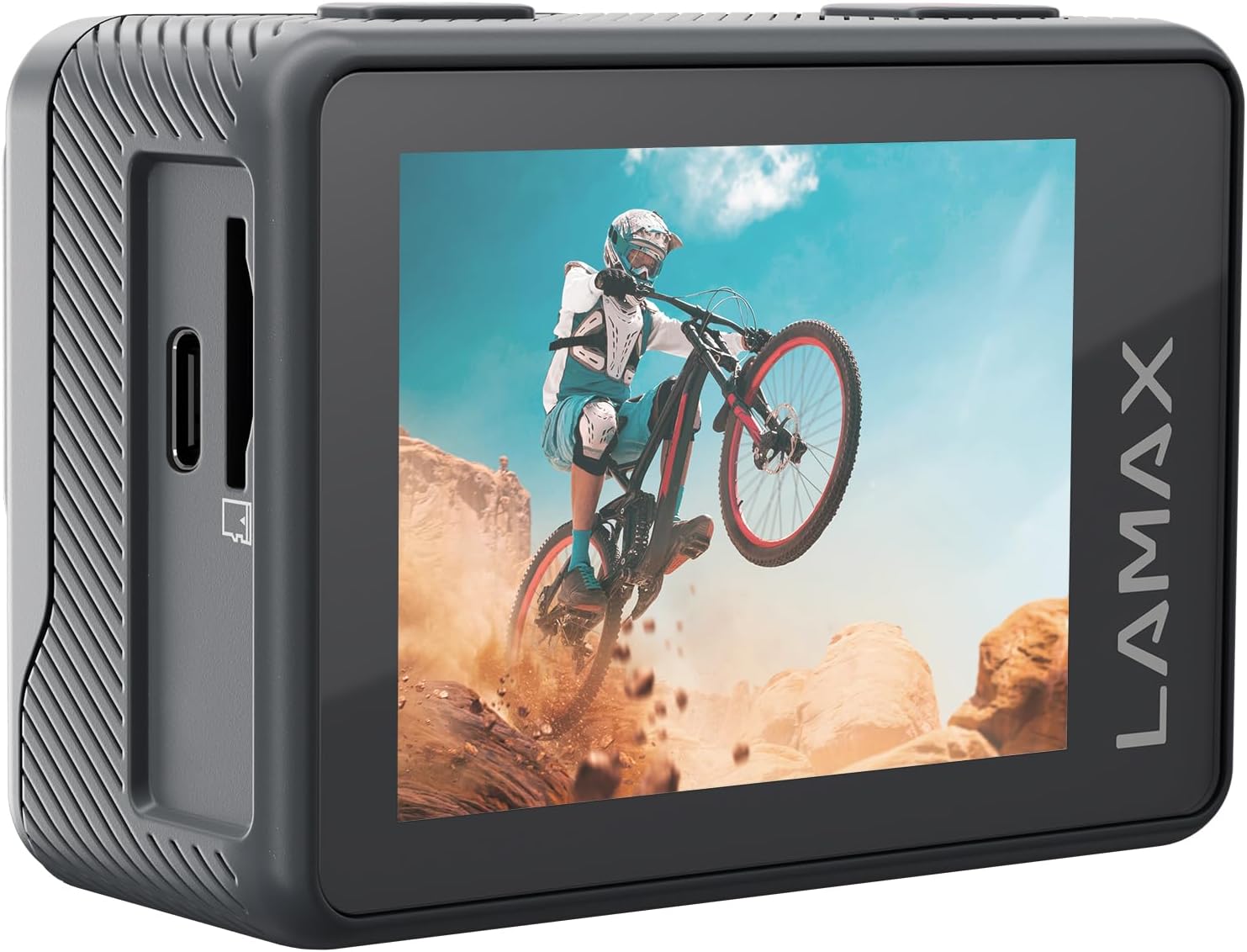
الصورة 4.1: خلفي view of the LAMAX X5.2 Action Camera, showing the 2-inch LCD screen displaying captured action footage.
4.2 تسجيل الفيديو
In Video mode, press the Shutter button to start recording. Press it again to stop. The camera supports real 4K at 30 FPS and Full HD at 60 FPS. MAX Soft Electronic Stabilisation helps achieve smooth video footage.
4.3 التقاط الصور
في وضع الصورة، اضغط على زر الغالق لالتقاط صورة.
4.4 اتصال واي فاي
Activate Wi-Fi in the camera settings. Download the official LAMAX app on your smartphone or tablet. Connect to the camera's Wi-Fi network. This allows for fast and wireless transfer of footage and remote control of the camera.
5. الميزات المتقدمة
The LAMAX X5.2 offers several creative functions:
- الفاصل الزمني: Capture a series of photos at set intervals and combine them into a video.
- التسجيل المتكرر: تسجيل الفيديو بشكل مستمر، مع استبدال أقدم نسخة. files عندما تمتلئ بطاقة الذاكرة.
- الحركة البطيئة: سجل الفيديو بمعدل إطارات أعلى لتشغيله بالحركة البطيئة.
- مؤقت ذاتي: اضبط تأخيرًا قبل التقاط الصورة.
6. الاستخدام المقاوم للماء
The LAMAX X5.2 is waterproof up to 40 meters when enclosed in its dedicated waterproof case. Ensure the case is properly sealed before submerging the camera. Always rinse the case with fresh water after use in saltwater and allow it to dry completely.

Image 6.1: The LAMAX X5.2 Action Camera securely housed within its transparent waterproof case.
7. الصيانة
7.1 التنظيف
Wipe the camera body and lens with a soft, lint-free cloth. For the waterproof case, clean with fresh water and a soft cloth. Avoid harsh chemicals.
7.2 العناية بالبطارية
Store the battery in a cool, dry place. Do not expose to extreme temperatures. If storing for extended periods, charge the battery to approximately 50% every few months.
7.3 التخزين
When not in use, store the camera and accessories in a protective case to prevent damage from dust and impacts.
8. استكشاف الأخطاء وإصلاحها
If you encounter issues with your LAMAX X5.2, try the following solutions:
- الكاميرا لا تعمل: Ensure the battery is fully charged. Try a different USB-C cable and power source.
- Recording issues (freezing, corrupted fileالصورة): Ensure you are using a high-speed microSD card (Class 10 or higher). Format the microSD card in the camera's settings.
- مشاكل في اتصال الواي فاي: Restart both the camera and your mobile device. Ensure the LAMAX app is up to date.
- جودة الصورة/الفيديو رديئة: Check the lens for smudges or dirt. Ensure adequate lighting conditions.
For persistent issues, contact LAMAX customer support.
9. المواصفات الفنية
| ميزة | مواصفة |
|---|---|
| رقم الموديل | إكس 5.2 |
| دقة التقاط الفيديو | 4K (30 FPS), Full HD (60 FPS) |
| تقنية مستشعر الصور | سيموس |
| Electronic Stabilization | MAX Soft Electronic Stabilisation |
| عمق للماء | Up to 40 m (with waterproof case) |
| الاتصال | USB-C, Wi-Fi |
| حجم الشاشة | 2 بوصة |
| نوع ذاكرة فلاش | بطاقة Micro SD (حتى 128 جيجابايت) |
| تنسيق التقاط الفيديو | إم بي 4 |
| تنسيق الصوت المدعوم | إم بي 4 |
| الطول البؤري الأقصى | 2.8 مليمتر |
| لون | أسود |
| الشركة المصنعة | لامكس |
10. الضمان والدعم
For information regarding the product warranty, please refer to the warranty card included in your package or visit the official LAMAX website. For technical support or service inquiries, please contact LAMAX customer service through their official channels.