
1. انتهى المنتجview
The AWEI A996 Pro are over-ear Bluetooth headphones designed to provide an immersive audio experience with Active Noise Cancellation (ANC). Featuring Bluetooth 5.0 for stable connectivity, 40mm drivers for Hi-Res audio, and a comfortable, foldable design, these headphones are suitable for various uses including travel, home, and office environments.

Image: AWEI A996 Pro headphones displaying their sleek design and over-ear form factor.
المميزات الرئيسية:
- إلغاء الضوضاء النشط (ANC): Effectively minimizes ambient noise for an enhanced listening experience.
- بلوتوث شنومكس: Provides a fast, stable, and wide-range wireless connection up to 33 feet.
- صوت عالي الدقة: Equipped with 40mm drivers for deep, powerful, and immersive sound.
- عمر بطارية طويل: 300mAh rechargeable battery offers up to 20 hours of playtime on a single charge.
- Comfortable & Adjustable Design: Ultra-soft protein leather earcups and a retractable beam ensure comfort for extended wear.
- Wired/Wireless Options: Can be used wirelessly via Bluetooth or wired via an AUX cable when power is low or for non-Bluetooth devices.
- تصميم قابل للطي: يعزز سهولة الحمل ويقلل من مساحة التخزين.
2. الإعداد
2.1 Unboxing Contents
قبل الاستخدام، يرجى التأكد من وجود جميع العناصر في العبوة:
- AWEI A996 Pro Over-Ear Headphones
- كابل شحن USB
- دليل المستخدم (هذا المستند)
2.2 شحن سماعات الرأس
Before initial use, fully charge the headphones. A full charge takes approximately 2 hours.
- قم بتوصيل الطرف الصغير من كابل شحن USB بمنفذ الشحن الموجود على سماعات الرأس.
- قم بتوصيل الطرف الأكبر من كابل شحن USB بمحول طاقة USB (غير مرفق) أو بمنفذ USB في الكمبيوتر.
- The LED indicator on the headphones will illuminate during charging and change color or turn off once fully charged.

Image: AWEI A996 Pro headphones, highlighting the charging port and indicating long battery life.
2.3 تشغيل/إيقاف التشغيل
- لتشغيل: Press and hold the Power button (usually marked with a power symbol) for approximately 3 seconds until the LED indicator lights up and you hear an audible prompt.
- لإيقاف التشغيل: اضغط مع الاستمرار على زر الطاقة لمدة تتراوح بين 3 و 5 ثوانٍ تقريبًا حتى ينطفئ مؤشر LED وتسمع تنبيهًا صوتيًا.
2.4 اقتران بلوتوث
To connect your AWEI A996 Pro headphones to a Bluetooth-enabled device:
- تأكد من إيقاف تشغيل سماعات الرأس.
- اضغط مع الاستمرار على زر الطاقة لمدة 5-7 ثوانٍ تقريبًا حتى يومض مؤشر LED باللونين الأحمر والأزرق بالتناوب، مما يشير إلى وضع الاقتران.
- على جهازك (الهاتف الذكي، الجهاز اللوحي، الكمبيوتر)، قم بتمكين البلوتوث وابحث عن الأجهزة المتاحة.
- Select "AWEI A996 Pro" from the list of found devices.
- Once paired, the LED indicator on the headphones will typically flash blue slowly, and you will hear a connection confirmation sound.

Image: AWEI A996 Pro headphones demonstrating stable Bluetooth 5.0 connection with multiple devices.
2.5 اتصال سلكي (وضع AUX)
The headphones can be used with an audio cable (AUX cable) for devices without Bluetooth or when the headphone battery is depleted.
- Connect one end of the 3.5mm audio cable (not included) to the AUX port on the headphones.
- قم بتوصيل الطرف الآخر من كابل الصوت بمقبس الصوت 3.5 ملم الموجود على جهازك.
- The headphones will automatically switch to wired mode. Note that some functions like ANC may require battery power even in wired mode.

Image: AWEI A996 Pro headphones illustrating both wired (AUX) and wireless connectivity options.
3. تعليمات التشغيل
3.1 وظائف الأزرار
The AWEI A996 Pro headphones feature intuitive controls located on the earcups. Refer to the diagram below for button placement (if available on product) and their functions:
- زر التشغيل (زر متعدد الوظائف):
- اضغط مع الاستمرار لمدة 3 ثانية: تشغيل/إيقاف الطاقة.
- Press and hold for 5-7 seconds (from off): Enter Bluetooth pairing mode.
- Short press: Play/Pause music, Answer/End calls.
- الضغط المزدوج: إعادة الاتصال بالرقم الأخير.
- زر رفع الصوت (+):
- الضغط القصير: زيادة مستوى الصوت.
- Long press: Next track.
- زر خفض الصوت (-):
- الضغط القصير: خفض مستوى الصوت.
- Long press: Previous track.
- زر ANC:
- Short press: Toggle Active Noise Cancellation On/Off.
3.2 إلغاء الضوضاء النشط (ANC)
The ANC feature helps reduce ambient noise, providing a quieter listening environment.
- To activate ANC, press the dedicated ANC button. An indicator light (if present) will illuminate, and you may hear an audible confirmation.
- To deactivate ANC, press the ANC button again.
3.3 إجراء واستقبال المكالمات
عند الاتصال بالهاتف الذكي عبر البلوتوث:
- الرد على المكالمة: اضغط ضغطة قصيرة على زر التشغيل/الوظائف المتعددة.
- إنهاء المكالمة: اضغط ضغطة قصيرة على زر الطاقة/الوظائف المتعددة أثناء المكالمة.
- رفض المكالمة: اضغط مع الاستمرار على زر التشغيل/الوظائف المتعددة لمدة 2 ثوانٍ تقريبًا.
- إعادة الاتصال بالرقم الأخير: Double press the Power/Multi-function button when not on a call.
4. الصيانة
4.1 التنظيف
- استخدم قطعة قماش ناعمة وجافة وخالية من الوبر لتنظيف سماعات الرأس.
- Do not use abrasive cleaners, solvents, or spray cleaners directly on the headphones.
- Gently wipe the earcups and headband.
4.2 التخزين
- قم بتخزين سماعات الرأس في مكان بارد وجاف، بعيدًا عن درجات الحرارة القصوى وأشعة الشمس المباشرة.
- When not in use for extended periods, store them in their folded position to save space and protect them.
- تجنب وضع أشياء ثقيلة فوق سماعات الرأس.
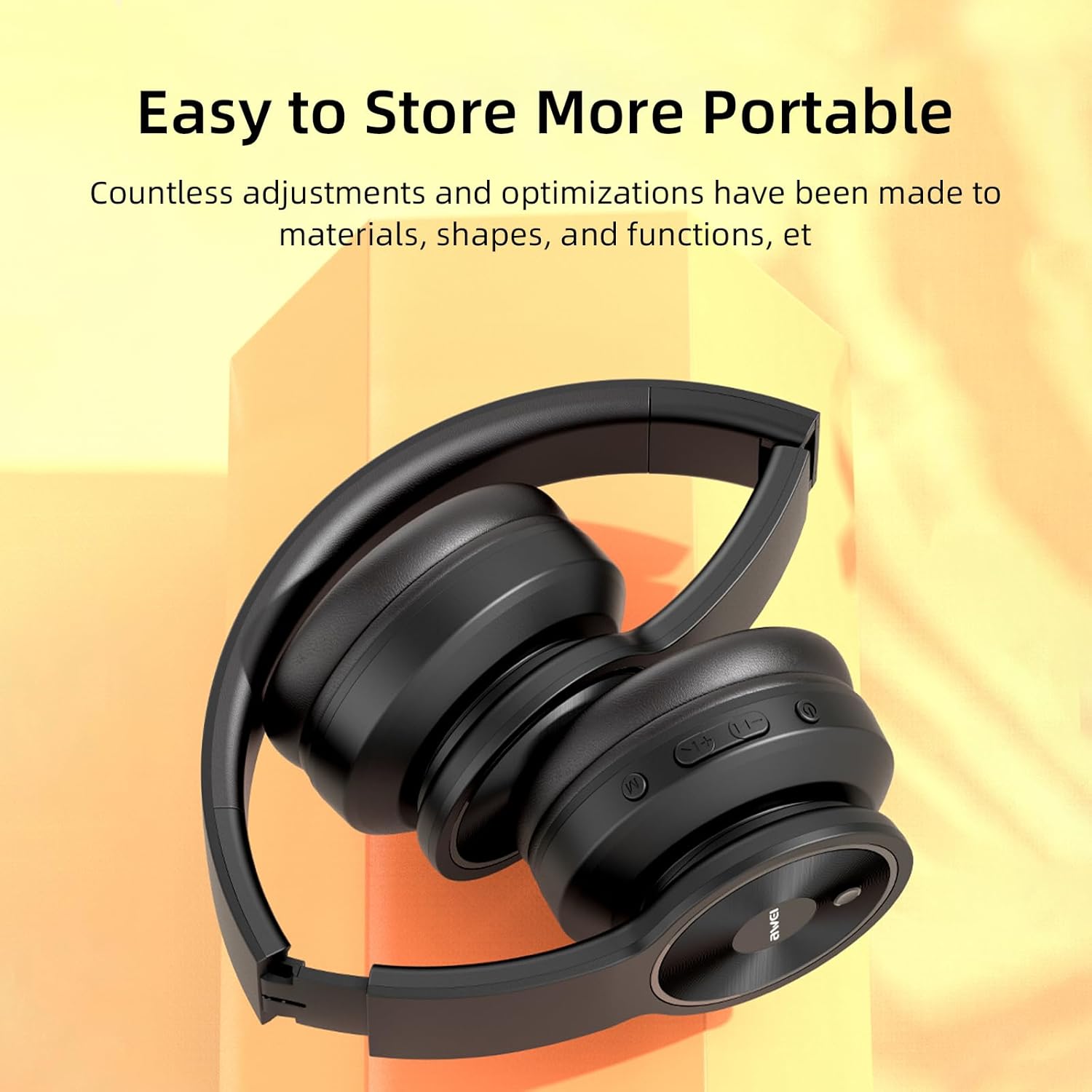
Image: AWEI A996 Pro headphones shown in their folded configuration, emphasizing portability and ease of storage.
4.3 العناية بالبطارية
- لإطالة عمر البطارية، تجنب تفريغ سماعات الرأس بالكامل بشكل متكرر.
- Charge the headphones regularly, even if not used often.
- لا تعرض البطارية لدرجات حرارة عالية.
5. استكشاف الأخطاء وإصلاحها
If you encounter issues with your AWEI A996 Pro headphones, refer to the following common problems and solutions:
| مشكلة | الحل المحتمل |
|---|---|
| لا يتم تشغيل سماعات الرأس. | تأكد من شحن سماعات الرأس. وصّلها بمصدر طاقة وحاول مرة أخرى. |
| لا يمكن الاقتران عبر البلوتوث. | Ensure headphones are in pairing mode (flashing red/blue LED). Turn off and on Bluetooth on your device. Move closer to the device. Forget previous pairings on your device and try again. |
| لا يوجد صوت أو مستوى الصوت منخفض. | Check volume levels on both headphones and your connected device. Ensure headphones are properly paired or AUX cable is fully inserted. Try playing different audio sources. |
| الرعاية السابقة للولادة غير فعالة. | Ensure ANC is activated (press the ANC button). Ensure earcups form a good seal around your ears. ANC is most effective against low-frequency, constant noise. |
| اتصال متقطع. | Ensure no obstacles between headphones and device. Move closer to the device. Avoid strong electromagnetic interference. |
6. المواصفات
| ميزة | التفاصيل |
|---|---|
| ماركة | أوي |
| رقم الموديل | ايه 996 برو |
| تكنولوجيا الاتصال | Wireless (Bluetooth), Wired (AUX) |
| التكنولوجيا اللاسلكية | بلوتوث 5.0 |
| وضع الأذن | فوق الأذن |
| حجم السائق | 40 ملم |
| سعة البطارية | 300 مللي أمبير |
| وقت اللعب | حتى 20 ساعات (تقريبًا) |
| وقت الشحن | حوالي 2 ساعات |
| مميزات اضافية | Active Noise Cancellation (ANC), Ergonomic, Lightweight, Foldable |
7. الضمان والدعم
7.1 معلومات الضمان
The AWEI A996 Pro headphones come with a ضمان لمدة 12 شهرًا يغطي الضمان عيوب التصنيع من تاريخ الشراء. بالإضافة إلى ذلك، سياسة الإرجاع خلال 30 يومًا is provided for your peace of mind.
7.2 دعم العملاء
For any questions, technical assistance, or warranty claims, please contact Awei customer support. Lifetime worry-free user support is available to assist you with any product-related inquiries.
Please refer to the contact information provided with your purchase documentation or visit the official Awei webموقع للحصول على تفاصيل الدعم.