
1. المقدمة
The myCharge Power + Plug Max 20K is a compact portable power bank designed to provide extended battery life for your electronic devices. It features a built-in USB-C cable and a folding wall plug for convenient recharging. This device is capable of charging two devices simultaneously, offering up to 120 hours of additional battery life.
المميزات الرئيسية:
- 20,000mAh Internal Battery: Provides substantial power for multiple charges.
- كابل USB-C مدمج: Integrated cable for direct device charging.
- قابس حائط قابل للطي: Allows for direct wall charging of the power bank without extra adapters.
- منفذ USB-C إضافي: Enables simultaneous charging of a second device.
- تصميم صغير الحجم وخفيف الوزن: Easy to carry for travel.
- صديق للبيئة: Built-in features reduce the need for extra adapters and cables, minimizing e-waste.
2. انتهى المنتجview
Familiarize yourself with the components of your myCharge Power + Plug portable charger.

الشكل 2.1: أمام view of the myCharge Power + Plug portable charger, showing the sleek black design and the integrated USB-C charging cable.

الشكل 2.2: The portable charger demonstrating its built-in foldable wall plug, shown both extended and plugged into a wall outlet for convenient recharging.

الشكل 2.3: The power bank actively charging an iPhone via its built-in cable, illustrating its compatibility with various Apple and Android devices including smartphones, tablets, earbuds, headphones, and speakers.
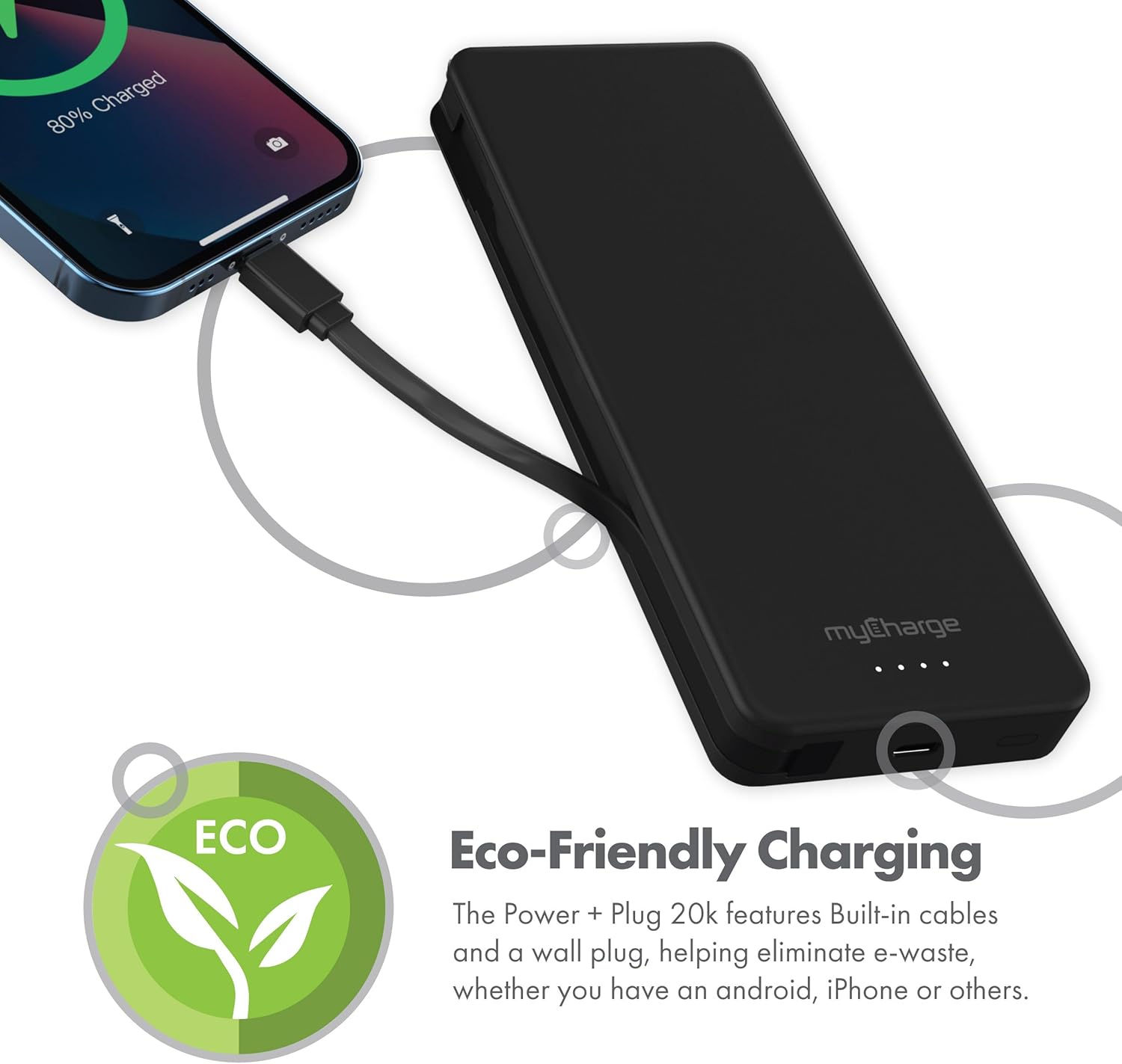
الشكل 2.4: The device charging an iPhone, highlighting its eco-friendly design with built-in cables and wall plug to reduce electronic waste.
3. الإعداد
3.1 الشحن الأولي لبنك الطاقة
- Locate the foldable wall plug on the back of the power bank.
- Flip down the prongs of the wall plug.
- Plug the power bank directly into a standard wall outlet.
- The LED indicator lights on the front of the power bank will illuminate to show the charging status. All four lights will be solid when fully charged.
3.2 فهم مؤشرات LED
The myCharge Power + Plug features four LED lights on its front surface to indicate the remaining battery life and charging status:
- Four Solid Lights: 75-100% charged.
- Three Solid Lights: 50-75% charged.
- Two Solid Lights: 25-50% charged.
- One Solid Light: 0-25% charged.
- الأضواء الساطعة: Indicates the power bank is actively charging.
4. تعليمات التشغيل
4.1 Charging a Single Device
- For devices with a USB-C port, extend the built-in USB-C cable from the side of the power bank.
- Connect the USB-C cable directly to your device's charging port.
- سيبدأ بنك الطاقة بشحن جهازك تلقائيًا.
4.2 Charging Two Devices Simultaneously
- Connect your first device using the built-in USB-C cable as described above.
- For your second device, use your own USB-C to USB-C or USB-C to Lightning cable.
- Plug one end of your cable into the additional USB-C port on the power bank.
- Connect the other end of your cable to your second device.
- Both devices will charge simultaneously.
4.3 فيديو المنتج الرسمي
Watch this official video from myCharge for a visual guide on using the Power + Plug 20K:
فيديو 4.1: An official product video from myCharge demonstrating the features and usage of the myCharge Power + Plug 20K portable charger, including its built-in cables and wall plug.
5. الصيانة
- تنظيف: استخدم قطعة قماش ناعمة وجافة لتنظيف الجزء الخارجي من بنك الطاقة. تجنب استخدام المواد الكيميائية القاسية أو المواد الكاشطة.
- تخزين: قم بتخزين بنك الطاقة في مكان بارد وجاف بعيدًا عن أشعة الشمس المباشرة ودرجات الحرارة القصوى.
- العناية بالبطارية: لإطالة عمر البطارية، اشحن بنك الطاقة بالكامل مرة واحدة على الأقل كل ثلاثة أشهر، حتى لو لم يكن قيد الاستخدام المنتظم.
- تجنب الضرر: لا تسقط الجهاز أو تثقبه أو تفككه. احفظه بعيداً عن الماء والرطوبة العالية.
6. استكشاف الأخطاء وإصلاحها
| مشكلة | السبب المحتمل | حل |
|---|---|---|
| بنك الطاقة لا يشحن | Wall plug not fully extended or not properly seated in outlet. Outlet is not active. | Ensure the wall plug is fully extended and securely plugged into a working wall outlet. Try a different outlet. |
| الجهاز لا يشحن من بنك الطاقة | Power bank battery is depleted. Cable is not properly connected. Device is not compatible. | Recharge the power bank. Ensure cables are securely connected to both the power bank and the device. Verify device compatibility with USB-C charging. |
| الشحن البطيء | Using a non-optimal cable or adapter. Device drawing high power. | Ensure you are using the built-in USB-C cable or a high-quality USB-C cable. Close unnecessary applications on your device. |
| مؤشرات LED لا تعمل | تم تفريغ بطارية الشحن بالكامل. | Plug the power bank into a wall outlet and allow it to charge for a few minutes. The lights should eventually illuminate. |
7. المواصفات
| رقم الموديل | ايه بي 20ك |
| سعة البطارية | 20,000 مللي أمبير |
| نوع البطارية | بوليمر الليثيوم (2 متضمن) |
| أبعاد المنتج | 5.9 × 2.84 × 1 بوصة |
| وزن العنصر | 1.06 رطل |
| نوع الموصل | Built-in USB-C cable & additional USB-C port |
| لون | 20000 mAh - Black |
| الشركة المصنعة | com.myCharge |
| بلد المنشأ | الصين |
8. الضمان والدعم
The myCharge Power + Plug portable charger is covered by a ضمان لمدة 1 سنوات من تاريخ الشراء. يغطي هذا الضمان عيوب المواد والصناعة في ظل الاستخدام العادي.
For warranty claims, technical support, or any inquiries regarding your product, please visit the official myCharge webالموقع الإلكتروني أو تواصل مع قسم خدمة العملاء. احتفظ بإيصال الشراء للتحقق من صحة الضمان.
Note: Warranty terms may vary. Please refer to the official myCharge website or product packaging for the most current and detailed warranty information.