1. انتهى المنتجview
The KXD A07 is an unlocked Android 12 smartphone designed for versatile mobile communication and entertainment. It features a large display, robust battery, and multiple security options.

Image 1: KXD A07 phone highlighting key features like Android 12, 6.52 HD+ Waterdrop Display, 13+5+2MP AI Back Camera, 128GB ROM, 4GB RAM, 4500 mAh Big Battery, Side Fingerprint & Face Unlock, 8.0MP Front Camera, and 1.6GHz Octa-Core processor.
2. الإعداد
2.1 تركيب بطاقة SIM وبطاقة SD
The KXD A07 supports Dual Nano-SIM cards and a Micro SD card for expandable storage. The phone features a triple slot design.
- حدد مكان درج بطاقة SIM/SD على جانب الجهاز.
- أدخل أداة إخراج شريحة SIM المرفقة في الفتحة الصغيرة بجوار الدرج وادفع برفق حتى يخرج الدرج.
- Place your Nano-SIM cards into the designated SIM1 and SIM2 slots.
- If desired, insert a Micro SD card into the dedicated slot for additional storage.
- قم بإعادة إدخال الدرج داخل الهاتف بعناية حتى يستقر في مكانه.

Image 2: Close-up of the KXD A07's triple card slot, showing dedicated spaces for two Nano-SIM cards and one TF (Micro SD) card.
2.2 التشغيل الأولي والاتصال بالشبكة
- Press and hold the Power button on the side of the phone until the KXD logo appears.
- اتبع التعليمات التي تظهر على الشاشة لتحديد اللغة والمنطقة والاتصال بشبكة Wi-Fi.
- If you have inserted a SIM card, the phone will automatically detect your mobile network.
2.3 Security Setup (Fingerprint and Face ID)
The KXD A07 offers both fingerprint and face recognition for enhanced security.
- انتقل إلى إعدادات > حماية > فتح القفل ببصمة الإصبع or التعرف على الوجه.
- Follow the on-screen instructions to register your fingerprint or face. Ensure good lighting for face recognition setup.
3. تعليمات التشغيل
3.1 الملاحة الأساسية
The KXD A07 runs on Android 12, providing an intuitive user interface. Use gestures or navigation buttons (configurable in settings) to move between apps, home screens, and recent tasks.
3.2 استخدام الكاميرا
Capture moments with the phone's dual rear cameras (13MP + 8MP) and 8MP front camera.
- افتح آلة تصوير برنامج.
- حدد الوضع المطلوب (صورة، فيديو، صورة شخصية، وما إلى ذلك).
- اضغط على زر الغالق لالتقاط صورة أو بدء/إيقاف تسجيل الفيديو.

الصورة 3: تفصيلية view of the KXD A07's camera module (13MP, 5MP, 2MP lenses with flash), 8MP front camera, earphones port, Type-C port, speakers, and side buttons (TF/SIM, Volume, Fingerprint identification/Power button).
3.3 RAM Expansion Technology
The KXD A07 features advanced RAM expansion technology, allowing you to upgrade the 4GB RAM to 8GB with a single tap. This improves multitasking and app performance.
- اذهب الى إعدادات > حول الهاتف > RAM and expand.
- Follow the instructions to activate RAM expansion.
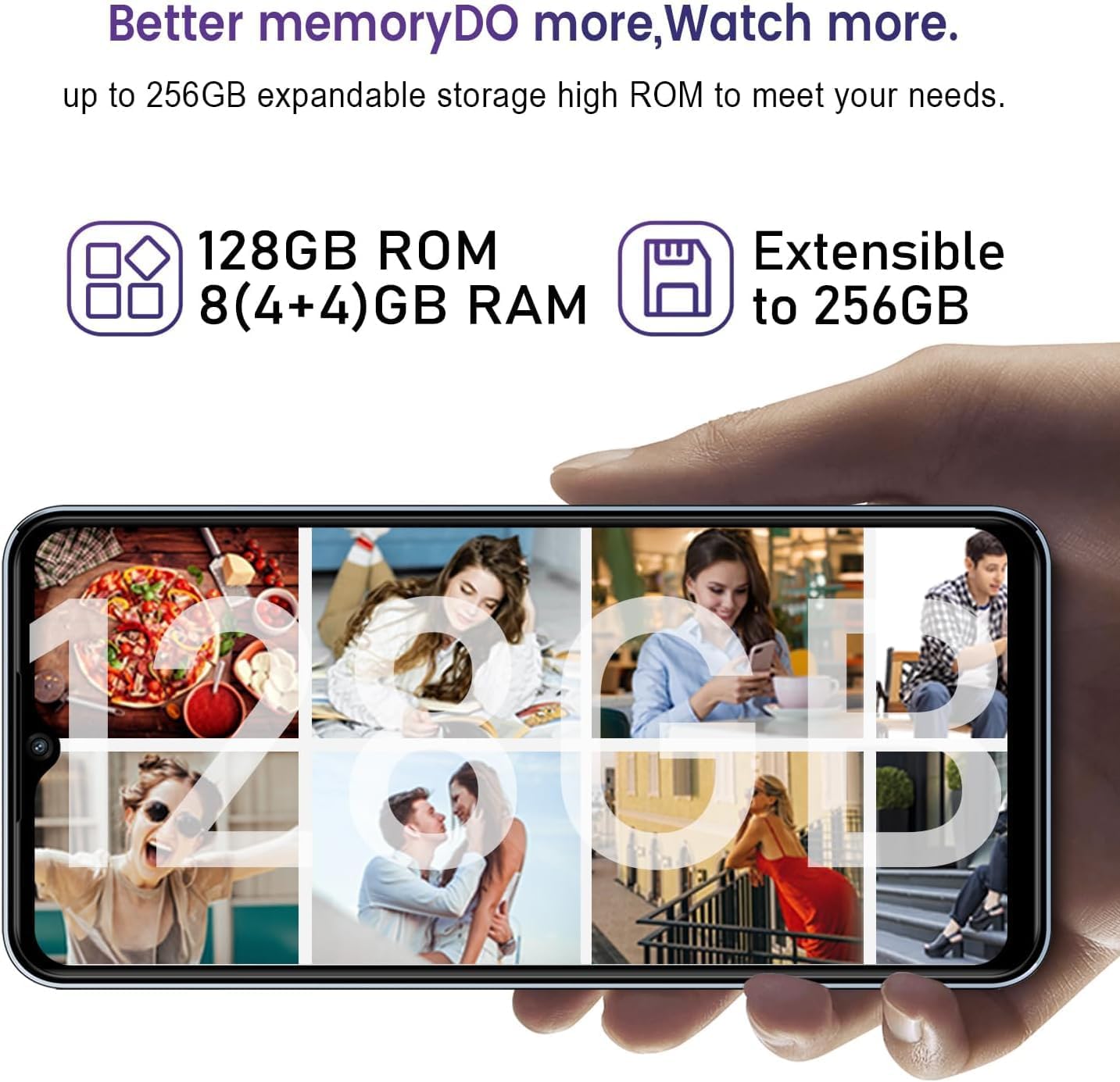
Image 4: Visual representation of the KXD A07's memory, showing 128GB ROM, 8 (4+4)GB RAM, and extensibility up to 256GB via SD card.
4. الصيانة
4.1 شحن البطارية
The KXD A07 is equipped with a 4500 mAh battery and supports 10W fast charging.
- Use the provided USB Type-C cable and power adapter to charge your device.
- Connect the USB cable to the phone's Type-C port and the adapter to a power outlet.
- For optimal battery life, avoid extreme temperatures and fully draining the battery frequently.

Image 5: KXD A07 phone showcasing its 4500 mAh long-lasting battery and 10W fast charge, with estimated usage times: 26h play music, 10.5h play video, 18h call time, 220h standby time.
4.2 إدارة التخزين
The phone comes with 128GB of internal storage, expandable up to 256GB with a Micro SD card. Regularly manage your storage to ensure optimal performance.
- حذف غير ضروري fileالتطبيقات والوسائط.
- نقل كبير files to your Micro SD card or cloud storage.
5. استكشاف الأخطاء وإصلاحها
5.1 توافق الشبكة
The KXD A07 supports 4G networks and is compatible with most GSM carriers like T-Mobile, Speedtalk, and Mint Mobile. It is NOT compatible with CDMA carriers such as AT&T, Cricket Wireless, Verizon, Sprint, Straight Talk, or U.S. Cellular.
- If you experience network issues, verify your carrier is GSM compatible.
- تأكد من إدخال بطاقة SIM الخاصة بك وتفعيلها بشكل صحيح.
5.2 مشاكل الأداء
If your phone is running slow, consider the following:
- Activate RAM expansion to increase available memory (refer to section 3.3).
- أغلق التطبيقات غير المستخدمة في الخلفية.
- Clear app caches regularly.
- تأكد من وجود مساحة تخزين مجانية كافية.
6. المواصفات
| ميزة | مواصفة |
|---|---|
| اسم الموديل | أ07 |
| نظام التشغيل | أندرويد 12 |
| عرض | 6.52-inch HD+ Waterdrop Screen (720 x 1600 Resolution) |
| المعالج | معالج ثماني النواة بسرعة 1.6 جيجاهرتز |
| كبش | 4GB (Expandable to 8GB with RAM Expansion Technology) |
| التخزين الداخلي (ROM) | 128 جيجا بايت |
| تخزين قابل للتوسيع | Up to 256GB via Micro SD Card |
| الكاميرا الخلفية | 13MP + 8MP Dual Camera |
| الكاميرا الأمامية | 8 ميجا بكسل |
| سعة البطارية | 4500 مللي أمبير |
| الشحن | شحن سريع بقوة 10 واط |
| حماية | Fingerprint ID, Face Recognition |
| نوع بطاقة SIM | Dual Nano-SIM (Triple Slot) |
| دعم الشبكة | 4G FDD: B2/B4/B5/B7/B12/B28A/B; 3G WCDMA: B2/B5; 2G GSM: 850/900/1800 (B2/B3/B5) |
| أبعاد | 6.5 × 3 × 0.3 بوصة |
| وزن | 14.9 أونصات |
7. فيديو المنتج
Watch this official product video for a detailed overview of the KXD A07 phone.
Video 1: KXD A07 Phone Detail. This video provides a comprehensive look at the features and design of the KXD A07 smartphone.
8. الضمان والدعم
For warranty information and customer support, please refer to the documentation included in your product packaging or visit the official KXD webموقع.
Online resources and FAQs may also be available to assist with common inquiries and troubleshooting.