
1. انتهى المنتجview
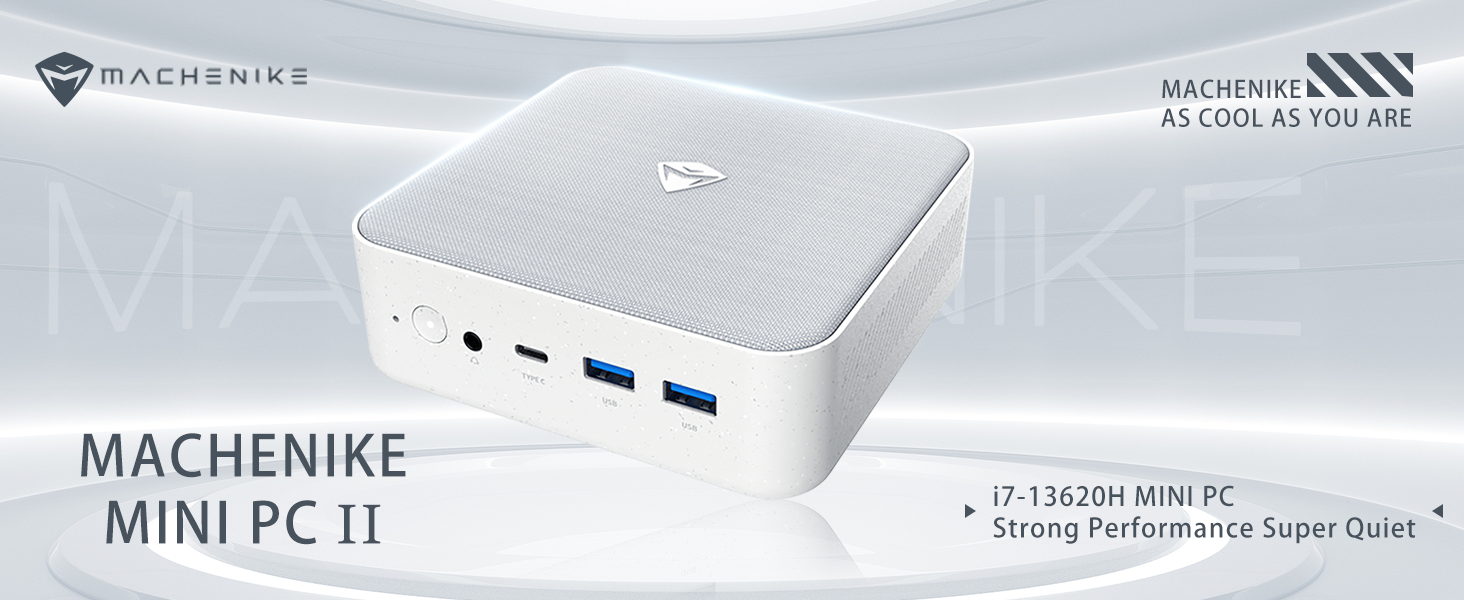
The Machenike Machcreator Mini Desktop, Model 4762H, is a compact and powerful computing solution designed for various applications, from business to everyday use. It features a 13th Gen Intel Core i7-13620H processor, 16GB DDR5 RAM, and a 512GB PCIe M.2 SSD, providing high-speed performance and efficient multitasking capabilities. This mini PC supports 4K dual monitor output and comes pre-installed with Windows 11 Pro.
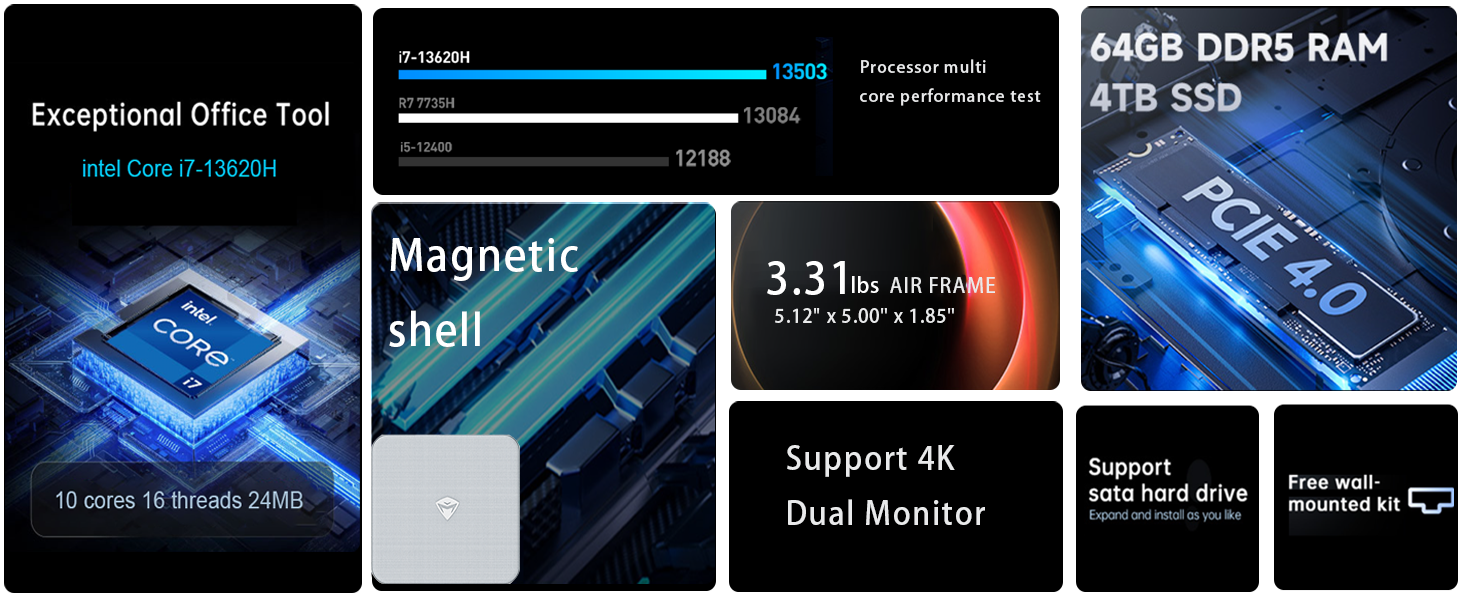
الصورة: أكثر منview of the Intel Core i7 processor, highlighting 10 Cores, 16 Threads, 4.90 GHz Max Turbo Frequency, and 24 MB L3 Cache.
المميزات الرئيسية:
- المعالج: Intel Core i7-13620H (10 Cores, 16 Threads, up to 4.9 GHz)
- ذاكرة: 16GB DDR5 SODIMM RAM (expandable up to 64GB)
- تخزين: 512GB PCIe M.2 Solid State Drive (supports dual M.2 expansion)
- نظام التشغيل: ويندوز 11 برو
- الرسومات: Integrated Intel UHD Graphics, supporting 4K dual monitor output via HDMI 2.0 and DisplayPort 1.4
- الاتصال: Wi-Fi 6, Bluetooth, 2 x RJ45 Ethernet, USB 3.2 Gen2 Type-A, USB Type-C
- نظام التبريد: مروحة تبريد توربينية مزدوجة مع مشعاع نحاسي فاخر بالكامل
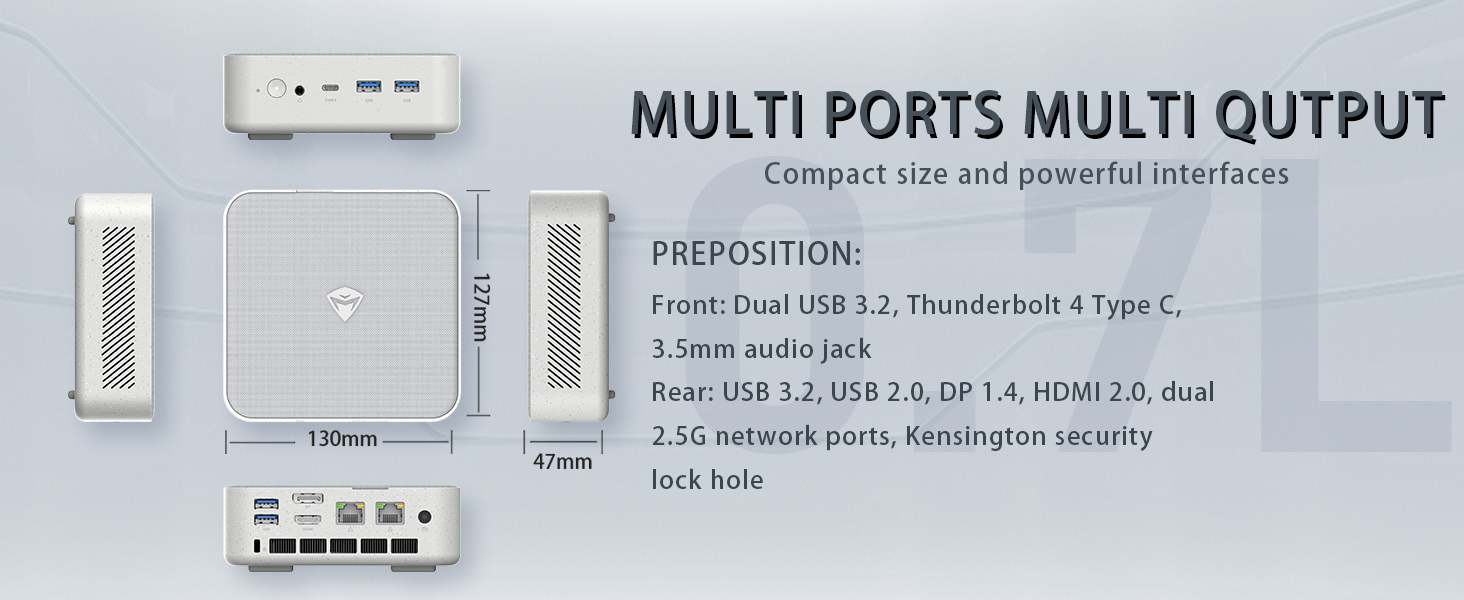
Image: Illustration of PCIe 4.0 SSD and memory slots, indicating support for up to 64GB DDR5 RAM and up to 4TB PCIe SSD expansion.
2. دليل الإعداد
2.1 فك تغليف الجهاز
أزل جميع المكونات من العبوة بعناية. تأكد من وجود العناصر التالية:
- Machenike Machcreator Mini Desktop (Model 4762H)
- محول الطاقة
- دليل المستخدم (هذا المستند)
- (Optional) VESA Mount Kit
2.2 توصيل الأجهزة الطرفية
قبل تشغيل الجهاز، قم بتوصيل الأجهزة الطرفية الأساسية لديك:
- عرض: Connect your monitor(s) to the HDMI 2.0 or DisplayPort 1.4 ports on the rear of the mini PC. The USB Type-C port also supports video output.
- لوحة المفاتيح والفأرة: Connect your USB keyboard and mouse to any of the available USB 3.2 Gen2 Type-A ports.
- شبكة: For a wired connection, connect an Ethernet cable to one of the RJ45 ports. For wireless, ensure your Wi-Fi network is available.
- قوة: Connect the power adapter to the DC-in port on the mini PC, then plug the adapter into a power outlet.
الصورة: مفصلة view of the mini PC's front and rear ports, including USB 3.2 Gen2 Type-A, USB Type-C, 3.5mm Audio Jack, HDMI 2.0, DisplayPort 1.4, and RJ45 Ethernet ports. Dimensions are also shown.
2.3 Initial Boot-up and Windows 11 Pro Setup
- اضغط على زر الطاقة الموجود في الجزء الأمامي من الكمبيوتر الصغير.
- The system will boot into the Windows 11 Pro setup wizard. Follow the on-screen instructions to configure your language, region, network, and user account.
- Once setup is complete, your mini PC is ready for use.
3. تعليمات التشغيل
3.1 تشغيل/إيقاف التشغيل
- تشغيل الطاقة: اضغط على زر الطاقة مرة واحدة.
- اغلق: انقر فوق زر البدء في نظام التشغيل Windows، ثم حدد الطاقة > إيقاف التشغيل.
- إعادة تشغيل: انقر فوق زر البدء في نظام التشغيل Windows، ثم حدد الطاقة > إعادة التشغيل.
- ينام: انقر فوق زر البدء في نظام التشغيل Windows، ثم حدد الطاقة > السكون.
3.2 تكوين العرض
The mini PC supports up to two 4K displays simultaneously. To configure display settings:
- انقر بزر الماوس الأيمن على سطح المكتب وحدد "إعدادات العرض".
- Here you can detect multiple displays, arrange them, change resolution, and adjust scaling.
3.3 الاتصال بالشبكة
- واي فاي: Click the network icon in the taskbar, select your Wi-Fi network, enter the password, and connect.
- إيثرنت: في حال توصيل كابل إيثرنت، يجب على النظام إنشاء اتصال شبكة سلكية تلقائيًا.
3.4 Cooling System Modes
The mini PC features an advanced cooling system with adjustable modes via the BIOS to optimize performance and noise levels. These modes include:
- وضع الصمت: Prioritizes quiet operation, suitable for light tasks.
- وضع التوازن: Offers a good balance between performance and noise.
- وضع الأداء: Maximizes performance (up to 65W power release), ideal for demanding applications.
To change these settings, access the BIOS during startup (typically by pressing ديل or F2 repeatedly after powering on) and navigate to the relevant power or performance settings.
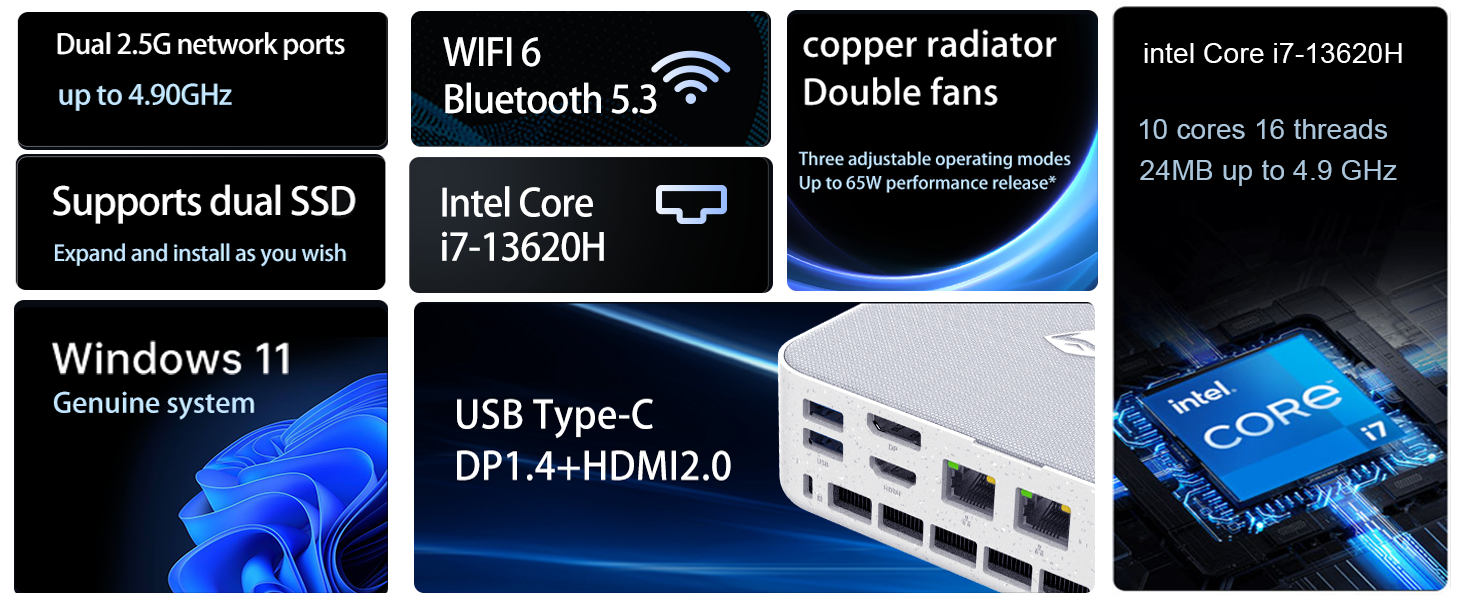
Image: Illustration of the twin turbine cooling fan and deluxe all-copper radiator, explaining how it prevents slowdowns due to overheating and offers silence, balance, and performance modes.
4. الصيانة
4.1 تنظيف الجهاز
لضمان الأداء الأمثل وطول العمر، قم بتنظيف جهاز الكمبيوتر الصغير الخاص بك بانتظام:
- Power off the device and disconnect it from the power outlet.
- استخدم قطعة قماش ناعمة وجافة لمسح السطح الخارجي.
- Use compressed air to gently clear dust from ventilation openings. Do not insert any objects into the vents.
4.2 تحديثات البرامج
Keep your Windows 11 Pro operating system and drivers updated to ensure security and performance:
- تحديثات الويندوز: Go to Start > Settings > Windows Update and check for updates.
- تحديثات برنامج التشغيل: Visit the Machenike official webموقع للحصول على أحدث برامج التشغيل الخاصة بطرازك المحدد.
4.3 توسيع التخزين والذاكرة
The Machenike Machcreator Mini Desktop supports upgrades for both RAM and storage:
- كبش: The device has 2 SODIMM slots and supports up to 64GB DDR5 RAM.
- تخزين: It supports dual PCIe M.2 SSDs, allowing for significant storage expansion up to 4TB.
ملحوظة: Opening the device for upgrades may void your warranty. Consult a qualified technician or refer to specific upgrade guides from Machenike if available.
5. استكشاف الأخطاء وإصلاحها
يتناول هذا القسم المشكلات الشائعة التي قد تواجهها. في حال وجود مشاكل أكثر تعقيدًا، يُرجى التواصل مع خدمة العملاء.
5.1 لا يوجد طاقة
- تأكد من توصيل محول الطاقة بشكل آمن بكل من الكمبيوتر الصغير ومأخذ الطاقة العامل.
- تأكد من أن منفذ الطاقة يعمل عن طريق توصيل جهاز آخر.
- افحص محول الطاقة بحثًا عن أي ضرر مرئي.
5.2 لا يوجد مخرج عرض
- Confirm that the monitor is powered on and the correct input source is selected.
- Ensure the HDMI or DisplayPort cable is securely connected to both the mini PC and the monitor.
- حاول استخدام كابل عرض أو شاشة مختلفة إذا كانت متوفرة.
- If using multiple displays, try connecting only one display at a time.
5.3 مشاكل الاتصال بالشبكة
- سلكي (إيثرنت): Check if the Ethernet cable is properly connected to both the mini PC and the router/modem. Verify router/modem status.
- لاسلكي (واي فاي): Ensure Wi-Fi is enabled in Windows settings. Restart your router/modem. Check if other devices can connect to the Wi-Fi network.
- Run Windows Network Troubleshooter (Start > Settings > Network & internet > Advanced network settings > Network troubleshooter).
6. المواصفات
Detailed technical specifications for the Machenike Machcreator Mini Desktop, Model 4762H:
| ميزة | مواصفة |
|---|---|
| ماركة | ماشينيكي |
| رقم الموديل | 4762 ساعة |
| نظام التشغيل | ويندوز 11 برو |
| نموذج وحدة المعالجة المركزية | إنتل كور i7-13620H |
| سرعة وحدة المعالجة المركزية | Up to 4.9 GHz (Max Turbo Frequency) |
| حجم ذاكرة الوصول العشوائي المثبتة | ذاكرة وصول عشوائي 16 جيجابايت DDR5 (قابلة للتوسيع حتى 64 جيجابايت) |
| سرعة ساعة الذاكرة | 4800 ميجا هرتز |
| فتحات الذاكرة المتاحة | 2 |
| سعة تخزين الذاكرة | 512 GB PCIe M.2 SSD (Supports dual M.2, up to 4TB) |
| معالج الرسوميات المساعد | رسومات Intel UHD (متكاملة) |
| واجهة إخراج الفيديو | HDMI 2.0, DisplayPort 1.4, USB Type-C |
| الحد الأقصى لدقة العرض | 3840x2160 (4K) |
| واجهة الأجهزة | 3.5mm Audio, Bluetooth, DisplayPort, Ethernet (2x RJ45), HDMI, USB, USB Type C |
| الاتصال اللاسلكي | واي فاي 6 (802.11ax)، بلوتوث |
| أبعاد العنصر (LxWxH) | 5.12 × 5 × 1.85 بوصة |
| وزن العنصر | 49.8 رطل (Note: This weight may be a data entry error; actual weight for a mini PC is typically much less.) |
| رمز المنتج الموحد | 193200587317 |
7. الضمان والدعم
7.1 معلومات الضمان
Machenike products typically come with a limited manufacturer's warranty. Please refer to the warranty card included with your purchase or visit the official Machenike webللاطلاع على شروط وأحكام الضمان التفصيلية الخاصة بمنطقتك وطراز المنتج، يرجى زيارة الموقع الإلكتروني. احتفظ بإثبات الشراء لتقديم مطالبات الضمان.
7.2 دعم العملاء
For technical assistance, troubleshooting beyond this manual, or warranty inquiries, please contact Machenike customer support:
- الدعم عبر الإنترنت: قم بزيارة موقع ماشينيكي الرسمي webموقع (www.machenike.com - example link, actual link may vary) and navigate to the support section.
- دعم البريد الإلكتروني: يرجى الرجوع إلى وثائق المنتج الخاصة بك لمعرفة عنوان البريد الإلكتروني المحدد للدعم.
- دعم الهاتف: التحقق من Machenike webموقع إلكتروني لأرقام الدعم الهاتفي الإقليمية.
When contacting support, please have your product model number (4762H) and serial number ready.