
1. المقدمة
This manual provides detailed instructions for setting up, operating, and maintaining your THOMSON 40-inch FHD Fire TV. Please read this manual thoroughly before using the television to ensure proper functionality and safety. Keep this manual for future reference.
2. معلومات السلامة
اتبع دائمًا احتياطات السلامة الأساسية عند استخدام هذا المنتج لتقليل خطر الحريق والصدمة الكهربائية والإصابة.
- لا تعرض التلفزيون للمطر أو الرطوبة.
- لا تسد فتحات التهوية.
- تأكد من التأريض الصحيح لقابس الطاقة.
- افصل التلفاز أثناء العواصف الرعدية أو عند عدم استخدامه لفترات طويلة.
- قم بإحالة جميع أعمال الصيانة إلى موظفي الخدمة المؤهلين.
3. محتويات العبوة
تأكد من تضمين جميع العناصر في الحزمة الخاصة بك:
- THOMSON 40-inch FHD Fire TV
- جهاز التحكم عن بعد (بالبطاريات)
- سلك الطاقة
- حامل تلفزيون (قطعتين)
- براغي حامل التلفزيون
- دليل المستخدم (هذا المستند)

Image: The product box illustrating the TV, remote control, and various features like Fire TV, Alexa, and Dolby Audio.
4. انتهى المنتجview
Familiarize yourself with the components and connections of your THOMSON Fire TV.
4.1 الجبهة View

Image: The front of the TV, showcasing its slim bezel and the Fire TV smart interface with popular streaming applications.
4.2 الجانب View والأبعاد
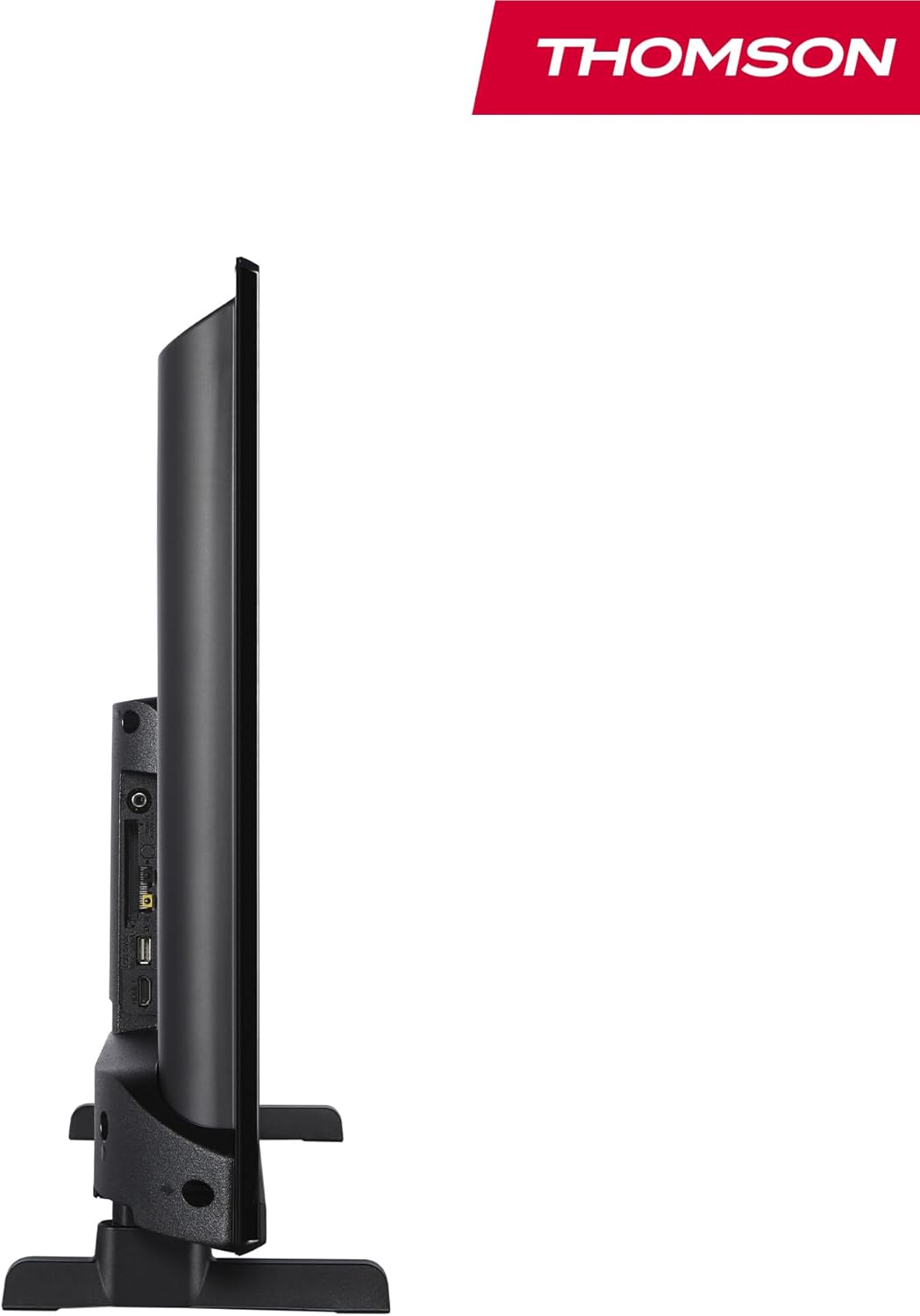
الصورة: الجانب view of the television, demonstrating its thin profile.

Image: A diagram illustrating the physical dimensions of the TV, including width, height, and depth with the stand.
4.3 خلفي View والموانئ
The rear panel of your TV features various input and output ports for connecting external devices.

الصورة: تفصيلية view of the TV's rear panel, highlighting all connectivity ports such as HDMI, USB, Audio Out, CI+, and antenna inputs.
- الصوت خارج: لتوصيل أنظمة الصوت الخارجية.
- CI +: فتحة واجهة مشتركة Plus لوحدات الوصول المشروط.
- سماعات الرأس: مقبس مقاس 3.5 ملم للاستماع الخاص.
- مدخل AV: لتوصيل الأجهزة القديمة المزودة بفيديو مركب وصوت ستيريو.
- يو اس بي 2.0: لتشغيل الوسائط من محركات أقراص USB.
- HDMI 1.4 (x2): High-Definition Multimedia Interface for connecting Blu-ray players, game consoles, etc.
- الهوائي: For connecting a terrestrial antenna (DVB-T2).
- القمر الصناعي: For connecting a satellite dish (DVB-S2).
- LAN: منفذ إيثرنت للاتصال بالشبكة السلكية.
5. الإعداد
5.1 تركيب حامل التلفزيون
- ضع التلفزيون بعناية على سطح ناعم ومسطح بحيث يكون وجهه لأسفل لمنع تلف الشاشة.
- قم بمحاذاة قطع الحامل مع الفتحات المقابلة لها في الجزء السفلي من التلفزيون.
- قم بتأمين الحوامل باستخدام البراغي المتوفرة.
5.2 التشغيل الأولي والاتصال بالشبكة
- قم بتوصيل سلك الطاقة بالتلفزيون وبمقبس الحائط.
- اضغط على زر الطاقة الموجود على التلفزيون أو جهاز التحكم عن بعد لتشغيله.
- اتبع التعليمات التي تظهر على الشاشة للإعداد الأولي، بما في ذلك اختيار اللغة والاتصال بالشبكة (واي فاي أو إيثرنت).
- Log in with your Amazon account to activate Fire TV features.
5.3 Tuner Setup (Triple-Tuner)
Your TV is equipped with a triple-tuner for DVB-C (cable), DVB-S2 (satellite), and DVB-T2 (terrestrial) reception.

Image: The DVB-T2/C/S2 tuner inputs, allowing connection to various broadcast sources.
- Connect your antenna or satellite cable to the appropriate input on the TV.
- Navigate to the TV settings and select 'Channel Scan' or 'Tuner Setup'.
- Choose your broadcast type (Antenna, Cable, or Satellite) and follow the prompts to scan for available channels.
6. تعليمات التشغيل
6.1 واجهة Fire TV
The Fire TV interface provides easy access to your favorite streaming services, apps, and live TV.
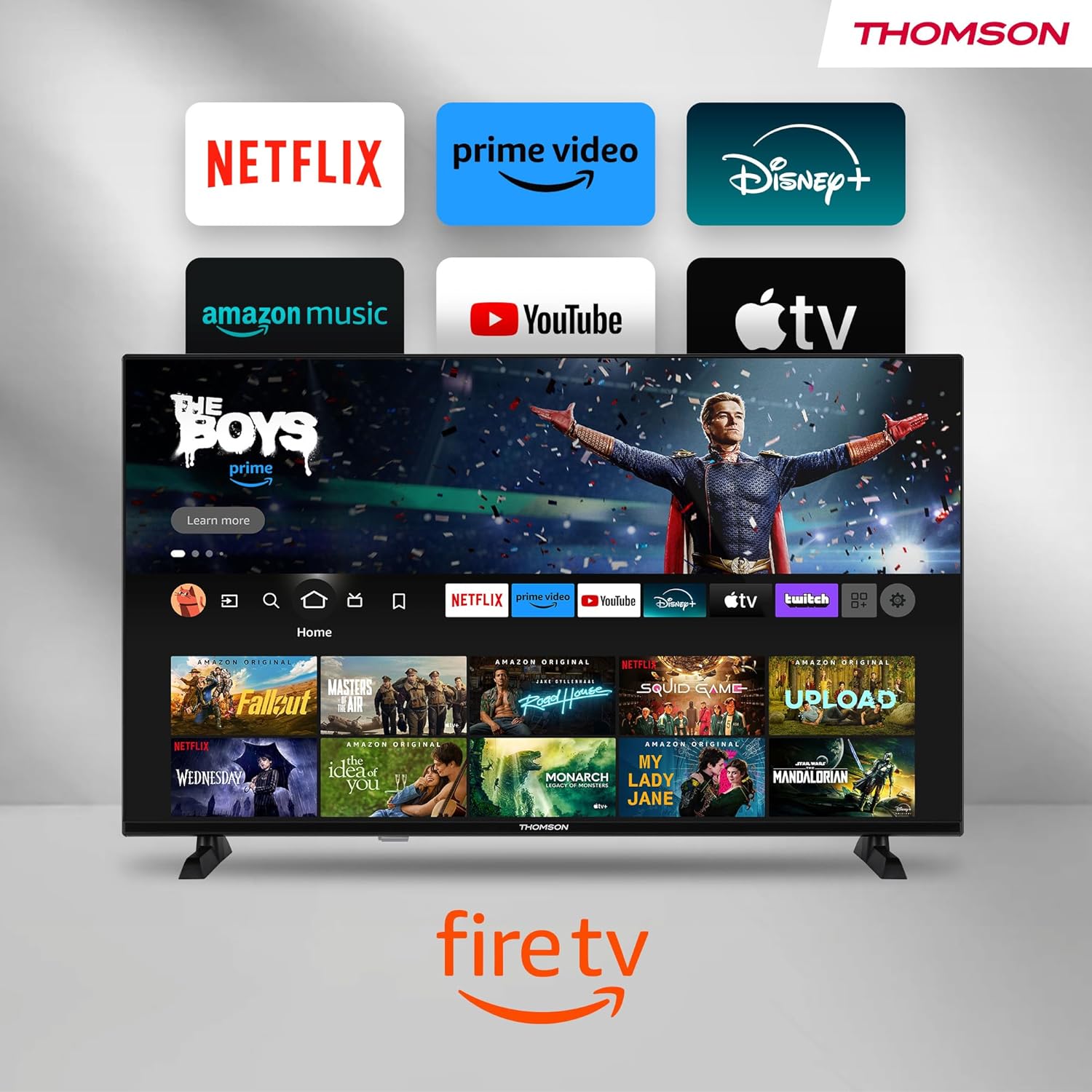
Image: The Fire TV home screen, showing a selection of popular streaming apps and content recommendations.
Navigate using the remote control's directional pad. The home screen provides personalized recommendations and quick access to your installed applications.
6.2 التحكم الصوتي أليكسا
Use the integrated Alexa voice control for hands-free operation.
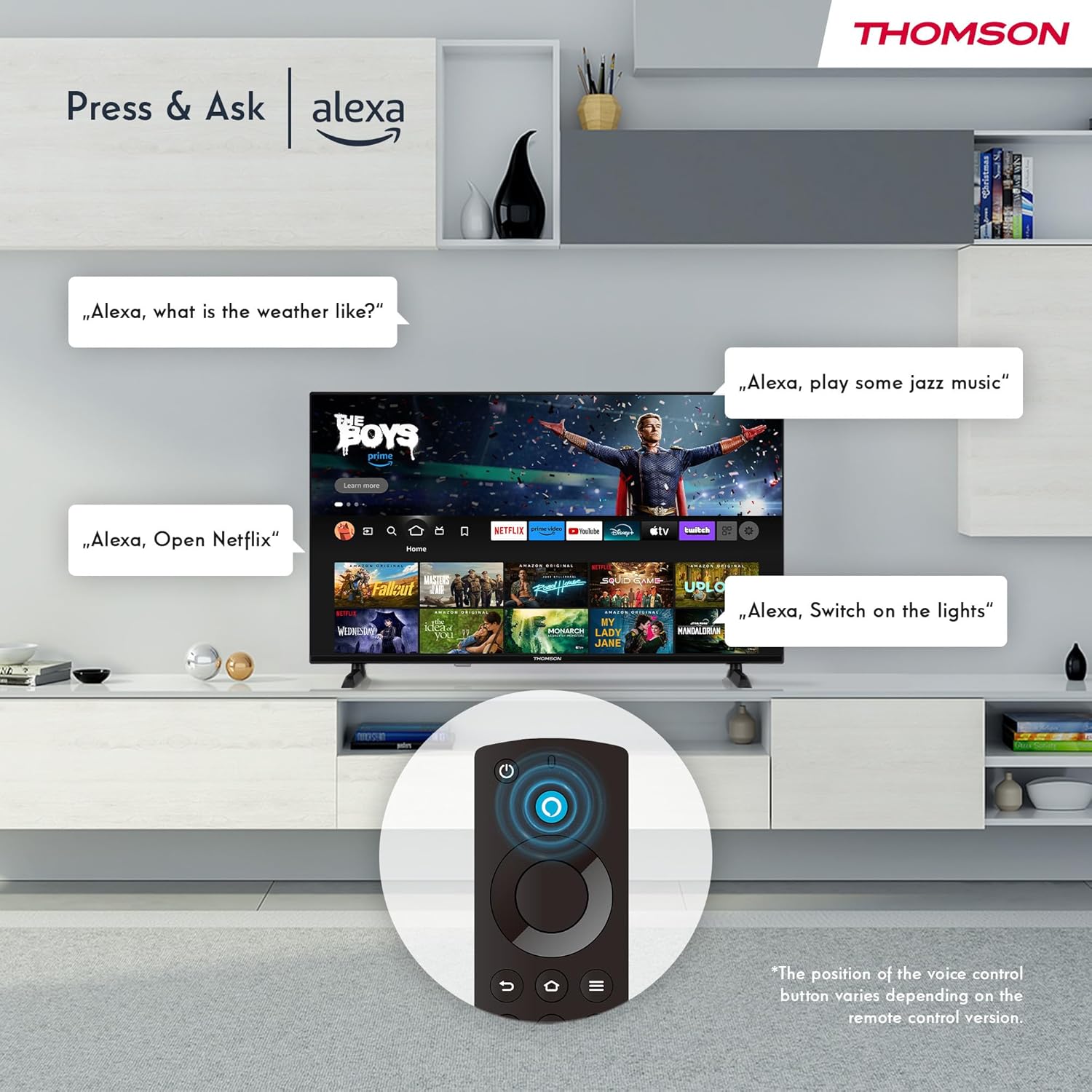
Image: Demonstrating Alexa voice commands for controlling the TV, searching content, and managing smart home devices.
Press the Alexa button on your remote and speak your command. You can ask Alexa to:
- بحث عن movies or TV shows.
- إطلاق التطبيقات.
- Control playback (pause, play, skip).
- Check the weather or news.
- التحكم في الأجهزة المنزلية الذكية المتوافقة.
6.3 تكامل المنزل الذكي
Manage your connected smart home devices directly from your TV's integrated dashboard.

Image: The Smart Home dashboard, providing a centralized control panel for various smart devices in your home.
Access the Smart Home dashboard to monitor and control devices such as cameras, lights, and plugs.
6.4 وظيفة AirPlay
Stream content directly from your Apple devices (iPhone, iPad, Mac) to your THOMSON Fire TV using AirPlay.

Image: A demonstration of Apple AirPlay, showing content being mirrored from an iOS device to the television screen.
Ensure both your Apple device and the TV are connected to the same Wi-Fi network. Select the AirPlay icon on your Apple device and choose your THOMSON TV from the list of available devices.
6.5 Creating User Profiles
إنشاء مستخدمين متعددينfiles for personalized content recommendations and settings.

Image: The user profile selection screen on Fire TV, allowing different users to have their own personalized viewتجربة رائعة.
From the Fire TV home screen, navigate to the profile selection to add or switch profileس. كل محترفfile can have its own watch history and app preferences.
6.6 HDR10 و Dolby Audio
Experience enhanced picture quality with HDR10 and immersive sound with Dolby Audio.

Image: A visual comparison demonstrating the improved contrast and color vibrancy offered by HDR10 technology.

Image: A graphic illustrating the immersive sound experience provided by Dolby Audio.
HDR10 provides a wider range of colors and contrasts, while Dolby Audio delivers rich, clear, and powerful sound.
6.7 التحكم عن بعد
The ergonomic Bluetooth remote control provides easy navigation and direct access to key features.
- زر أليكسا: اضغط مع الاستمرار لتفعيل الأوامر الصوتية.
- لوحة التنقل: For moving through menus and selecting items.
- أزرار نتفليكس/برايم فيديو: الوصول المباشر إلى خدمات البث هذه.
- Amazon Silk Button: الوصول المباشر إلى web المتصفح.
7. الصيانة
لضمان طول عمر جهاز التلفزيون الخاص بك وأدائه الأمثل، اتبع إرشادات الصيانة التالية:
- تنظيف الشاشة: امسح الشاشة برفق بقطعة قماش ناعمة وخالية من الوبر. لإزالة البقع الصعبة، استخدم منظف شاشات مصمم خصيصًا لأجهزة التلفزيون، وضعه على قطعة القماش، وليس مباشرة على الشاشة.
- تنظيف الخزانة: استخدم قطعة قماش ناعمة وجافة لمسح خزانة التلفزيون. لا تستخدم منظفات أو مذيبات كاشطة.
- تهوية: تأكد من عدم سد فتحات التهوية الموجودة في الجزء الخلفي من التلفزيون لمنع ارتفاع درجة الحرارة.
- سلك الطاقة: افحص سلك الطاقة بانتظام بحثًا عن أي تلف. في حال وجود أي تلف، استبدله فورًا.
8. استكشاف الأخطاء وإصلاحها
إذا واجهت مشكلات مع التلفزيون الخاص بك، فراجع المشكلات والحلول الشائعة التالية:
| مشكلة | السبب المحتمل / الحل |
|---|---|
| لا يوجد طاقة | Check if the power cord is securely plugged into the TV and the wall outlet. Ensure the outlet is active. |
| لا توجد صورة، ولكن الصوت موجود | Check input source. Ensure external devices are properly connected and powered on. |
| لا يوجد صوت ولكن الصورة موجودة | Check volume level. Ensure Mute is not activated. Check audio cables for external devices. |
| جهاز التحكم عن بعد لا يعمل | Check batteries. Ensure there are no obstructions between the remote and the TV. Re-pair the Bluetooth remote if necessary. |
| لا يمكن الاتصال بشبكة Wi-Fi | Ensure Wi-Fi is enabled on the TV. Check Wi-Fi password. Restart your router. Move TV closer to router. |
| التطبيقات بطيئة أو متجمدة | Restart the TV. Clear app cache or data in settings. Ensure sufficient internet speed. |
إذا استمرت المشكلة، يرجى الاتصال بدعم العملاء.
9. المواصفات
| ميزة | التفاصيل |
|---|---|
| رقم الموديل | 40FF2S34 |
| حجم الشاشة | 40.0 بوصة (100 سم) |
| تكنولوجيا العرض | قاد |
| دقة | 1080 بكسل (عالي الدقة بالكامل) |
| معدل التحديث | 60 هرتز |
| نسبة العرض إلى الارتفاع | 16:9 |
| الاتصال | Wi-Fi, Bluetooth 5.0, 2x HDMI 1.4, USB 2.0, AV IN, Audio Out, CI+, LAN |
| الموالفات | DVB-C، DVB-S2، DVB-T2 |
| المميزات الخاصة | Fire TV, Alexa Voice Control, AirPlay, HDR10, Dolby Audio, Smart Home Dashboard, User Profiles |
| الأبعاد (مع الحامل) | 90.2 × 55.4 × 17.5 سم (العرض × الارتفاع × العمق) |
| وزن | 9 كجم |
| تقييم كفاءة الطاقة | E |
| المكونات المضمنة | جهاز التحكم عن بعد |
| اللغات المدعومة | Spanish, French, English, Italian, Germanic languages |
10. الضمان والدعم
Your THOMSON Fire TV comes with a manufacturer's warranty. Please refer to the warranty card included in your package for specific terms and conditions.
For technical support, troubleshooting assistance, or warranty claims, please visit the official THOMSON support website or contact their customer service line. Keep your purchase receipt and model number (40FF2S34) handy when contacting support.
الدعم عبر الإنترنت: www.thomsonconsumer.com/support