
1. المقدمة
This manual provides essential information for setting up, operating, maintaining, and troubleshooting your Acer Nitro V 15 gaming laptop. Please read this manual thoroughly to ensure proper use and to maximize the performance and lifespan of your device.
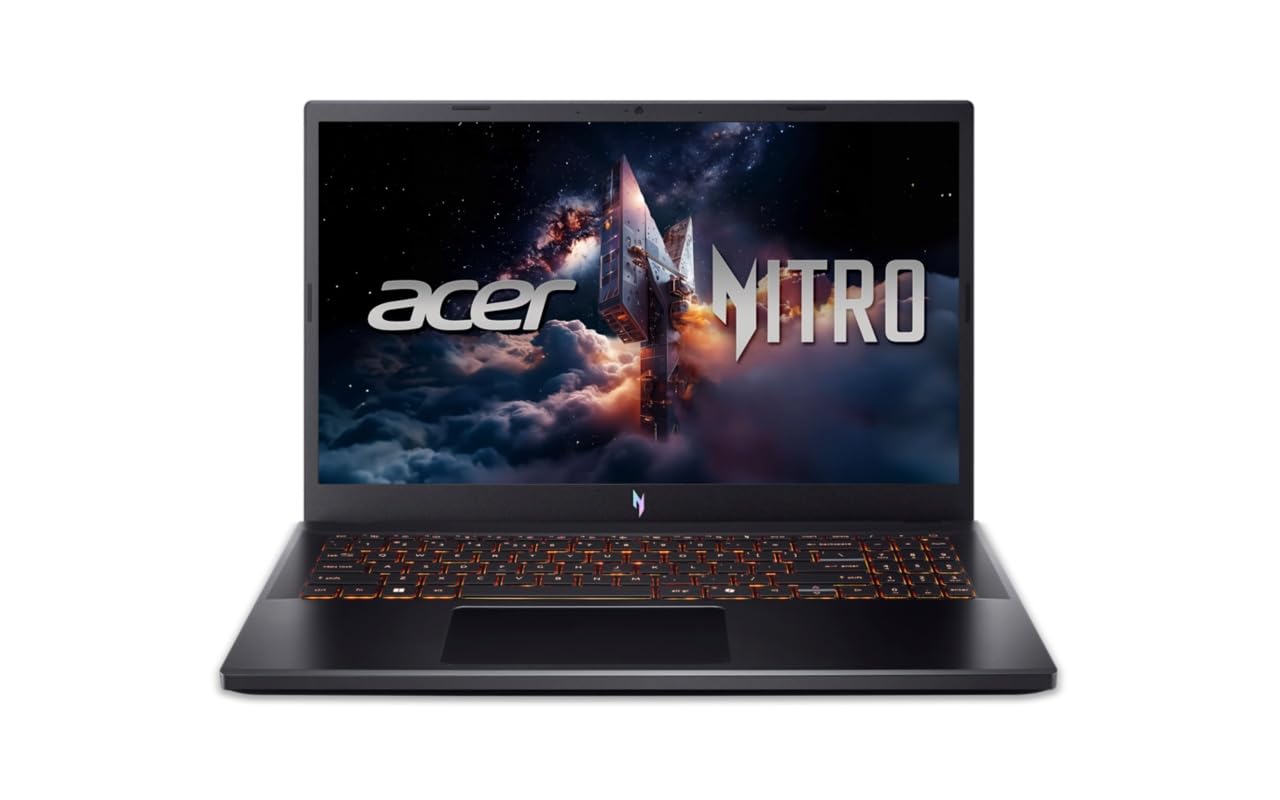
Figure 1: Acer Nitro V 15 Gaming Laptop (Model ANV15-42)
2. البدء (الإعداد)
2.1 فك الصندوق والفحص الأولي
أخرج الكمبيوتر المحمول وجميع ملحقاته بعناية من العبوة. تأكد من وجود جميع المكونات:
- Acer Nitro V 15 Laptop
- محول الطاقة والكابل
- الوثائق (دليل البدء السريع، بطاقة الضمان)
Inspect the laptop for any physical damage. If you find any damage or missing components, contact your retailer immediately.
2.2 التوصيل بالطاقة
Before first use, connect the power adapter to the laptop's power input port and then to a power outlet. It is recommended to fully charge the battery before initial use.
2.3 التشغيل الأولي وإعداد نظام التشغيل
Press the power button to turn on your laptop. The system will guide you through the initial setup of Windows 11 Home. Follow the on-screen instructions to configure your language, region, network, and user account. No additional pre-installed software is included beyond the operating system.
2.4 توصيل الأجهزة الطرفية
You can connect external devices such as a mouse, keyboard, or external display using the available ports. Refer to Section 3.5 for a detailed overview of the laptop's ports.
3. تشغيل الكمبيوتر المحمول
3.1 ميزات العرض
Your Acer Nitro V 15 features a 15.6-inch (39.62 cm) Full HD (1920 x 1080) IPS display with Acer ComfyView LED-backlit TFT LCD technology and a 165Hz refresh rate for smooth visuals.
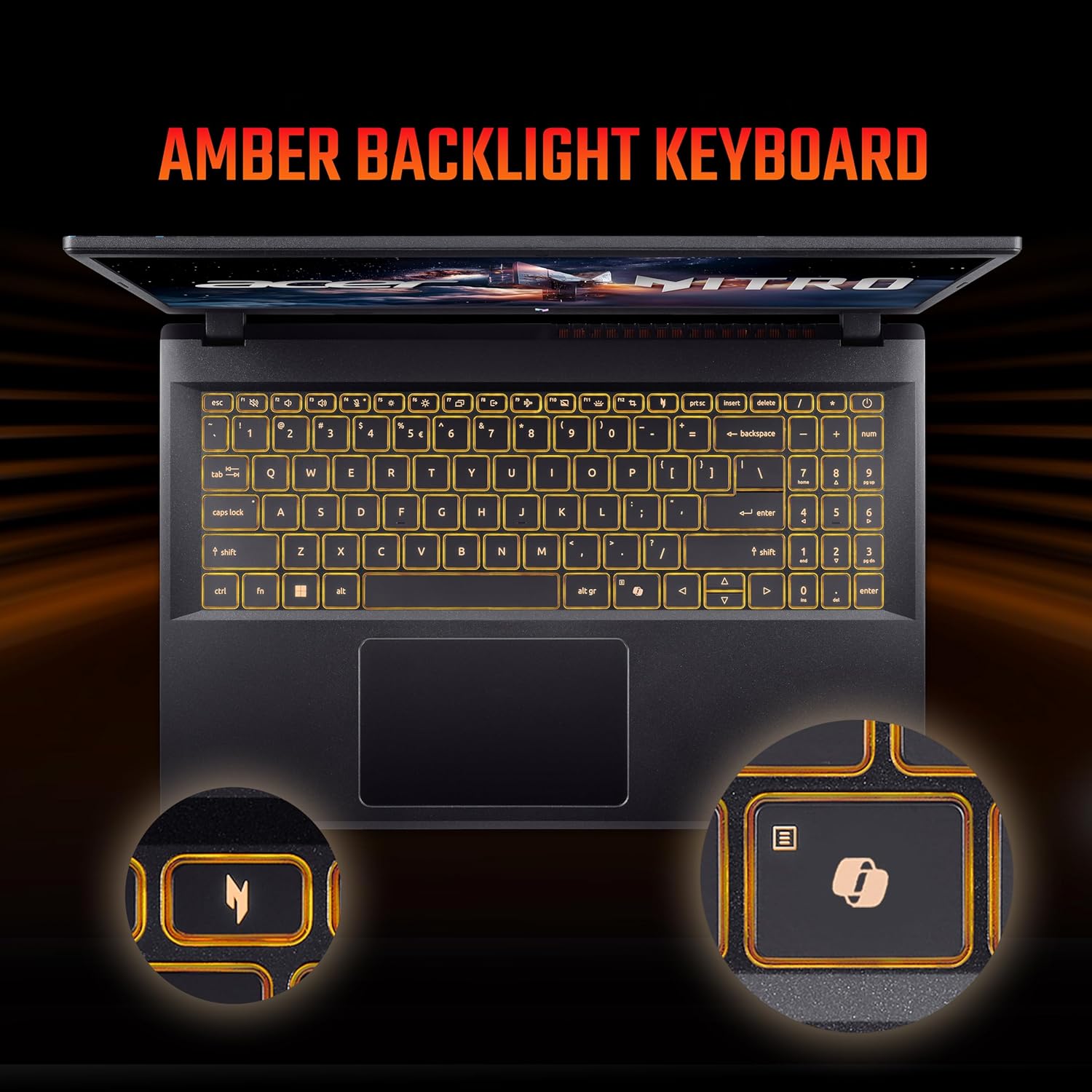
Figure 2: Laptop display showcasinز- قدراتها البصرية.
3.2 لوحة المفاتيح ولوحة اللمس
The laptop is equipped with a 99-/100-/103-key Acer amber backlight keyboard with international language support and a responsive touchpad for navigation.

Figure 3: The amber backlit keyboard of the Acer Nitro V 15.
3.3 مفاتيح خاصة
- NitroSense Key: Instantly monitor and optimize system performance for peak power and cooling.
- مفتاح مساعد الطيار: Launch Windows Copilot with a single key for instant help, commands, or shortcuts.
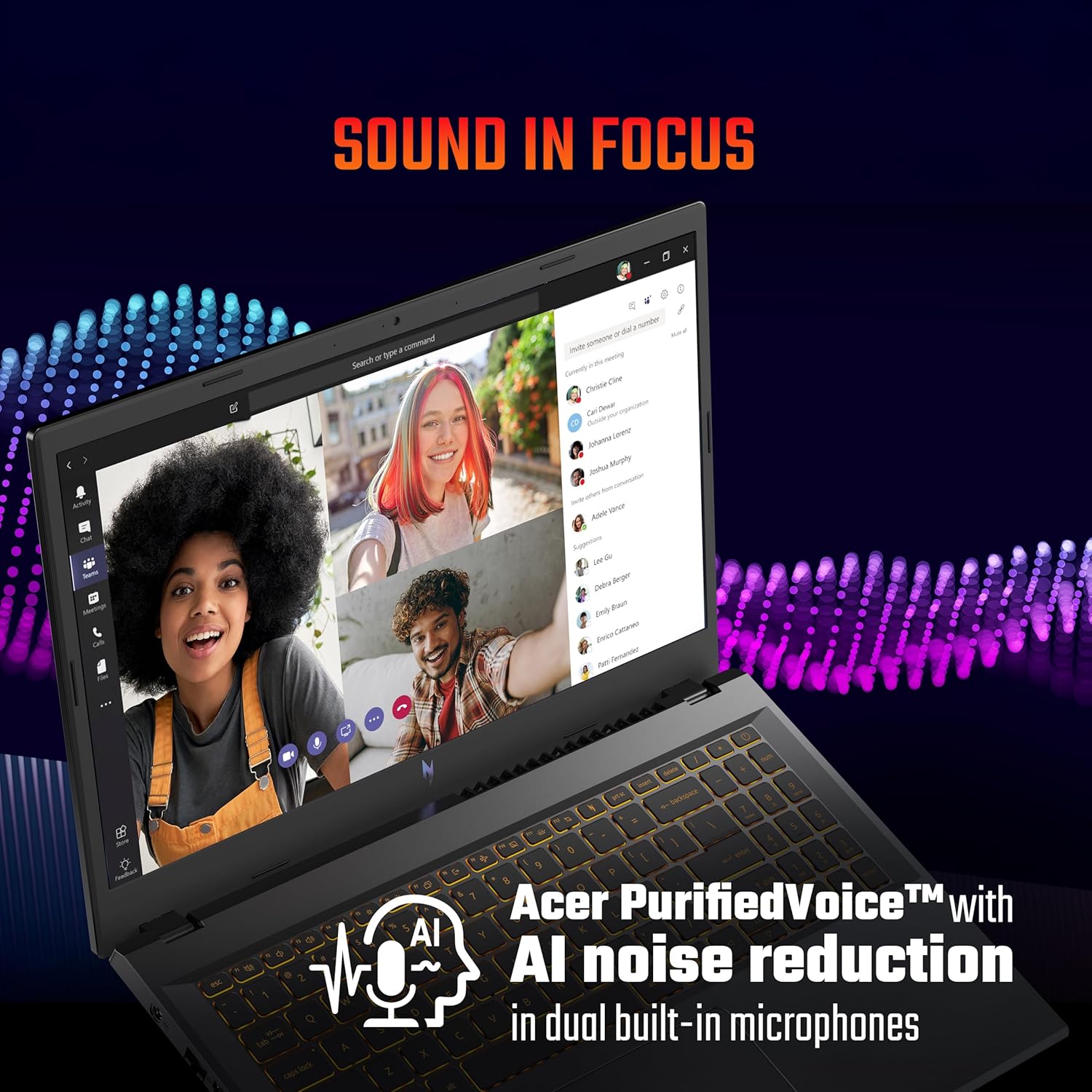
Figure 4: The NitroSense key for performance management.

Figure 5: The dedicated Copilot key for quick access to AI assistance.
3.4 ميزات الصوت
The laptop features Acer PurifiedVoice™ with AI noise reduction in dual built-in microphones for clear communication. It also supports DTS X audio for an enhanced sound experience.

Figure 6: Visual representation of DTS X audio technology.
3.5 المنافذ والاتصال
The Acer Nitro V 15 offers a variety of ports for connectivity:
- منفذان USB 3.2 من الجيل الأول (أحدهما يدعم الشحن أثناء إيقاف التشغيل)
- 1 x USB Type-C port (Thunderbolt™ 4 compatible)
- 1 x HDMI® 2.1 port
- 1 × منفذ إيثرنت (RJ-45)
- 1 x Headset/speaker jack
- فتحة قفل كينسينجتون
- Power connector (DC-in)

الشكل 7: انتهىview of the laptop's various input/output ports.
4. الصيانة والعناية
4.1 التنظيف العام
للحفاظ على الكمبيوتر المحمول الخاص بك في حالة مثالية:
- استخدم قطعة قماش ناعمة وخالية من الوبر لتنظيف الشاشة والهيكل.
- تجنب استخدام المواد الكيميائية القاسية أو المنظفات الكاشطة.
- أبقِ السوائل بعيدة عن الكمبيوتر المحمول.
4.2 إدارة البطارية
لإطالة عمر البطارية:
- تجنب تفريغ البطارية بالكامل بشكل متكرر.
- For extended periods of being plugged in, consider setting the maximum charge limit to around 80% if your system offers this feature.
- Store the laptop in a cool, dry place if not used for a long time.
4.3 العناية بنظام التبريد
The laptop's cooling system is crucial for performance. Ensure proper airflow:
- لا تسد فتحات التهوية.
- استخدم الكمبيوتر المحمول على سطح صلب ومستوٍ.
- For heavy gaming or demanding tasks, consider using a laptop cooling pad.
- If you engage in heavy gaming, consider professional thermal paste replacement every 6 months to maintain optimal cooling performance.
4.4 تحديثات البرامج
Regularly update your operating system, drivers, and BIOS. BIOS updates can resolve performance issues and improve system stability. Check the official Acer support website for the latest updates for your model.
5. استكشاف الأخطاء وإصلاحها
يتناول هذا القسم المشكلات الشائعة التي قد تواجهها.
5.1 Performance Issues (Freezes, Crashes)
- System Freezes/Restarts: Ensure all drivers, especially graphics drivers, are up to date. Check for any pending Windows updates.
- Game Crashes: Update your BIOS to the latest version. Ensure your graphics drivers are current. Monitor system temperatures during gaming using the NitroSense utility.
5.2 Battery and Power Issues
- Laptop Shutting Off When Plugged In: Verify the power adapter is securely connected. Test with a known working power outlet. If issues persist, contact support.
- البطارية لا تشحن: Check the power adapter and cable for damage. Ensure the charging port on the laptop is clean and free of debris.
5.3 Input Device Issues
- Touchpad/Click Not Working: Ensure all Windows updates are installed, as some driver fixes are delivered via OS updates. Check the device manager for any touchpad driver issues.
5.4 متى يجب الاتصال بالدعم
If you experience persistent issues that cannot be resolved using the troubleshooting steps above, or if you suspect a hardware malfunction, please contact Acer customer support.
6. مواصفات المنتج
| ميزة | مواصفة |
|---|---|
| ماركة | أيسر |
| اسم الموديل | Nitro V 15 |
| رقم الموديل | ANV15-42 |
| المعالج | AMD Ryzen 7-7445HS Octa-core (3.1 GHz up to 4.5 GHz) |
| بطاقة الرسوميات | بطاقة رسومات NVIDIA GeForce RTX 4050 بذاكرة GDDR6 سعة 6 جيجابايت |
| ذاكرة الوصول العشوائي (RAM) | 16 GB DDR5 (Upgradable up to 32 GB) |
| تخزين | 512 GB PCIe Gen4 NVMe SSD (Upgradable up to 1 TB) |
| نظام التشغيل | ويندوز 11 هوم |
| عرض | 15.6-inch Full HD (1920 x 1080) IPS, 165Hz Refresh Rate |
| لوحة المفاتيح | Amber Backlit Keyboard, Numeric Keypad |
| الموانئ | 3x USB 3.2 Gen 1, 1x USB Type-C (Thunderbolt 4), 1x HDMI 2.1, 1x Ethernet (RJ-45), 1x Headset/Speaker Jack |
| الاتصال اللاسلكي | واي فاي 6، بلوتوث |
| Webكاميرا | T-Type HD camera |
| صوتي | Acer PurifiedVoice with AI noise reduction, DTS X |
| عمر البطارية | Up to 9.5 Hours (57 Watt Hours) |
| وزن | 2.1 كيلوغرام |
| الأبعاد (الطول × العرض × الارتفاع) | 24L x 36.2W x 2.4Th Centimeters |
7. معلومات الضمان
Your Acer Nitro V 15 laptop comes with a ضمان الشركة المصنعة لمدة عامين. Please refer to the warranty card included in your product packaging for detailed terms and conditions. Keep your proof of purchase for warranty claims.
8. دعم العملاء
For technical assistance, service, or warranty inquiries, please contact Acer customer support:
- الشركة المصنعة: شركة أيسر الهند الخاصة المحدودة
- عنوان: Embassy Heights, 6th Floor, No. 13, Magrath Road, Next to HOSMAT Hospital, Bangalore, INDIA – 560025
- رسمي Webموقع: قم بزيارة دعم Acer الرسمي webالموقع للحصول على تفاصيل الاتصال الخاصة بمنطقتك.
Note: No official product videos with 'Seller' creator type and m3u8 format were available in the provided data for embedding.