
مقدمة
The realme Buds T110 are designed to deliver a high-quality audio experience with advanced features for both music and calls. These truly wireless earbuds offer powerful sound, clear communication, and a comfortable fit for daily use.
Key features include 10mm Dynamic Bass Drivers for rich audio, AI Environmental Noise Cancellation (ENC) for clear calls, Google Fast Pair for quick connectivity, 38 hours of total playback, fast charging capabilities, and an 88ms low latency gaming mode. The earbuds also feature an IPX5 water resistance rating, making them suitable for workouts and outdoor activities.

الصورة: أكثر منview of realme Buds T110 key features including 38-hour playback, AI ENC, IPX5, and low latency.
ماذا يوجد في الصندوق
Upon opening your realme Buds T110 package, you will find the following items:
- سماعات الأذن realme Buds T110 (يسار ويمين)
- حافظة الشحن
- أطراف الأذن (أحجام مختلفة للملاءمة المثالية)
- كابل شحن USB
- دليل المستخدم

Image: realme Buds T110 earbuds in their charging case, showcasing the product's components.
يثبت
1. شحن سماعات الأذن والعلبة
Before first use, fully charge the realme Buds T110 and their charging case. Connect the provided USB charging cable to the charging port on the case and a power source. The indicator light on the case will show charging status. A 10-minute charge provides up to 120 minutes of playback.

الصورة: أعلى view of the realme Buds T110 charging case with its indicator light.
2. Initial Pairing (Google Fast Pair)
- تأكد من تمكين البلوتوث على هاتفك الذكي.
- Open the charging case with the earbuds inside and hold it close to your Android phone.
- A Google Fast Pair pop-up will appear on your phone's screen. Tap 'Connect' to pair.
- For other devices, open the case, press and hold the function button on the case for 3 seconds until the indicator light flashes white, then select 'realme Buds T110' from your device's Bluetooth settings.
3. توافق تطبيق realme Link
Download the realme Link app from your device's app store to unlock additional features, customize touch controls, and update firmware for your realme Buds T110.

Image: The realme Link app logo, indicating compatibility for enhanced control.
تعليمات التشغيل
1. تشغيل/إيقاف التشغيل
- تشغيل الطاقة: افتح علبة الشحن، وسيتم تشغيل سماعات الأذن تلقائيًا والاتصال بآخر جهاز تم إقرانه.
- إيقاف التشغيل: أعد وضع سماعات الأذن في علبة الشحن وأغلق الغطاء. سيتم فصلها وإيقاف تشغيلها تلقائيًا.
2. أدوات التحكم التي تعمل باللمس
The realme Buds T110 feature intuitive touch controls on each earbud. The specific functions can be customized via the realme Link app.
| فعل | وظيفة |
|---|---|
| الضغط مرتين | تشغيل / إيقاف الموسيقى ، الرد / إنهاء المكالمة |
| الصنبور الثلاثي | المسار التالي |
| اضغط مع الاستمرار (سماعة أذن واحدة) | رفض المكالمة |
| Press and Hold (both earbuds) | الدخول إلى وضع الألعاب/الخروج منه |

Image: Close-up of the right realme Buds T110 earbud, highlighting its design and touch-sensitive area.
3. AI Environmental Noise Cancellation (ENC) for Calls
The AI ENC feature intelligently identifies and reduces background noise during calls, ensuring your voice is heard clearly by the person on the other end, even in noisy environments.
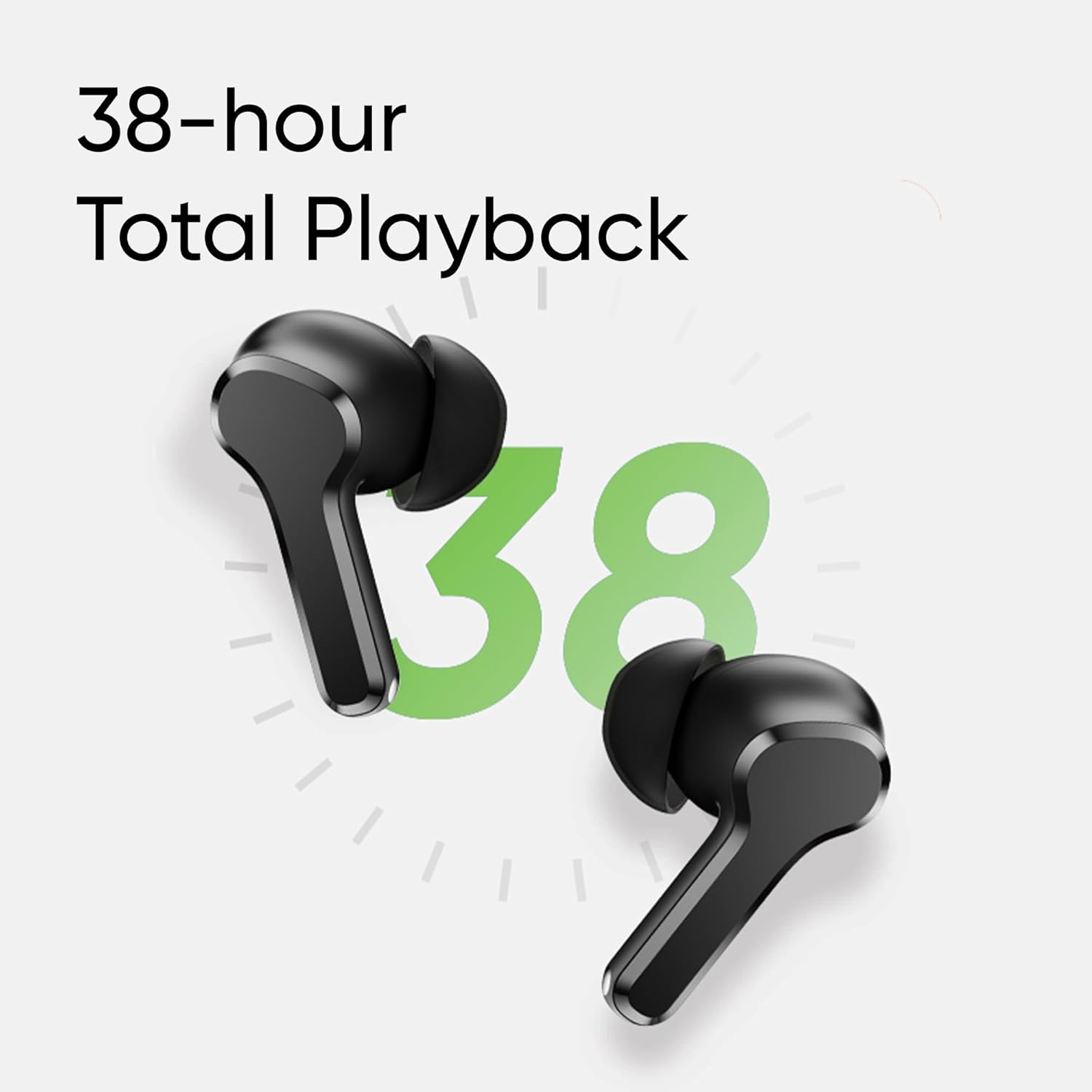
Image: Visual representation of AI ENC technology reducing background noise during calls.
4. وضع الألعاب ذو زمن الاستجابة المنخفض
Activate the 88ms low latency gaming mode for a synchronized audio-visual experience, reducing audio delay during gaming or video playback. This mode can be toggled by pressing and holding both earbuds simultaneously.
صيانة
1. التنظيف
- قم بتنظيف سماعات الأذن وعلبة الشحن بانتظام باستخدام قطعة قماش ناعمة وجافة وخالية من الوبر.
- قم بإزالة أطراف الأذن ونظفها بالصابون المعتدل والماء، ثم جففها جيدًا قبل إعادة تركيبها.
- تأكد من خلو نقاط التلامس الخاصة بالشحن في كل من سماعات الأذن والعلبة من الغبار والحطام.
2. مقاومة الماء (IPX5)
The realme Buds T110 are rated IPX5 for water resistance, meaning they are protected against low-pressure water jets from any direction. This makes them resistant to sweat and light splashes. They are not designed for submersion in water or use during swimming.

Image: Visual representation of the IPX5 water resistance feature, showing water droplets around an earbud.
استكشاف الأخطاء وإصلاحها
- لا توجد مشاكل في الصوت/الاتصال: Ensure earbuds are charged. Place them back in the case, close the lid, then reopen to re-establish connection. Check your device's Bluetooth settings and ensure 'realme Buds T110' is connected. Try forgetting the device and re-pairing.
- سماعة أذن واحدة لا تعمل: Ensure both earbuds are charged. Place both earbuds in the charging case, close the lid, wait a few seconds, then open it again. If the issue persists, try resetting the earbuds.
- مشاكل الشحن: تأكد من توصيل كابل الشحن بإحكام بالعلبة ومصدر الطاقة. نظّف نقاط تلامس الشحن على سماعات الأذن وداخل العلبة. جرّب كابل شحن أو محول طاقة مختلفًا.
- إعادة ضبط سماعات الأذن: Place both earbuds in the charging case. Press and hold the function button on the case for 10 seconds until the indicator light flashes rapidly. This will reset the earbuds to factory settings and clear all pairing records. You will need to re-pair them with your device.
تحديد
| ميزة | مواصفة |
|---|---|
| ماركة | ريلمي |
| رقم الموديل | ر م أ 2306 |
| وضع الأذن | في الأذن |
| عامل الشكل | لاسلكية حقيقية |
| مقاومة | 32 أوم |
| نسخة البلوتوث | 5.4 |
| نوع برنامج تشغيل الصوت | سائق ديناميكي |
| حجم برنامج تشغيل الصوت | 10 مليمتر |
| متوسط عمر البطارية | 38 Hours (Total Playback) |
| وقت شحن البطارية | 10 Minutes for 120 Minutes Playback |
| مستوى مقاومة الماء | IPX5 |
| التحكم في الضوضاء | إلغاء الضوضاء البيئية (ENC) |
| زمن انتقال منخفض | 88 مللي ثانية |
| وزن | 42 جرام |
| بلد المنشأ | فيتنام |
الضمان والدعم
معلومات الضمان
The realme Buds T110 come with a ضمان المصنع لمدة عام يسري الضمان من تاريخ الشراء. يرجى الاحتفاظ بإثبات الشراء لتقديم مطالبات الضمان. يغطي الضمان عيوب التصنيع، ولكنه لا يغطي الأضرار الناجمة عن سوء الاستخدام أو الحوادث أو التعديلات غير المصرح بها أو التلف الناتج عن الاستخدام العادي.
دعم العملاء
For further assistance, technical support, or warranty claims, please contact realme customer service through their official website or the realme Link app. You can also refer to the official realme support page for FAQs and additional resources.