
GGSTOPWATER JM13
دليل مستخدم سماعات رأس لاسلكية مفتوحة الأذن بتقنية بلوتوث 5.4
Model: JM13 | Brand: GGSTOPWATER
1. المقدمة
Thank you for choosing the GGSTOPWATER Open Ear Headphones. These wireless earbuds are designed to provide a comfortable listening experience while maintaining awareness of your surroundings. Featuring advanced Bluetooth 5.4 technology and an IPX5 waterproof rating, they are ideal for various activities including sports, running, workouts, and driving.

The open-ear design ensures comfort and awareness of your environment.

Key features of the GGSTOPWATER Open Ear Headphones.
2. ماذا يوجد في الصندوق
يرجى التحقق من محتويات الحزمة للتأكد من وجود جميع العناصر:
- True Wireless Bluetooth Headphones (2 units)
- Headset Charging Compartment (1 unit)
- كابل شحن من النوع C (وحدة واحدة)
- دليل المستخدم (1 وحدة)
- Silicone Lanyard (1 unit)
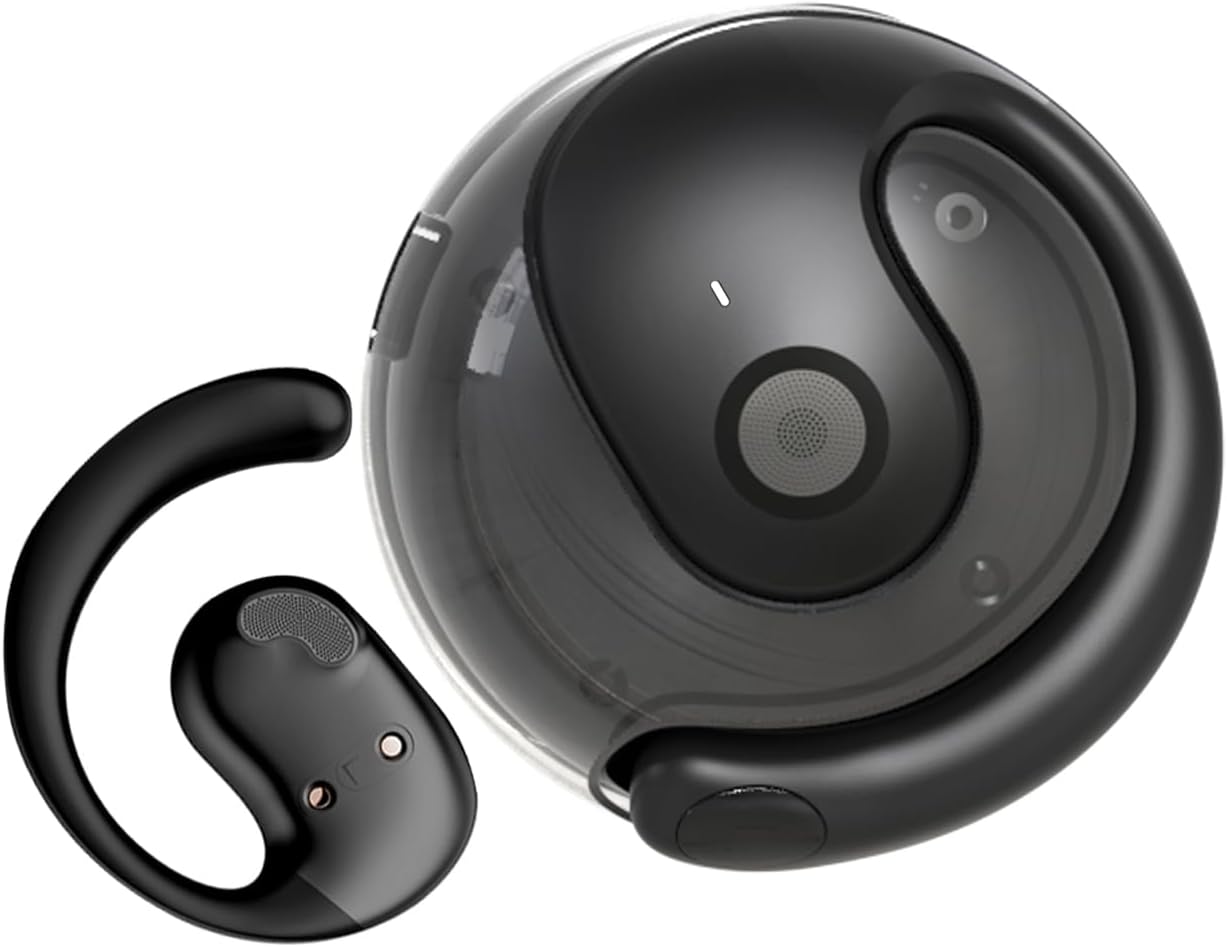
The GGSTOPWATER Open Ear Headphones and their compact charging case.
شاهد هذا الفيديو لمدة أكثرview للمنتج ومكوناته.
3. الإعداد والاقتران
3.1 الاقتران الأولي
- Ensure the headphones are charged (refer to Section 4).
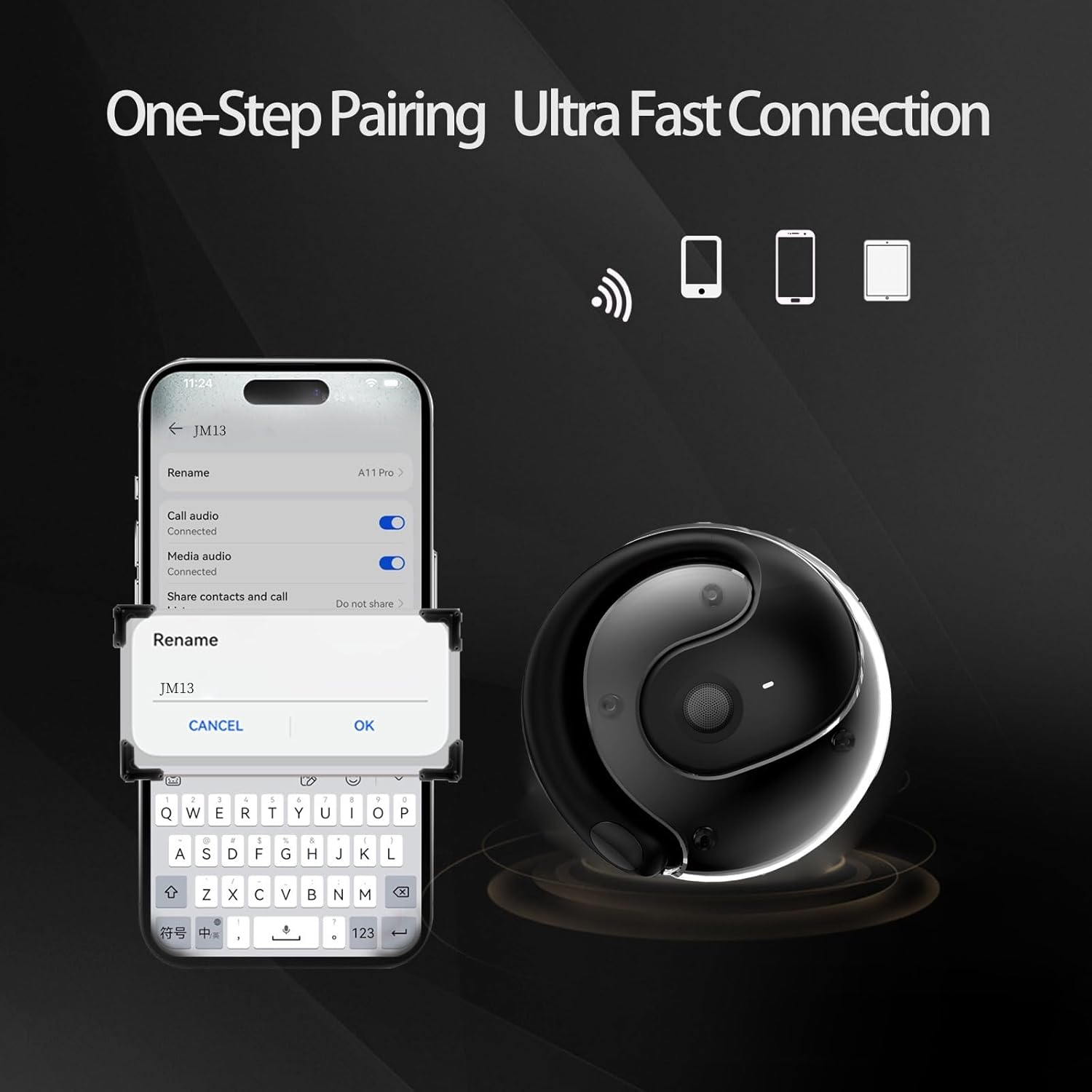
- افتح علبة الشحن. سيتم تشغيل سماعات الرأس تلقائيًا ودخول وضع الاقتران.
- على جهازك (الهاتف الذكي، الجهاز اللوحي، الكمبيوتر المحمول)، قم بتمكين البلوتوث.
- بحث عن "JM13" in the list of available Bluetooth devices.
- Select "JM13" to connect. A voice prompt will confirm successful pairing.
3.2 ارتداء سماعات الرأس
For optimal comfort and sound, follow these steps to wear your headphones:

Ergonomic design for easy and comfortable wear.
4. تعليمات التشغيل
The GGSTOPWATER Open Ear Headphones feature intuitive touch controls on each earbud. Refer to the diagram and descriptions below for common functions:

Detailed touch control commands for your headphones.
This video demonstrates the touch controls for music playback and call management.
4.1 Telephone Mode
- رفض المكالمة: اضغط لفترة طويلة لمدة 2 ثوان.
- Incoming Call (Answer): Single click to answer.
- Incoming Call (Hang Up): Single click to hang up.
4.2 وضع الموسيقى
- تشغيل/إيقاف مؤقت: لمسة واحدة.
- الأغنية السابقة: Double touch (Left earbud).
- الأغنية التالية: Double touch (Right earbud).
4.3 Binaural Mode (General Controls)
- تشغيل الطاقة: اضغط لفترة طويلة لمدة 3 ثوان.
- إيقاف التشغيل: اضغط لفترة طويلة لمدة 5 ثوان.
- اخفض الصوت: Three touches (Left earbud).
- رفع الصوت: Three touches (Right earbud).
5. البطارية والشحن
The headphones and charging case are equipped with high-capacity batteries for extended use. The charging case has a 300mAh capacity.
- Headset Usage Time: حوالي 4 ساعات.
- وقت الشحن: Approximately 1.5 hours for the case.
- وقت الاستعداد: تصل إلى 120 ساعة.
To charge the case, connect the provided Type-C charging cable to the charging port on the case and a compatible USB power source.
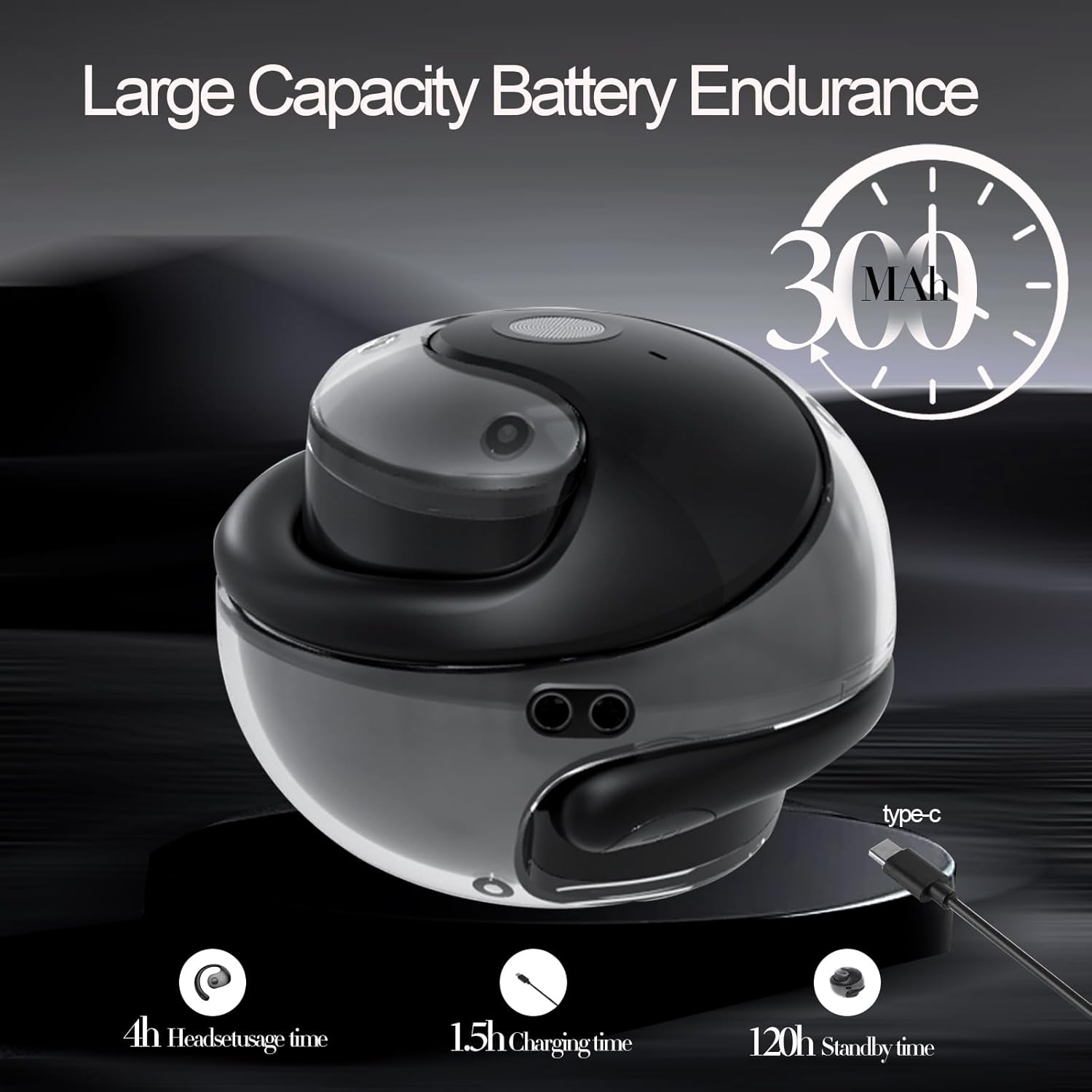
مؤشرات عمر البطارية والشحن.
6. الصيانة والعناية
To ensure the longevity and optimal performance of your GGSTOPWATER Open Ear Headphones, please follow these maintenance guidelines:
6.1 مقاومة الماء (IPX5)
The headphones feature an IPX5 waterproof rating, meaning they are protected against low-pressure water jets from any direction. This makes them suitable for protection against daily sweat and light rain. However, they are not designed for submersion in water or use during heavy rainfall.
The IPX5 rating protects against sweat and light rain.
6.2 التنظيف
Wipe the headphones and charging case with a soft, dry, lint-free cloth. Do not use abrasive cleaners, alcohol, or chemical sprays.
6.3 التخزين
احفظ سماعات الرأس في علبة الشحن الخاصة بها عند عدم استخدامها لحمايتها من الغبار والتلف. تجنب درجات الحرارة المرتفعة والمنخفضة.
7. استكشاف الأخطاء وإصلاحها
إذا واجهت مشاكل مع سماعات الرأس، فجرب الحلول التالية:
- لا توجد مشاكل في الصوت/الاتصال:
- تأكد من شحن سماعات الرأس.
- قم بإيقاف وتشغيل البلوتوث على جهازك.
- Forget "JM13" in your device's Bluetooth settings and re-pair.
- أعد تشغيل جهازك.
- سماعة أذن واحدة لا تعمل:
- ضع كلا السماعتين مرة أخرى في علبة الشحن، وأغلق الغطاء، وانتظر بضع ثوانٍ، ثم أخرجهما مرة أخرى.
- تأكد من شحن كلا سماعات الأذن.
- مشاكل الشحن:
- افحص كابل الشحن والمحول بحثًا عن أي تلف.
- تأكد من أن منفذ الشحن الموجود على العلبة نظيف وخالٍ من الحطام.
8. المواصفات
| ميزة | مواصفة |
|---|---|
| اسم الموديل | ج م 13 |
| ماركة | جي جي ستوب ووتر |
| تكنولوجيا الاتصال | لاسلكي (بلوتوث) |
| نسخة البلوتوث | 5.4 |
| وضع الأذن | أذن مفتوحة |
| مستوى مقاومة الماء | IPX5 (مقاوم للماء) |
| نوع برنامج تشغيل الصوت | محرك ديناميكي (16 مم) |
| نطاق التردد | شنومكسهز - شنومكسهز |
| مقاومة | 32 أوم |
| طريقة التحكم | Remote (Touch) |
| المكونات المضمنة | حافظة الشحن اللاسلكي |
| وزن العنصر | 3.52 أونصات |
| الشركة المصنعة | جي جي ستوب ووتر |
9. معلومات السلامة
When using your GGSTOPWATER Open Ear Headphones, always prioritize your safety and the safety of others. The open-ear design enhances spatial awareness, allowing you to hear your surroundings, which is particularly beneficial for outdoor activities.
- Do not use at excessively high volumes for prolonged periods to prevent hearing damage.
- Be aware of your surroundings, especially when operating vehicles, cycling, or walking in traffic.
- Keep the headphones away from extreme temperatures, direct sunlight, and moisture.
- لا تحاول تفكيك سماعات الرأس أو تعديلها.
10. الضمان والدعم
GGSTOPWATER is committed to providing high-quality products. For warranty information, technical support, or any inquiries regarding your Open Ear Headphones, please refer to the contact details provided in your product packaging or visit the official GGSTOPWATER store on Amazon.
Note: Specific warranty terms and support contact information may vary by region and purchase location. Please retain your proof of purchase.
Ask a question about this manual
Ask about setup, troubleshooting, compatibility, parts, safety, or missing instructions. Manuals+ will review the question and use this page’s manual context to help answer it.