
LIECTROUX YW509
دليل مستخدم منظف النوافذ الروبوتي LIECTROUX YW509
Brand: LIECTROUX | Model: YW509
مقدمة
This manual provides detailed instructions for the safe and efficient operation, maintenance, and troubleshooting of your LIECTROUX YW509 Robot Window Cleaner. Please read this manual thoroughly before using the device and keep it for future reference.
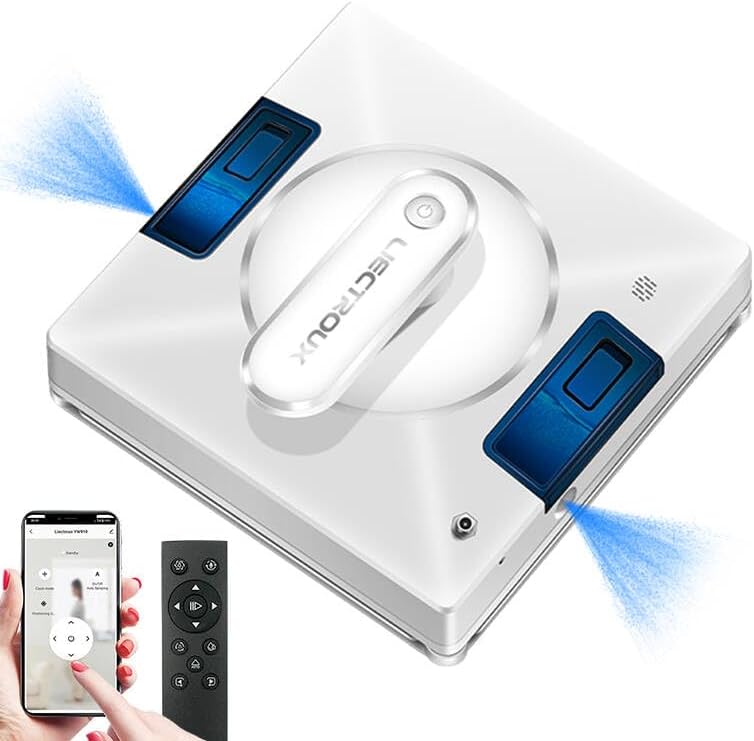
Figure 1: LIECTROUX YW509 Robot Window Cleaner overview.
تعليمات السلامة الهامة
Always adhere to the following safety guidelines to prevent injury or damage to the device.
- Ensure the safety rope is securely fastened before each use, especially when cleaning high-rise windows. The device is equipped with a 4m professional safety rope.
- The robot must be connected to a power source during operation. The built-in UPS battery provides approximately 25 minutes of backup power in case of power failure, preventing the robot from falling.
- لا تستخدم الروبوت على الأسطح الزجاجية المتشققة أو التالفة.
- أبعد يديك وشعرك وملابسك الفضفاضة عن الأجزاء المتحركة.
- لا تغمر الجهاز في الماء أو أي سوائل أخرى.
- Supervise children and pets when the robot is in operation.

Figure 2: Safety features including strong suction and safety rope attachment.
الإعداد والتحضير
محتويات الحزمة
تأكد من وجود جميع العناصر في العبوة:
- LIECTROUX YW509 Robot Window Cleaner
- جهاز التحكم عن بعد
- Power Adapter and Cord (5.2m)
- Safety Rope (4m)
- Microfiber Cleaning Cloths (2 included)
- Water Bottle (for filling tank)
- دليل المستخدم
الإعداد الأولي
- شحن البطارية: Although the robot operates while plugged in, ensure the internal UPS battery is charged for emergency power backup. Connect the power adapter to the robot and a power outlet.
- قم بربط حبل الأمان: Securely attach the safety rope to the designated anchor point on the robot and to a sturdy object indoors.
- Install Cleaning Cloths: Attach the microfiber cleaning cloths to the cleaning pads on the bottom of the robot. Ensure they are properly aligned and secured.
- ملء خزان المياه: Open the water tank cap and fill with clean water or a suitable window cleaning solution. The robot features built-in large capacity water tanks.
- تشغيل الطاقة: Connect the power cord to the robot and a power outlet. Press the power button on the robot or remote control to turn it on.
تعليمات التشغيل
Placing the Robot
Place the robot on the glass surface, ensuring it is flat against the surface. The strong suction power (3000PA) will hold it in place.
أوضاع التنظيف
The LIECTROUX YW509 offers three automatic cleaning modes and manual control via remote or app:
- N Path: Cleans in an N-shaped pattern, suitable for tall and narrow windows.
- Z Path: Cleans in a Z-shaped pattern, suitable for wide and short windows.
- N+Z Path: Combines both N and Z patterns for comprehensive cleaning, ideal for large windows.

Figure 3: Available cleaning modes for optimal coverage.
خاصية رش الماء
The robot features dual nozzles that spray water in two directions, ensuring effective cleaning. This function can be activated automatically or manually via the remote control or app.
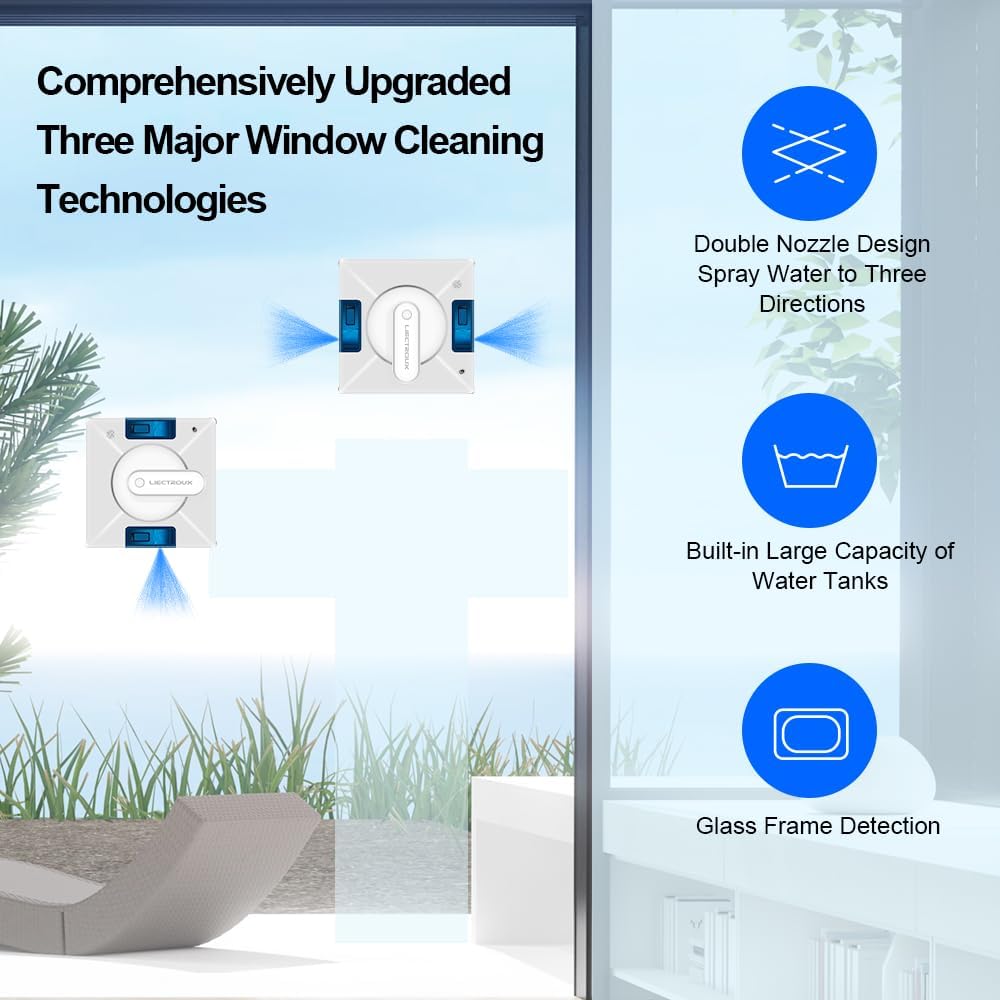
Figure 4: Advanced window cleaning technologies including dual nozzle spray.
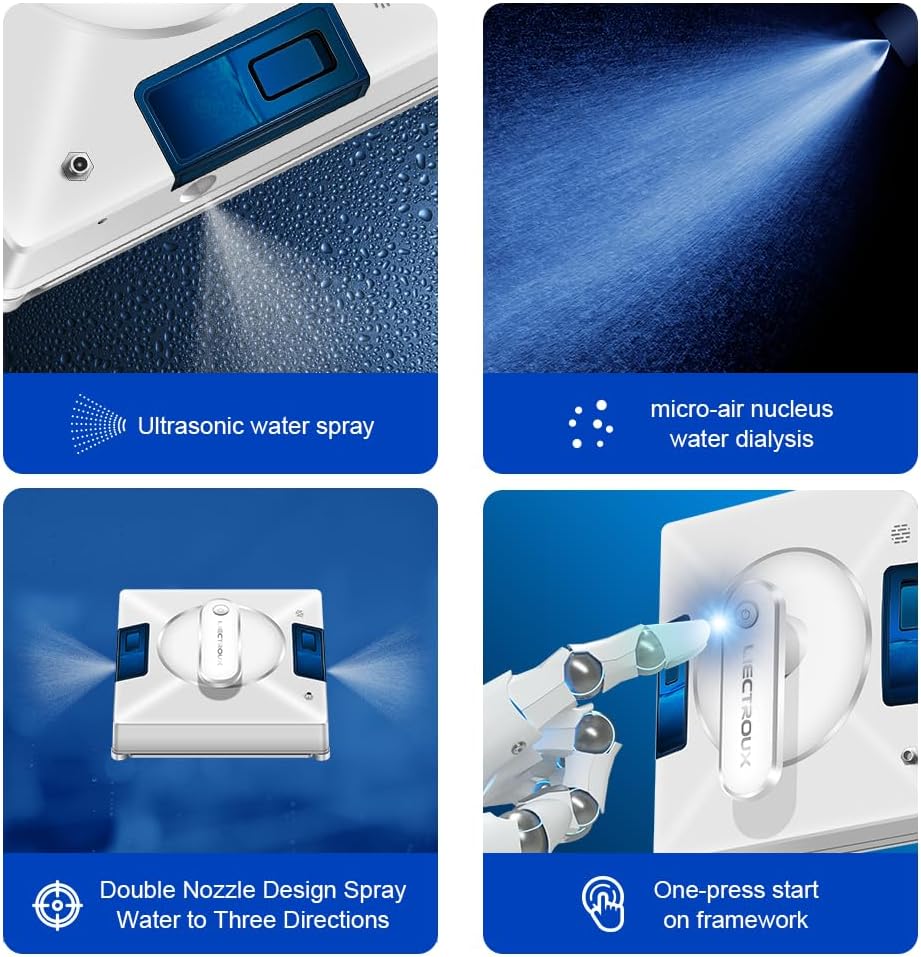
الشكل 5: مفصل view of the robot's spraying and operational features.
بدء وإيقاف التشغيل
- يبدأ: Press the 'Start' button on the remote control or within the smartphone application. The robot will automatically detect window frames and obstacles, adjusting its path.
- وقفة / توقف: Press the 'Pause' or 'Stop' button on the remote control or app to halt operation.
- التحكم اليدوي: Use the directional arrows on the remote control or app for manual navigation.
التوافق السطحي
The LIECTROUX YW509 is designed for various smooth surfaces, including:
- Glass (windows, glass doors, shower screens)
- البلاط
- Marble walls
- Wooden/tile surfaces (smooth)
- Linoleum, Vinyl, Concrete (smooth)

Figure 6: Versatile application across different smooth surfaces.
صيانة
تنظيف الروبوت
- مناشف من الألياف الدقيقة: After each use, remove and wash the microfiber cleaning cloths. They are reusable.
- جسم الروبوت: امسح الجزء الخارجي من الروبوت بقطعة قماش ناعمة وجافة. لا تستخدم منظفات كاشطة أو تغمر الروبوت في الماء.
- أجهزة الاستشعار: Periodically clean the sensors located on the edges of the robot to ensure accurate frame detection and obstacle avoidance.
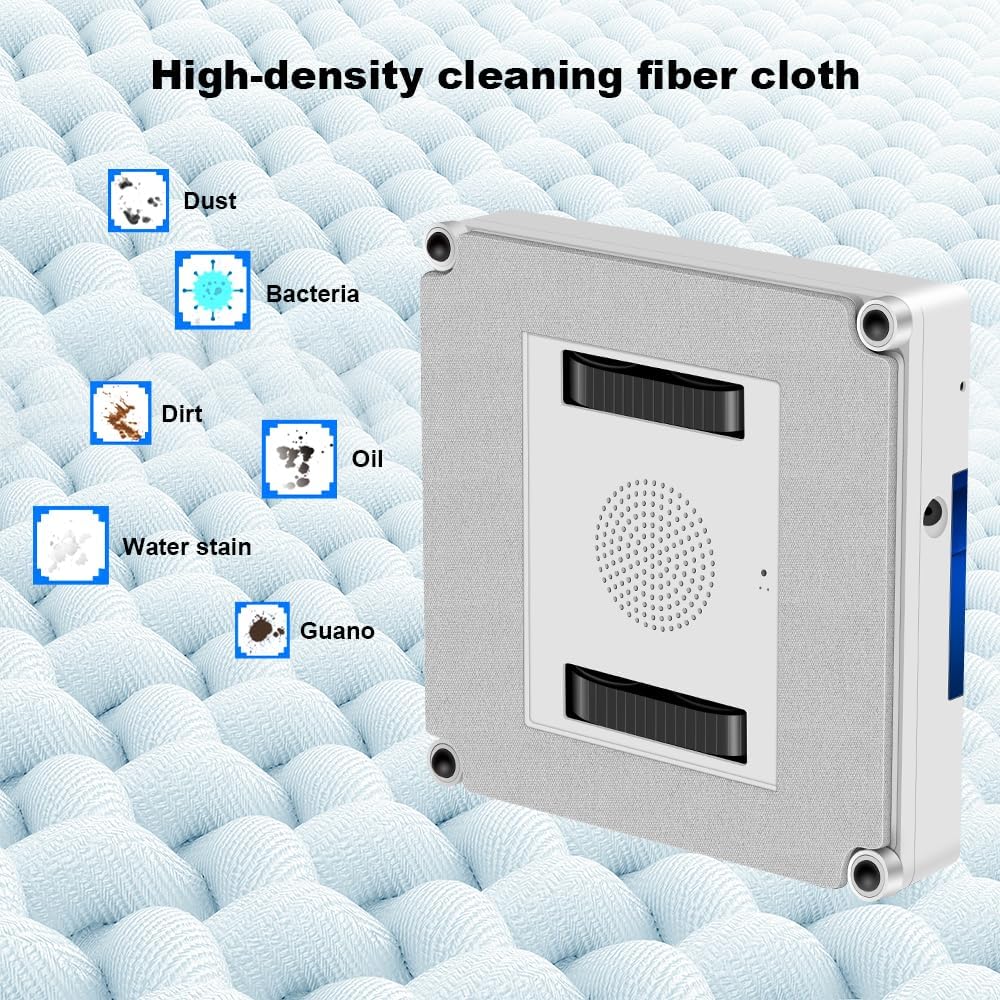
Figure 7: High-density microfiber cleaning cloth for effective dirt removal.
خزان المياه
Empty any remaining water from the tank after use. Refill with fresh water or cleaning solution before each new cleaning session.
استكشاف الأخطاء وإصلاحها
| مشكلة | السبب المحتمل | حل |
|---|---|---|
| Robot not sticking to glass. | قوة شفط غير كافية؛ وسادات تنظيف متسخة؛ سطح غير مستوٍ. | Ensure power cord is securely connected. Clean or replace cleaning pads. Ensure surface is smooth and clean. |
| توقف الروبوت بشكل غير متوقع. | Power disconnected; low UPS battery; obstacle detected. | Check power connection. Allow UPS battery to charge. Clear any obstacles. |
| أداء التنظيف ضعيف. | Dirty cleaning cloths; empty water tank; incorrect cleaning mode. | Replace or wash cleaning cloths. Refill water tank. Select appropriate cleaning mode for the window size. |
| Robot is noisy. | صوت التشغيل طبيعي؛ أجزاء مفكوكة. | Some noise is normal due to the suction motor. Check for any loose components. |
تحديد
| ميزة | التفاصيل |
|---|---|
| ماركة | ليكتروكس |
| اسم الموديل | ي و 509 |
| لون | أبيض |
| مادة | نظام ABS |
| أبعاد المنتج | 21.5 لترًا × 21.5 عرضًا × 6.5 ارتفاعًا سم |
| وزن العنصر | 4 كيلوغرام |
| قوة الشفط | 3000 بي ايه |
| مصدر الطاقة | كهرباء سلكية |
| نوع وحدة التحكم | التحكم عبر التطبيق، التحكم عبر الأزرار، التحكم عن بعد |
| ميزة خاصة | Fall Protection (UPS battery, safety rope) |
| السطح الموصى به | Marble, Laminate, Linoleum, Glass, Tile, Wood, Vinyl, Concrete |
الضمان والدعم
For warranty information and technical support, please refer to the documentation included with your product or contact the seller directly. The product is sold by LIECTROUX ROBOTICS SA.
Return Policy: The buybox winner indicates a return policy with a duration of 30 days for refund/replacement.
For further assistance, you may visit the official LIECTROUX webالموقع أو الاتصال بخدمة العملاء الخاصة بهم.
فيديوهات المنتج
لم يتم توفير أي مقاطع فيديو رسمية للمنتج من البائع في البيانات المتاحة لإدراجها في هذا الدليل.
Ask a question about this manual
Ask about setup, troubleshooting, compatibility, parts, safety, or missing instructions. Manuals+ will review the question and use this page’s manual context to help answer it.