
مقدمة
The SteelSeries Arctis GameBuds are advanced wireless gaming earbuds designed to provide an immersive audio experience across multiple platforms. Featuring a next-generation chipset, Active Noise Cancellation (ANC), and versatile connectivity options, these earbuds are engineered for performance and comfort.

Image: The SteelSeries Arctis GameBuds earbuds and their charging case.

Image: A user engaged in PC gaming while wearing the Arctis GameBuds.
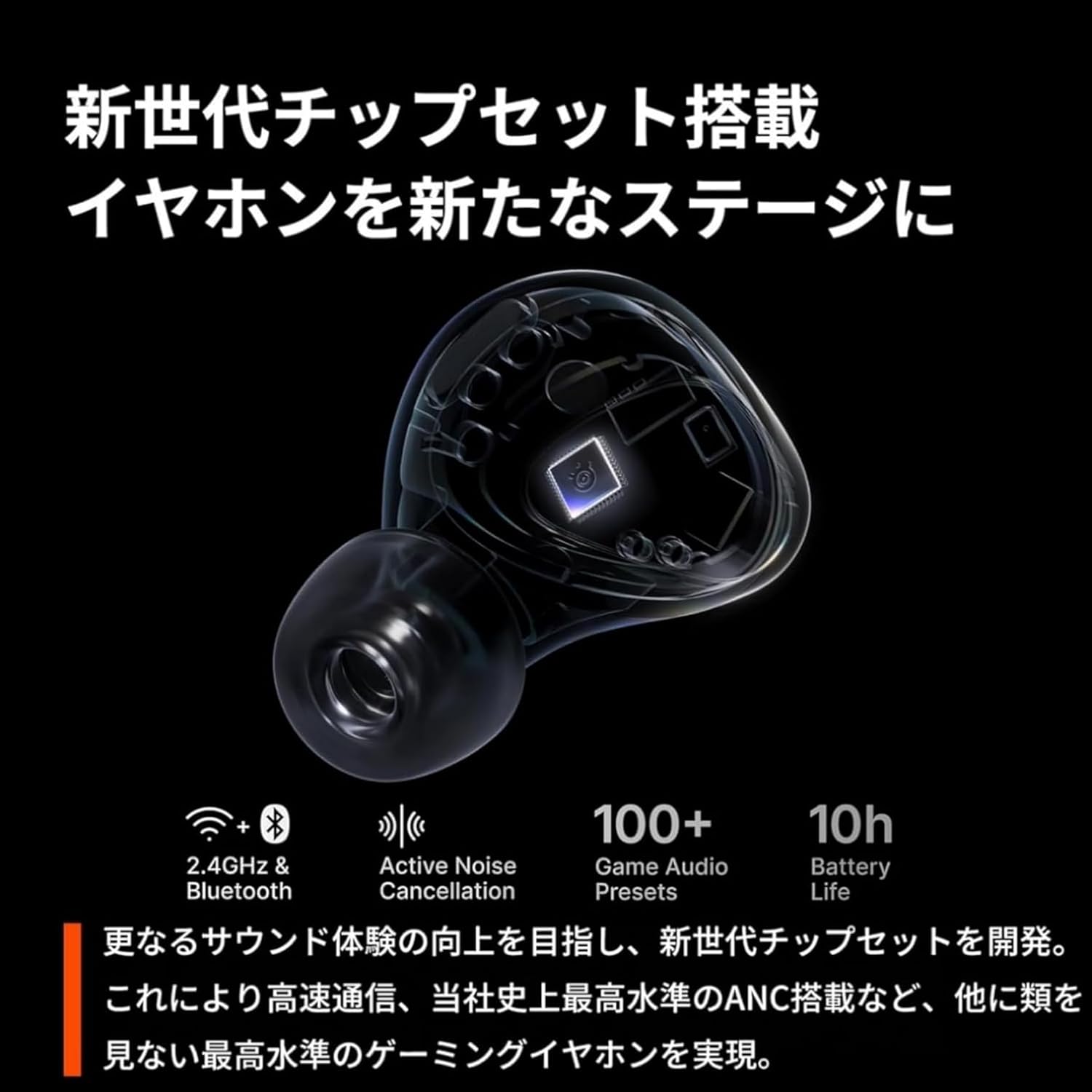
Image: A visual representation of the advanced internal chipset within the Arctis GameBuds.
محتويات الحزمة
تأكد من وجود جميع العناصر في الحزمة الخاصة بك:
- Arctis GameBuds Wireless Earbuds
- حافظة الشحن
- USB-C Wireless Dongle (2.4GHz)
- كابل شحن USB-C
- محول USB-C إلى USB-A
- أطراف أذن (مقاسات صغيرة/متوسطة/كبيرة)
- دليل التعليمات (هذا المستند)
يثبت
1. الشحن الأولي
Before first use, fully charge your Arctis GameBuds and the charging case. Connect the USB-C charging cable to the charging case and a power source. The LED indicator on the case will show charging status.
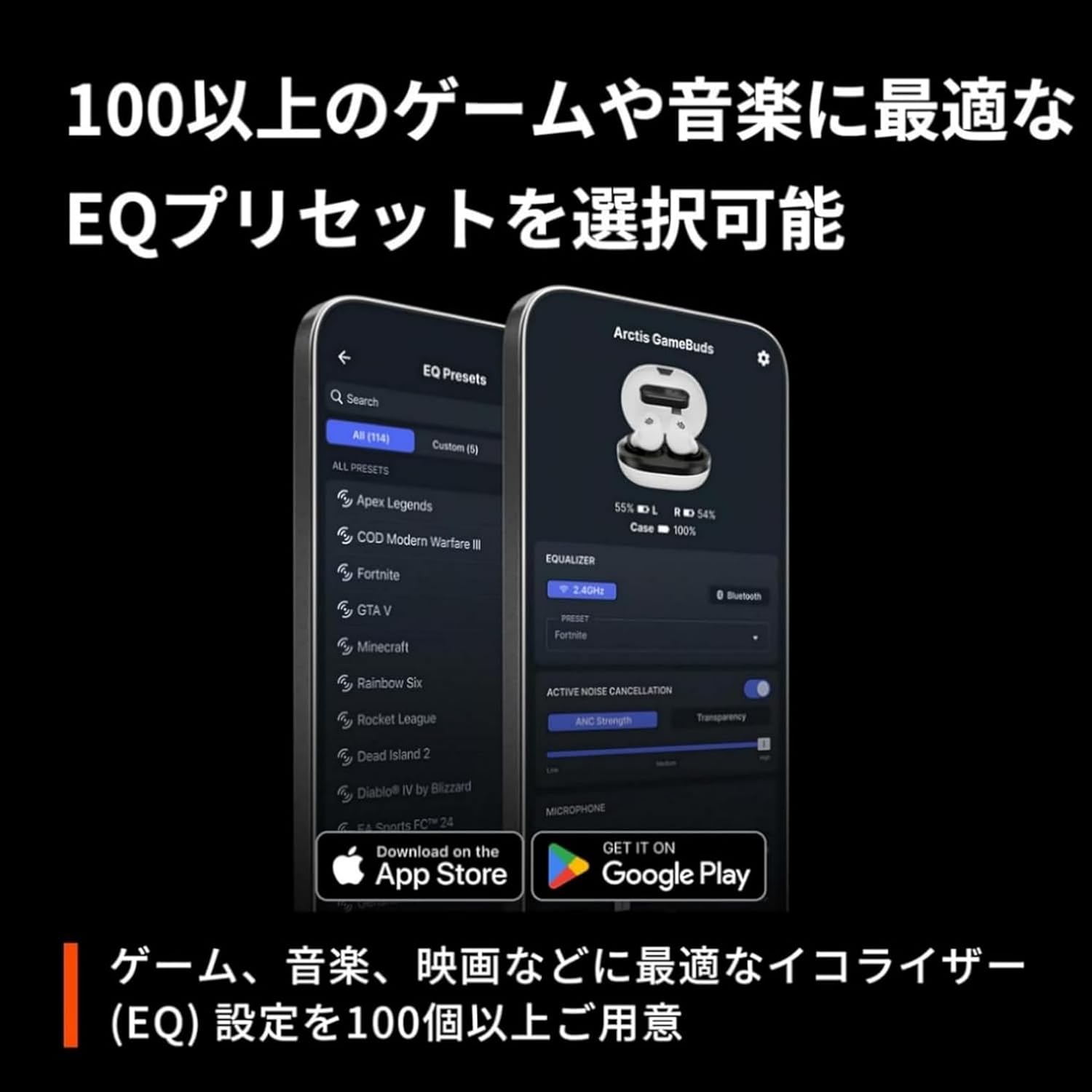
Image: The Arctis GameBuds charging case with a USB-C cable connected, indicating charging.
2. اختيار أطراف الأذن وملاءمتها
Select the ear tips that provide the most comfortable and secure fit for your ears. A proper seal is crucial for optimal sound quality and Active Noise Cancellation performance. Gently insert the earbuds into your ear canal and twist slightly to ensure a snug fit.

Image: A diagram illustrating the correct placement of the earbud within the ear for a secure and comfortable fit.
تعليمات التشغيل
الاتصال
The Arctis GameBuds offer dual wireless connectivity: 2.4GHz via USB-C dongle for low-latency gaming and Bluetooth 5.3 for mobile devices.
2.4GHz Wireless Connection (for PC, PlayStation, Switch, Meta Quest)
- Insert the USB-C wireless dongle into an available USB-C port on your device (PC, PS5, PS4, Nintendo Switch, Meta Quest, etc.). Use the USB-C to USB-A adapter if needed.
- The earbuds will automatically connect to the dongle. A successful connection is indicated by a solid light on the dongle.
- Ensure the Arctis GameBuds are selected as the audio output device in your system settings.

Image: The Arctis GameBuds shown with the USB-C dongle, illustrating the 2.4GHz wireless connection.
Bluetooth 5.3 Connection (for Mobile, Tablet)
- قم بإزالة سماعات الأذن من علبة الشحن.
- على جهازك المحمول، انتقل إلى إعدادات البلوتوث وقم بتمكين البلوتوث.
- Select "Arctis GameBuds" from the list of available devices to pair.
Quick Switch Wireless
The Quick Switch Wireless feature allows seamless switching between 2.4GHz and Bluetooth connections. Triple-tap either earbud to switch between the two modes instantly.
خاصية إلغاء الضوضاء النشطة (ANC) ووضع الشفافية
The Arctis GameBuds feature Hybrid Active Noise Cancellation (ANC) to block out external distractions and a Transparency Mode to allow ambient sounds in.
- تفعيل ANC: ANC is typically enabled by default or can be toggled via the companion app.
- وضع الشفافية: This mode allows you to hear your surroundings without removing the earbuds. Refer to the companion app for specific controls.

الصورة: داخلية view of the Arctis GameBuds, illustrating the components responsible for Active Noise Cancellation.
Audio Customization (EQ Presets)
Utilize the Arctis Companion App (for mobile) or SteelSeries GG software (for PC) to access over 100 game-specific EQ presets and customize your audio experience.
- Arctis Companion App: Download from the App Store (iOS 15.6+) or Google Play (Android 9+).
- SteelSeries GG Software: Download for Windows (8.1+) or Mac OS (10.13+). This software also enables ChatMix functionality on PC (Windows 10+).

Image: A screenshot of the companion app interface, displaying various equalizer presets optimized for different games.
أزرار تحكم فعلية
The Arctis GameBuds feature physical buttons to prevent accidental touches and provide precise control over your audio and calls.

الصورة: لقطة مقربة view of the physical buttons on the earbuds, designed for precise control.
Specific button functions can be customized via the SteelSeries GG software.
WearSense Feature
The WearSense feature automatically pauses media playback when you remove an earbud and resumes when you put it back in. This feature can be toggled on or off in the companion app.
الشحن وعمر البطارية
The Arctis GameBuds offer extended battery life and convenient charging options.
- وقت تشغيل سماعة الأذن: Up to 10 hours on a single charge (with 2.4GHz active, Bluetooth connected, ANC off, 100% volume).
- إجمالي وقت اللعب مع الحقيبة: Up to 40 hours (10 hours from earbuds + 30 hours from case).
- الشحن السريع: يوفر الشحن لمدة 15 دقيقة ما يصل إلى 3 ساعات من وقت التشغيل.
- الشحن اللاسلكي: The charging case supports Qi wireless charging for added convenience.
Image: The Arctis GameBuds charging case connected via USB-C, illustrating charging capabilities.
صيانة
مقاومة الغبار والماء IP55
The Arctis GameBuds are rated IP55 for dust and water resistance, meaning they are protected against dust ingress and low-pressure water jets from any direction. This makes them suitable for use during workouts or light rain, but they are not designed for submersion.

Image: An earbud being splashed with water, demonstrating its IP55 dust and water resistance.
To clean your earbuds, gently wipe them with a soft, dry cloth. Do not use abrasive materials or immerse them in water.
استكشاف الأخطاء وإصلاحها
- لا يوجد صوت: Ensure earbuds are charged and properly connected (2.4GHz dongle or Bluetooth). Check device audio output settings.
- مشاكل الاتصال: Try re-pairing Bluetooth or re-inserting the 2.4GHz dongle. Ensure no other devices are interfering with the wireless signal.
- إلغاء الضوضاء النشط لا يعمل: Verify ANC is enabled in the companion app. Ensure a proper ear tip seal.
- مشاكل الميكروفون: Check microphone settings on your device. Ensure the earbuds are properly seated.
- Software Update Issues (Mac OS): Some users have reported difficulties updating firmware via Mac OS. If encountering this, consider using a Windows PC for updates if available, or contact SteelSeries support.
تحديد
| ميزة | التفاصيل |
|---|---|
| ماركة | سلسلة ستيل |
| رقم الموديل | 61680 |
| وزن ياربود | 5.3 جرام لكل منهما |
| وزن العلبة | 48.7 جرام |
| الاتصال | لاسلكي بتردد 2.4 جيجاهرتز، بلوتوث 5.3 |
| مدى البلوتوث | 10 متر |
| التوافق | PS4, PS5, Mac, Switch, Switch 2, iPhone (USB-C), Android, Tablet (USB-C), Handheld, Meta Quest 2/3, PC |
| برامج تشغيل الصوت | Neodymium Magnetic Dynamic Drivers, 6mm |
| استجابة التردد | 20 - 20,000 هرتز |
| حساسية | 102 ديسيبل |
| مقاومة | 32 أوم |
| الكمون الصوتي | 34.4 مللي ثانية |
| التحكم في الضوضاء | Active Noise Cancellation (Hybrid, 4-mic), Transparency Mode |
| ميكروفون | Integrated (4-mic hybrid system) |
| عمر بطارية سماعة الأذن | تصل إلى 10 ساعة |
| إجمالي عمر البطارية (مع العلبة) | تصل إلى 40 ساعة |
| شحن سريع | شحن لمدة 15 دقائق للحصول على ساعتين من اللعب |
| الشحن اللاسلكي | Qi Wireless Charging (case) |
| مقاومة الغبار / الماء | IP55 |
| عناصر التحكم | Physical buttons, App control |
| دعم البرمجيات | Arctis Companion App (iOS 15.6+, Android 9+), SteelSeries GG + Engine (Windows 8.1+, Mac OS 10.13+), SteelSeries GG + Sonar (Windows 10+ for ChatMix) |
الضمان والدعم
The SteelSeries Arctis GameBuds come with a manufacturer's warranty of 1 year. For technical support, warranty claims, or additional information, please visit the official SteelSeries support webالموقع أو الاتصال بخدمة العملاء الخاصة بهم.
ستيل سيريز الرسمي Webموقع: Steelseries.com
المنتج انتهىview فيديو
فيديو: منتج رسميview video demonstrating the features and usage of the SteelSeries Arctis GameBuds.