
1. المقدمة
شكرا لك على الشراءasing the Salange HY300Pro Mini Projector. This manual provides essential information for setting up, operating, and maintaining your projector. Please read it thoroughly before use to ensure optimal performance and longevity of your device.
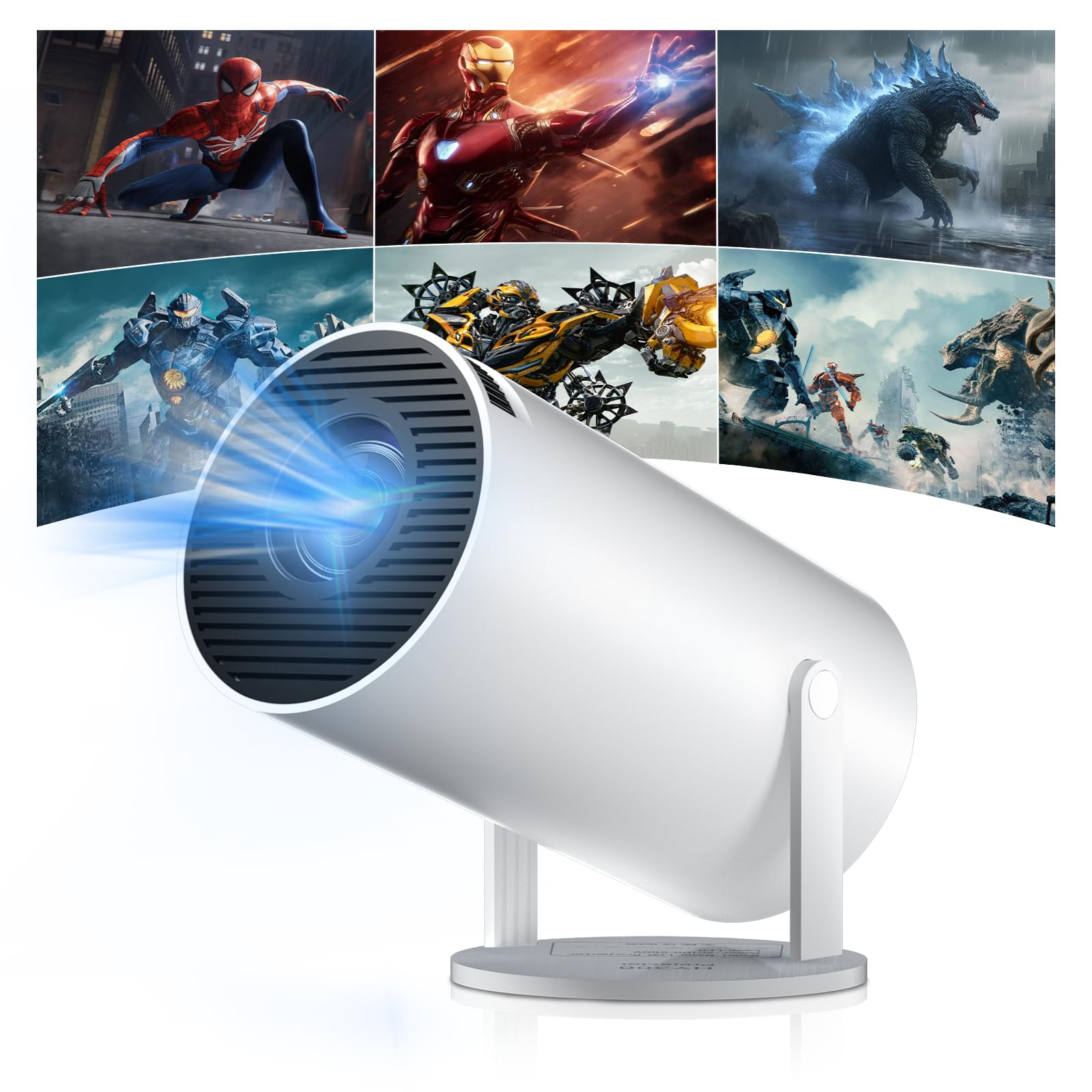
Figure 1: Salange HY300Pro Mini Projector
2. انتهى المنتجview
الميزات الرئيسية
- واي فاي ثنائي النطاق 6 وبلوتوث 5.4: Ensures fast and stable network connectivity and seamless audio pairing with external speakers or headphones.
- نظام التشغيل Android 11.0: Supports installation of various applications directly on the projector for versatile entertainment and productivity.
- 4K Support & Native 720P Resolution: Delivers clear and vibrant images, supporting 1080P and 4K video playback.
- دوران 180 درجة: Flexible projection angles for various setups, including ceiling, wall, or angled surfaces.
- Automatic Keystone Correction & Manual Focus: Intelligently corrects image distortion and allows for fine-tuning clarity.
- تصميم صغير الحجم وقابل للحمل: Weighs only 700g, making it easy to transport for outdoor activities or different rooms.

الشكل 2: انتهىview of Salange HY300Pro features including 8K support, WiFi 6, Bluetooth 5.4, 180° rotation, and auto keystone correction.
ماذا يوجد في الصندوق
- 1 x Salange HY300Pro Projector
- 1 × دليل المستخدم
- 1 × كابل الطاقة
- 1 × جهاز التحكم عن بعد

Figure 3: Contents of the Salange HY300Pro package.
3. الإعداد
3.1 التفريغ والتنسيب
- قم بإزالة جميع المكونات بعناية من العبوة.
- ضع جهاز العرض على سطح ثابت ومستوٍ. تأكد من وجود تهوية كافية حول الجهاز.
- The projector's 180° rotation feature allows flexible placement. Adjust the projector's angle to project onto a wall, ceiling, or screen as desired.

Figure 4: Projector demonstrating 180-degree rotation for various projection surfaces.
3.2 توصيل الطاقة
Connect the provided power cable to the projector's power input and then to a power outlet.
3.3 التشغيل الأولي وضبط التركيز
- اضغط على زر الطاقة الموجود على جهاز العرض أو جهاز التحكم عن بعد لتشغيل الجهاز.
- The projector features automatic keystone correction. It will intelligently detect and correct image distortion to ensure a square image.
- For fine-tuning the image clarity, use the manual focus adjustment ring on the projector.

Figure 5: Illustration of automatic keystone correction and manual focus adjustment.
3.4 اتصال الشبكة (واي فاي)
- انتقل إلى قائمة "الإعدادات" على الشاشة الرئيسية لجهاز العرض.
- Select 'Network & Internet' and enable Wi-Fi.
- Choose your desired Wi-Fi network from the list and enter the password if prompted. The projector supports dual-band 2.4G + 5G WiFi 6 for fast and stable connections.

Figure 6: Visual representation of the projector's WiFi 6 capabilities for ultra-fast streaming.
3.5 اقتران بلوتوث
- From the 'Settings' menu, select 'Connected Devices' or 'Bluetooth'.
- قم بتمكين البلوتوث وابحث عن الأجهزة المتاحة.
- حدد مكبر الصوت أو سماعات الرأس Bluetooth الخاصة بك من القائمة لإقرانها.

Figure 7: Projector connected to various Bluetooth audio devices.
3.6 توصيل الأجهزة الخارجية
The projector supports HDMI and USB connections.
- HDMI: Connect your laptop, game console, Blu-ray player, or TV stick using an HDMI cable. Select the corresponding HDMI input source from the projector's input menu.
- USB: أدخل محرك أقراص USB لتشغيل الوسائط files directly. Access the files through the media player application on the Android OS.
4. تعليمات التشغيل
4.1 التنقل في نظام التشغيل أندرويد
The Salange HY300Pro runs on Android 11.0, providing a smart TV experience.
- Use the remote control to navigate through the home screen, applications, and settings.
- The interface is intuitive, similar to an Android smartphone or tablet.

Figure 8: Projector displaying the Android OS home screen with various streaming apps.
4.2 إدارة التطبيقات
You can install and manage applications directly on the projector.
- Access the app store (e.g., Google Play Store) to download streaming services, games, and productivity tools.
- To uninstall an app, go to 'Settings' > 'Apps' and select the desired app.
4.3 انعكاس الشاشة
Mirror your smartphone or tablet screen to the projector wirelessly.
- Ensure both your device and the projector are connected to the same Wi-Fi network.
- On the projector, select the screen mirroring function (e.g., 'Miracast', 'AirPlay', or 'Screen Share').
- On your smartphone/tablet, enable screen mirroring and select the projector from the list of available devices.
4.4 إعدادات الصورة والصوت
Adjust various settings to optimize your viewتجربة رائعة.
- إعدادات الصورة: Access 'Settings' > 'Display' to adjust brightness, contrast, color, and aspect ratio.
- إعدادات الصوت: Access 'Settings' > 'Sound' to adjust volume, sound mode, and output device.

Figure 9: Projector displaying a large image, illustrating its ability to create a home cinema experience.
5. الصيانة
5.1 تنظيف العدسة
استخدم قطعة قماش ناعمة وخالية من الوبر، مُصممة خصيصًا للعدسات البصرية، لمسح عدسة جهاز العرض برفق. لا تستخدم منظفات كاشطة أو قوة مفرطة.
5.2 التهوية
Ensure the projector's ventilation vents are clear of dust and obstructions. Blocked vents can lead to overheating and reduced performance. Periodically clean the vents with a soft brush or compressed air.
5.3 التخزين
عند عدم استخدام جهاز العرض لفترات طويلة، يُحفظ في مكان بارد وجاف، بعيدًا عن أشعة الشمس المباشرة ودرجات الحرارة القصوى. استخدم العبوة الأصلية أو حافظة واقية لمنع تراكم الغبار والتلف.
6. استكشاف الأخطاء وإصلاحها
| مشكلة | السبب المحتمل | حل |
|---|---|---|
| لا توجد صورة معروضة | تم فصل كابل الطاقة؛ مصدر الإدخال غير صحيح؛ جهاز العرض في وضع الاستعداد. | Check power connection; Select correct HDMI/USB input; Press power button to wake up. |
| الصورة ضبابية | لم يتم ضبط التركيز؛ جهاز العرض بعيد جدًا/قريب جدًا من الشاشة. | Adjust manual focus ring; Ensure projector is within optimal projection distance. |
| لا يوجد صوت | Volume too low; Muted; Incorrect audio output selected; Bluetooth device not paired. | ارفع مستوى الصوت؛ ألغِ كتم الصوت؛ تحقق من إعدادات الصوت؛ أعد إقران جهاز البلوتوث. |
| مشاكل الاتصال بشبكة Wi-Fi/Bluetooth | كلمة مرور غير صحيحة؛ خارج النطاق؛ تداخل. | Verify password; Move closer to router/device; Reduce interference from other electronics. |
| جهاز التحكم عن بعد لا يعمل | Dead batteries; Obstruction; Not paired. | استبدل البطاريات؛ أزل العوائق؛ أعد إقران جهاز التحكم عن بعد إذا لزم الأمر. |
7. المواصفات
| ميزة | التفاصيل |
|---|---|
| ماركة | سالانج |
| رقم الموديل | X-HY300PRO |
| مسلسل | Salange Mini Beamer |
| لون | أبيض |
| نوع العرض | شاشة الكريستال السائل |
| الدقة الأصلية | 1280 × 720 بكسل |
| أقصى دقة للعرض | 3840 × 2160 (يدعم 4K) |
| تكنولوجيا الاتصال | Bluetooth, Wi-Fi (WiFi 6) |
| واجهة الأجهزة | بلوتوث، HDMI، USB |
| الأجهزة المتوافقة | Smartphones, Laptops, Game Consoles, Blu-ray Players, Media Players |
| أبعاد العنصر (الطول × العرض × الارتفاع) | 9.5 × 9.5 × 15.7 سم |
| المميزات الخاصة | Wi-Fi Compatible, Digital Keystone Correction, Lightweight, Portable, 180° Rotation |
| الاستخدامات الموصى بها | الأعمال، السينما المنزلية، الألعاب، التعليم |
| عامل الشكل | محمول |
| نوع التركيب | حامل الطاولة |
8. الضمان والدعم
For warranty information and technical support, please refer to the documentation included with your purchase or visit the official Salange webالموقع. احتفظ بإثبات الشراء الخاص بك لتقديم مطالبات الضمان.