
1. المقدمة
Thank you for choosing the Holyton Drone Strobe Light. This anti-collision lamp is designed to enhance the visibility of your drone during night flights and in various other scenarios. It features multiple colors and modes, ensuring compliance with aviation regulations and improving safety. Please read this manual thoroughly before use to ensure proper operation and maintenance.
2. معلومات السلامة
- Always ensure the strobe light is securely attached to your drone or other object before operation.
- Adhere to all local aviation authority regulations regarding drone lighting, especially for night flying. This light meets FAA requirements for anti-collision lighting.
- لا تعرض الجهاز لدرجات حرارة قصوى، أو لأشعة الشمس المباشرة لفترات طويلة، أو للرطوبة.
- يحفظ بعيدًا عن متناول الأطفال.
- Do not attempt to disassemble or modify the light, as this will void the warranty and may cause damage.
3. محتويات العبوة
- Holyton Drone Strobe Light (1 unit)
- كابل شحن USB
- Mounting Accessories (e.g., adhesive pads, rubber bands)
- دليل المستخدم
4. مواصفات المنتج
- رؤية عالية: 120 lumens brightness with 360° coverage.
- Multiple Colors & Modes: 7 switchable colors and 7 adjustable flashing modes.
- بطارية قابلة لإعادة الشحن: Provides extended use time after a quick charge.
- خفيف الوزن وصغير الحجم: Weighs only 6.5g, ideal for various drones and other applications.
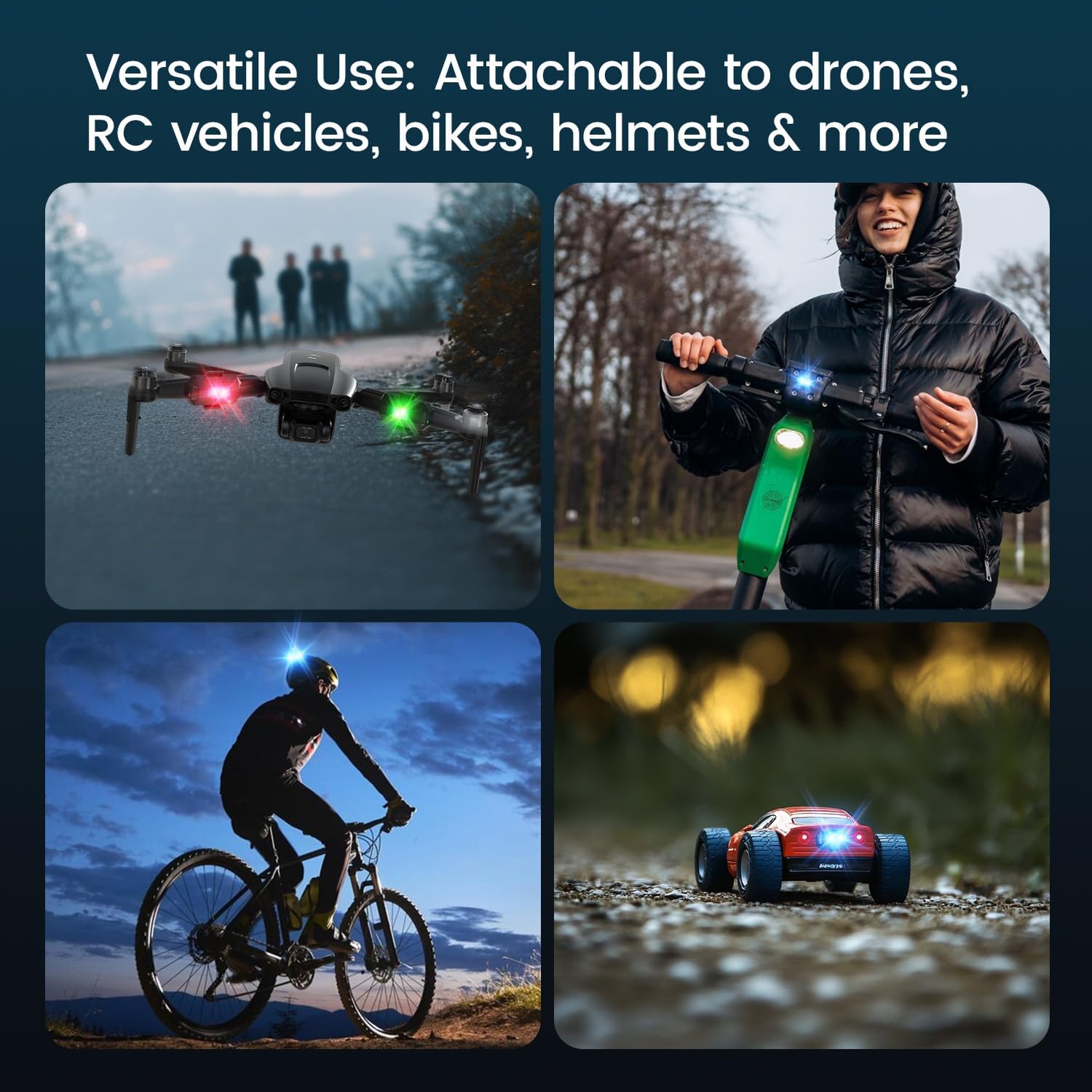
- تطبيق متعدد الاستخدامات: Suitable for drones, RC vehicles, bicycles, motorcycles, helmets, and more.
- FAA Compliant: Meets requirements for anti-collision lighting during night flights.
5. الإعداد والتثبيت
5.1 الرسوم الأولية
Before first use, fully charge the strobe light. Refer to Section 6 for charging instructions.
5.2 Mounting the Strobe Light
The Holyton Drone Strobe Light can be attached to various objects using the provided mounting accessories. For drones, ensure the light does not interfere with propellers, sensors, or flight stability.
- سطح نظيف: Ensure the mounting surface on your drone or object is clean and dry.
- تطبيق المادة اللاصقة: Peel the backing from an adhesive pad and firmly press it onto the designated area on the strobe light.
- Attach to Drone: Peel the remaining backing from the adhesive pad and attach the strobe light to your drone. Apply firm pressure for a few seconds to ensure a secure bond. Alternatively, use rubber bands or other suitable fasteners for temporary attachment.

6. تعليمات التشغيل
6.1 تشغيل/إيقاف التشغيل
- تشغيل الطاقة: Press and hold the power button for approximately 2 seconds until the light illuminates.
- إيقاف التشغيل: اضغط مع الاستمرار على زر التشغيل لمدة 2 ثوانٍ تقريبًا حتى ينطفئ الضوء.
6.2 تغيير الألوان والأوضاع
The strobe light offers 7 different colors and 7 distinct flashing modes.
- تغيير اللون: While the light is on, short press the power button to cycle through the available colors (e.g., white, red, green, blue, yellow, pink, ice blue).
- تغيير الوضع: Double-press the power button quickly to cycle through the different flashing modes (e.g., constant, slow flash, fast flash, alternating colors).

7. الشحن
The Holyton Drone Strobe Light is equipped with a rechargeable Lithium Ion battery.
- منفذ الشحن: ميكرو يو اس بي
- وقت الشحن: يستغرق الشحن الكامل حوالي 12 دقيقة.
- وقت الاستخدام: Up to 5 hours on a full charge, depending on the selected mode and color.
To charge, connect the provided USB charging cable to the Micro USB port on the strobe light and plug the other end into a standard USB power source (e.g., computer, wall adapter).

8. الصيانة
- تنظيف: استخدم قطعة قماش ناعمة وجافة لتنظيف المصباح. تجنّب استخدام مواد كيميائية قاسية أو مواد كاشطة.
- تخزين: Store the strobe light in a cool, dry place away from direct sunlight when not in use.
- العناية بالبطارية: For optimal battery life, avoid fully discharging the battery frequently. Charge the device regularly, even if not in use, to maintain battery health.
9. استكشاف الأخطاء وإصلاحها
| مشكلة | السبب المحتمل | حل |
|---|---|---|
| الضوء لا يعمل. | نفدت طاقة البطارية. | Charge the strobe light fully. |
| الضوء لا يشحن. | كابل الشحن أو مصدر الطاقة معطل. | Try a different USB cable or power adapter. Ensure the Micro USB connector is inserted correctly. |
| الضوء ليس ساطعاً بما فيه الكفاية. | انخفاض مستوى البطارية أو الوضع غير الصحيح. | Charge the device. Ensure a bright mode is selected (e.g., constant white light). |
| Light falls off during use. | Improper mounting or worn adhesive. | Ensure the mounting surface is clean and dry. Use new adhesive pads or more secure fastening methods. |
10. المواصفات
| ميزة | التفاصيل |
|---|---|
| رقم الموديل | US03A76731000HT70402 |
| ماركة | هوليتون |
| لون | أسود |
| شكل | مستطيل |
| نوع التشطيب | مطلية |
| نوع مصدر الضوء | الصمام الثنائي الباعث للضوء (LED) |
| مادة الظل | بلاستيك |
| وزن العنصر | 0.352 أونصة (حوالي 10 جرامًا) |
| عدد البطاريات | 1 ليثيوم أيون (متضمنة) |
| أسلوب | مضغوط |
| سطوع | 120 Lumens (Maximum Light Output) |
| نوع التركيب | Drone Mount (Adhesive/Strap) |
| ميزات اللمبة | Strobe, Flashing, Anti-Collision, Search and Rescue |
| أبعاد المنتج | 1 بوصة طول × 1 بوصة عرض × 1 بوصة ارتفاع (تقريبًا) |

11. الضمان والدعم
Holyton products are designed for reliability and performance. This product comes with a standard manufacturer's warranty against defects in materials and workmanship. Please refer to the product packaging or our official webالموقع لمعرفة شروط وأحكام الضمان المحددة.
For technical support, troubleshooting assistance, or warranty claims, please contact our customer service team:
- بريد إلكتروني: Holyton@foxmail.com
- هاتف: +1 (866) 514-8669
فريق الدعم لدينا متاح لمساعدتك في غضون 24 ساعة.