
1. المقدمة
The XHDATA D808 is a portable digital radio designed for versatile reception across multiple bands, including FM Stereo, Medium Wave (MW), Shortwave (SW), Long Wave (LW), and Air Band. It features Single Sideband (SSB) reception and Radio Data System (RDS) functionality, providing a comprehensive listening experience. Its compact, durable, and refined design makes it suitable for various environments, from home use to outdoor activities.
This manual provides detailed instructions for the proper setup, operation, and maintenance of your XHDATA D808 radio.
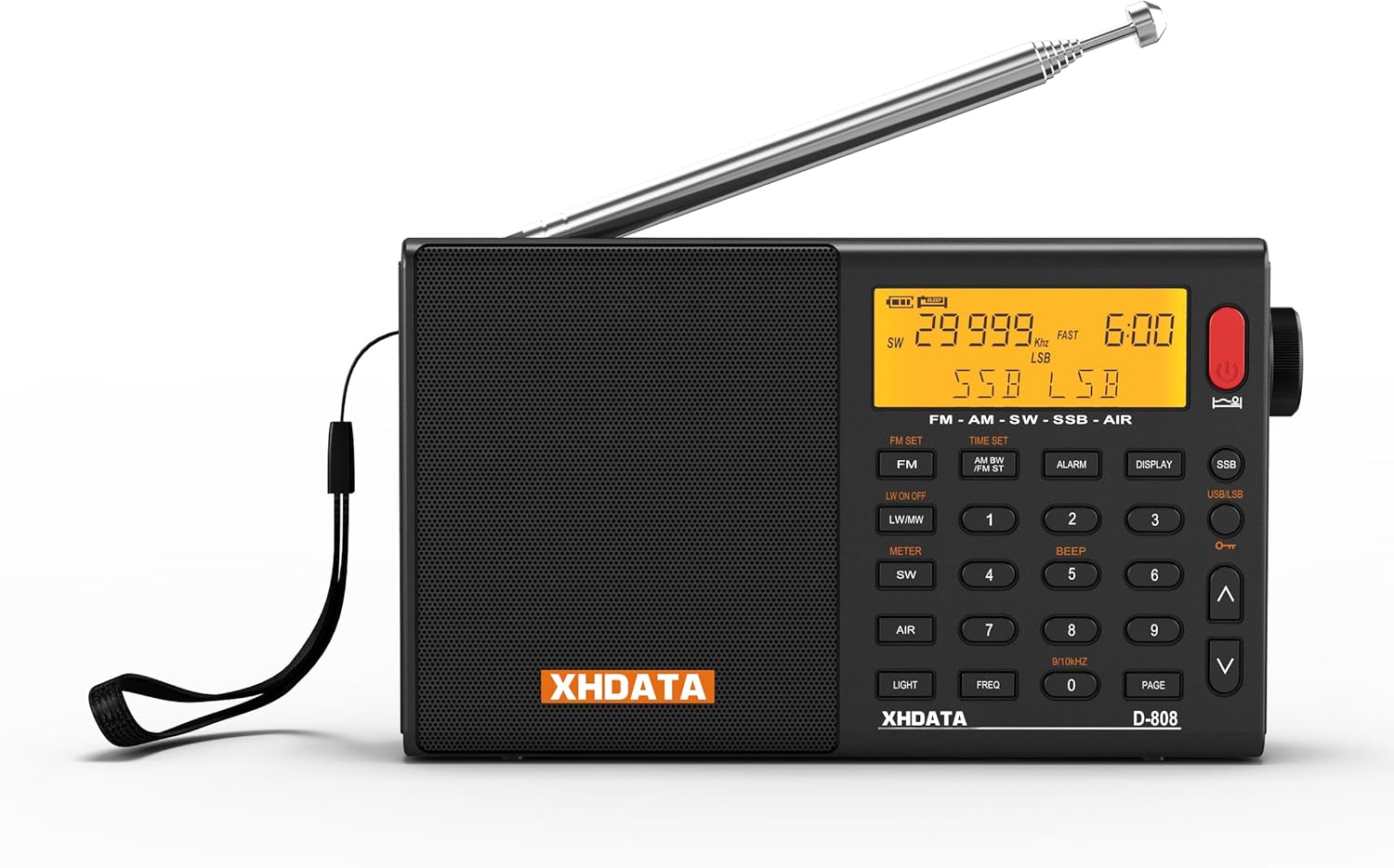
Figure 1.1: XHDATA D808 Portable Digital Radio. This image shows the front view of the black XHDATA D808 radio with its telescopic antenna extended.
2. معلومات السلامة
- لا تعرض جهاز الراديو لدرجات حرارة قصوى أو لأشعة الشمس المباشرة أو للرطوبة العالية.
- تجنب إسقاط الراديو أو تعريضه لصدمات قوية.
- أبقِ الراديو بعيداً عن الماء والسوائل الأخرى. إذا تبلل، فأطفئه فوراً واتركه يجف تماماً قبل استخدامه.
- Do not attempt to disassemble or modify the radio. This may void the warranty and cause damage.
- استخدم فقط نوع البطارية وكابل الشحن المحددين.
- التخلص من البطاريات وفقا للقوانين المحلية.
3. محتويات العبوة
تأكد من وجود جميع العناصر في العبوة:
- XHDATA D808 Portable Full-Band Radio
- USB Power Cable (USB-C)
- External Extension Antenna
- Rechargeable Lithium Battery (2000 mAh)
- Protective Product Bag
- دليل التعليمات

Figure 3.1: XHDATA D808 Product Accessories. This image displays the radio along with its included accessories: a protective bag, instruction manual, USB charging cable, external antenna, and rechargeable battery.
4. انتهى المنتجview
The XHDATA D808 radio features a clear LCD display, a telescopic antenna, and a user-friendly button layout for easy navigation and control. Key features include a built-in speaker, 3.5mm headphone jack, and USB-C charging port.
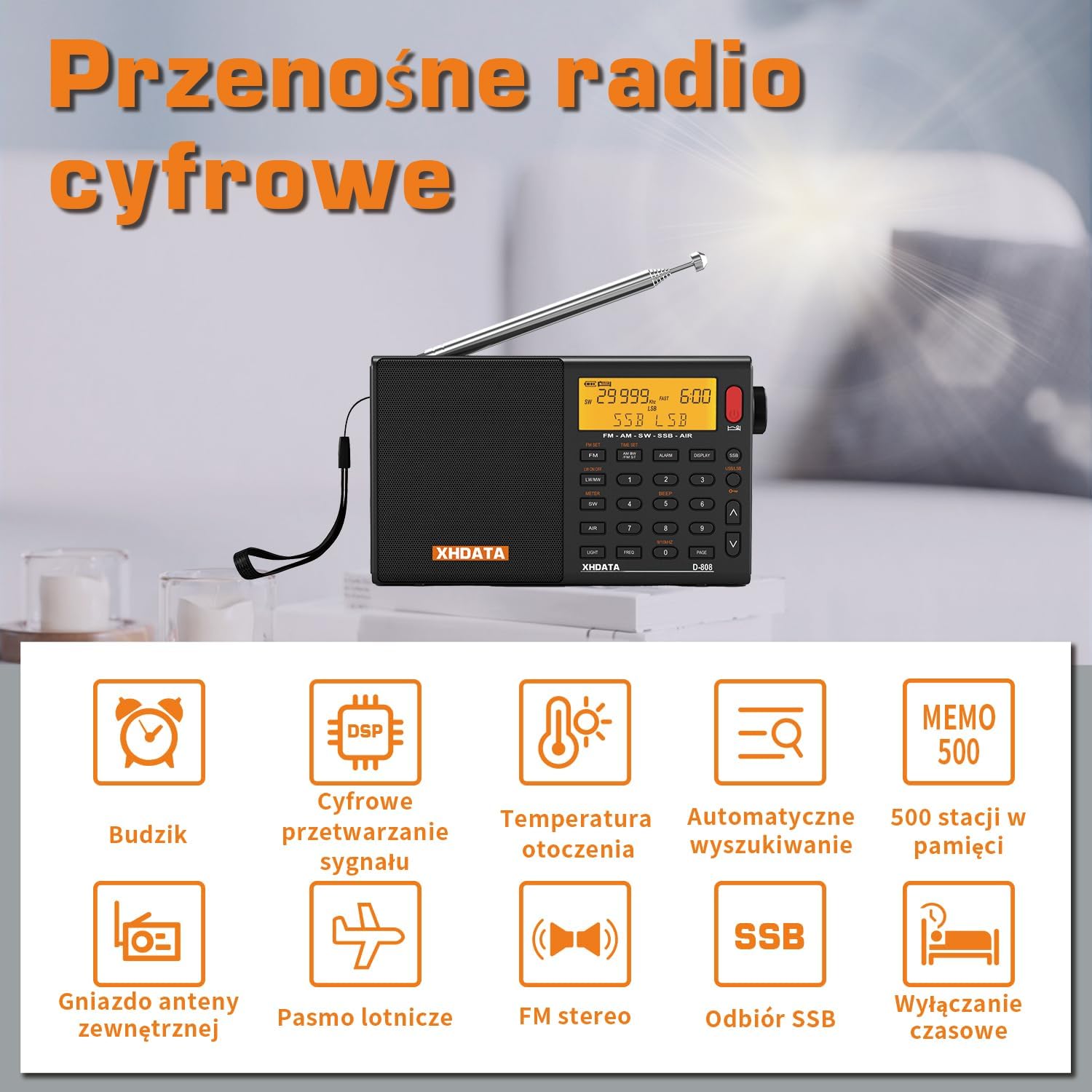
Figure 4.1: XHDATA D808 Key Features. This image highlights various features of the radio, including alarm clock, DSP, ambient temperature display, auto search, 500 memory stations, external antenna jack, air band, FM stereo, SSB reception, and sleep timer.
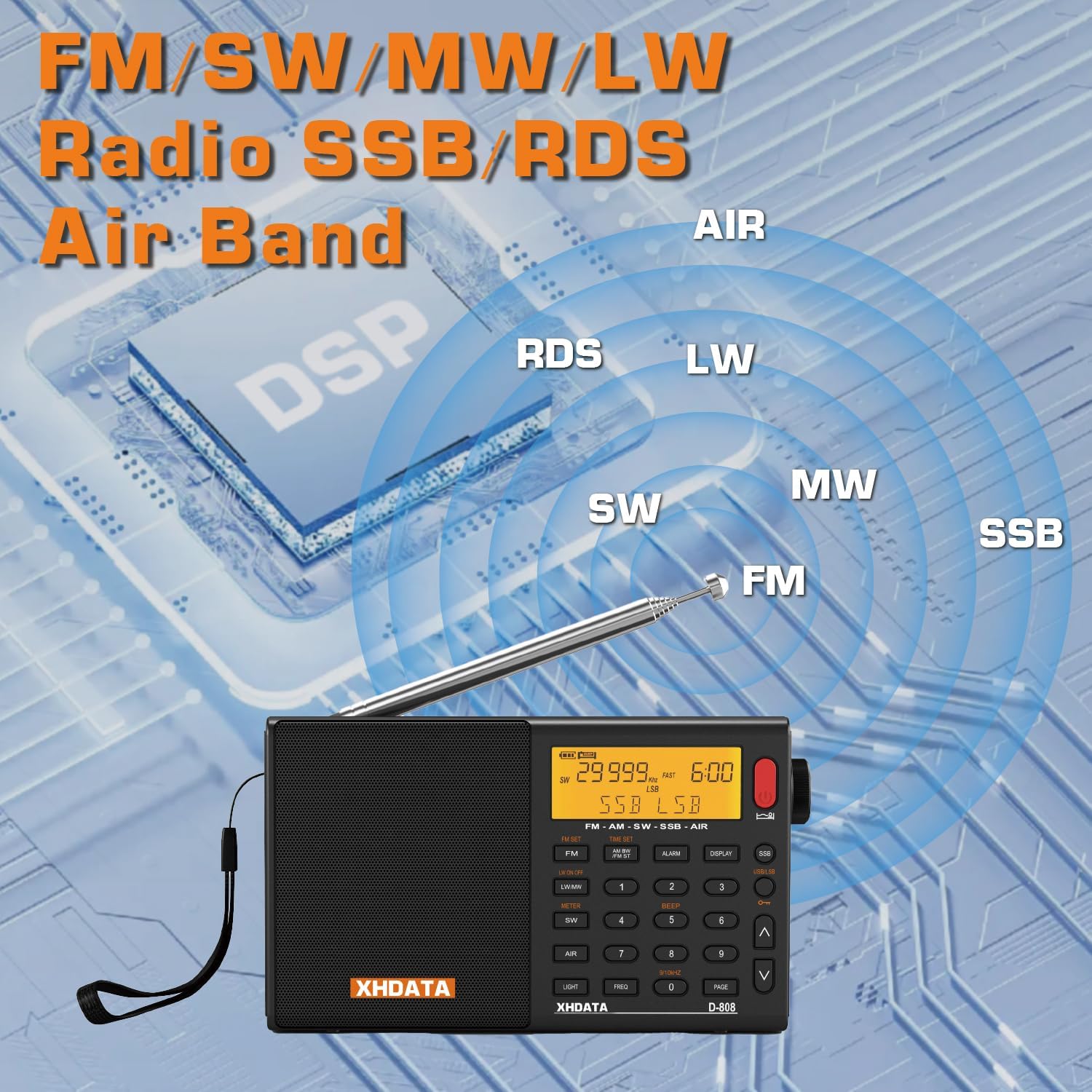
Figure 4.2: XHDATA D808 Band Coverage. This image illustrates the radio's capability to receive FM, SW, MW, LW, SSB, and Air bands, emphasizing its DSP technology.
5. الإعداد
5.1 تركيب البطارية وشحنها
- حدد موقع حجرة البطارية في الجزء الخلفي من الراديو.
- افتح غطاء حجرة البطارية.
- مهم: Before first use, remove the insulating paper from the edge of the battery compartment cover.
- Insert the provided 2000 mAh rechargeable lithium battery, ensuring correct polarity.
- أغلق غطاء حجرة البطارية.
- Connect the USB-C charging cable to the radio's charging port and to a suitable USB power source (e.g., computer, USB wall adapter).
- The charging indicator will illuminate. Allow the battery to fully charge before initial use.

Figure 5.1: XHDATA D808 Battery and Charging. This image shows the radio's DC-IN 5V port and the rechargeable 2000 mAh battery.
5.2 اتصال الهوائي
- For FM, SW, LW, and Air band reception, extend the telescopic antenna fully.
- For improved reception, especially on SW and LW, connect the external extension antenna to the designated antenna jack on the radio.
- For MW (AM) reception, the radio uses a built-in ferrite bar antenna. Orient the radio for best reception.
6. تعليمات التشغيل
6.1 تشغيل/إيقاف التشغيل
- لتشغيل الراديو، اضغط على [قوة] زر.
- لإيقاف التشغيل ، اضغط مع الاستمرار على [قوة] زر.
6.2 اختيار النطاق
Press the dedicated band buttons ([اف ام], [MW], [جنوب غربي], [LW], [AIR]) to switch between frequency bands.
6.3 ضبط
- ضبط يدوي: استخدم مقبض الضبط أو [أعلى]/[أسفل] arrow buttons to adjust the frequency.
- المسح التلقائي: اضغط على [مسح] button to automatically search for and store available stations. The radio can store up to 100 stations per band.
- استدعاء الذاكرة: Use the numeric keypad to directly enter a stored station number or use the [صفحة] button to browse through memory pages.
6.4 SSB Operation
For Single Sideband (SSB) reception, press the [SSB] button. Use the fine-tuning knob (often labeled PFO or SSB FINE) to precisely tune in SSB signals for clear audio.

Figure 6.1: XHDATA D808 SSB Reception. This image highlights the SSB functionality, indicating its use for marine, meteorological, and amateur radio signals.
6.5 RDS Functionality
When tuned to an FM station broadcasting RDS data, the radio's display will show information such as station name, program type, and time. The radio supports both manual and automatic RDS calibration.
6.6 المنبه ومؤقت النوم
- وظيفة التنبيه: اضغط على [إنذار] button to set an alarm. The alarm can be configured to sound as a buzzer or to turn on the radio to a preset station.
- مؤقت النوم: اضغط على [نايم] button to activate the sleep timer, which will automatically turn off the radio after a set period.

Figure 6.2: XHDATA D808 Alarm and Sleep Timer. This image shows the radio on a bedside table, illustrating its alarm and timed shutdown features.
6.7 استخدام سماعات الرأس
Connect 3.5mm stereo headphones to the headphone jack for private listening. The radio's internal speaker will be muted when headphones are connected.
7. الصيانة
- تنظيف: استخدم قطعة قماش ناعمة وجافة لتنظيف الجزء الخارجي من الراديو. لا تستخدم المنظفات الكاشطة أو المذيبات.
- العناية بالبطارية: To prolong battery life, avoid fully discharging the battery frequently. If the radio will not be used for an extended period, charge the battery periodically.
- تخزين: قم بتخزين الراديو في مكان بارد وجاف بعيدًا عن أشعة الشمس المباشرة ودرجات الحرارة القصوى.
8. استكشاف الأخطاء وإصلاحها
| مشكلة | السبب المحتمل | حل |
|---|---|---|
| لا يوجد طاقة | البطارية فارغة أو غير مثبتة بشكل صحيح. | Charge the battery. Ensure the battery is inserted with correct polarity and the insulating paper is removed. |
| استقبال ضعيف | الهوائي غير ممتد، أو الإشارة ضعيفة، أو يوجد تداخل. | Extend the telescopic antenna. Connect the external antenna. Reorient the radio (especially for MW). Move to an area with better signal. |
| لا يوجد صوت من السماعة | Volume too low or headphones connected. | ارفع مستوى الصوت. افصل سماعات الرأس. |
| SSB signal unclear | Fine-tuning (BFO) not adjusted correctly. | Adjust the SSB fine-tuning knob for optimal clarity. |
| Clock time incorrect | Manual setting required or RDS not available. | Manually set the time. Ensure RDS is active on FM stations for automatic synchronization. |
9. المواصفات
| ميزة | التفاصيل |
|---|---|
| ماركة | XHDATA |
| رقم الموديل | د808-ب |
| لون | أسود |
| أبعاد المنتج | 9 لترًا × 3 عرضًا × 16 ارتفاعًا سم |
| نطاقات الراديو المدعومة | FM, AM (MW), SW, LW, AIR Band |
| المميزات الخاصة | Built-in AM Antenna, RDS, SSB |
| تكنولوجيا الاتصال | USB |
| مصدر الطاقة | Battery Powered (2000 mAh rechargeable lithium battery) |
| الحد الأقصى لقوة خرج مكبر الصوت | 3 واط |
| وضع إخراج الصوت | Stereo (via headphone jack) |
| نوع العرض | شاشة الكريستال السائل |
| واجهة الأجهزة | صوت 3.5 ملم |
| مستوى مقاومة الماء | غير مقاوم للماء |
| مادة | بلاستيك |
10. الضمان والدعم
- ضمان: The XHDATA D808 radio comes with a 1-year warranty from the date of purchase. This warranty covers manufacturing defects.
- الإرجاعات: A 30-day return policy is typically offered for this product. Please refer to your retailer's return policy for specific details.
- دعم العملاء: For technical assistance, troubleshooting, or warranty claims, please contact XHDATA customer support. Contact information can usually be found on the product packaging or the official XHDATA webموقع.