
1. المقدمة
The Optex ORT8915-UHD is a state-of-the-art 4K DVB-T2 terrestrial digital television receiver. This device allows you to receive terrestrial digital television programs in stunning 4K quality, providing a high-quality visual and audio experience. It supports HEVC encoding for efficient broadcasting and offers various features to enhance your viewتجربة رائعة.
2. محتويات العبوة
قبل البدء بعملية التثبيت، يرجى التأكد من وجود جميع العناصر في العبوة:
- Optex ORT8915-UHD 4K DVB-T2 Receiver x1
- محول الطاقة x1
- 1.5V Batteries x2
- دليل المستخدم x1
- جهاز التحكم عن بعد X1
- كابل HDMI x1

Image 2.1: The Optex ORT8915-UHD receiver along with its included accessories: power adapter, batteries, user manual, remote control, and HDMI cable.
3. انتهى المنتجview
3.1 اللوحة الأمامية
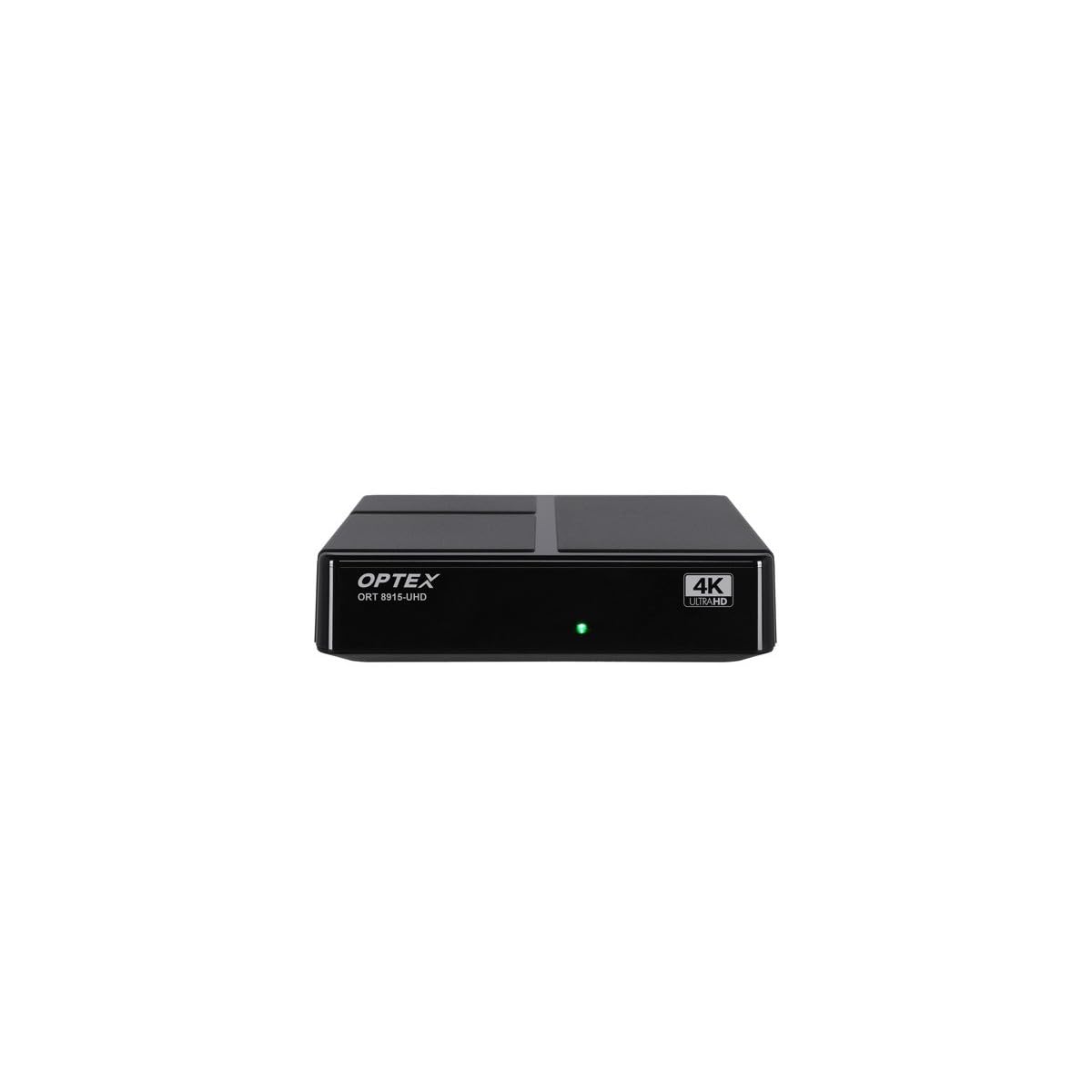
الصورة 3.1: الجبهة view of the Optex ORT8915-UHD receiver, showing the USB port and control buttons.
The front panel features a USB port for connecting external storage devices, along with basic control buttons for power, menu navigation, channel selection (CH+/CH-), and volume adjustment (V+/V-).
3.2 اللوحة الخلفية

الصورة 3.2: خلفي view of the Optex ORT8915-UHD receiver, displaying various input/output ports.
تتضمن اللوحة الخلفية التوصيلات التالية:
- النمل في: For connecting your terrestrial antenna.
- OPTIC: مخرج صوت رقمي بصري.
- من: Analog video/audio output.
- HDMI: High-Definition Multimedia Interface output for connecting to a TV.
- التيار المباشر الداخل: مدخل الطاقة للمحول.
3.3 التحكم عن بعد

Image 3.3: The remote control for the Optex ORT8915-UHD receiver, featuring various function buttons.
The remote control provides full functionality for navigating menus, changing channels, adjusting volume, accessing program guides, and utilizing special features like Timeshift and USB recording.
4. الإعداد
- ربط الهوائي: Connect your terrestrial antenna cable to the "ANT IN" port on the rear panel of the receiver.
- الاتصال بالتلفزيون:
- For High-Definition (HD) connection: Use the provided HDMI cable to connect the "HDMI" port on the receiver to an HDMI input on your television.
- For Standard-Definition (SD) connection: Use an AV cable (not included) to connect the "AV" ports on the receiver to the corresponding AV inputs on your television.
- توصيل الطاقة: Plug the power adapter into the "DC IN" port on the receiver, then plug the adapter into a power outlet.
- أدخل البطاريات في جهاز التحكم عن بعد: Open the battery compartment on the back of the remote control and insert the two 1.5V batteries, ensuring correct polarity.
- تشغيل الطاقة: Press the power button on the receiver or the remote control to turn on the device.
- حدد مدخل التلفزيون: On your television, select the correct HDMI or AV input source that corresponds to the connection you made in step 2.
5. تعليمات التشغيل
5.1 المسح الأولي للقناة
Upon first use or after a factory reset, the receiver will guide you through an initial setup process, including a channel scan. Follow the on-screen prompts to automatically search for available DVB-T2 channels in your region. Ensure your antenna is properly connected for optimal results.
5.2 الوظائف الأساسية
- التنقل في القناة: استخدم CH+ و CH- buttons on the remote or front panel to change channels.
- التحكم في مستوى الصوت: استخدم V+ و V- الأزرار لضبط مستوى الصوت.
- الوصول إلى القائمة: اضغط على قائمة طعام زر للوصول إلى القائمة الرئيسية للإعدادات والميزات.
- دليل البرامج (EPG): اضغط على دليل البرامج الإلكتروني زر ل view the Electronic Program Guide, which displays broadcast schedules.
- قناة المعلومات: Access teletext services by pressing the تي تي اكس زر.
5.3 الميزات المتقدمة
- Timeshift (Live Control): Connect a USB storage device to the receiver. Press the تغيير الوقت button (often a pause/play icon) to pause live TV, allowing you to resume viewفي وقت لاحق.
- USB Recording (PVR): With a USB storage device connected, you can record live TV programs. Use the ريك اضغط على الزر الموجود على جهاز التحكم عن بعد لبدء التسجيل.
- تشغيل الوسائط المتعددة: The USB port also supports playback of various multimedia files (audio, video, images) from a connected USB storage device. Navigate to the multimedia section in the main menu to access this feature.
- الرقابة الأبوية: Set up parental control features through the menu to restrict access to certain channels or programs based on age ratings.
- القوائم المفضلة: Create customized lists of your favorite channels for quick access.
6. الصيانة
- تنظيف: استخدم قطعة قماش ناعمة وجافة لتنظيف الجزء الخارجي من جهاز الاستقبال. لا تستخدم منظفات سائلة أو مواد كاشطة.
- تهوية: Ensure the receiver is placed in a well-ventilated area to prevent overheating. Do not block the ventilation holes.
- تحديثات البرامج: Periodically check for software updates via USB to ensure optimal performance and access to new features. Refer to the main menu settings for update options.
7. استكشاف الأخطاء وإصلاحها
| مشكلة | السبب المحتمل | حل |
|---|---|---|
| لا يوجد صورة أو صوت | Incorrect TV input selected, loose cable connections, power issue. |
|
| لم يتم العثور على قنوات | Antenna not connected or positioned correctly, no channel scan performed. |
|
| جهاز التحكم عن بعد لا يعمل | Dead batteries, obstructed signal, remote not paired (if applicable). |
|
| جودة الصورة رديئة | Weak antenna signal, incorrect resolution settings. |
|
8. المواصفات
| ميزة | التفاصيل |
|---|---|
| نموذج | ORT8915-UHD |
| ماركة | أوبتكس |
| نوع المنتج | 4K DVB-T2 Terrestrial Receiver |
| ترميز الفيديو | تنسيق الفيديو عالي الوضوح |
| الأجهزة المتوافقة | Television, Game Console, Tablet, Personal Computer, Amplifier, Speaker, Smartphone |
| تكنولوجيا الاتصال | USB |
| وضع إخراج الصوت | ستيريو |
| نوع مخرج الصوت | اتش دي ام اي، بصري |
| تكوين قناة الصوت المحيطي | 5.1، 7.1، 9.2 |
| ميزة خاصة | كاشف الحركة |
| إجمالي منافذ HDMI | 1 |
| استهلاك الطاقة (وضع الاستعداد) | <0.5 واط |
| الأبعاد (الطول × العرض) | 126.0 مم × 125.0 مم |
| وزن المنتج | 470 جرام |
9. الضمان والدعم
For warranty information and technical support, please refer to the official Optex webيمكنك زيارة الموقع الإلكتروني أو الاتصال ببائع التجزئة المحلي. احتفظ بإيصال الشراء كإثبات للشراء لأي مطالبات تتعلق بالضمان.
Software updates are guaranteed until an unknown date, as per product information. For the latest information, please visit the manufacturer's support page.