
1. المقدمة
This manual provides comprehensive instructions for the HIKMICRO ECO-V handheld thermal camera. Designed for efficient and accurate temperature measurement, this compact device allows users to identify hot and cold spots, analyze temperature distribution, and capture thermal images for various applications. Please read this manual thoroughly before operating the device to ensure safe and effective use.
2. انتهى المنتجview
The HIKMICRO ECO-V is a portable thermal camera engineered for precise temperature detection. It offers advanced features such as automatic hot, cold, and center spot tracking, enhanced image clarity with SuperIR technology, and a long-lasting battery for extended operation.
2.1 الميزات الرئيسية
- Full-Screen Precision Temperature Measurement: Accurately measures temperatures across the entire screen.
- نطاق واسع لدرجة الحرارة: قادر على قياس درجات الحرارة من -20 درجة مئوية إلى 550 درجة مئوية.
- Automatic Spot Tracking: Identifies and tracks the hottest, coldest, and center temperature points.
- SuperIR Technology: Enhances thermal image resolution from 96x96 to 240x240 pixels for improved clarity.
- عمر بطارية طويل: Up to 8 hours of continuous operation with a 3350mAh rechargeable battery.
- لوحات ألوان متعددة: Offers various visual modes for different inspection scenarios.
2.2 مكونات الجهاز
Familiarize yourself with the main components of your HIKMICRO ECO-V thermal camera.
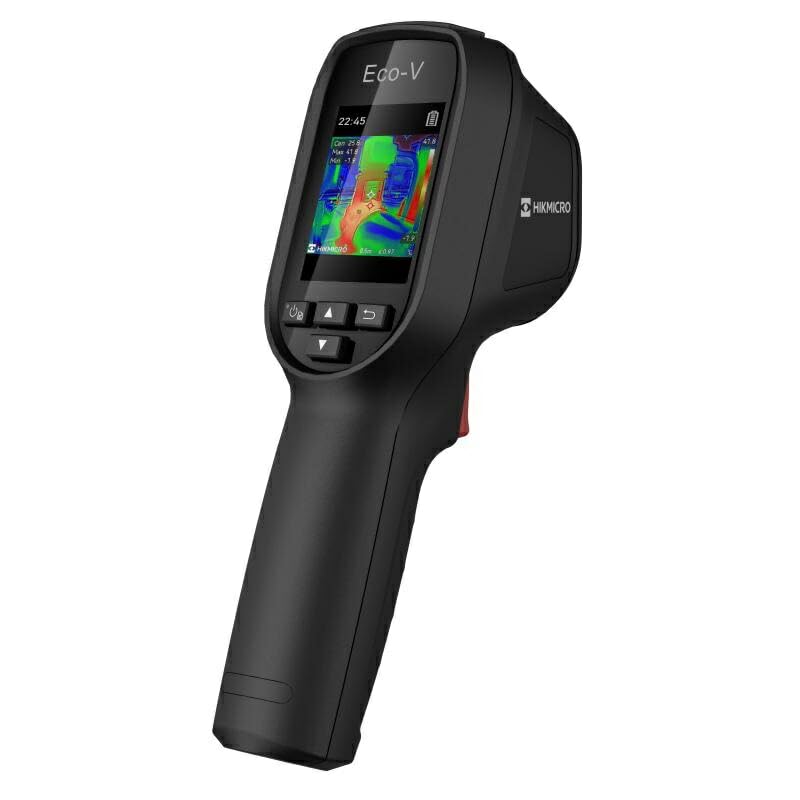
الشكل 1: The HIKMICRO ECO-V thermal camera, illustrating its screen interface with automatic spot tracking for hot, cold, and center temperature points. Temperature readings and a temperature scale from -20°C to 550°C are visible, aiding in quick identification of critical temperature areas.
3. الإعداد
3.1 شحن البطارية
Before first use, fully charge the internal 3350mAh lithium-ion battery. Connect the camera to a power source using the provided USB cable. The charging indicator will show the charging status.
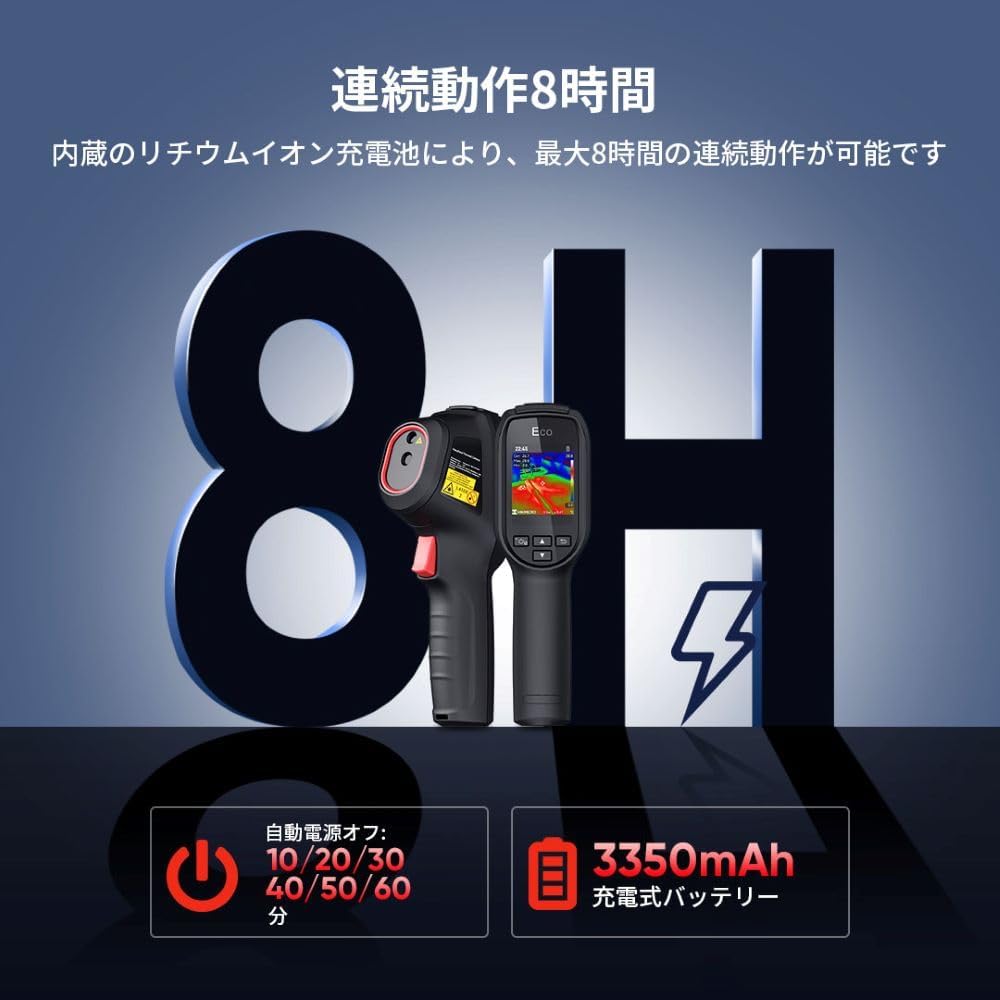
الشكل 2: This image illustrates the HIKMICRO ECO-V's battery features, including up to 8 hours of continuous operation and a 3350mAh rechargeable battery. It also displays the auto power-off settings, which can be configured for 10, 20, 30, 40, 50, or 60 minutes to conserve power.
3.2 تشغيل/إيقاف التشغيل
- لتشغيل: Press and hold the power button until the HIKMICRO logo appears on the screen.
- لإيقاف التشغيل: Press and hold the power button until the shutdown prompt appears, then confirm. The device also supports automatic power-off after a set period of inactivity (10/20/30/40/50/60 minutes).
3.3 الإعدادات الأولية
عند تشغيل الجهاز لأول مرة، قد يُطلب منك تحديد اللغة والتاريخ والوقت. اتبع التعليمات التي تظهر على الشاشة لضبط هذه الإعدادات الأساسية.
4. تعليمات التشغيل
4.1 قياس درجة الحرارة الأساسي
Point the camera at the object or area you wish to inspect. The screen will display a real-time thermal image with temperature readings. The central crosshair indicates the spot measurement temperature.
4.2 Automatic Spot Tracking
The ECO-V automatically identifies and displays the hottest (hot spot), coldest (cold spot), and center temperature within the field of view. These points are marked on the screen with their respective temperature values, allowing for quick identification of anomalies.
4.3 SuperIR Technology
Activate SuperIR mode to enhance the thermal image resolution. This feature digitally processes the 96x96 pixel image to a clearer 240x240 pixel display, providing more detail for analysis.

الشكل 3: This image demonstrates the effectiveness of SuperIR technology. On the left, a thermal image is shown with SuperIR off (96x96 resolution). On the right, the same image with SuperIR on, displaying significantly improved clarity and detail at 240x240 resolution.
4.4 لوحات الألوان
The camera offers several color palettes to visualize temperature differences. Select the palette that best suits your application for optimal contrast and detail.
- قوس قزح: General purpose, good for showing gradual temperature changes.
- بلاك هوت: Hotter objects appear darker.
- Ironbow Hot: High contrast, good for identifying heat sources.
- وايت هوت: Hotter objects appear brighter.
- أحمر حار: Highlights hot areas in red.
- الاندماج: Blends visible and thermal images.
- Alarm Above: Highlights temperatures above a set threshold.

الشكل 4: This image displays various color palettes available on the HIKMICRO ECO-V, including Rainbow, Black Hot, Ironbow Hot, White Hot, Red Hot, Fusion, and Alarm Above. Each palette provides a distinct visual representation of temperature differences, allowing users to choose the most effective display for their specific inspection tasks.
4.5 التقاط الصور
Press the capture button to save the current thermal image to the device's internal memory. Images can be reviewed later or transferred to a computer.
5. الصيانة
5.1 تنظيف الجهاز
- استخدم قطعة قماش ناعمة وجافة لتنظيف جسم الكاميرا.
- For the lens and screen, use a specialized lens cleaning cloth and solution to avoid scratches. Do not use abrasive cleaners.
5.2 العناية بالبطارية
- قم بشحن البطارية بانتظام، حتى لو لم يكن الجهاز قيد الاستخدام المتكرر، للحفاظ على صحة البطارية.
- تجنب تعريض الجهاز لدرجات حرارة قصوى، لأن ذلك قد يؤدي إلى تدهور أداء البطارية.
5.3 التخزين
When not in use, store the camera in a cool, dry place, away from direct sunlight and moisture. Use the protective casing if available.
6. استكشاف الأخطاء وإصلاحها
6.1 الجهاز لا يعمل
- Ensure the battery is fully charged. Connect the device to a power source and allow it to charge for at least 30 minutes before attempting to power on again.
- اضغط مع الاستمرار على زر التشغيل بقوة لعدة ثوانٍ.
6.2 قراءات درجة الحرارة غير الدقيقة
- تأكد من أن العدسة نظيفة وخالية من الغبار أو البقع.
- Verify that the emissivity setting (if adjustable) is appropriate for the material being measured.
- تأكد من عدم وجود أي عوائق بين الكاميرا والهدف.
6.3 مشاكل العرض
- أعد تشغيل الجهاز.
- Check for any physical damage to the screen.
إذا استمرت المشاكل، يرجى الاتصال بدعم العملاء.
7. المواصفات
| ميزة | التفاصيل |
|---|---|
| ماركة | هيكميكرو |
| رقم الموديل | HIK-ECOV |
| ASIN | B0D8B74F87 |
| أول تاريخ متاح | 2024/02/28 |
| مدى درجة الحرارة | -20 درجة مئوية إلى 550 درجة مئوية |
| القرار الحراري | 96x96 pixels (Enhanced to 240x240 with SuperIR) |
| نوع البطارية | بطارية ليثيوم أيون قابلة لإعادة الشحن بسعة 3350 مللي أمبير |
| وقت التشغيل | تصل إلى 8 ساعات متواصلة |
| انقطاع التيار الكهربائي التلقائي | Configurable (10/20/30/40/50/60 minutes) |
8. الضمان والدعم
HIKMICRO products are designed for reliability and performance. For warranty information, please refer to the warranty card included with your product or visit the official HIKMICRO website. For technical support, troubleshooting assistance, or service inquiries, please contact HIKMICRO customer support through their official channels. You can find more information and contact details on the HIKMICRO Brand Store.