
1. المقدمة
The ZGCINE VM-HS2 is a versatile hot-swap V-mount battery plate designed to provide continuous power to your camera, camcorder, and various rig accessories. Featuring a unique shark fin design and dual micro V-mounts, it ensures stable power delivery and extended runtime without interruption. This manual provides essential information for the safe and efficient use of your VM-HS2 battery plate.

Figure 1: ZGCINE VM-HS2 Hot Swap V-Mount Battery Plate Overview
2. مواصفات المنتج
- 100W USB-C PD Power Delivery: Rapidly charge high-demand devices like laptops and cameras with 5V/20V output, compatible with PD 3.0 standards for fast, stable energy transfer.
- 10-Port Multi-Interface Flexibility: Power up to 10 devices simultaneously via 2x Lemo 2Pin (14.8V/10A), 4x D-Tap (14.8V/10A), 1x BP (14.8V/10A), and USB-C PD ports, ideal for cameras, monitors, and film rigs.
- Hot-Swap & Dual V-Mount Design: Seamlessly switch between batteries without power interruption; dual micro V-mounts enhance stability for handheld/steadicam setups and extend runtime.
- Professional-Grade Build & Control: Features one-touch power management, LED power status indicators, and a 15mm rod clamp for secure mounting on cinema rigs or tripods.
- Compact & Travel-Ready: Lightweight (1.15LB) with a 4.8x4.8x3.2IN footprint, includes mounting base and USB-C E-mark cable for on-location efficiency.

Figure 2: Multi-Interface Flexibility of the VM-HS2
3. محتويات العبوة
تأكد من وجود جميع العناصر في العبوة:
- 1x ZGCINE VM-HS2 Hot Swap V-Mount Plate
- 1x M4 Spanner
- 1x USB-C شحن كابل
- 1x Pipe Clamp (15mm rod clamp)

Figure 3: VM-HS2 Package Contents
Video 1: ZGCINE VM-HS2 Introduction Video. This video provides an overview للمنتج ومكوناته.
4. الإعداد
4.1 Mounting the Battery Plate
- Attach the provided 15mm rod clamp to your camera rig's 15mm rods.
- Secure the VM-HS2 battery plate to the rod clamp using the integrated mounting mechanism. Ensure it is firmly tightened to prevent movement.

Figure 4: VM-HS2 mounted on a camera rig
4.2 Attaching V-Mount Batteries
- Align your micro V-mount battery with one of the dual V-mount slots on the plate.
- Slide the battery down until it clicks securely into place.
- For hot-swap functionality, attach a second micro V-mount battery to the other slot. The plate will automatically switch power sources when one battery is depleted.
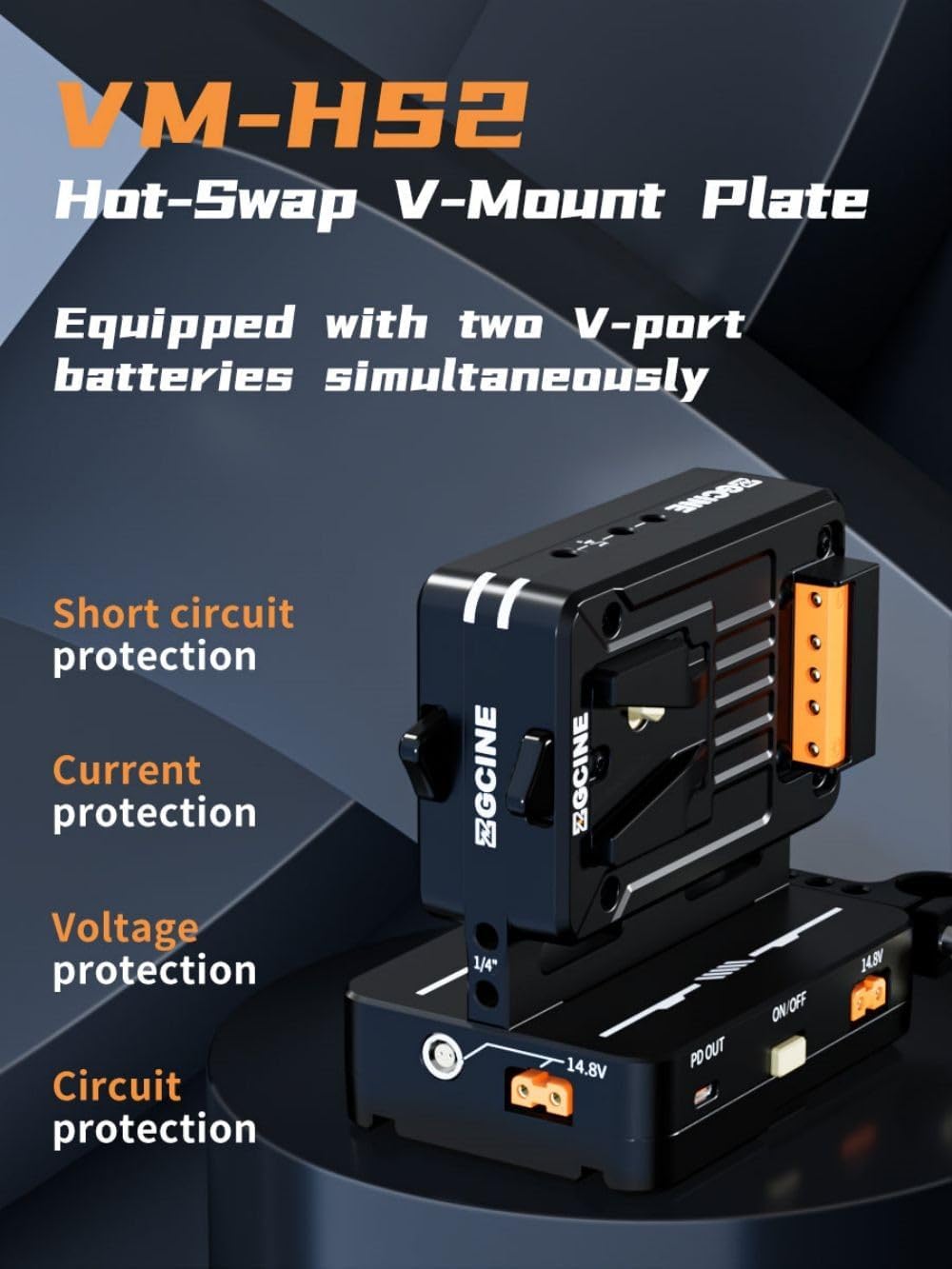
Figure 5: Dual Micro V-Mount batteries attached
4.3 توصيل الأجهزة
Utilize the various output ports to power your equipment:
- إخراج USB-C PD: Connect laptops, cameras, or other USB-C powered devices for fast charging.
- D-Tap Ports: Use D-Tap cables to power monitors, lights, and other accessories.
- LEMO Ports: Connect devices requiring Lemo 2-pin power.
- BP Port: For specific BP-compatible devices.
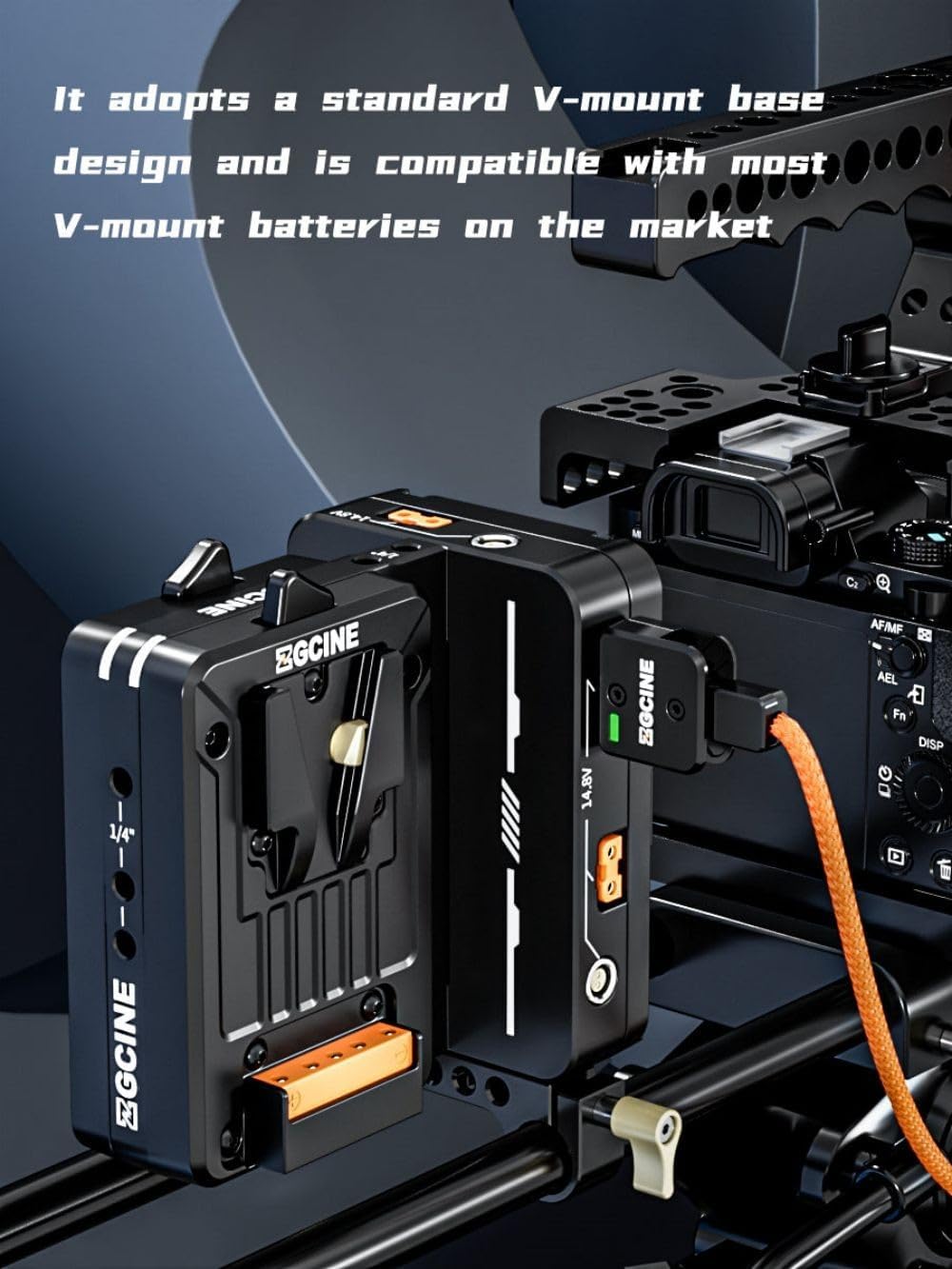
Figure 6: Multiple output ports on the VM-HS2
Video 2: ZGCINE VM-HS2 Dual Micro V Mount Battery Plate. This video demonstrates the various ports and their functions.
5. تعليمات التشغيل
5.1 تشغيل/إيقاف التشغيل
- To power on the unit, press the power button located on the side of the plate.
- لإيقاف التشغيل ، اضغط مع الاستمرار على زر الطاقة لمدة ثانيتين.
5.2 Power Status Indicators
The LED indicators on the unit display the current power status of the connected batteries. Refer to the product's display for detailed voltagه و واتtagالمعلومات هـ.
5.3 وظيفة التبديل السريع
The VM-HS2 supports hot-swap functionality with two micro V-mount batteries. When one battery is depleted, the unit automatically switches to the second battery without interrupting power to your connected devices. This allows for seamless battery changes during operation.
5.4 شحن الوحدة
The VM-HS2 can be charged via its USB-C PD 100W input/output port. Connect a compatible USB-C PD charger to this port to recharge the connected V-mount batteries.
6. الصيانة
- حافظ على نظافة الوحدة وخلوها من الغبار والأوساخ. استخدم قطعة قماش ناعمة وجافة للتنظيف.
- Avoid exposing the unit to extreme temperatures, moisture, or direct sunlight.
- قم بتخزين الوحدة في مكان بارد وجاف عند عدم استخدامها.
- افحص جميع توصيلات الكابلات بانتظام للتأكد من عدم وجود أي تلف أو تآكل.
7. استكشاف الأخطاء وإصلاحها
- لا يوجد مخرج للطاقة: Ensure batteries are properly seated and charged. Check all cable connections. Verify the unit is powered on.
- الطاقة المتقطعة: Check for loose connections or damaged cables. Ensure batteries are fully charged and functioning correctly.
- ارتفاع درجة الحرارة: Disconnect all devices and allow the unit to cool down. Ensure adequate ventilation around the unit during operation.
إذا استمرت المشاكل، يرجى الاتصال بدعم العملاء.
8. المواصفات
| ميزة | مواصفة |
|---|---|
| نموذج | VM-HS2 |
| مخرج USB-C | 5V/3A, 9V/3A, 12V/3A, 15V/3A, 20V/5A (100W PD) |
| BP Output | 14.8 فولت/10 أمبير |
| إخراج D-TAP | 14.8 فولت/10 أمبير |
| Lemo Output | 14.8 فولت/6 أمبير |
| درجة حرارة التشغيل | من -20 درجة مئوية إلى +55 درجة مئوية |
| أبعاد | 120 ملم × 119 ملم × 80 ملم (4.8 × 4.8 × 3.2 بوصات) |
| وزن | 520 جرام (1.15 رطل) |

Figure 7: VM-HS2 Parameter Diagram
9. الضمان والدعم
For any questions or support regarding your ZGCINE VM-HS2, please refer to the following:
- Before Purchase: Click on the seller profile (HolaFoto) and find "Have a question for HolaFoto?" to inquire.
- After Purchase: Check your Amazon Order Page and click "problem with this order." The seller aims to reply within 24 hours during working days.
ZGCINE is committed to providing reliable power solutions for content creators, ensuring efficiency and safety in various environments.