
1. المقدمة
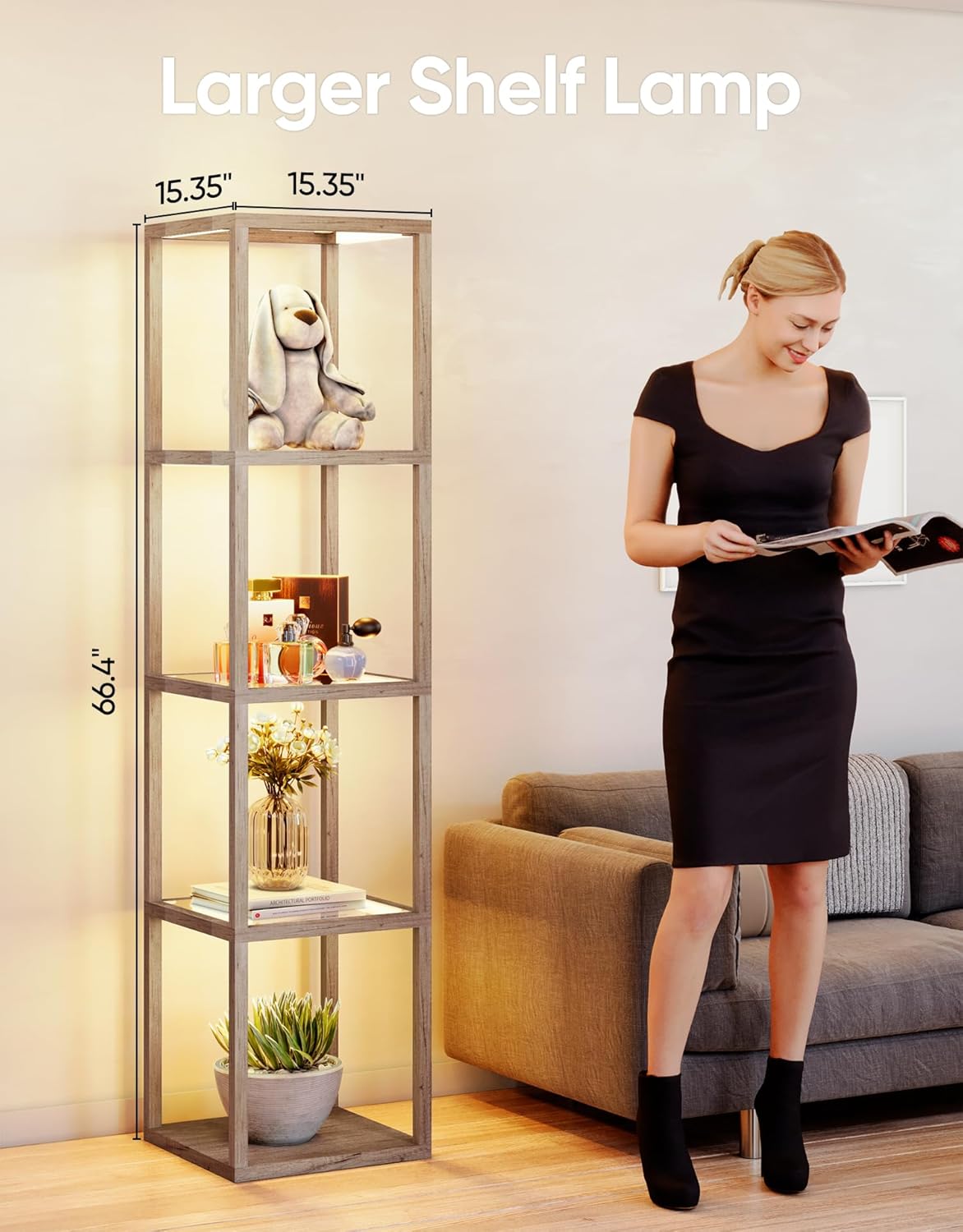
This manual provides detailed instructions for the assembly, operation, and maintenance of your PARTPHONER Dimmable LED Floor Lamp with Glass Display Shelves, Model PAFP088AH1. This product combines a functional floor lamp with a multi-tier display shelf, offering adjustable lighting and smart control options to enhance your living space.
2. معلومات السلامة
- تأكد من لamp is unplugged before assembly, cleaning, or maintenance.
- لا تعرض لamp to water or excessive moisture. This product is for indoor use only.
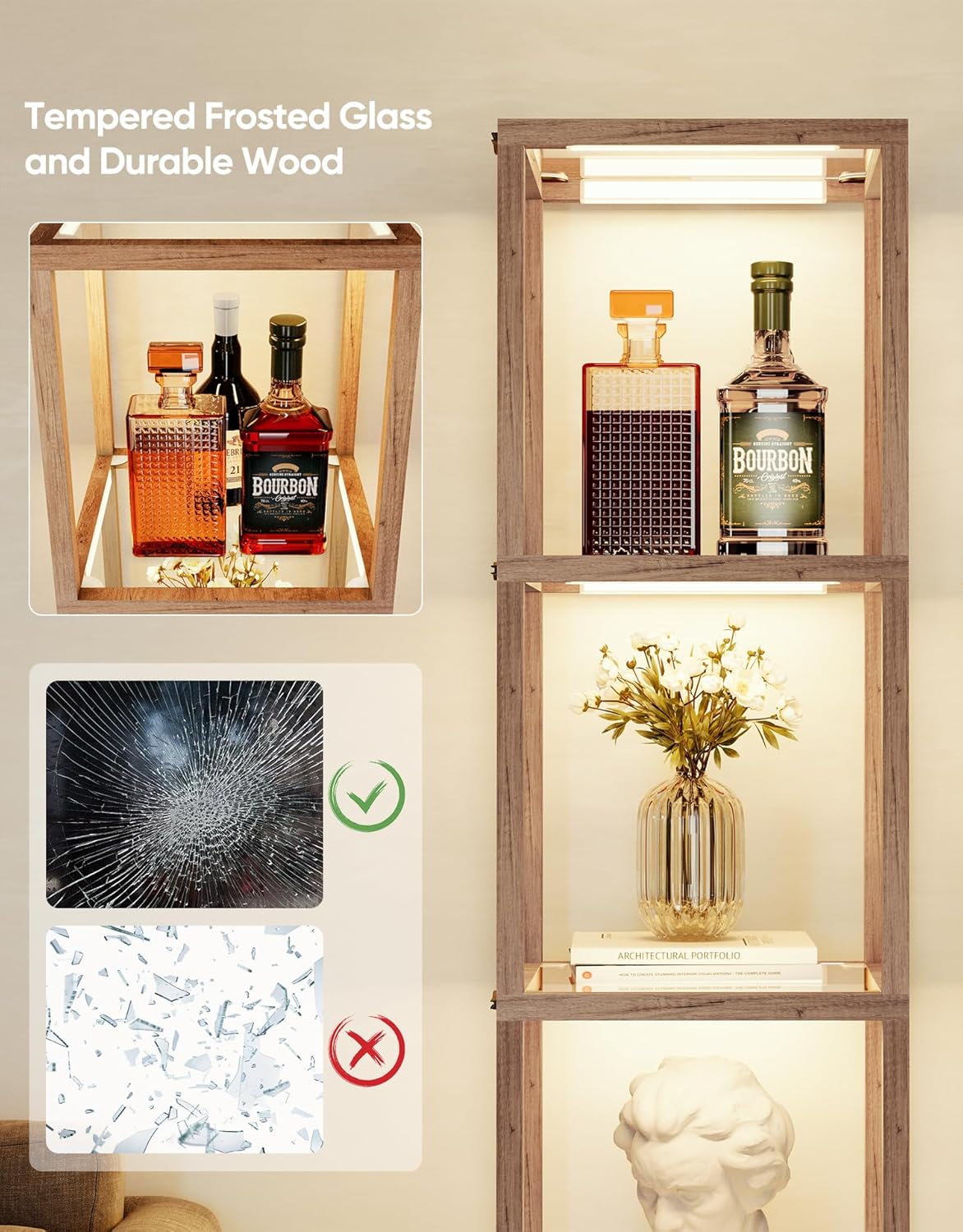
- Handle glass shelves with care to prevent breakage. In case of breakage, dispose of fragments safely.
- ضع لamp على سطح ثابت ومستو لمنع الانقلاب.
- Do not exceed the maximum load capacity of the shelves (20 lbs per shelf).
- احفظ جهاز التحكم عن بعد والأجزاء الصغيرة بعيداً عن متناول الأطفال.
- استخدم فقط محول الطاقة المقدم.
3. محتويات العبوة
تأكد من وجود جميع المكونات قبل البدء بالتجميع:
- Wood frame components (vertical posts, horizontal supports)
- Tempered frosted glass shelves (5 pieces)
- LED light strips/modules (pre-installed or separate)
- محول الطاقة
- جهاز التحكم عن بعد (البطاريات غير متضمنة)
- Assembly hardware (screws, L-wrench)
- دليل التعليمات (هذا المستند)
4. الإعداد والتجميع
The PARTPHONER Floor Lamp is designed for straightforward assembly, typically completed within 10 minutes. Please follow the detailed step-by-step instructions provided in the physical instruction manual included in your package. A general overview تتلخص عملية التجميع فيما يلي:
- فك مكونات الحزمة: قم بإزالة جميع الأجزاء من العبوة بعناية وضعها على سطح نظيف وناعم لمنع الخدوش.
- تجميع الإطار: Connect the wood frame components using the provided screws and L-wrench. Ensure all connections are secure.
- تركيب أرفف زجاجية: Gently slide the tempered frosted glass shelves into their designated slots within the frame.
- توصيل الإضاءة: If LED light strips are not pre-installed, follow the manual to attach them to the frame and connect the wiring.
- توصيل الطاقة: قم بتوصيل محول الطاقة بالكهرباءamp's power input, then into a standard electrical outlet.
5. تعليمات التشغيل
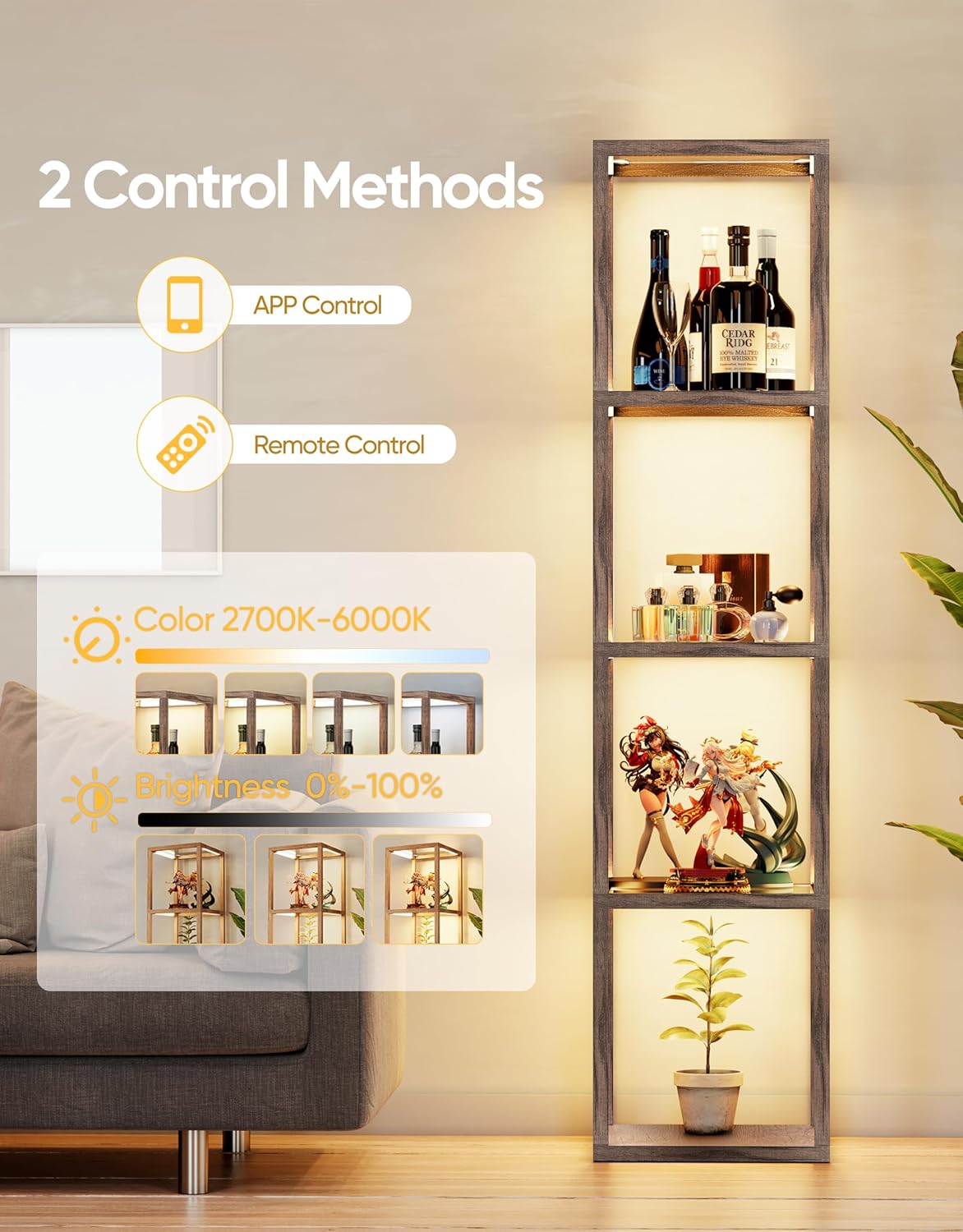
Your PARTPHONER floor lamp can be controlled via the included remote control or a dedicated smartphone application.
5.1 تشغيل جهاز التحكم عن بعد
Insert two AAA batteries (not included) into the remote control. The remote allows for quick adjustments:
- زر الطاقة: يحول لamp تشغيل أو إيقاف.
- Brightness Control (+/-): Increases or decreases light brightness (0-100%).
- Color Temperature Control (+/-): Adjusts the light color from warm (2700K) to cool (6000K).
- 1 ساعة الموقت: يحدد lamp to automatically turn off after one hour.
- أوضاع محددة مسبقا: Dedicated buttons for specific lighting environments: Nursery Mode, Night Mode, Work Mode, Study Mode.


5.2 تشغيل التحكم عبر التطبيق
For advanced control and customization, download the PARTPHONER app:
- تحميل التطبيق: Scan the QR code located on the power cable or search for the PARTPHONER app in your device's app store.
- الاقتران: Follow the in-app instructions to pair your smartphone with the lamp عبر الواي فاي.
- ضبط الإضاءة: Use the app interface to precisely control color temperature (2700K-6000K) and brightness (0-100%).
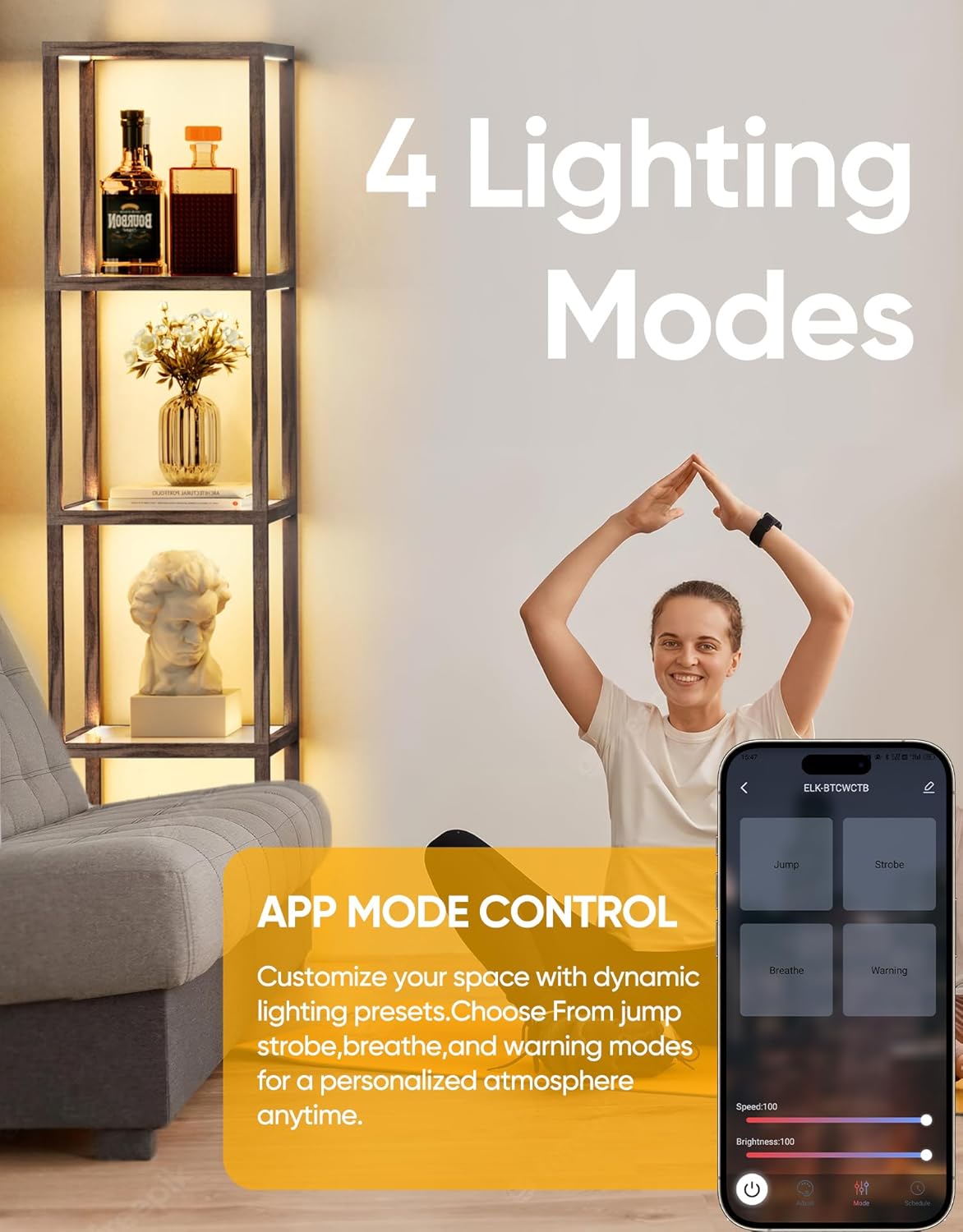
- أوضاع الإضاءة الديناميكية: Access additional dynamic lighting presets such as Jump, Strobe, Breathe, and Warning to create personalized ambiance.
- الموقت والجدول الزمني: Set custom ON/OFF timers and schedules for automated operation. The lamp features a memory function that recalls the last used settings.



6. الصيانة
تضمن الصيانة الدورية طول عمر جهازك وأدائه الأمثلamp.
- تنظيف: Disconnect power before cleaning. Use a soft, dry cloth to wipe the wood frame. For glass shelves, use a glass cleaner and a lint-free cloth. Avoid abrasive cleaners or solvents.
- الغبار: قم بغبار l بشكل دوريamp and shelves to maintain light output and appearance.
- التفتيشات: قم بفحص جميع التوصيلات والأجهزة بشكل دوري للتأكد من أنها تبقى محكمة وآمنة.
7. استكشاف الأخطاء وإصلاحها
إذا واجهت مشاكل مع جهازكamp، راجع المشكلات والحلول الشائعة التالية:
| مشكلة | السبب المحتمل | حل |
|---|---|---|
| Lamp لا تفتح. | لا يوجد كهرباء، وصلة غير محكمة، بطاريات جهاز التحكم عن بعد فارغة. | Check power outlet, ensure power adapter is securely connected. Replace remote batteries. |
| جهاز التحكم عن بعد لا يستجيب. | بطاريات فارغة، عائق، خارج نطاق التغطية. | Replace remote batteries. Ensure no obstructions between remote and lamp. Operate within range (up to 49.2 ft). |
| APP cannot connect to the lamp. | Incorrect Wi-Fi, lamp not in pairing mode, app error. | Ensure your phone is connected to a 2.4GHz Wi-Fi network. Restart the lamp and app. Follow in-app pairing instructions carefully. |
| يتذبذب الضوء أو يكون غير منتظم. | Loose wiring, power fluctuation. | Check all wiring connections. Try plugging into a different outlet. If issue persists, contact support. |
8. المواصفات
| ميزة | التفاصيل |
|---|---|
| رقم الموديل | PAFP088AH1 |
| أبعاد المنتج | 15.35 بوصة عمق × 15.35 بوصة عرض × 66.4 بوصة ارتفاع |
| وزن العنصر | 3 رطل |
| نوع المادة | الزجاج والخشب |
| نوع التشطيب | مطلية |
| نوع مصدر الضوء | قاد |
| درجة حرارة اللون | 2700 كلفن - 6000 كلفن (قابل للتعتيم) |
| التحكم في السطوع | 0-100% |
| نوع المفتاح | Remote, APP Control |
| بروتوكول الاتصال | واي فاي |
| الاستخدام الداخلي والخارجي | داخلي |
| أقصى حمولة للرف | 20 رطل |
9. الضمان والدعم
This PARTPHONER product comes with a ضمان الشركة المصنعة لمدة عامين من تاريخ الشراء. يغطي هذا الضمان عيوب المواد والصناعة في ظل الاستخدام العادي.
For warranty claims, technical assistance, or any questions regarding your product, please contact PARTPHONER customer support through the retailer's platform or the official PARTPHONER website. Please have your model number (PAFP088AH1) and proof of purchase ready when contacting support.