
1. المقدمة
شكرا لك على الشراءasing the Zenwire D300S Mini Projector. This manual provides essential information for the safe and efficient operation of your device. Please read it thoroughly before use and retain it for future reference.
احتياطات السلامة
- لا تنظر مباشرة إلى عدسة جهاز العرض عندما يكون الضوءamp هو على.
- تأكد من التهوية المناسبة لمنع ارتفاع درجة الحرارة. لا تسد فتحات التهوية.
- استخدم فقط محول الطاقة المقدم.
- احتفظ بالجهاز بعيدًا عن الماء أو السوائل الأخرى.
- تجنب وضع جهاز العرض على الأسطح غير المستقرة.
- لا تحاول تفكيك جهاز العرض أو إصلاحه بنفسك. اتصل بفنيي الصيانة المؤهلين.
2. محتويات العبوة
يرجى التأكد من وجود جميع العناصر في الحزمة الخاصة بك:
- Zenwire D300S Mini Projector
- جهاز التحكم عن بعد
- محول الطاقة
- كبل AV
- دليل المستخدم (هذا المستند)
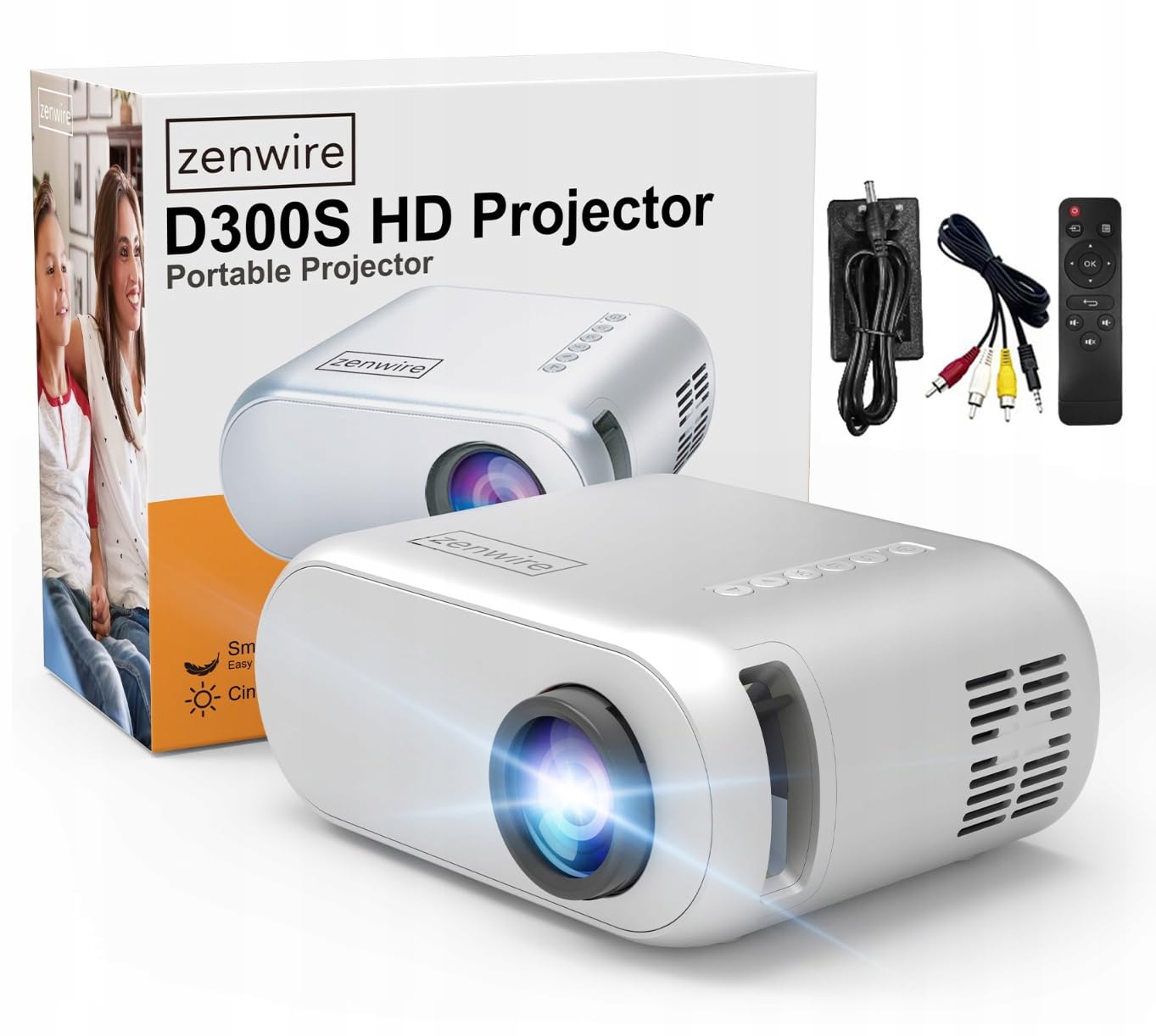
Image 2.1: Zenwire D300S Mini Projector and included accessories.
3. انتهى المنتجview
Projector Front and Top View
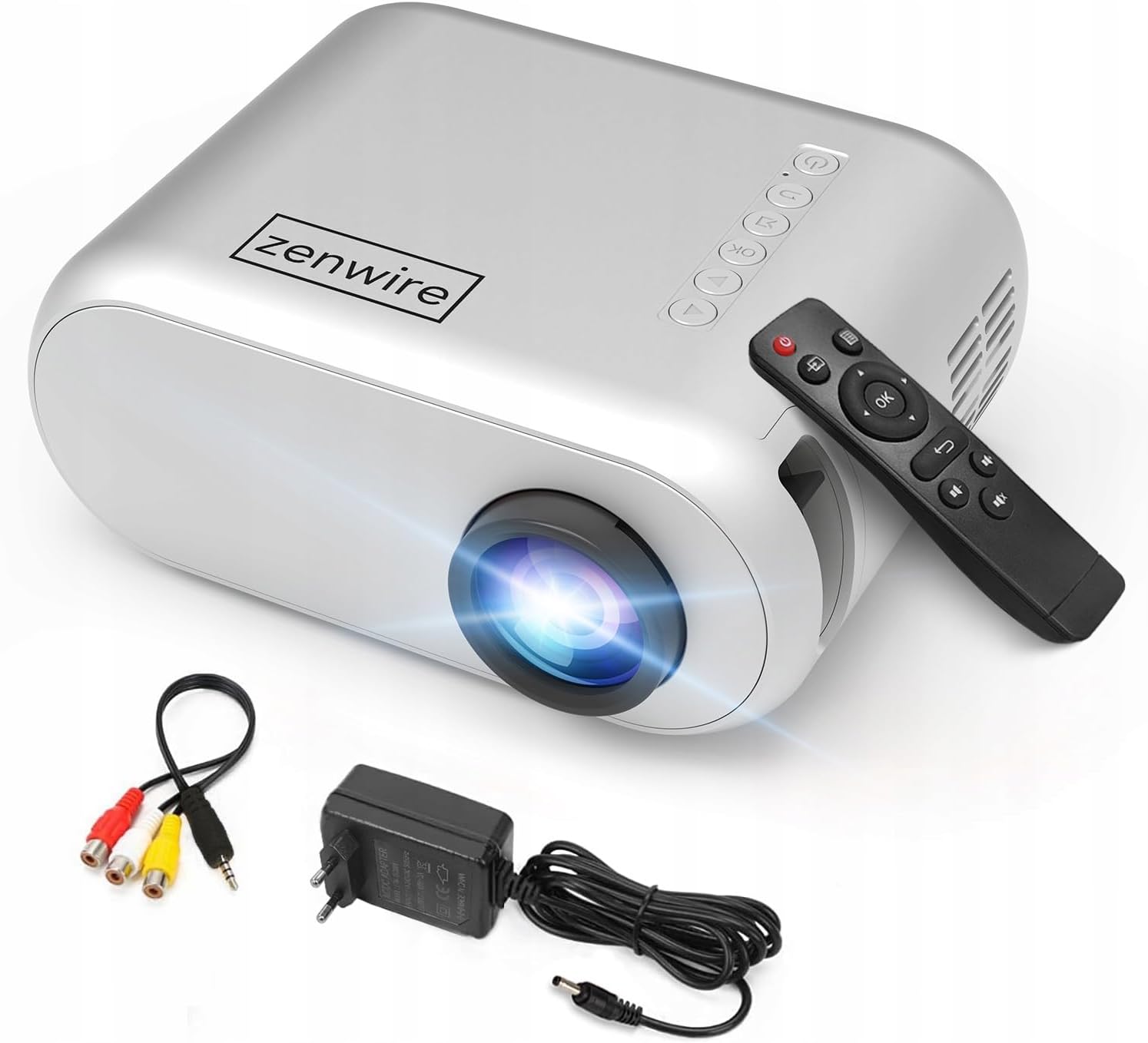
الصورة 3.1: الأمامية والعلوية view of the projector, showing the lens and top control panel.
Rear Panel and Connectivity
تحتوي اللوحة الخلفية لجهاز العرض على منافذ متعددة لتوصيل الأجهزة الخارجية:

الصورة 3.2: خلفي view of the projector, highlighting the input/output ports.
- مدخلات AV: For connecting devices using the included AV cable.
- مدخلات HDMI: For connecting devices such as laptops, gaming consoles, or streaming sticks.
- منفذ USB: لتوصيل محركات أقراص USB المحمولة لتشغيل الوسائط fileس مباشرة.
- إخراج AUX: لتوصيل مكبرات الصوت الخارجية أو سماعات الرأس.
- مدخلات طاقة التيار المستمر: لتوصيل محول الطاقة.
لوحة تحكم علوية
The top of the projector features a control panel for basic operations:
- زر الطاقة: لتشغيل جهاز العرض أو إيقاف تشغيله.
- أزرار التنقل (أعلى/أسفل/يسار/يمين): يستخدم للتنقل في القوائم.
- زر موافق: يؤكد التحديدات.
- زر الرجوع: للعودة إلى القائمة أو الشاشة السابقة.
- زر المصدر: Selects input source (HDMI, AV, USB).
4. الإعداد
4.1 التنسيب
Place the projector on a stable, flat surface. Ensure there is adequate space around the projector for ventilation. The projection distance affects the screen size. Refer to the image below for recommended distances and corresponding screen sizes.

Image 4.1: Recommended projection distances and screen sizes.
- For a 30-inch screen, place the projector approximately 0.9 meters away.
- For a 50-inch screen, place the projector approximately 1.5 meters away.
- For an 80-inch screen, place the projector approximately 2.4 meters away.
- For a 100-inch screen, place the projector approximately 3.0 meters away.
4.2 توصيل الطاقة
Connect the power adapter to the DC Power Input port on the projector, then plug the adapter into a power outlet.
4.3 توصيل الأجهزة
The Zenwire D300S supports various input sources:
الصورة 4.2: مثالamples of devices that can be connected to the projector.
- HDMI: Connect your laptop, gaming console, or streaming device using an HDMI cable.
- USB: أدخل محرك أقراص فلاش USB في منفذ USB لتشغيل الوسائط fileس مباشرة.
- من: Use the included AV cable to connect older devices like DVD players.
- Audio Out (AUX): Connect external speakers or headphones to the AUX port for enhanced audio.
4.4 تعديل التركيز
Turn on the projector. Adjust the focus ring located near the lens until the projected image is clear and sharp.
5. تعليمات التشغيل
5.1 تشغيل/إيقاف التشغيل
Press the Power button on the projector or the remote control to turn the device on or off.
5.2 اختيار المصدر
After powering on, use the 'Source' button on the projector or remote control to select the desired input source (HDMI, AV, USB).
5.3 تصفح القائمة
Use the navigation buttons (Up/Down/Left/Right) on the projector or remote to browse through menus. Press 'OK' to confirm a selection and 'Back' to return.
5.4 التحكم في مستوى الصوت
اضبط مستوى الصوت باستخدام أزرار الصوت الموجودة على جهاز التحكم عن بعد.
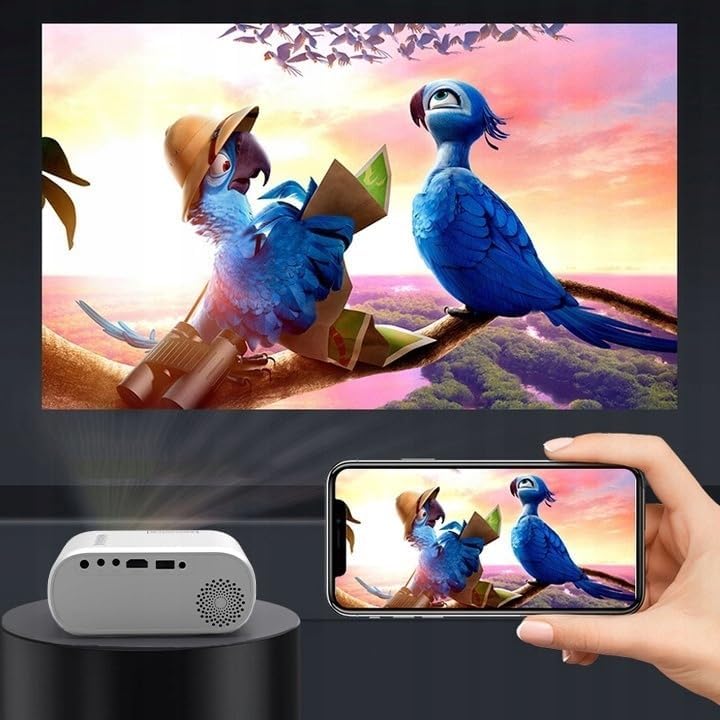
5.5 Connecting to a Phone/Laptop
To project content from a phone or laptop:
- لأجهزة الكمبيوتر المحمولة: Connect via HDMI cable. Select HDMI as the input source on the projector.
- للهواتف: Depending on your phone model, you may need an adapter (e.g., USB-C to HDMI, Lightning to HDMI) to connect via HDMI. Alternatively, some phones support wireless display technologies that can be used with a compatible streaming stick connected to the projector's HDMI port.

Image 5.1: Projecting content from a smartphone to the Zenwire D300S Mini Projector.
6. الصيانة
6.1 تنظيف العدسة
استخدم قطعة قماش ناعمة وخالية من الوبر، مُصممة خصيصًا للعدسات البصرية، لمسح عدسة جهاز العرض برفق. لا تستخدم منظفات كاشطة أو قوة مفرطة.
6.2 تنظيف جسم جهاز العرض
امسح الجزء الخارجي من جهاز العرض بقطعة قماش ناعمة وجافة. بالنسبة للبقع العنيدة، استخدم قطعة قماش مبللة قليلاً.amp يمكن استخدام قطعة قماش، ثم قطعة قماش جافة.
6.3 التهوية
Regularly check that the ventilation openings are free from dust and obstructions to ensure proper airflow and prevent overheating.
7. استكشاف الأخطاء وإصلاحها
إذا واجهت مشكلات مع جهاز العرض الخاص بك، فيرجى الرجوع إلى المشكلات والحلول الشائعة التالية:
| مشكلة | السبب المحتمل | حل |
|---|---|---|
| لم يتم عرض أي صورة | Power not connected, incorrect input source, device not sending signal. | Check power connection, select correct input source, ensure connected device is on and outputting video. |
| الصورة ضبابية | لم يتم ضبط التركيز، جهاز العرض قريب جدًا/بعيد جدًا. | Adjust the focus ring, reposition the projector according to recommended distances. |
| لا يوجد صوت | Volume too low, external speakers not connected, audio format not supported. | Increase volume, connect external speakers via AUX, check audio settings on source device. |
| جهاز التحكم عن بعد لا يعمل | Batteries dead, obstruction between remote and projector. | Replace batteries, ensure clear line of sight to the projector's IR receiver. |
8. المواصفات
- نموذج: Zenwire D300S
- الدقة الأصلية: 1280 x 720p HD
- سطوع: 3000 لومن (100 لومن ANSI)
- الاتصال: HDMI, USB, AUX, AV
- نسبة العرض إلى الارتفاع: 16:9 / 4:3
- مسافة الإسقاط: 0.9m - 3.0m (approx. 30-100 inches)
9. الضمان والدعم
The Zenwire D300S Mini Projector comes with a standard manufacturer's warranty. Please refer to the warranty card included in your package for specific terms and conditions. For technical support or service inquiries, please contact your retailer or the Zenwire customer service department.