
DOOGEE S200-Silver Rugged Smartphone 5G
DOOGEE S200 Rugged Smartphone 5G User Manual
Model: S200-Silver Rugged Smartphone 5G | Brand: DOOGEE
مقدمة
Welcome to the user manual for your new DOOGEE S200 Rugged Smartphone. This guide provides essential information on setting up, operating, maintaining, and troubleshooting your device. The DOOGEE S200 is engineered for durability and high performance, featuring advanced capabilities suitable for various environments.

الامامي والخلفي view of the DOOGEE S200 Rugged Smartphone, showcasing its robust design and rear display.
يثبت
محتويات الحزمة
قبل أن تبدأ، يرجى التأكد من وجود جميع العناصر في الحزمة الخاصة بك:
- 1 x DOOGEE S200 5G Cellphone
- 1 × كابل USB من النوع C
- شاحن واحد (33 واط)
- 1 × غشاء مضاد للانفجار (واقي شاشة)
- 1 × دليل المستخدم
الإعداد الأولي للجهاز
- Insert SIM Card(s) and TF Card: Locate the SIM card tray on the side of the phone. Use the provided SIM ejector tool to open the tray. Insert your Nano-SIM card(s) and/or a TF (microSD) card into the designated slots. Ensure the tray is securely closed to maintain water and dust resistance.
- اشحن الجهاز: Connect the Type-C USB cable to the phone's charging port and the other end to the 33W charger. Plug the charger into a power outlet. The phone's battery indicator will show charging progress. For optimal battery life, fully charge the device before first use.
- تشغيل الطاقة: Press and hold the Power button (usually on the side) until the DOOGEE logo appears. Follow the on-screen prompts to complete the initial setup, including language selection, Wi-Fi connection, and Google account sign-in.
Video demonstrating the unboxing and initial setup process for the DOOGEE S200 Rugged Smartphone.
تشغيل جهازك
العرض والتفاعل
The DOOGEE S200 features a 6.72-inch FHD+ display with a 120Hz refresh rate for smooth visuals and responsive touch. It also includes a unique 1.32-inch AMOLED rear display.
- الشاشة الرئيسية: تصفح التطبيقات، واستعرض web, and enjoy multimedia content with vibrant colors and sharp details. The 120Hz refresh rate enhances gaming and scrolling experiences.
- الشاشة الخلفية: This customizable AMOLED screen allows you to check time, date, notifications, battery status, control music, and answer calls without activating the main screen. It helps conserve power and provides quick access to essential information.

The 1.32-inch AMOLED rear display offers customizable options for quick information access.
الأداء والتخزين
Equipped with a Dimensity 7050 octa-core processor and 32GB RAM (12GB physical + 20GB virtual), the S200 delivers robust performance for multitasking and demanding applications. The 256GB internal storage can be expanded up to 2TB using a TF card.

Internal memory and storage architecture of the DOOGEE S200.
مميزات الكاميرا
The S200 features a versatile quad-camera setup:
- كاميرا رئيسية بتقنية الذكاء الاصطناعي بدقة 100 ميجابكسل: Captures high-resolution photos with enhanced clarity and AI-driven stabilization.
- كاميرا رؤية ليلية بدقة 20 ميجابكسل: Allows for clear photography in low-light or complete darkness.
- كاميرا أمامية بدقة 20 ميجابكسل: للحصول على صور سيلفي عالية الجودة ومكالمات فيديو عالية الجودة.
- كاميرا ماكرو بدقة 2 ميجابكسل: للحصول على لقطات مقرّبة مفصلة.

زيادةview of the DOOGEE S200's camera system.
البطارية والشحن
The device is equipped with a 10100mAh battery, providing extended usage times. It supports 33W fast charging and OTG reverse charging.
- الشحن: Use the provided 33W charger for rapid charging.
- الشحن العكسي OTG: Connect other compatible devices to your S200 using an OTG cable to charge them, effectively turning your phone into a power bank.
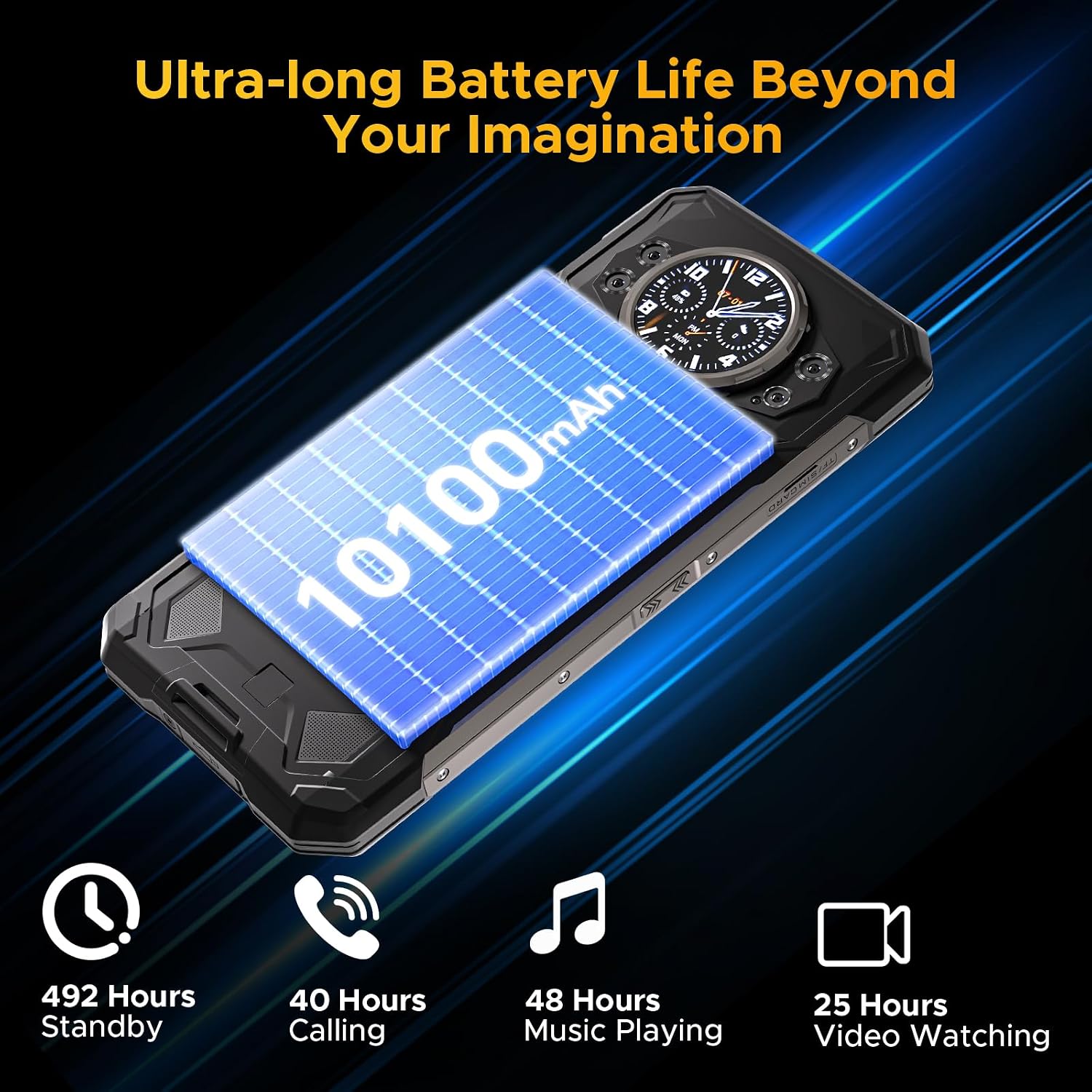
The S200 offers ultra-long battery life for extended use.
الأمن والاتصال
The S200 offers multiple security and connectivity options:
- Fingerprint ID & Face Unlock: Securely unlock your device using the side-mounted fingerprint sensor or facial recognition.
- NFC: للدفع بدون تلامس وتبادل البيانات.
- واي فاي 6: يوفر اتصالات إنترنت لاسلكية أسرع وأكثر استقرارًا.
- نظام تحديد المواقع العالمي (GPS): Supports GPS, Glonass, Galileo, and Beidou for accurate navigation.
صيانة
The DOOGEE S200 is built to be rugged, but proper care will ensure its longevity and optimal performance.
- تنظيف: امسح الهاتف بانتظام بقطعة قماش ناعمة و...amp cloth to remove dirt and dust. For stubborn grime, use a mild soap solution. Ensure all ports are closed before cleaning with liquids.
- مقاومة الماء والغبار: The phone is IP68/IP69K/MIL-STD-810H certified. This means it can withstand immersion in water up to 1.5 meters for 30 minutes and is protected against dust ingress. Always ensure the SIM tray and USB port cover are fully sealed before exposing the phone to water or dusty environments.
- درجة حرارة: تجنب تعريض الهاتف لدرجات حرارة شديدة (ساخنة جدًا أو باردة جدًا) لأن ذلك قد يؤثر على عمر البطارية والمكونات الداخلية.
- حماية من الصدمات: While drop-proof up to 1.8 meters, excessive force or repeated drops can still cause damage. Handle with care, especially on hard surfaces.
- تحديثات البرامج: Keep your phone's software updated to the latest version to ensure security, performance improvements, and access to new features.

The DOOGEE S200 is built to withstand challenging conditions.
استكشاف الأخطاء وإصلاحها
If you encounter issues with your DOOGEE S200, try the following common solutions:
| مشكلة | الحل المحتمل |
|---|---|
| الجهاز لا يعمل | تأكد من شحن البطارية. وصّل الجهاز بالشاحن وانتظر بضع دقائق قبل محاولة تشغيله مرة أخرى. إذا لم يستجب، فحاول إعادة تشغيله قسرًا بالضغط مع الاستمرار على زر التشغيل لمدة 10-15 ثانية. |
| تستنزف البطارية بسرعة | Close unused apps running in the background. Reduce screen brightness. Disable Wi-Fi, Bluetooth, or GPS when not in use. Check for power-intensive apps in battery settings. |
| Network connectivity issues (no signal/slow data) | Check if airplane mode is off. Restart the phone. Re-insert the SIM card. Verify your carrier's network coverage in your area. Go to Settings > Network & internet > Mobile network to ensure correct settings. |
| تعطل التطبيقات أو تجميدها | Clear the cache and data for the problematic app (Settings > Apps > [App Name] > Storage). Update the app from the Google Play Store. If the issue persists, uninstall and reinstall the app. |
| الشاشة الخلفية لا تستجيب | Ensure the main screen is off. Check settings related to the rear display in the phone's display settings. Restart the device. |
تحديد
Key technical specifications for the DOOGEE S200 Rugged Smartphone:
| ميزة | التفاصيل |
|---|---|
| اسم الموديل | S200-Silver Rugged Smartphone 5G |
| نظام التشغيل | أندرويد 14 |
| المعالج | معالج Dimensity 7050 ثماني النواة (2.6 جيجاهرتز) |
| كبش | 32 جيجابايت (12 جيجابايت فعلي + 20 جيجابايت افتراضي) |
| التخزين الداخلي | ذاكرة تخزين داخلية بسعة 256 جيجابايت (قابلة للتوسيع حتى 2 تيرابايت عبر بطاقة TF) |
| الشاشة الرئيسية | 6.72 Inches FHD+ (2400 x 1080) IPS, 120Hz Refresh Rate |
| شاشة العرض الخلفية | 1.32 Inches AMOLED (466x466) |
| سعة البطارية | 10100 مللي أمبير |
| الشحن | شحن سريع بقوة 33 واط، وشحن عكسي بتقنية OTG |
| الكاميرا الرئيسية | 100MP AI Ultra-clear |
| كاميرا للرؤية الليلية | 20 ميجا بكسل |
| الكاميرا الأمامية | 20 ميجا بكسل |
| كاميرا ماكرو | 2 ميجا بكسل |
| متانة | IP68, IP69K, MIL-STD-810H (Waterproof, Dustproof, Drop-proof) |
| الاتصال | 5G Dual SIM, Wi-Fi 6, Bluetooth, NFC, USB Type-C |
| ملاحة | نظام تحديد المواقع العالمي (GPS)، نظام غلوناس، نظام غاليليو، نظام بيدو |
| أبعاد | 7.07 × 3.25 × 0.63 بوصة |
| وزن | 12.8 أونصات (364 جرام) |
الضمان والدعم
للحصول على معلومات الضمان والدعم الفني، يرجى الرجوع إلى موقع دوجي الرسمي. website or contact their customer service directly. Details regarding warranty periods and service procedures are typically provided with your purchase documentation or on the manufacturer's support pages.
يمكنك أيضًا زيارة متجر دوجي على أمازون لمزيد من المعلومات والموارد حول المنتج.
Ask a question about this manual
Ask about setup, troubleshooting, compatibility, parts, safety, or missing instructions. Manuals+ will review the question and use this page’s manual context to help answer it.