
1. المقدمة
This manual provides detailed instructions for the ABLEWE USB to HDMI Adapter. This device is designed to connect a computer with a USB interface to an HDMI-equipped display, such as an HDTV, monitor, or projector. It supports video resolutions up to 1080P and facilitates both mirror and extend display modes.
2. انتهى المنتجview
The ABLEWE USB to HDMI Adapter is a compact device that converts a USB signal to an HDMI output. It features a USB 3.0 port for connection to your computer and an HDMI output port for your display. The adapter is built with an aluminum exterior for durability.
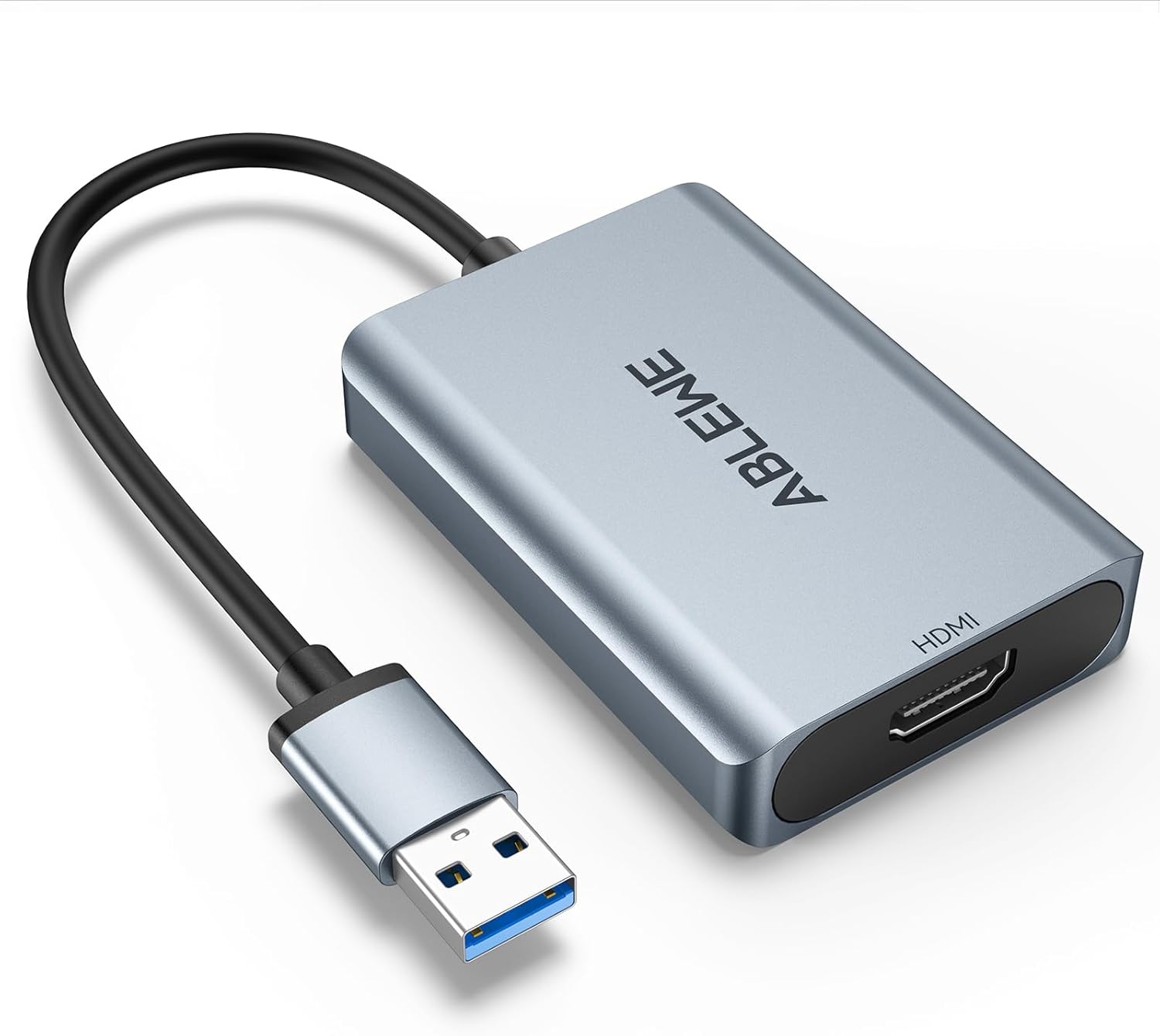
الشكل 2.1: The ABLEWE USB to HDMI Adapter. This image shows the adapter with its USB-A connector and HDMI output port, featuring a silver aluminum casing.
3. التوافق
The adapter offers broad compatibility with various operating systems and devices.
3.1 أنظمة التشغيل المدعومة:
- ويندوز 10
- ويندوز 8.1
- ويندوز 8
- ويندوز 7
- Windows XP (32-bit)
- نظام التشغيل ماك
3.2 Unsupported Operating Systems:
- Windows XP (64-bit)
- لينكس نظام التشغيل
- نظام التشغيل كروم

الشكل 3.1: Universal Compatibility. This image illustrates the operating system compatibility of the ABLEWE USB to HDMI Adapter, showing support for various Windows versions and Mac OS, while noting that Linux, 64-bit XP, and Chrome OS are not supported.
4. الإعداد والتثبيت
Follow these steps to set up and install your ABLEWE USB to HDMI Adapter:
- قم بتوصيل المحول: Plug the USB-A connector of the adapter into an available USB 3.0 or USB 2.0 port on your computer.
- تثبيت برنامج التشغيل: The adapter includes built-in drivers. Upon plugging it into your computer, the driver installation process should initiate automatically. Follow any on-screen prompts to complete the installation.
- Alternative Driver Sources:
- If automatic installation does not occur, a driver backup may be available on a provided CD (if included).
- Alternatively, you can download the necessary drivers from the official "DisplayLink" webموقع.
- الاتصال بالشاشة: Connect one end of an HDMI cable (not included) to the HDMI output port on the adapter and the other end to the HDMI input port on your HDTV, monitor, or projector.
- شاشة التشغيل: Ensure your display device is powered on and set to the correct HDMI input source.
- تكوين إعدادات العرض: Once connected, your computer should detect the new display. You may need to adjust display settings (e.g., resolution, display mode) within your operating system's display preferences.

الشكل 4.1: Internal Performance Chip. This image provides a view of the internal components of the adapter, highlighting the performance chip responsible for stable and high-resolution video output.
5. أوضاع التشغيل
The ABLEWE USB to HDMI Adapter supports two primary display modes:
5.1 Extend Mode:
In Extend Mode, your computer's desktop is expanded across multiple screens. This allows you to view different content on each display, enhancing multitasking capabilities. For example, you can have a document open on your laptop screen and a web browser on the connected monitor.
5.2 Mirror Mode:
Mirror Mode duplicates your computer's primary display onto the connected external monitor. This is useful for presentations, sharing content with an audience, or enjoying media on a larger screen.

الشكل 5.1: Different Display Modes. This image demonstrates the two primary operating modes: Extend Mode, which allows for separate content on multiple screens, and Mirror Mode, which duplicates the primary display onto a larger screen.
6. مخرج الصوت
The ABLEWE USB to HDMI Adapter supports simultaneous digital audio and video transmission. This means that audio from your computer can be routed through the HDMI connection to your connected display or audio system, provided the display supports audio input via HDMI.

الشكل 6.1: Audio Output Capability. This image highlights the adapter's capability to transmit both digital audio and video simultaneously, ensuring a complete multimedia experience.
7. Common Usage Scenarios
The adapter is suitable for various applications:
- المسرح المنزلي: Enjoy movies and videos on a larger screen.
- المؤتمرات: Facilitate presentations and screen sharing in meetings.
- الألعاب: Experience games on an external monitor or TV.
- Corporate Training: Display training materials to a group.
- تعدد المهام: Extend your desktop for increased productivity.

الشكل 7.1: Versatile Applications. This image displays various applications for the adapter, including home theater, conference presentations, gaming, and stock trading, illustrating its versatility.
8. استكشاف الأخطاء وإصلاحها
If you encounter issues with your ABLEWE USB to HDMI Adapter, refer to the following troubleshooting steps:
- لا يوجد عرض/شاشة سوداء:
- تأكد من توصيل كافة الكابلات بشكل آمن.
- Verify the display is powered on and set to the correct HDMI input source.
- Check your computer's display settings to ensure the external monitor is detected and enabled.
- Try a different HDMI cable or USB port on your computer.
- مشاكل السائق:
- If the driver did not install automatically, manually install it from the provided CD (if applicable) or download the latest version from the official DisplayLink webموقع.
- For Windows users, check Device Manager for any unrecognized devices or driver errors. Reinstall the driver if necessary.
- لا يوجد صوت:
- Ensure your display device supports audio input via HDMI.
- Check your computer's sound settings and select the HDMI output as the default playback device.
- Adjust the volume on both your computer and the display device.
- Low Resolution or Lagging Video:
- Ensure the adapter is connected to a USB 3.0 port for optimal performance. While compatible with USB 2.0, performance may be limited.
- تأكد من تحديث برامج تشغيل بطاقة الرسومات في جهاز الكمبيوتر الخاص بك.
- Adjust the display resolution in your computer's settings to a supported resolution (e.g., 1920x1080P@60HZ).
- Mac OS Specific Issues:
- Ensure you have installed the correct DisplayLink drivers for Mac OS.
- Check System Preferences > Displays to configure the external monitor.
9. المواصفات
| ميزة | التفاصيل |
|---|---|
| رقم الموديل | ABLEWE-USBHDMIAdapter |
| نوع الموصل | USB-A (Input), HDMI (Output) |
| التوافق مع USB | يو إس بي 3.0، يو إس بي 2.0 |
| اقصي دقة | 1920x1080P@60HZ (1080P) |
| أوضاع العرض | Mirror, Extend |
| دعم الصوت | Yes, simultaneous audio and video |
| الأجهزة المتوافقة | Laptop, Desktop, HDTV, Monitor, Projector |
| أنظمة التشغيل المدعومة | Windows 10/8.1/8/7/XP (32-bit), Mac OS |
| أبعاد | 5.59 × 3.43 × 0.94 بوصة |
| وزن العنصر | 3.52 أونصات |
| الشركة المصنعة | أبلوي |
10. الصيانة
To ensure the longevity and optimal performance of your ABLEWE USB to HDMI Adapter, follow these maintenance guidelines:
- تنظيف: استخدم قطعة قماش ناعمة وجافة لتنظيف المحول. تجنب استخدام المنظفات السائلة أو المواد الكاشطة.
- تخزين: Store the adapter in a cool, dry place when not in use. Avoid extreme temperatures.
- التعامل: Do not bend or twist the cable excessively. Avoid dropping the adapter.
- التحديثات: Periodically check the DisplayLink webموقع لتحديث برامج التشغيل لضمان التوافق وتحسين الأداء.
11. الضمان والدعم
For information regarding product warranty, please refer to the documentation provided with your purchase or contact the seller directly. For technical support, please visit the official ABLEWE webالموقع أو الاتصال بقسم خدمة العملاء.