
EarFun HP200B
EarFun Wave Pro Active Noise Canceling Headphones
Model: HP200B
دليل تعليمات المستخدم
1. انتهى المنتجview
The EarFun Wave Pro are advanced active noise-canceling over-ear Bluetooth headphones designed to deliver a premium audio experience with exceptional comfort and extended battery life. Featuring LDAC Hi-Res Audio support, AI-powered clear calls, and multipoint connection, these headphones are engineered for immersive listening and seamless connectivity.

Image: EarFun Wave Pro Active Noise Canceling Headphones in Silver Black.
2. ماذا يوجد في الصندوق
يرجى التحقق من محتويات الحزمة الخاصة بك للتأكد من وجود جميع العناصر:
- EarFun Wave Pro Bluetooth Headphones
- حقيبة سفر
- كابل صوت AUX
- كابل USB-C
- دليل المستخدم

Image: The EarFun Wave Pro headphones neatly stored within their protective travel case.
3. الضوابط والمؤشرات
The EarFun Wave Pro headphones feature intuitive controls for easy operation. Familiarize yourself with the button layout and LED indicators for optimal use.
عناصر التحكم المادية
- زر الطاقة: يستخدم لتشغيل/إيقاف التشغيل وبدء عملية الاقتران عبر البلوتوث.
- أزرار رفع / خفض الصوت: ضبط مستوى الصوت.
- زر متعدد الوظائف: Controls playback (play/pause, skip tracks), call management (answer/end calls), and voice assistant activation.
- زر ANC: Toggles between Active Noise Cancellation (ANC), Ambient Sound, and Normal modes.
مؤشرات LED
The LED indicator provides information on power status, battery level, and Bluetooth connection status.
4. الإعداد
4.1 شحن سماعات الرأس
Before first use, fully charge your EarFun Wave Pro headphones. Connect the supplied USB-C cable to the charging port on the headphones and the other end to a USB power adapter (not included) or a computer's USB port.
- A full charge provides up to 80 hours of playtime with ANC off, or 55 hours with ANC on (at 60% volume).
- يمكن لشحن سريع لمدة 10 دقيقة أن يوفر ما يصل إلى ساعتين من التشغيل.
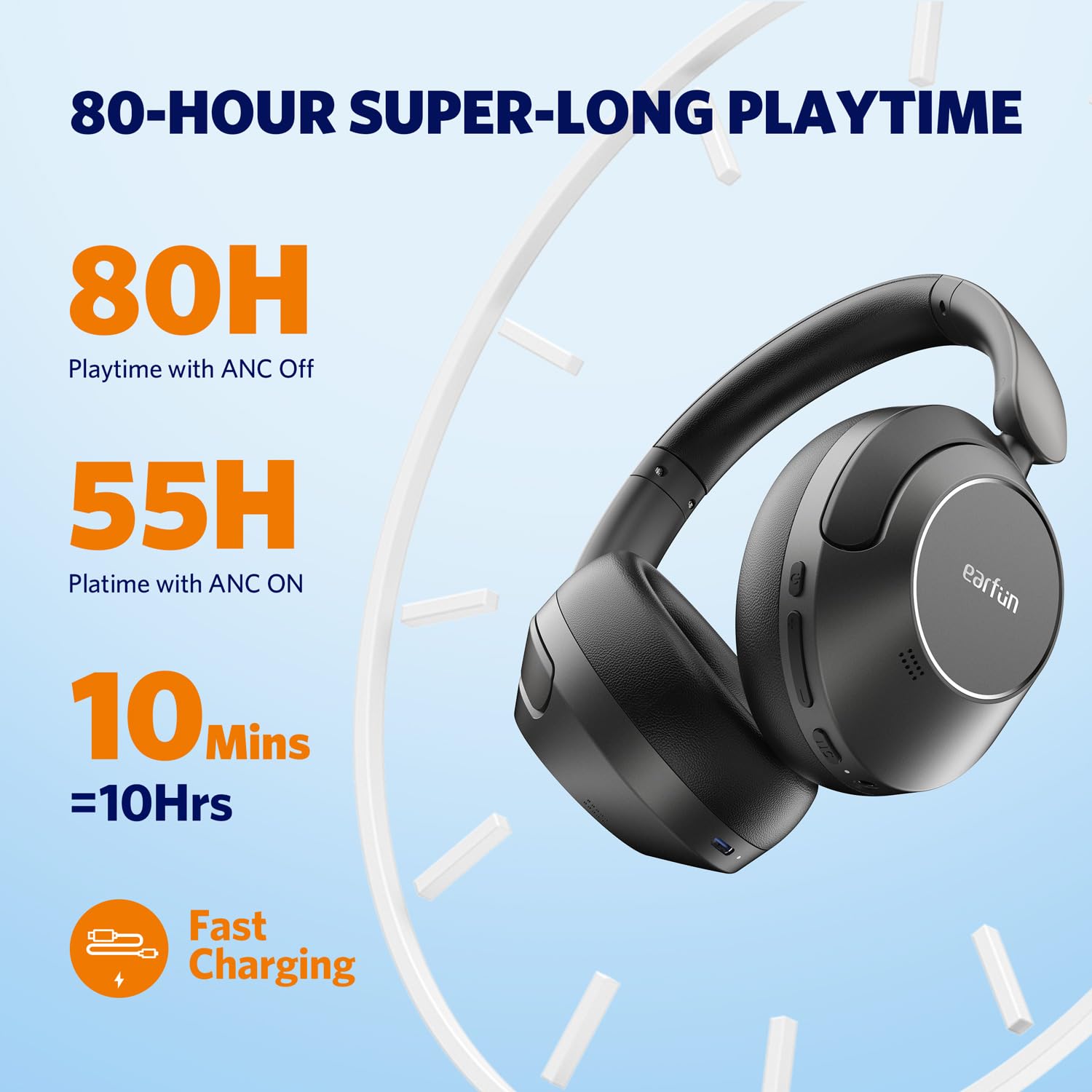
Image: Visual representation of the EarFun Wave Pro's impressive battery life, highlighting 80 hours with ANC off, 55 hours with ANC on, and 10 hours from a 10-minute quick charge.
4.2 تشغيل/إيقاف التشغيل
- لتشغيل: اضغط مع الاستمرار على زر الطاقة لمدة 2 ثوانٍ تقريبًا حتى يضيء مؤشر LED.
- لإيقاف التشغيل: اضغط مع الاستمرار على زر الطاقة لمدة 5 ثوانٍ تقريبًا حتى ينطفئ مؤشر LED.
4.3 اقتران بلوتوث
For first-time use, the headphones will automatically enter pairing mode when powered on. For subsequent pairing or connecting to a new device:
- تأكد من إيقاف تشغيل سماعات الرأس.
- اضغط مع الاستمرار على زر الطاقة لمدة 5 ثوانٍ حتى يومض مؤشر LED باللونين الأزرق والأحمر، مما يشير إلى وضع الاقتران.
- On your device (smartphone, tablet, computer), enable Bluetooth and search for "EarFun Wave Pro" in the list of available devices.
- Select "EarFun Wave Pro" to connect. The LED indicator will turn solid blue once connected.

Image: EarFun Wave Pro headphones connected via Bluetooth to a smartphone, showing the 'Connected' status.
4.4 EarFun App Installation
Enhance your listening experience by downloading the custom EarFun App. The app allows you to personalize settings, customize touch controls, and manage multipoint connections.
- بحث عن "EarFun Audio" on the Google Play Store (for Android) or Apple App Store (for iOS).
- Install the app and follow the on-screen instructions to connect your headphones.

Image: Screenshots of the EarFun App interface, demonstrating options for customizing controls, selecting noise canceling modes, and adjusting equalizer settings.
5. تعليمات التشغيل
5.1 إلغاء الضوضاء النشط (ANC)
The EarFun Wave Pro features QuietSmart 2.0 Active Noise Canceling Technology, reducing external noise by up to 45dB. Use the ANC button to cycle through modes:
- تشغيل ANC: Blocks out ambient noise for immersive listening.
- الصوت المحيط: يتيح لك سماع محيطك أثناء الاستماع إلى الصوت.
- الوضع العادي: تم إيقاف المؤتمر الوطني الأفريقي.
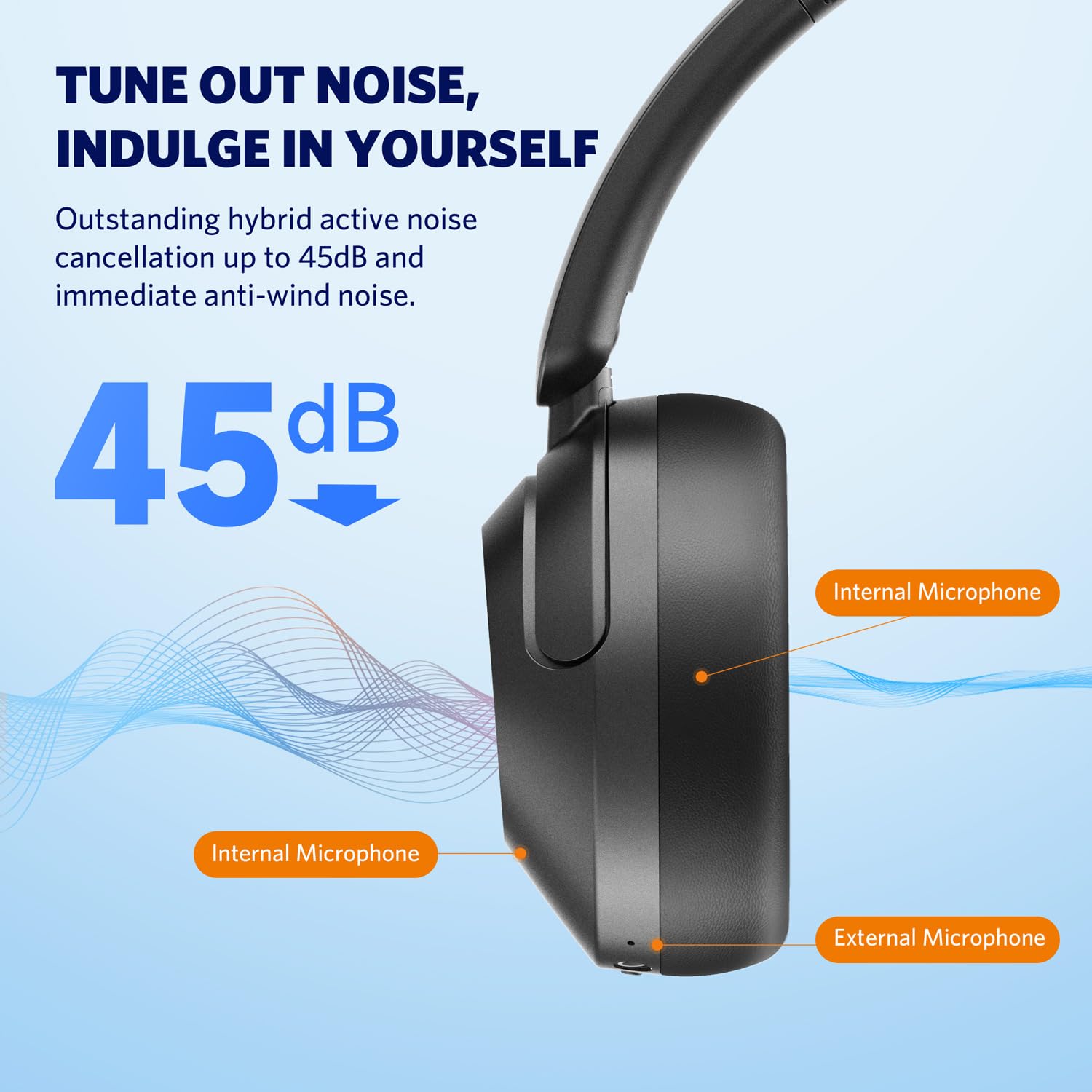
Image: Diagram illustrating the placement of internal and external microphones on the EarFun Wave Pro headphones, which contribute to the 45dB active noise cancellation.
صوت عالي الدقة بتقنية LDAC 5.2
Experience high-fidelity sound with LDAC support, transferring three times more detail than standard Bluetooth headphones. To activate LDAC, enable it within the EarFun App settings. Note that LDAC is primarily compatible with Android devices.

Image: A person enjoying music with EarFun Wave Pro headphones, highlighting the Hi-Res Audio and LDAC capabilities for rich sound details.
5.3 اتصال متعدد النقاط
The EarFun Wave Pro supports multipoint connection, allowing you to seamlessly switch between two connected devices (e.g., a smartphone and a laptop). Manage connections via the EarFun App or manually.
ملحوظة: Due to chip limitations, multipoint connection and LDAC cannot be simultaneously enabled. When LDAC is activated, multipoint connection will automatically turn off, and vice versa.

Image: EarFun Wave Pro headphones connected to both a smartphone and a laptop, illustrating the multipoint connection feature.
5.4 إجراء واستقبال المكالمات
The headphones feature AI-powered 5 microphones for crystal-clear calls, reducing background noise and ampإضفاء الحيوية على صوتك.
- الرد/إنهاء المكالمة: اضغط على الزر متعدد الوظائف مرة واحدة.
- رفض المكالمة: اضغط مع الاستمرار على الزر متعدد الوظائف لمدة ثانيتين.

Image: A person using EarFun Wave Pro headphones for a call, with a graphic illustrating how AI algorithms separate voice from background noise for clear communication.
5.5 وصلة سلكية (AUX)
You can use the EarFun Wave Pro headphones with the included 3.5mm AUX audio cable for a wired connection. This is useful when battery is low or for devices without Bluetooth.
ملحوظة: When connected via AUX, the headphones will automatically turn off, disabling ANC, touch controls, and microphones.

Image: EarFun Wave Pro headphones connected to a smartphone via the 3.5mm AUX audio cable, demonstrating wired listening capability.
6. الصيانة
6.1 التنظيف
- امسح سماعات الرأس بقطعة قماش ناعمة وجافة وخالية من الوبر.
- لا تستخدم كيماويات مركزة أو محاليل التنظيف أو المنظفات القوية.
- تجنب دخول الرطوبة إلى أي فتحات.
6.2 التخزين
- Store the headphones in their travel case when not in use to protect them from dust and damage.
- تجنب التخزين في درجات حرارة عالية أو رطوبة عالية.
7. استكشاف الأخطاء وإصلاحها
If you encounter issues with your EarFun Wave Pro headphones, refer to the following common solutions:
| مشكلة | الحل المحتمل |
|---|---|
| سماعات الرأس لا تعمل | تأكد من شحن سماعات الرأس. وصّلها بمصدر طاقة باستخدام كابل USB-C. |
| لا يمكن الاقتران بالجهاز | Ensure headphones are in pairing mode (flashing blue/red LED). Turn off and on Bluetooth on your device. Forget previous pairings and try again. |
| لا يوجد صوت أو مستوى صوت منخفض | Check volume levels on both headphones and connected device. Ensure headphones are properly connected. If using AUX cable, note that headphones are off and ANC/controls are disabled. |
| جودة المكالمة سيئة | Ensure microphones are not obstructed. Move closer to your device. Check network signal strength. |
| LDAC or Multipoint not working simultaneously | These features are mutually exclusive due to chip limitations. Disable one to enable the other. |
| Intermittent audio playback with LDAC | Keep the using distance within 2 meters, or disable LDAC if interruptions persist. |
8. المواصفات
| ميزة | التفاصيل |
|---|---|
| اسم الموديل | EarFun Wave Pro |
| رقم الموديل | HP200B |
| التحكم في الضوضاء | خاصية إلغاء الضوضاء النشطة (حتى 45 ديسيبل) |
| تكنولوجيا الاتصال | لاسلكي (بلوتوث) |
| مقبس سماعات الرأس | 3.5 ملم جاك |
| نوع برنامج تشغيل الصوت | سائق ديناميكي |
| حجم برنامج تشغيل الصوت | 40 ملم |
| عمر البطارية | حتى 80 ساعة (إيقاف تشغيل ANC)، 55 ساعات (تشغيل ANC) |
| طريقة التحكم | التحكم باللمس / الوسائط |
| الميكروفونات | AI-Powered 5 Mics for Clear Calls |
| وزن | 267 جرام |
| لون | فضي اسود |
| مادة | بلاستيك |
| بلد المنشأ | الصين |
9. الضمان والدعم
EarFun provides an 18-month warranty for every product. For 18 months after the date of purchase, if the product fails during normal use and cannot be resolved through corresponding measures, EarFun will provide solutions such as exchanges, returns, or refunds.
معلومات الاتصال:
For support or warranty inquiries, please contact EarFun directly:
- بريد إلكتروني: Service@myearfun.com
Ask a question about this manual
Ask about setup, troubleshooting, compatibility, parts, safety, or missing instructions. Manuals+ will review the question and use this page’s manual context to help answer it.