
1. المقدمة
This manual provides detailed instructions for the installation, operation, and maintenance of your BN-LINK U211A Countdown Timer Switch. This device is designed to automate the shut-off of lights and exhaust fans, contributing to energy savings and convenience. Please read this manual thoroughly before installation and use.
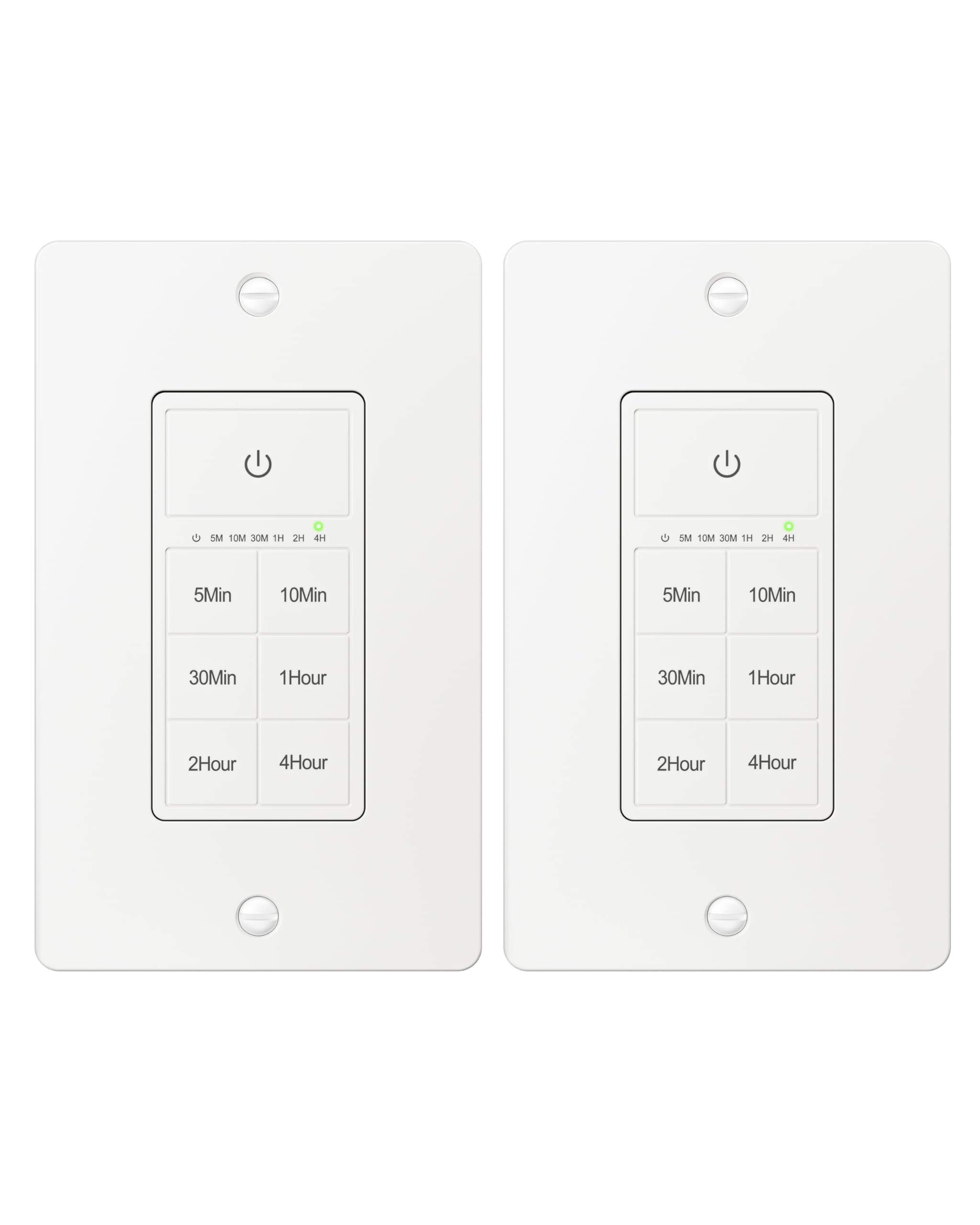
Figure 1: BN-LINK U211A Countdown Timer Switch
2. معلومات السلامة
- يوصى بالتركيب الاحترافي: For your safety, it is highly recommended to have a qualified electrician install this product.
- انقطاع التيار الكهربائي: Always cut off power at the circuit breaker before attempting any installation, wiring, or maintenance to prevent electric shock.
- سلك محايد مطلوب: This timer switch requires a neutral wire for proper operation. Ensure your wall box has a neutral wire before proceeding with installation.
- Single Pole Only: This switch is designed for single-pole applications only. It is not intended for use in 3-way applications where multiple switches control the same outlet.
- للاستخدام الداخلي فقط: هذا المنتج مخصص للإستخدام الداخلي فقط.
- قدرة التحميل: Do not exceed the maximum load capacity: 15A/1875W Resistive or General Purpose, 10A/1250W Ballast or Tungsten, ½ HP. Exceeding these limits can cause damage to the switch and connected devices, and poses a fire hazard.
3. محتويات العبوة
تأكد من وجود جميع العناصر في الحزمة الخاصة بك:
- BN-LINK U211A Countdown Timer Switch
- لوحة الحائط
- مسامير التثبيت
- Wire Nuts (Orange Twist Connectors)

Figure 2: Included components and size details
4. التثبيت
اتبع الخطوات التالية بعناية للتثبيت الصحيح:
- قطع الطاقة: Turn off the main power at the circuit breaker for the switch location you will be working on.
- Uninstall Current Switch: Carefully remove the existing wall plate and switch from the wall box.
- تحديد الأسلاك: Identify the wires in your wall box: hot (line), load, neutral, and ground. A neutral wire is required.
- توصيل الأسلاك: Use the included orange twist connectors to connect the wires from the wall box to the corresponding wires on the timer switch. Ensure connections are secure.
- قم بتوصيل السلك الأبيض from the timer to the سلك محايد in the wall box.
- قم بتوصيل السلك الأسود from the timer to the hot (line) wire in the wall box.
- قم بتوصيل السلك الأحمر from the timer to the سلك الحمل in the wall box.
- قم بتوصيل السلك الأخضر from the timer to the سلك الارض in the wall box.
- التبديل الآمن: Gently push all connected wires and the timer switch into the wall box. Secure the timer switch to the wall box using the provided mounting screws.
- تثبيت لوحة الحائط: Attach the decorative wall plate over the installed timer switch.
- اعادة الطاقة: قم بإعادة تشغيل الطاقة من قاطع الدائرة.
- التهيئة: The timer will initialize. Wait for all indicator lights to go out, signaling that initialization is complete.

الشكل 3: مخطط الأسلاك
Video 1: BN-LINK Countdown Timer Switch Installation and Operation Guide. This video demonstrates the installation process and how to use the timer's countdown functions.
5. التشغيل
The BN-LINK U211A Countdown Timer Switch features a touch ON/OFF button and multiple preset countdown options.

Figure 4: Timer Switch Features
ضبط مؤقت العد التنازلي
- Press the button corresponding to your desired countdown duration (5 min, 10 min, 30 min, 60 min, 2 hours, or 4 hours).
- An LED indicator above the selected time will illuminate, confirming the countdown is active. The connected device (light or fan) will remain on for the selected duration and then automatically turn off.
- If you select a different countdown option while one is already active, the timer will reset to the newly selected duration.
- Pressing the same countdown button while it is active will not restart the countdown. To restart, first press the power button to turn the unit off, then press the desired countdown option again.
Manual ON/OFF and Always ON Mode
- To turn ON (Always ON Mode): If the unit is off, press the main power button (with the power symbol) once. The connected device will turn on and stay on indefinitely.
- لإيقاف التشغيل: If the unit is in Always ON mode or a countdown is running, press the main power button once to turn the connected device off.
- Override Countdown: If a countdown is active, pressing the main power button once will turn the device off. Pressing it again will enter Always ON mode.
6. المواصفات
| ميزة | مواصفة |
|---|---|
| نموذج | يو211أ |
| وضع التشغيل | اوتوماتيكي |
| التقييم الحالي | 15 Amps |
| حجم التشغيلtage | 125 فولت |
| واتtage | 1875 واط |
| طريقة التحكم | يلمس |
| نوع المفتاح | Toggle (Push Button Actuator) |
| نوع الدائرة | 1-الطريق |
| نوع التركيب | حامل الحائط |
| الأبعاد (الطول × العرض × الارتفاع) | 4.2 × 1.8 × 2 بوصة |
| مادة | Plastic (body), Copper, Brass (contacts) |
| لون | أبيض |
| تقييم درجة الحرارة | 5 درجة فهرنهايت إلى 122 درجة فهرنهايت |
| الشهادات | تم إدراج ETL |
7. استكشاف الأخطاء وإصلاحها
If you encounter issues with your BN-LINK U211A Countdown Timer Switch, refer to the following common solutions:
- المفتاح لا يستجيب:
- تأكد من استعادة التيار الكهربائي عند قاطع الدائرة.
- تأكد من أن جميع توصيلات الأسلاك آمنة وصحيحة وفقًا لتعليمات التثبيت.
- Check if the connected load exceeds the maximum wattagهـ أو ampإيراج.
- Countdown Not Starting/Resetting:
- To restart a countdown, first press the main power button to turn the unit off, then select your desired countdown time again.
- If switching between countdowns, the new countdown will start from its full duration.
- Lights/Fan Remain On Indefinitely:
- The switch might be in "Always ON" mode. Press the main power button once to turn it off, or select a countdown duration.
- عملية متقطعة:
- Ensure the neutral wire connection is solid. A loose neutral wire can cause erratic behavior.
- Confirm the switch is not installed in a 3-way circuit.
For further assistance, please contact BN-LINK customer support.
8. الضمان والدعم
BN-LINK products are designed for ease of use and quality. This product is ETL Listed, ensuring it meets recognized safety standards.
For information regarding product warranty, returns, or technical support, please refer to the documentation included with your purchase or visit the official BN-LINK website. You may also contact BN-LINK customer service directly for assistance.
سياسة العائدات: The buybox winner offers a 30-day return policy for refund or replacement.