
1. المقدمة
The EPOMAKER P75 is a 75% compact wireless mechanical keyboard featuring a full CNC aluminum design, tri-mode connectivity (Bluetooth 5.0, 2.4GHz wireless, and USB-C wired), a gasket structure, and RGB backlighting. This manual provides detailed instructions for setting up, operating, maintaining, and troubleshooting your keyboard to ensure optimal performance and longevity.

Image: The EPOMAKER P75 keyboard showcasing its 75% layout and triple connectivity modes.
2. محتويات العبوة
Upon unboxing your EPOMAKER P75 keyboard, please verify that all the following items are included:
- EPOMAKER P75 Mechanical Keyboard
- USB-C to USB-A Cable (Braided)
- 2.4GHz Wireless Dongle (stored in the keyboard)
- Keycap Puller / Switch Puller Tool
- Hex Wrench (for disassembly)
- أغطية مفاتيح إضافية
- مفاتيح إضافية
- دليل المستخدم (هذا المستند)

Image: A visual representation of the EPOMAKER P75 keyboard and its included accessories.
3. مواصفات المنتج
3.1. Minimalist CNC Aluminum Design
The EPOMAKER P75 features a full aluminum chassis with an anodized finish, providing exceptional durability and corrosion resistance. The design emphasizes a clean, minimalist aesthetic with no visible logos on the front or sides. The engraved EPOMAKER logo is discreetly placed on the back.
3.2. 75% Compact Layout with Metal Knob
The 75% layout efficiently arranges function keys, directional keys, and F-keys, offering a compact form factor without sacrificing essential functionality. A metal knob located in the top right corner provides convenient media control. The keyboard is designed with a 22.7mm front height (including silicone feet) and a 6-degree typing angle for ergonomic comfort.

Image: Detailed dimensions and layout of the EPOMAKER P75, showing its compact size and key arrangement.
3.3. Tri-Mode Connectivity with 4000mAh Battery
The P75 offers versatile connectivity options: wired (USB-C), 2.4GHz wireless, and Bluetooth 5.0. A high-capacity 4000mAh battery ensures extended wireless usage, reducing the need for frequent recharging.

Image: The keyboard highlighting its three connectivity modes and compatibility with various devices.
3.4. هيكل التثبيت بالحشية
Utilizing a gasket mount design, the P75 provides a superior typing feel and sound profile compared to traditional tray-mount keyboards. This structure offers a slight bounce, enhancing comfort during prolonged typing sessions and reducing finger fatigue.

الصورة: انفجار view of the keyboard's internal structure, detailing the gasket mount and sound dampطبقات مترابطة.
3.5. Five Layers of Sound Dampening Materials and PC Plate
The P75 incorporates multiple layers of sound-dampening materials, including sandwich foam, IXPE switch film, PET sound pad, sound-absorbing foam, and EVA case foam. These layers effectively reduce ping and rattle, contributing to a smooth and refined auditory experience. The PC plate further enhances typing quality with a pleasant sound and slight flex.
3.6. Hot-Swappable PCB with Screw-in Stabilizer Support & South-Facing RGB
The hot-swappable PCB allows for easy switch changes without soldering, catering to customization enthusiasts. The default plate-mount stabilizers are pre-tuned for optimal performance, and the PCB also supports screw-in stabilizers. South-facing RGB backlighting ensures that the illumination is clearly visible, especially with non-shine-through keycaps.
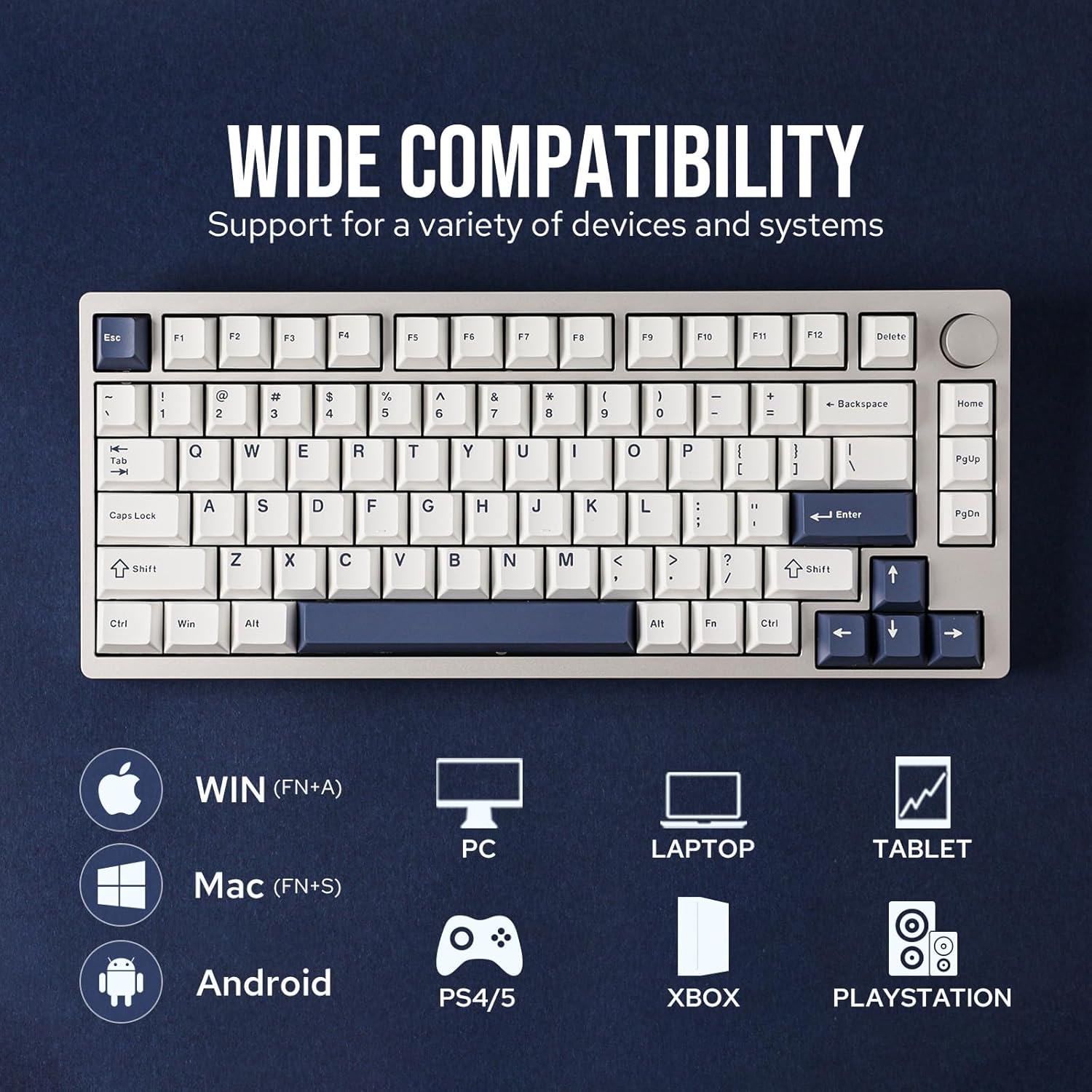
Image: A hand removing a switch from the hot-swappable PCB, highlighting the ease of customization.
3.7. Cherry Profile أغطية مفاتيح PBT مزدوجة الطبقة
The keyboard is equipped with durable Cherry profile double-shot PBT keycaps. These keycaps are known for their resistance to shine and their clear, long-lasting legends. The low height and gently curved surface of the Cherry profile provide a comfortable typing experience, while also contributing to a bassier and softer sound profile by reducing internal sound bounce.

Image: A close-up of the Cherry profile keycaps, illustrating their shape and legend clarity.
4. الإعداد
4.1. أوضاع الاتصال
The EPOMAKER P75 supports three connection types:
- USB-C سلكي: Connect the provided USB-C cable to the keyboard and your device.
- 2.4 جيجاهرتز لاسلكي: Locate the 2.4GHz dongle stored in the keyboard's top edge. Plug the dongle into your device's USB port. Switch the keyboard's mode selector to 2.4GHz.
- بلوتوث شنومكس: Switch the keyboard's mode selector to Bluetooth. On your device, search for 'EPOMAKER P75' in Bluetooth settings and pair.
فيديو: أكثر منview of the P75 Wireless Gaming Keyboard, demonstrating its features and connectivity.
4.2. الشحن
Connect the USB-C cable to the keyboard and a power source (e.g., computer USB port, wall adapter). The keyboard features a charging indicator to show battery status.

Image: A visual of the keyboard's charging indicator.
5. التشغيل
5.1. التحكم في الإضاءة الخلفية RGB
The P75 features 16.8 million color RGB backlighting. Use the following key combinations to control the lighting effects:
- FN + Backspace: Turn RGB backlight ON/OFF
- ف ن + \|: تبديل تأثيرات الإضاءة الخلفية
- FN +]}: تبديل ألوان الإضاءة الخلفية

Image: The keyboard illuminated with various RGB lighting effects.
5.2. Multimedia Knob Functions
The metal knob in the top right corner allows for effortless media control:
- تناوب: ضبط مستوى الصوت
- يضعط: تشغيل / إيقاف الوسائط

الصورة: تفصيلية view of the keyboard's metal knob.
5.3. خاصية الضغط المتواصل على عدة مفاتيح
The keyboard supports N-Key Rollover, allowing for accurate and seamless input of multiple keys simultaneously without delay or missed strokes, which is beneficial for fast typing and gaming.

Image: A visual representation of N-Key Rollover in action.
5.4. تخصيص البرامج
The EPOMAKER P75 can be customized using dedicated software. This software allows for remapping keys, customizing RGB lighting effects, and creating macros to personalize your typing and gaming experience.

Image: The keyboard's software interface for advanced customization.
6. الصيانة
6.1. التنظيف
للحفاظ على مظهر لوحة المفاتيح ووظائفها:
- Use a soft, dry cloth to wipe the aluminum frame.
- For keycaps, use the provided keycap puller to remove them and clean with a mild soap solution if necessary. Ensure they are completely dry before reattaching.
- استخدم الهواء المضغوط لإزالة الغبار والحطام من بين أغطية المفاتيح والمفاتيح.
6.2. استبدال المفاتيح وأغطية المفاتيح
The hot-swappable PCB allows for easy replacement of switches without soldering. Use the included switch puller tool to carefully remove switches. Align new 3-pin or 5-pin mechanical switches with the PCB sockets and press firmly until they click into place. Use the keycap puller to remove and replace keycaps as desired.
Video: A comparison between Zebra and Wisteria Tactile switches, demonstrating their sound and feel.
7. استكشاف الأخطاء وإصلاحها
- لوحة المفاتيح لا تستجيب: Ensure the keyboard is charged and properly connected (wired, 2.4GHz dongle, or Bluetooth paired). Try restarting the keyboard and your device.
- مشاكل الاتصال اللاسلكي: Check if the 2.4GHz dongle is securely plugged in or if Bluetooth is enabled on your device and the keyboard. Ensure the keyboard is within range.
- إضاءة RGB لا تعمل: Verify that the backlight is turned on (FN + Backspace). Check brightness levels and try cycling through effects (FN + \|) or colors (FN + ]}).
- المفاتيح غير مسجلة: If individual keys are not working, try replacing the switch for that key using the provided switch puller and extra switches.
- البرنامج لا يكتشف لوحة المفاتيح: Ensure the keyboard is connected via USB-C and the software is up to date.
8. المواصفات
| ميزة | التفاصيل |
|---|---|
| ماركة | إيبوماكر |
| رقم الموديل | ص75 |
| تكنولوجيا الاتصال | 2.4 جيجاهرتز لاسلكي، بلوتوث 5.0، USB-C سلكي |
| الأجهزة المتوافقة | جهاز كمبيوتر شخصي، جهاز كمبيوتر محمول، جهاز لوحي، هاتف ذكي، وحدة تحكم ألعاب |
| تَخطِيط | 75% (81 مفتاح) |
| نوع المفتاح | Linear (Wisteria Linear Switch) |
| ازرار | شيري بروfile ضربة مزدوجة PBT |
| الإضاءة الخلفية | RGB (مواجه للجنوب) |
| سعة البطارية | 4000 مللي أمبير |
| مواد التغليف | الألومنيوم |
| أبعاد المنتج | 12.7 بوصة طول × 5.3 بوصة عرض × 1.8 بوصة ارتفاع |
| وزن | حوالي 1.6 كجم |
9. الضمان والدعم
The EPOMAKER P75 Mechanical Keyboard comes with a 1-year warranty from the date of purchase. This warranty covers manufacturing defects and malfunctions under normal use. For technical support, warranty claims, or any inquiries, please contact EPOMAKER customer service through their official webالموقع أو بائع التجزئة الذي تم شراء المنتج منه.
يرجى الاحتفاظ بإثبات الشراء للتحقق من صحة الضمان.