
kinstone 102MF-6+128GB-GY-NEW
دليل مستخدم جهاز Kinstone اللوحي الذي يعمل بنظام Android مقاس 10 بوصات
ماركة: kinstone | نموذج: 102MF-6+128GB-GY-NEW
مقدمة
This manual provides comprehensive instructions for the operation, maintenance, and troubleshooting of your new kinstone 102MF-6+128GB-GY-NEW Android Tablet. Please read this manual carefully before using the device to ensure proper functionality and to maximize your user experience.

Figure 1: Kinstone Android Tablet 10 Inch, front and back view.
ماذا يوجد في الصندوق
تأكد من وجود جميع العناصر في العبوة:
- 1 x Android 12G Tablet
- 1 × كابل USB من النوع C
- 1 × محول الطاقة
- 1 × دليل المستخدم (هذه الوثيقة)

Figure 2: Included accessories: tablet, USB-C cable, power adapter, and user manual.
يثبت
1. الشحن الأولي
Before first use, fully charge the tablet. Connect the provided USB Type-C cable to the tablet's Type-C port and the power adapter, then plug the adapter into a wall outlet.

Figure 3: The tablet features a 6000mAh battery and charges via a Type-C port.
2. تشغيل / إيقاف التشغيل
- To power on: Press and hold the Power button located on the side of the tablet until the screen lights up.
- لإيقاف التشغيل: اضغط مع الاستمرار على زر الطاقة، ثم حدد "إيقاف التشغيل" من الخيارات التي تظهر على الشاشة.
3. التكوين الأولي
Upon first startup, follow the on-screen prompts to set up your language, Wi-Fi connection, Google account, and other basic settings.
4. إدخال بطاقة MicroSD (اختياري)
The tablet supports up to 1TB TF card expansion. Locate the MicroSD card slot on the side of the tablet and gently insert the card until it clicks into place.

Figure 4: The tablet offers 6GB RAM and 128GB ROM, with support for 1TB MicroSD card expansion.
تعليمات التشغيل
1. التنقل الأساسي
- إيماءات شاشة اللمس: اضغط لتحديد، واسحب للتمرير، واضغط للتكبير.
- الأزرار المادية:
- Power Button: Powers on/off, locks/unlocks screen.
- Volume Buttons: Adjusts audio volume.
- Reset Button: Small pinhole for force restart if needed.
الشكل 5: انتهىview of tablet ports and buttons, including power, volume, reset, and Type-C.
2. الاتصال
- واي فاي: The tablet supports 2.4G and 5G dual-band Wi-Fi. Go to الإعدادات > الشبكة والإنترنت > Wi-Fi to connect to a network.
- بلوتوث: The tablet features Bluetooth 5.0 for stable and fast connections. Go to الإعدادات > الأجهزة المتصلة > البلوتوث to pair with devices.

Figure 6: The tablet supports both 2.4G and 5G Wi-Fi bands and Bluetooth 5.0 for reliable connectivity.
3. استخدام الكاميرا
The tablet is equipped with a 5MP rear camera and a 2MP front camera. Open the "Camera" application to capture photos and videos.

Figure 7: The tablet features a 5MP rear camera and a 2MP front camera for capturing moments.
4. سمعي
The tablet features dual speakers for stereo surround sound. An earphone jack is also available for private listening.

Figure 8: The tablet is equipped with dual speakers for enhanced audio experience.
5. إدارة التخزين
With 128GB of internal storage and support for up to 1TB external TF card, you can manage your files, applications, and media through the "Files" app or by connecting the tablet to a computer.
6. إدارة التطبيقات
Download and install applications from the Google Play Store. Manage installed apps via الإعدادات > التطبيقات.
صيانة
1. التنظيف
استخدم قطعة قماش ناعمة وخالية من الوبر لتنظيف شاشة الجهاز اللوحي وجسمه. تجنب استخدام المواد الكيميائية القاسية أو المواد الكاشطة.
2. تحديثات البرامج
تحقق بانتظام من وجود تحديثات للنظام لضمان الأداء الأمثل والأمان. انتقل إلى الإعدادات > النظام > تحديث النظام.
3. العناية بالبطارية
To prolong battery life, avoid extreme temperatures and fully discharging the battery frequently. The 6000mAh battery provides 6-8 hours of usage.
استكشاف الأخطاء وإصلاحها
| مشكلة | السبب المحتمل | حل |
|---|---|---|
| الجهاز اللوحي لا يعمل. | انخفاض مستوى البطارية؛ تعطل النظام. | Charge the tablet for at least 30 minutes. If still unresponsive, press the reset button with a pin. |
| مشاكل في الاتصال بشبكة Wi-Fi. | كلمة مرور خاطئة؛ مشكلة في جهاز التوجيه؛ خارج نطاق التغطية. | Verify Wi-Fi password. Restart router. Move closer to the Wi-Fi source. |
| تعطل التطبيقات أو تجميدها. | ذاكرة الوصول العشوائي غير كافية؛ خطأ في التطبيق؛ برنامج قديم. | Close background apps. Clear app cache. Update the app or system software. |
| الأداء بطيء. | تشغيل عدد كبير جدًا من التطبيقات؛ مساحة تخزين منخفضة؛ برامج قديمة. | Close unused apps. Free up storage space. Perform a system update. |
تحديد
| ميزة | التفاصيل |
|---|---|
| اسم الموديل | 102MF-6+128GB-GY-NEW |
| نظام التشغيل | أندرويد |
| حجم الشاشة | 10.1 بوصة |
| دقة الشاشة | 1280 x 800 pixels (IPS HD) |
| المعالج | 2 GHz Octa-Core (MediaTek 8183) |
| كبش | 6 جيجا بايت |
| التخزين الداخلي | 128 جيجا بايت |
| تخزين قابل للتوسيع | تصل سعتها إلى 1 تيرابايت (بطاقة TF) |
| الكاميرا الخلفية | 5 ميجا بكسل |
| الكاميرا الأمامية | 2 ميجا بكسل |
| الاتصال اللاسلكي | 802.11ac (2.4G+5G Dual Wi-Fi) |
| بلوتوث | بلوتوث 5.0 |
| سعة البطارية | 6000 مللي أمبير |
| متوسط عمر البطارية | 6-8 hours (usage), 10 hours (listed) |
| منفذ الشحن | النوع-C |
| الأبعاد (الطول × العرض × الارتفاع) | 12.9 × 7.5 × 1.4 بوصة |
| وزن العنصر | 2 رطل |
| لون | رمادي |
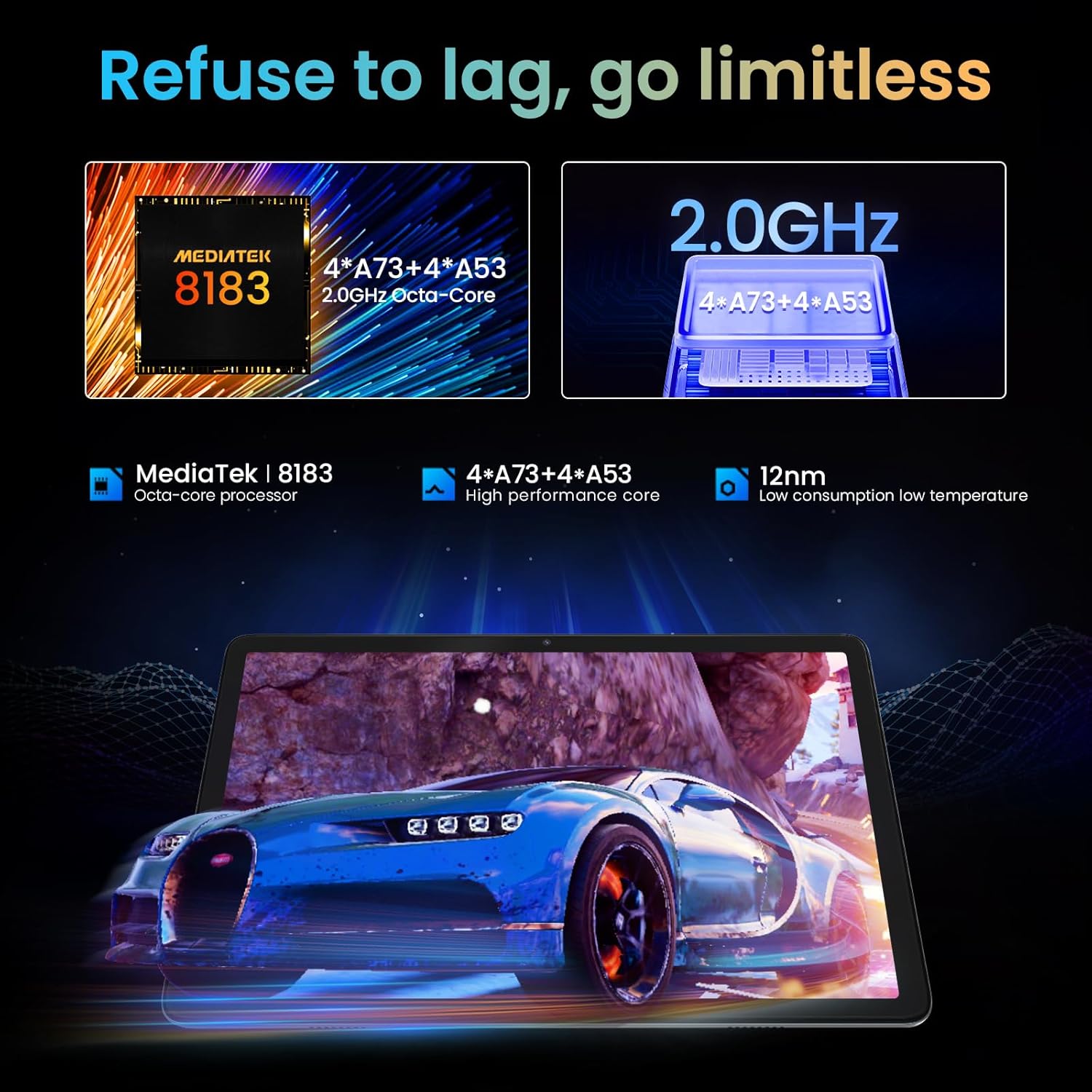
Figure 9: The tablet is powered by a MediaTek 8183 Octa-core processor for high performance.

Figure 10: The tablet features a 10.1-inch In-cell HD IPS screen with 1280x800 resolution and 178° viewزاوية جي.
الضمان والدعم
The Kinstone Android Tablet comes with a ضمان لمدة سنتين from the date of purchase. This warranty covers manufacturing defects and ensures a satisfactory shopping experience.
For technical support, warranty claims, or any inquiries, please contact Kinstone customer service. We are committed to responding within 12 hours to assist you.
لمزيد من المعلومات قم بزيارة الموقع الرسمي Kinstone Store on Amazon.
المستندات ذات الصلة - 102MF-6+128GB-GY-NEW
 |
مواصفات جهاز الكمبيوتر المحمول المتين M3 Mobile SL25 X/W المواصفات والميزات التفصيلية لجهاز الكمبيوتر المحمول المتين M3 Mobile SL25 X/W، بما في ذلك المعالجة والاتصال والمتانة والمسح الضوئي والمواصفات البيئية. |
 |
دليل مستخدم MESWAO MES-B3 دليل المستخدم الخاص بجهاز MESWAO MES-B3 اللوحي، والذي يغطي المقدمة والمواصفات والبدء وواجهة المستخدم والعمليات الأساسية والتطبيقات والميزات والاتصال والإعدادات والسلامة والضمان وإخلاء المسؤولية. |
 |
11 Inch Android Tablet User Manual - Specs, Settings, and Troubleshooting Comprehensive user manual for the 11-inch Android tablet. Find detailed information on setup, settings, connectivity, app management, troubleshooting, and FCC compliance. |
 |
دليل مستخدم Android TV Box - الإعداد والميزات والمواصفات دليل مستخدم شامل لجهاز Android TV Box، يغطي الإعداد والعمليات الأساسية واتصال Wi-Fi/Ethernet وإدارة التطبيقات وبث الشاشة وإعادة ضبط المصنع والمواصفات الفنية. |
 |
ACEMAGIC Notebook User Manual This user manual provides comprehensive information on the ACEMAGIC Notebook, covering its specifications, package contents, safety guidelines, appearance details, and touchpad usage instructions. |
 |
DAMASCO T11620-6 Tablet User Manual User manual for the DAMASCO T11620-6 10.95 inch tablet, covering product features, setup, settings, specifications, packing list, guarantee, and FCC compliance information. |
Ask a question about this manual
Ask about setup, troubleshooting, compatibility, parts, safety, or missing instructions. Manuals+ will review the question and use this page’s manual context to help answer it.