
LYEAA KS42
LYEAA KS42 Wireless Dual-Color Game Controller User Manual
الموديل: كسنومكس
1. المقدمة
Thank you for choosing the LYEAA KS42 Wireless Dual-Color Game Controller. This manual provides detailed instructions on how to set up, operate, maintain, and troubleshoot your new gamepad. Designed for seamless compatibility with Nintendo Switch, Switch OLED, and Switch Lite, the KS42 offers a precise and immersive gaming experience with its 6-axis gyroscope and comfortable design.
محتويات الحزمة:
- 1 x LYEAA KS42 Wireless Game Controller
- 1 x 1M Data Cable (USB-C)
- 1 × دليل التعليمات

Image 1.1: The LYEAA KS42 Wireless Dual-Color Game Controller, showcasinبفضل لونه الأسود وتصميمه المريح.
2. انتهى المنتجview
The LYEAA KS42 controller features a split design, allowing for flexible use. Each half is equipped with essential controls for an optimal gaming experience.

Image 2.1: Icons representing key features of the LYEAA KS42 controller: Wireless Connection, Motion Sensing, Vibration Feedback, TURBO Function, and Precise Joysticks.
مكونات وحدة التحكم:
- وحدة التحكم اليسرى: Directional Pad (D-Pad), Left Analog Stick, L/ZL Buttons, Capture Button, Minus (-) Button.
- وحدة التحكم اليمنى: A/B/X/Y Buttons, Right Analog Stick, R/ZR Buttons, Home Button, Plus (+) Button.
- قسم المركز: Indicator Lights, Charging Port (USB-C).
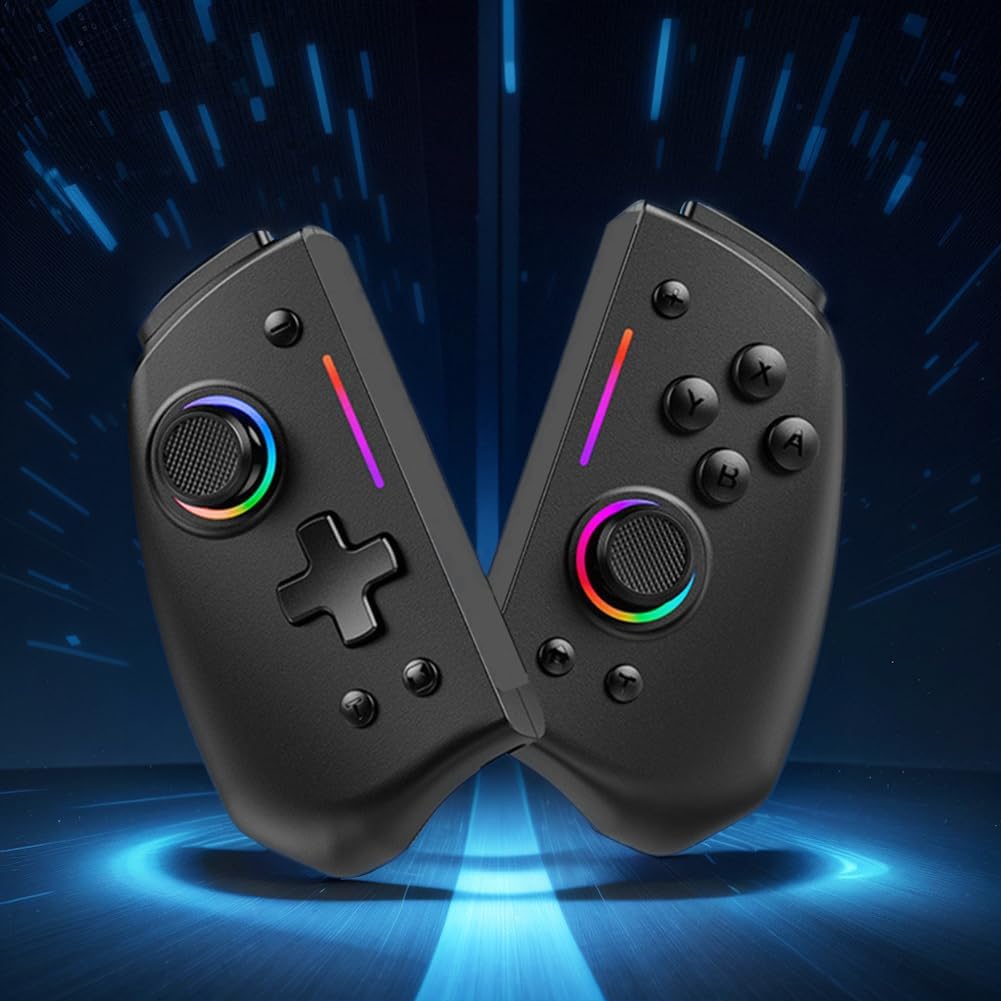
الصورة 2.2: أ view of the LYEAA KS42 controller split into its two halves, highlighting its modular design.
3. المواصفات
| ميزة | التفاصيل |
|---|---|
| نموذج | كيه إس 42 |
| التوافق | نينتندو سويتش، سويتش OLED، سويتش لايت |
| الاتصال | لاسلكي |
| سعة البطارية | 500 مللي أمبير |
| وقت الشحن | حوالي 3 ساعات |
| وقت اللعب | تصل إلى 6.5 ساعة |
| وزن المنتج | 178 جرام (0.39 رطل) |
| Product Dimensions (Single Side) | 109.00 × 65.00 × 54.00 ملم (4.29 × 2.56 × 2.13 بوصة) |
| أبعاد الحزمة | 145 × 145 × 65 ملم (5.71 × 5.71 × 2.56 بوصة) |
| المميزات الخاصة | 6-axis Gyroscope, Vibration Feedback, TURBO Function |
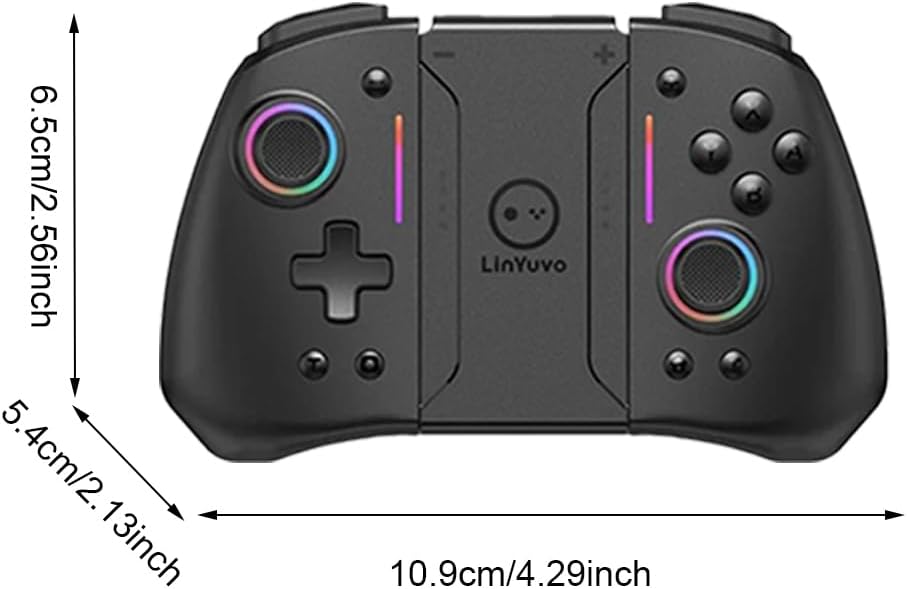
Image 3.1: Diagram illustrating the dimensions of the LYEAA KS42 controller in centimeters and inches.
4. الإعداد
4.1 شحن وحدة التحكم
Before first use, fully charge the controller. Use the provided USB-C data cable to connect the controller to a USB power source (e.g., Nintendo Switch dock, computer USB port, or a USB wall adapter).
- The indicator lights on the controller will show charging status.
- تستغرق عملية الشحن عادةً حوالي ساعتين ونصف لإتمام الشحن بالكامل.
- Once fully charged, the indicator lights will change or turn off, depending on the controller's state.
4.2 Connecting to Nintendo Switch/OLED/Lite
The LYEAA KS42 controller connects wirelessly to your Nintendo Switch console.
- على جهاز نينتندو سويتش الخاص بك، انتقل إلى قائمة الصفحة الرئيسية.
- يختار "أجهزة التحكم"، ثم "تغيير القبضة/الترتيب".
- While on this screen, press and hold the زر الصفحة الرئيسية on the LYEAA KS42 controller for a few seconds until the indicator lights start flashing rapidly.
- The controller will automatically pair with your Switch. Once connected, the indicator lights will become solid.
- You can now detach the Joy-Cons from your Switch (if applicable) and insert the Switch console into the LYEAA KS42 controller's central slot for handheld mode, or use it wirelessly.
Note: The controller supports automatic power-on and connectivity once paired.
5. تعليمات التشغيل
5.1 الضوابط الأساسية
Familiarize yourself with the standard button layout:
- العصي التناظرية: للتحكم في الحركة والكاميرا.
- D- الوسادة: For directional input, menu navigation.
- أزرار A/B/X/Y: Action buttons, typically for confirm, cancel, jump, etc.
- أزرار L/R/ZL/ZR: أزرار الكتف والزناد لتنفيذ مختلف الإجراءات داخل اللعبة.
- أزرار الزائد (+) / الناقص (-): Equivalent to Start/Select or menu buttons.
- زر الصفحة الرئيسة: Returns to the Switch HOME Menu.
- زر الالتقاط: Takes screenshots or video clips (game dependent).

Image 5.1: A user holding the LYEAA KS42 controller, demonstrating its comfortable grip during gameplay.
5.2 الميزات المتقدمة
- جيروسكوب سداسي المحاور: The controller features a built-in 6-axis gyroscope for precise motion control. This allows for immersive gameplay in titles that support motion sensing. No special setup is required; the gyroscope activates automatically when supported by the game.
- ردود فعل الاهتزاز: Experience enhanced immersion with haptic feedback. The controller's vibration motors provide tactile responses to in-game events. This feature is automatically enabled.
- وظيفة TURBO: The TURBO function allows for rapid, automatic pressing of a button.
- To activate TURBO: Press and hold the desired action button (e.g., A, B, X, Y, L, R, ZL, ZR), then press the زر TURBO (refer to controller diagram for location, typically a dedicated button or a combination).
- To deactivate TURBO: Repeat the same process.

Image 5.2: The LYEAA KS42 controller positioned with various game screenshots floating above, illustrating its compatibility with diverse gaming titles.
6. الصيانة
Proper care will extend the life of your LYEAA KS42 controller.
- تنظيف: استخدم قطعة قماش ناعمة وجافة لمسح وحدة التحكم. لإزالة الأوساخ العنيدة، امسحها برفق.ampen the cloth with water or a mild electronic cleaner. Avoid excessive moisture. Do not use harsh chemicals or abrasive materials.
- تخزين: Store the controller in a cool, dry place away from direct sunlight and extreme temperatures. When not in use for extended periods, ensure the controller is fully charged before storing.
- العناية بالبطارية: To maintain battery health, avoid completely draining the battery frequently. Recharge the controller when the low battery indicator appears. If storing for a long time, charge it at least once every three months.
- التعامل: Avoid dropping the controller or subjecting it to strong impacts. Do not attempt to disassemble the controller, as this will void any potential warranty.
7. استكشاف الأخطاء وإصلاحها
| مشكلة | السبب المحتمل / الحل |
|---|---|
| لا يتصل جهاز التحكم بالجهاز المحول. |
|
| لا يقوم جهاز التحكم بالشحن. |
|
| الأزرار أو عصي التحكم لا تستجيب. |
|
| Motion control (gyroscope) is not working. |
|
8. الضمان والدعم
LYEAA products are designed for reliability and performance. While specific warranty details are not provided in this manual, please retain your proof of purchase for any potential warranty claims. For product support, troubleshooting assistance beyond this manual, or inquiries about returns, please contact the seller or refer to the retailer's return policy where you purchased the product. Amazon.es typically offers a 30-day return policy for eligible items.
For the latest information and support, please visit the official LYEAA website or contact their customer service directly if available.
Ask a question about this manual
Ask about setup, troubleshooting, compatibility, parts, safety, or missing instructions. Manuals+ will review the question and use this page’s manual context to help answer it.