
1. المقدمة
This manual provides detailed instructions for the installation, operation, and maintenance of your SHZSR Android 13 Car Radio Stereo. This unit is specifically designed for Porsche Macan 95B models from 2014 to 2016, compatible with PCM 3.x systems. It upgrades your vehicle's infotainment system with a 12.3-inch touch screen, Android 13 OS, and advanced connectivity features.
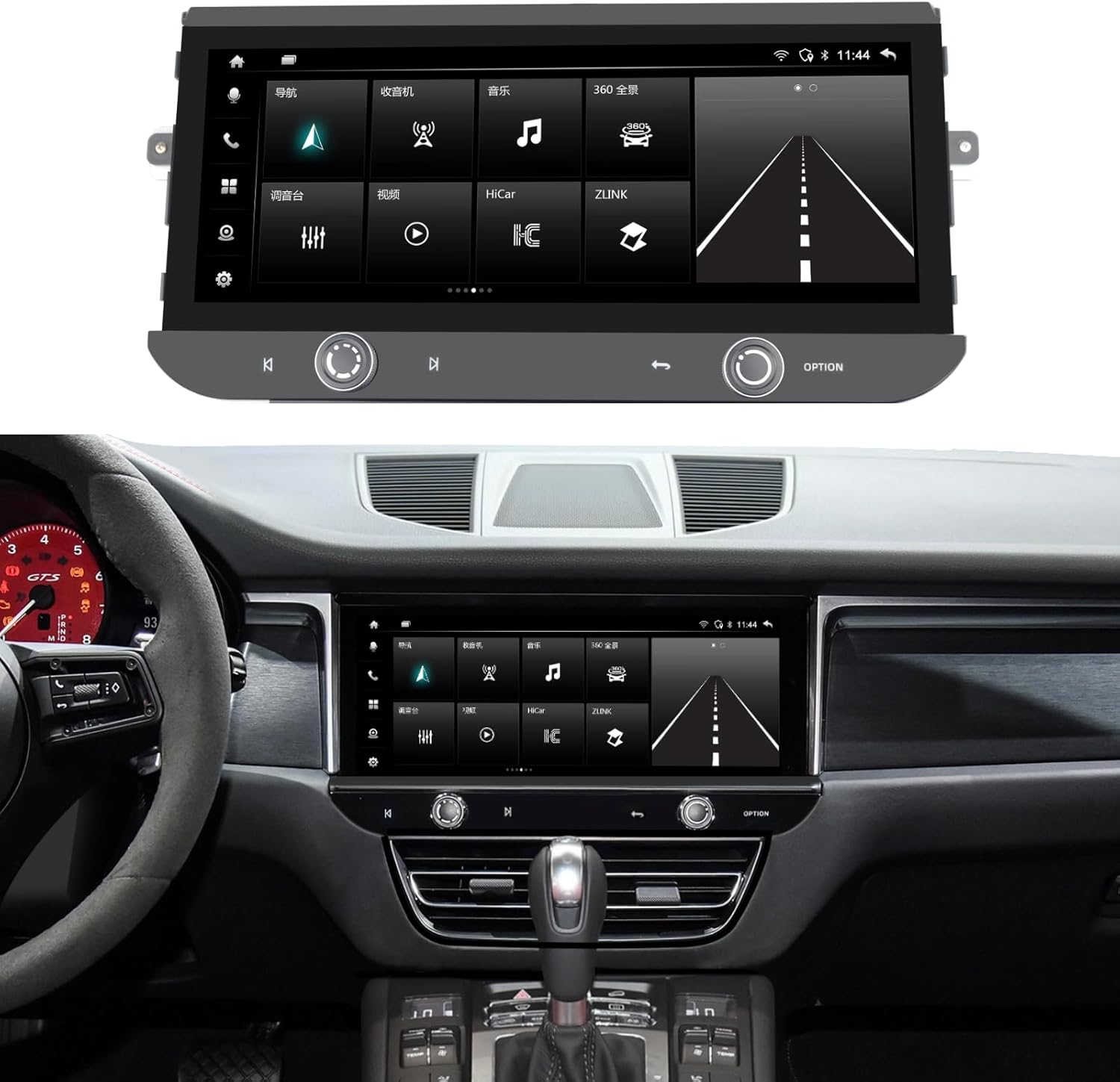
Image 1.1: The SHZSR Android 13 Car Radio Stereo seamlessly integrated into a Porsche Macan dashboard.
2. انتهى المنتجview
The SHZSR Android 13 Car Radio Stereo enhances your driving experience with a powerful and intuitive infotainment system. Key features include:
- نظام التشغيل: Android 13 with Qualcomm 668S chip.
- عرض: 12.3-inch Blu-ray touch screen with 2400x900 HD resolution, anti-scratch, anti-fingerprint, and anti-glare properties.
- أداء: 8-Core CPU with 8GB RAM and 128GB internal storage.
- الاتصال: Built-in Wireless/Wired CarPlay & Android Auto, 4G network support, Wi-Fi, and Bluetooth.
- ملاحة: Integrated GPS navigation system with worldwide map support.
- دعم الكاميرا: Built-in 360 video system support, compatible with original 360 image systems and additional cameras.
- اندماج: Retains the original car system, CD player, and utilizes OEM speakers for audio output.

Image 2.1: Hardware features including the 12.3" ultra-large screen, 2400*900 resolution, channel switch, redesigned air vents, and volume knob.

Image 2.2: Software features including Android 13, 6GB RAM + 128GB ROM, 4G/BT/Wi-Fi Hotspot, Built-in APP Store, steering wheel control support, camera support, and original car speaker compatibility.
3. الإعداد والتثبيت
The SHZSR Android 13 Car Radio Stereo is designed for non-destructive, plug-and-play installation. It integrates with your existing vehicle systems without permanent modifications.
3.1 محتويات العبوة
تأكد من وجود جميع المكونات في العبوة:
- وحدة الراديو الرئيسية
- قاعدة متزايدة
- Accessory Cables and Connectors
- كتيبات التعليمات (هذه الوثيقة)

Image 3.1: All components included in the product package, numbered for identification.
3.2 التحقق من التوافق
Ensure your vehicle is a Porsche Macan 95B model from 2014-2016 with a PCM 3.x system. This unit is specifically designed for these configurations.
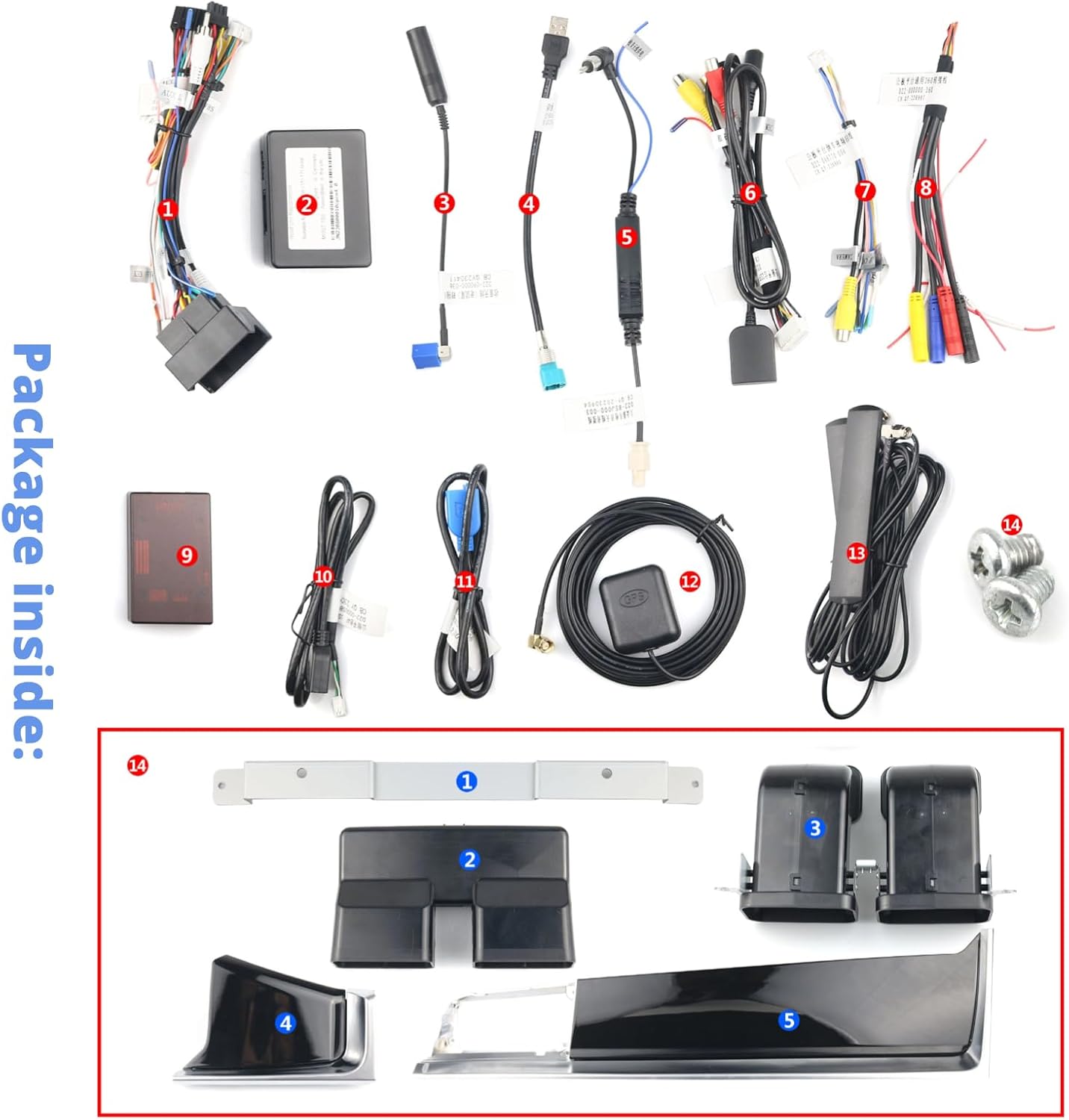
Image 3.2: The original Macan PCM 3.x system, indicating the area for upgrade.
3.3 عملية التثبيت
Installation typically involves removing the original screen and control panel, then connecting the new unit using the provided wiring harnesses. The design ensures that the original system and CD functionality are retained, with all audio routed through your OEM speakers. For detailed steps, refer to the specific installation guide provided with your unit or consult a professional installer.

Image 3.3: Visual comparison of the original interior style versus the upgraded interior with the new SHZSR unit.
4. تعليمات التشغيل
Once installed, the unit operates similarly to a modern Android tablet, optimized for in-car use.
4.1 التشغيل الأساسي
- شاشة اللمس: Navigate menus, select applications, and control functions using the responsive 12.3-inch touch screen.
- الضوابط عجلة القيادة: The unit supports your original steering wheel controls for audio, calls, and other functions.
- Volume/Channel Knobs: Utilize the physical volume knob and channel switch for quick adjustments.
4.2 CarPlay و Android Auto
Connect your iPhone or Android device wirelessly or via USB to access CarPlay or Android Auto. This allows seamless integration of your smartphone's features, including navigation, music, messaging, and calls, directly on the car's display.
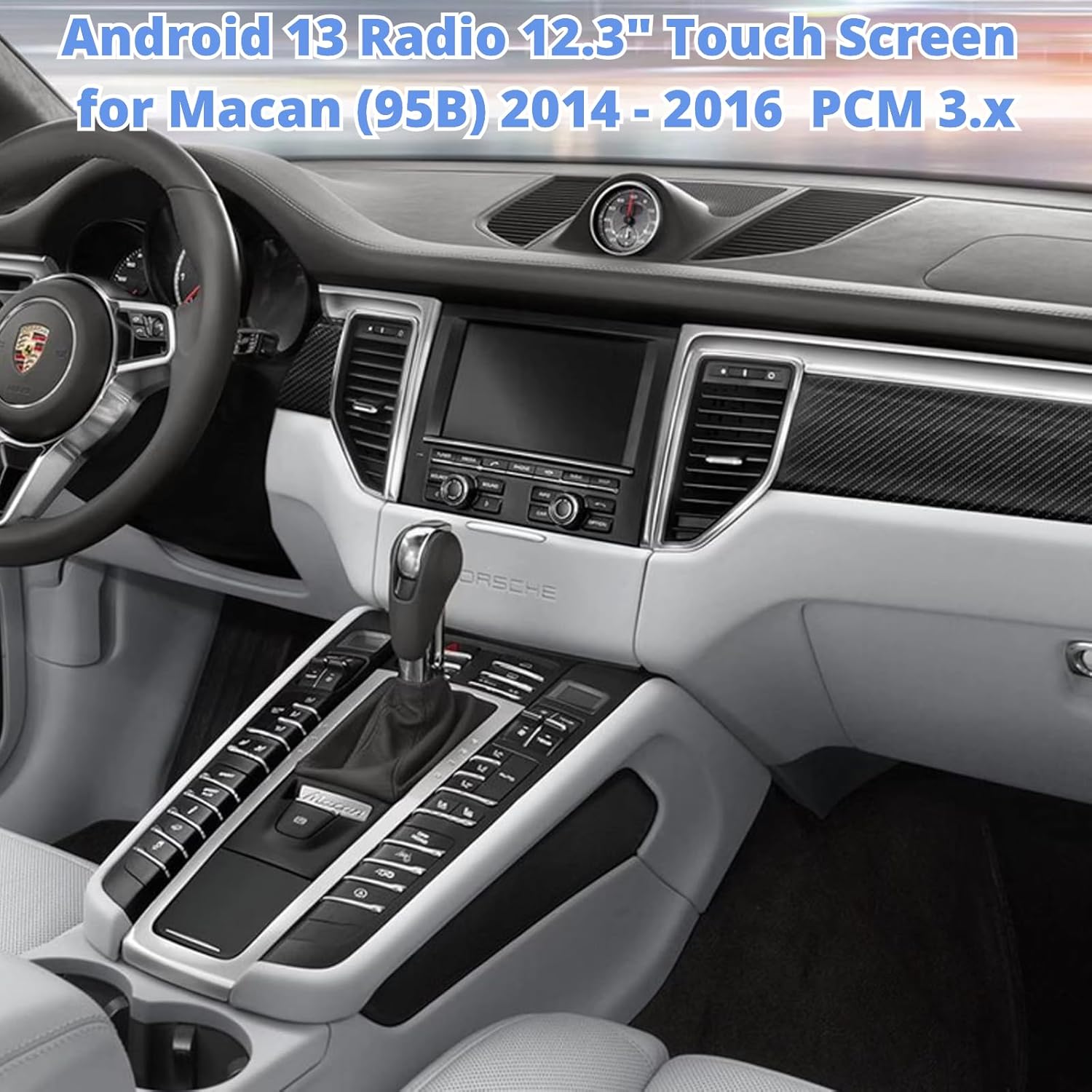
Image 4.1: The unit displaying the CarPlay interface with navigation and media options.
4.3 الملاحة
The built-in GPS module provides accurate navigation. You can also use navigation apps via CarPlay, Android Auto, or download additional apps from the Google Play Store.
4.4 تثبيت التطبيق
Access the built-in Google Play Store to download and install thousands of compatible Android applications, expanding the functionality of your car radio.

Image 4.2: The unit displaying the Google Play Store, allowing access to various applications.
4.5 4G/Wi-Fi/Bluetooth
Connect to the internet via 4G (with a compatible SIM card, not included) or Wi-Fi hotspot. Use Bluetooth for hands-free calling and audio streaming.
5. الصيانة
To ensure the longevity and optimal performance of your car radio stereo, follow these maintenance guidelines:
- تنظيف الشاشة: Use a soft, lint-free cloth specifically designed for electronics to clean the touch screen. Avoid abrasive cleaners or harsh chemicals.
- درجة حرارة: تجنب تعريض الوحدة لدرجات حرارة شديدة، سواء ساخنة أو باردة، لفترات طويلة.
- تحديثات البرامج: قم بالتحقق دورياً من وجود تحديثات للبرامج وتثبيتها لضمان الأداء الأمثل والوصول إلى الميزات الجديدة.
- وصلات الكابلات: Ensure all cables are securely connected. Avoid pulling on cables forcefully.
6. استكشاف الأخطاء وإصلاحها
If you encounter issues with your SHZSR Android 13 Car Radio Stereo, refer to the following common troubleshooting steps:
- لا يوجد طاقة: Check all power connections and ensure the vehicle's ignition is on. Verify fuses if necessary.
- لا يوجد صوت: Ensure the volume is not muted or set too low. Check audio output settings and speaker connections. Confirm that the original car system is correctly integrated.
- شاشة اللمس لا تستجيب: Try restarting the unit. If the issue persists, perform a factory reset (refer to the unit's settings menu for this option).
- فقدان إشارة GPS: تأكد من تثبيت هوائي نظام تحديد المواقع العالمي (GPS) بشكل صحيح وأن له صورة واضحة view من السماء.
- مشاكل الاتصال بين CarPlay و Android Auto: Ensure your phone's Bluetooth and Wi-Fi are enabled. Try reconnecting the device. For wired connections, check the USB cable.
- تباطؤ النظام: Close unnecessary background applications. Clear cache or perform a system restart.
إذا لم تنجح هذه الخطوات في حل المشكلة، فيرجى الاتصال بدعم العملاء.
7. المواصفات
| ميزة | مواصفة |
|---|---|
| ماركة | شززر |
| اسم الموديل | For Macan PCM 3.x |
| نظام التشغيل | أندرويد 13 |
| المعالج | Qualcomm 668S, 8 Core CPU |
| الذاكرة (RAM) | 8 جيجا بايت |
| التخزين (ROM) | 128 جيجا بايت |
| حجم الشاشة | 12.3 بوصة |
| نوع العرض | Blu-ray Touch Screen |
| دقة | 2400 × 900 |
| الاتصال | Bluetooth, Wi-Fi, 4G |
| ملاحة | Built-in GPS, Worldwide Map Support |
| المميزات الخاصة | Wireless/Wired CarPlay & Android Auto, Retains Original System, Touchscreen, 360 Video System Support |
| المركبات المتوافقة | Porsche Macan 95B (2014-2016) with PCM 3.x |
8. الضمان والدعم
8.1 معلومات الضمان
This SHZSR Car Radio Stereo comes with a ضمان لمدة سنتين from the date of purchase. This warranty covers manufacturing defects and malfunctions under normal use. It does not cover damage caused by improper installation, misuse, accidents, or unauthorized modifications.
8.2 دعم العملاء
For technical assistance, warranty claims, or any questions regarding your product, please contact the SHZSR customer support team through the retailer where the product was purchased. Please have your purchase receipt and product model information ready when contacting support.