
STRONG SRT32HG6733C
STRONG SRT32HG6733C 32-inch HD Android Smart TV User Manual
Model: SRT32HG6733C
مقدمة
This manual provides essential information for the setup, operation, and maintenance of your STRONG SRT32HG6733C 32-inch HD Android Smart TV. Please read these instructions carefully before using the product to ensure proper functionality and safety.
ماذا يوجد في الصندوق
عند فتح العبوة، تأكد من وجود جميع العناصر المدرجة أدناه وأنها في حالة جيدة:
- STRONG SRT32HG6733C TV Unit
- Remote control with voice recognition
- بطاريتين AAA
- دليل المستخدم (هذا المستند)

Image: The STRONG SRT32HG6733C TV unit with its central stand, remote control, and included accessories.
يثبت
1. تركيب الحامل
Carefully place the TV screen-down on a soft, clean surface to prevent scratches. Align the central stand with the mounting holes on the bottom of the TV. Secure the stand using the provided screws. Ensure the stand is firmly attached before proceeding.

الصورة: الخلفية view of the TV showing the central stand attachment points and various input ports.
2. توصيل الطاقة
Plug the power cord into the TV's power input, then into a wall outlet. The TV will enter standby mode.
3. الإعداد الأولي والاتصال بالشبكة
Upon first power-on, the TV will guide you through the initial setup process. This includes language selection, country, and network connection. For optimal Smart TV functionality, connect to your Wi-Fi network. You can also connect via an Ethernet cable for a stable wired connection.

Image: The TV screen displaying connectivity options, highlighting Wi-Fi and Bluetooth symbols.
تعليمات التشغيل
الوظائف الأساسية
- تشغيل/إيقاف التشغيل: اضغط على زر الطاقة الموجود في جهاز التحكم عن بعد أو التلفزيون.
- اختيار القناة: Use the CH+/- buttons or the number pad on the remote.
- التحكم في مستوى الصوت: استخدم زري رفع وخفض مستوى الصوت.
- مصدر الإدخال: Press the SOURCE button to select between HDMI, AV, DVB-T/T2, DVB-C, DVB-S/S2 inputs.
ميزات التلفزيون الذكي (Google TV)
Your TV runs on Google TV, providing access to a wide range of applications and services.
- الشاشة الرئيسية: Access your favorite apps, movies, and shows directly from the customizable home screen.
- تطبيقات البث المباشر: Pre-installed apps include Netflix, Prime Video, YouTube, and Disney+. Additional apps can be downloaded from the Google Play Store.
- مساعد جوجل: Use the voice recognition remote to control your TV, search for content, and get information by pressing the Google Assistant button and speaking your command.
- جوجل كاست: Stream content from your compatible smartphone or tablet directly to the TV.

Image: The TV screen showing the Google TV interface with icons for Netflix, YouTube, Prime Video, Disney+, and other streaming services.

Image: A user holding the voice-controlled remote, with a visual representation of Google Assistant responding to a voice command on the TV screen.
الاتصال
يوفر التلفزيون منافذ متعددة لتوصيل الأجهزة الخارجية:
- منافذ HDMI (x2): قم بتوصيل مشغلات Blu-ray أو أجهزة الألعاب أو الأجهزة الأخرى التي تدعم HDMI.
- منفذ USB (x1): لعب وسائل الإعلام file(صور، مقاطع فيديو، موسيقى) من جهاز تخزين USB.
- منفذ إيثرنت (RJ45): للاتصال بالإنترنت السلكي.
- Antenna (ANT in) / Satellite (SAT in) Inputs: Connect your terrestrial or satellite antenna for live TV.
- فتحة CI: لوحدات الوصول المشروط (CAM) لفك تشفير القنوات المشفرة.
- خرج SPDIF: لإخراج الصوت الرقمي إلى مكبر الصوت أو نظام المسرح المنزلي.
- AV في: لتوصيل الأجهزة القديمة باستخدام الفيديو المركب والصوت الاستريو.
- مخرج سماعة الرأس: لتوصيل سماعات الرأس.

صورة: تفاصيل الجزء الخلفي view of the TV highlighting all available input and output ports, including AV in, HDMI, USB, Ethernet, S/PDIF, ANT in, SAT in, CI slot, and Headphone output.
فيديو: مقدمة قصيرةview demonstrating the TV's use in a mobile setting, such as a camper van, showing its compact size and clear display for entertainment on the go.
صيانة
تنظيف التلفاز
لتنظيف الشاشة، امسحها برفق بقطعة قماش ناعمة وخالية من الوبر. أما بالنسبة للبقع الصعبة، فامسحها برفق بقطعة قماش ناعمة وخالية من الوبر.ampen the cloth with water or a screen-cleaning solution. Avoid using harsh chemicals or abrasive materials. Clean the TV casinامسح بقطعة قماش جافة وناعمة.
تحديثات البرامج
Your Android TV may receive software updates periodically. Ensure your TV is connected to the internet to receive these updates. Updates can improve performance, add new features, and enhance security. You can check for updates manually in the TV's settings menu.
استكشاف الأخطاء وإصلاحها
| مشكلة | الحل المحتمل |
|---|---|
| لا يوجد طاقة | تأكد من توصيل سلك الطاقة بإحكام بالتلفزيون ومقبس الحائط. تأكد من أن المقبس يعمل بشكل صحيح. |
| لا توجد صورة، ولكن الصوت موجود | تأكد من اختيار مصدر الإدخال الصحيح. تحقق من توصيلات الكابلات بالأجهزة الخارجية. |
| لا يوجد صوت ولكن الصورة موجودة | Check the volume level and mute status. Ensure audio cables are correctly connected if using external speakers. |
| جهاز التحكم عن بعد لا يعمل | استبدل البطاريات. تأكد من عدم وجود عوائق بين جهاز التحكم عن بُعد ومستشعر الأشعة تحت الحمراء الخاص بالتلفزيون. |
| لا يمكن الاتصال بشبكة Wi-Fi | تأكد من تشغيل جهاز التوجيه (الراوتر) وعمله بشكل صحيح. أعد إدخال كلمة مرور شبكة الواي فاي. حاول إعادة تشغيل كل من التلفزيون وجهاز التوجيه. |
| تطبيقات التلفزيون الذكي بطيئة أو لا تستجيب | Check your internet connection speed. Close unused applications. Restart the TV. |
تحديد
| ميزة | التفاصيل |
|---|---|
| رقم الموديل | SRT32HG6733C |
| حجم الشاشة | 32 بوصة (81 سم) |
| تكنولوجيا العرض | قاد |
| دقة | جاهز للعرض عالي الدقة (1366 × 768 بكسل) |
| نظام التشغيل | جوجل تي في |
| الاتصال | Wi-Fi, Bluetooth, 2x HDMI, 1x USB, Ethernet (RJ45), AV In, SPDIF, ANT in, SAT in, CI Slot |
| الموالفات | DVB-T/T2, DVB-C, DVB-S/S2 (HEVC 265 codec) |
| المميزات الخاصة | Google Assistant, Google Cast, Dolby Audio |
| الأبعاد (العرض × العمق × الارتفاع) | 71.8 × 22.3 × 45.2 سم (مع الحامل) |
| المكونات المضمنة | TV, Voice Remote, 2x AAA Batteries, Manual |
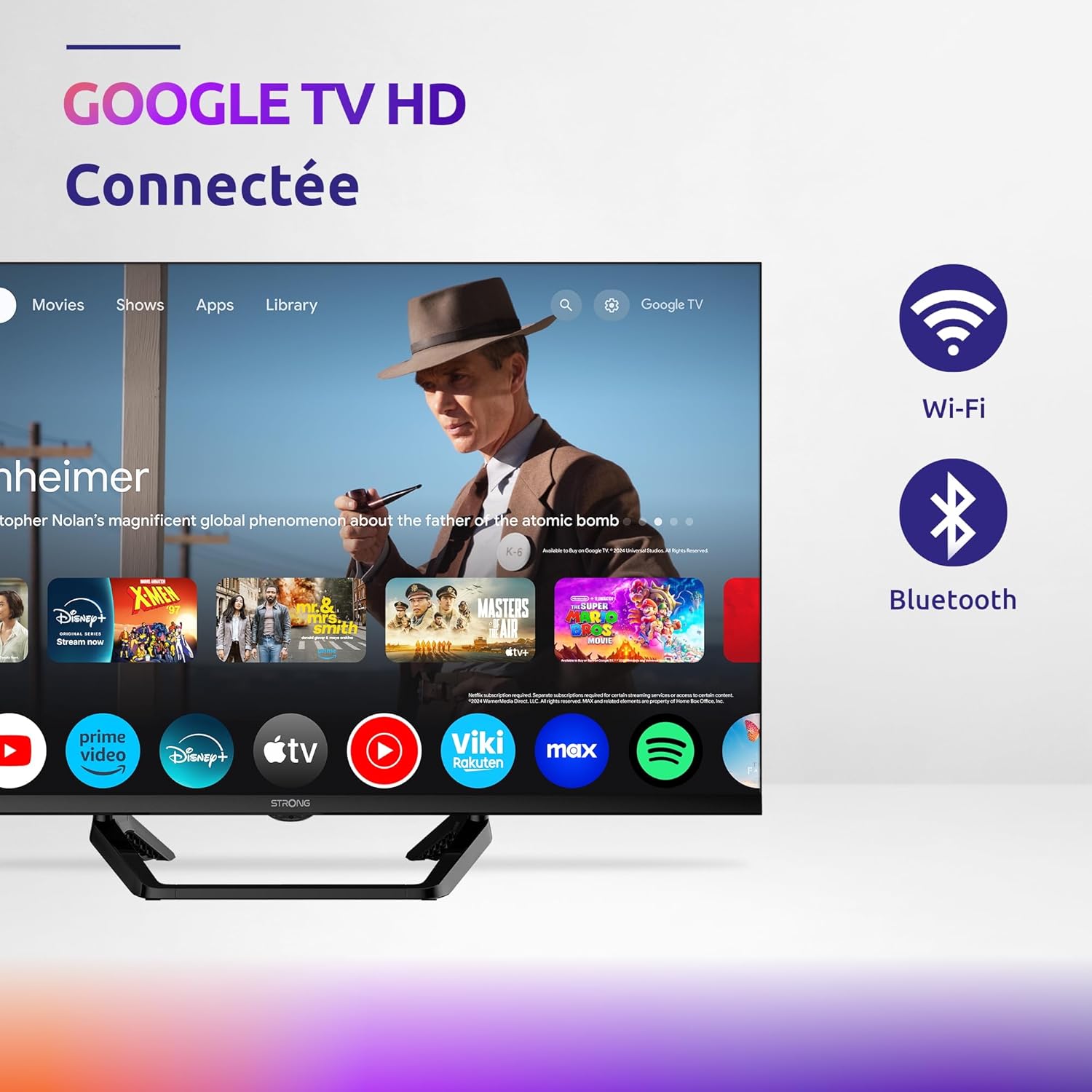
Image: Diagram showing the dimensions of the STRONG SRT32HG6733C TV, including width, height, and depth with the central stand.
الضمان والدعم
This product comes with a manufacturer's warranty of 24 months. For warranty claims or technical support, please refer to the contact information provided on the official STRONG webالموقع أو وثائق الشراء الخاصة بك.
For frequently asked questions and additional resources, visit the STRONG Brand Store.


Images: Icons representing warranty information and frequently asked questions.
Ask a question about this manual
Ask about setup, troubleshooting, compatibility, parts, safety, or missing instructions. Manuals+ will review the question and use this page’s manual context to help answer it.