
مقدمة
The BoxWave EverTouch Capacitive Stylus is designed to provide a precise and comfortable touchscreen experience. Featuring a durable FiberMesh tip, this stylus offers accurate and responsive interaction with your device without the need for batteries or Bluetooth pairing.
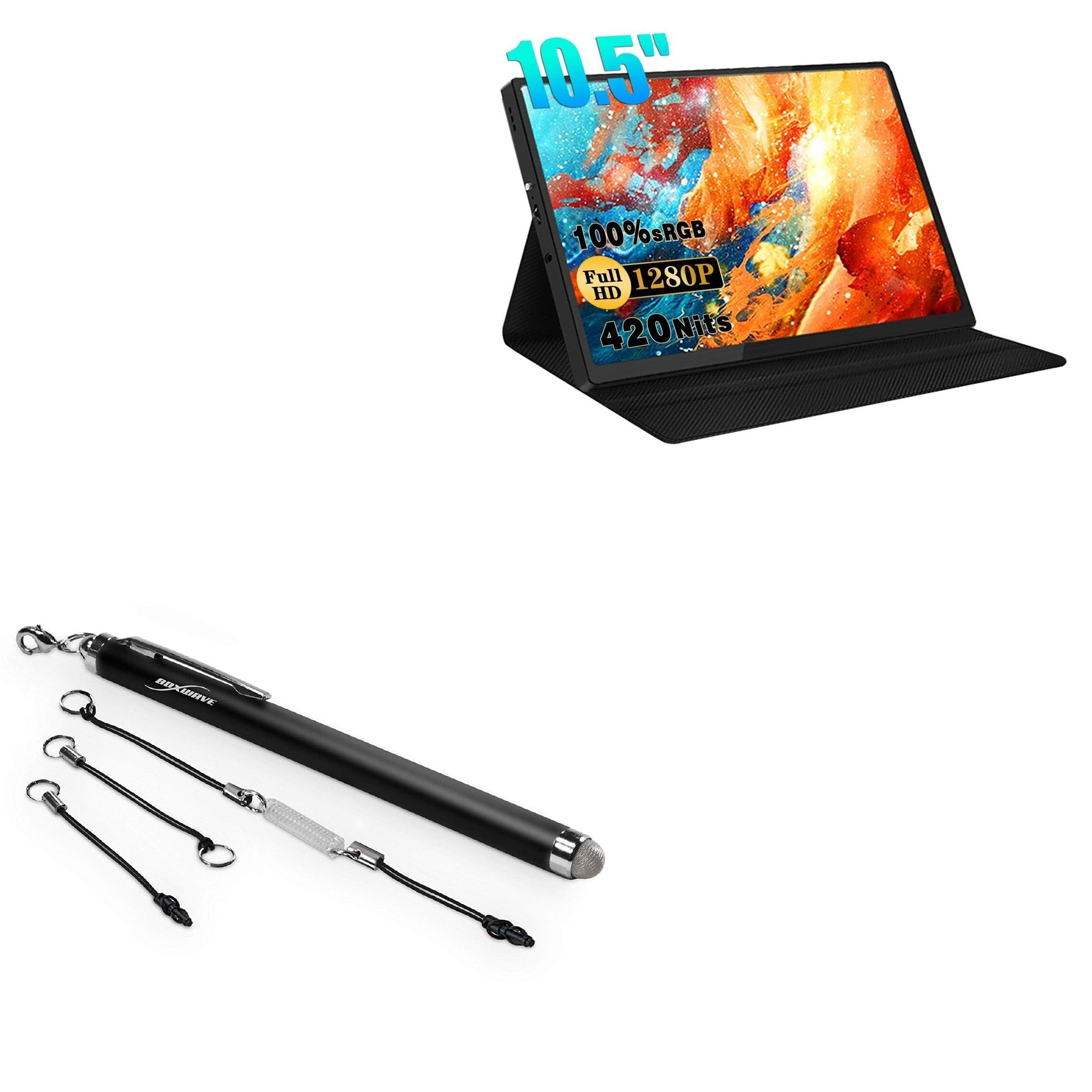
Image: The EverTouch Capacitive Stylus in Jet Black, shown with its three included lanyard attachments.
تتضمن الميزات الرئيسية ما يلي:
- FiberMesh Tip: A tightly-woven conductive material that is highly durable and resistant to tearing, ensuring long-lasting performance.
- دقة عالية: Provides ultra-accurate and responsive performance, allowing for precise input at any screen angle with minimal pressure.
- تصميم مريح: Features a comfortable length and balanced weight, constructed from lightweight aluminum for a natural feel.
- تنظيف الشاشة: The soft FiberMesh tip helps clean your screen as you use it, reducing streaks and fingerprints.
- Convenient Attachments: Includes three clip-on lanyard attachments for easy portability and secure storage.
يثبت
The EverTouch Capacitive Stylus requires no batteries or software installation. It is ready for use directly out of the packaging.
Attaching Lanyards
The stylus comes with three lanyard attachments for convenient carrying:
- 2-inch Lanyard with 3.5mm Headphone Jack Attachment: Ideal for devices with a headphone jack. Insert the 3.5mm plug into the device's headphone jack, and attach the lanyard clip to the stylus's integrated loop.
- 12-inch Elastic Coil with 3.5mm Headphone Jack Attachment: Provides extended reach while keeping the stylus tethered to your device. Attach as described above.
- Charm Clip: For attachment to key chains, charms, or bracelets. Secure the charm clip to the stylus's integrated loop.

Image: The EverTouch Capacitive Stylus shown attached to a set of keys via a lanyard, illustrating its portability.
تعليمات التشغيل
The EverTouch Capacitive Stylus functions by simulating the touch of your finger on a capacitive touchscreen. No special pairing or power is required.
- الاستخدام العام: Hold the stylus as you would a traditional pen. Gently touch the FiberMesh tip to your device's screen to interact.
- الرسم والكتابة: For drawing, writing, or detailed tasks, apply light, consistent pressure. The FiberMesh tip's conductivity ensures smooth lines and accurate input.
- ملاحة: Use the stylus to tap, swipe, and scroll through menus, web pages, and applications with enhanced precision compared to finger input.
- زاوية الشاشة: The stylus is designed to work effectively at various screen angles, providing flexibility in how you hold and use it.

Image: A hand using the EverTouch Capacitive Stylus to draw on a tablet screen, demonstrating its precision for creative tasks.
صيانة
To ensure optimal performance and longevity of your EverTouch Capacitive Stylus, follow these maintenance guidelines:
- تنظيف طرف الفوهة: The FiberMesh tip naturally cleans your screen during use. If the tip itself appears dirty or less responsive, gently wipe it with a soft, dry, lint-free cloth. Avoid using harsh chemicals or abrasive materials.
- تنظيف الجسم: Wipe the aluminum barrel with a soft, dry cloth to remove any dust or smudges.
- تخزين: Store the stylus in a clean, dry place when not in use. Utilize the included lanyards to keep it secure and prevent loss.
- تجنب الضرر: While the FiberMesh tip is durable, avoid excessive force or sharp objects that could damage it. Do not bend or twist the tip.

Image: A detailed close-up of the FiberMesh tip, highlighting its tightly woven conductive material for durability and precision.
استكشاف الأخطاء وإصلاحها
If you encounter issues with your EverTouch Capacitive Stylus, consider the following:
- القلم لا يستجيب:
- Ensure your device's screen is clean and free of debris or liquids.
- Gently wipe the FiberMesh tip with a clean, dry cloth to remove any residue that might affect conductivity.
- Verify that your device's touchscreen is functioning correctly with finger input.
- أداء غير متناسق:
- Ensure you are using the stylus on a capacitive touchscreen. This stylus is not compatible with resistive screens.
- Avoid applying excessive pressure, as light touch is sufficient for operation.
للحصول على مزيد من المساعدة، يرجى الرجوع إلى قسم الدعم.
تحديد
| ميزة | التفاصيل |
|---|---|
| اسم الموديل | EverTouch Capacitive Stylus |
| ماركة | بوكس ويف |
| مادة الطرف | FiberMesh (Conductive Fiber) |
| مادة الجسم | الألومنيوم خفيف الوزن |
| وزن | 0.5 أونصة (حوالي 14 جرامًا) |
| التوافق | Universal capacitive touchscreens (e.g., Zeuslap Z10T Portable Monitor (10.5 in), smartphones, tablets) |
| لون | أسود كالفحم |
الضمان والدعم
BoxWave products are designed for quality and durability. For specific warranty information, please refer to the official BoxWave webالموقع أو وثائق الشراء الخاصة بك.
This product includes limited 3rd party technical support for your device (up to 3 inquiries via messaging). For technical assistance or product inquiries, please contact BoxWave customer support through their official channels or the retailer where the product was purchased.
معلومات الاتصال:
- الشركة المصنعة: شركة بوكس ويف
- Webموقع: www.boxwave.com (Please visit for the most current support information)