
LEVOIT 5ddce951-f1e5-4fc2-b790-0e25bd06f240
LEVOIT 36" Bladeless Tower Fan & Air Purifier User Manual
Model: 5ddce951-f1e5-4fc2-b790-0e25bd06f240
العلامة التجارية: LEVOIT
مقدمة
This manual provides detailed instructions for the safe and efficient operation, maintenance, and troubleshooting of your LEVOIT 36" Bladeless Tower Fan and LEVOIT Core Mini-P Air Purifier. Please read this manual thoroughly before use and retain it for future reference.
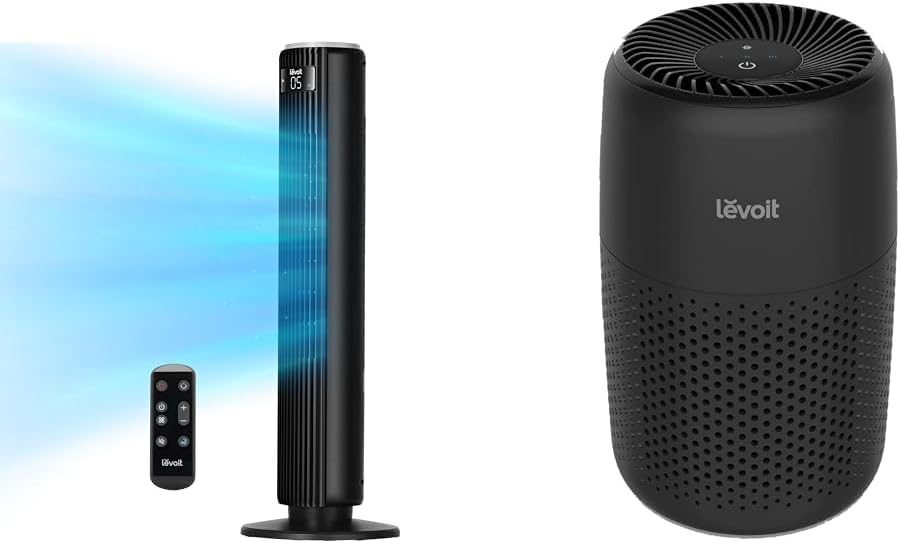
Image: The LEVOIT 36-inch Bladeless Tower Fan and the LEVOIT Core Mini-P Air Purifier shown together, highlighting their compact and modern design.
معلومات هامة حول السلامة
لتقليل خطر الحريق أو الصدمة الكهربائية أو الإصابة، يرجى مراعاة احتياطات السلامة التالية:
- افصل الجهاز دائمًا قبل التنظيف أو إجراء أي صيانة.
- لا تقم بتشغيل أي مروحة بسلك أو قابس تالف. تخلص من المروحة أو أعدها إلى مركز خدمة معتمد للفحص و/أو الإصلاح.
- لا تمرر السلك تحت السجاد. لا تغطي السلك بسجاد أو أغطية أو أغطية مماثلة. ضع السلك بعيدًا عن منطقة المرور حيث لن يتعثر.
- Do not insert or allow fingers or foreign objects to enter any ventilation or exhaust opening as this may cause an electric shock or damage the appliance.
- لا تسد مداخل الهواء أو العادم بأي شكل من الأشكال.
- استخدم هذا الجهاز فقط وفقًا لما هو موضح في هذا الدليل. أي استخدام آخر غير الموصى به من قبل الشركة المصنعة قد يتسبب في نشوب حريق أو حدوث صدمة كهربائية أو إصابة الأشخاص.
- لا تستخدمه في الهواء الطلق.
- يحتوي هذا الجهاز على قابس مستقطب (شفرة واحدة أعرض من الأخرى). لتقليل خطر التعرض لصدمة كهربائية، تم تصميم هذا القابس ليتناسب مع منفذ مستقطب في اتجاه واحد فقط. إذا لم يتناسب القابس تمامًا مع المنفذ، فاقلب القابس. إذا كان لا يزال غير مناسب، فاتصل بفني كهربائي مؤهل. لا تحاول إبطال ميزة الأمان هذه.
محتويات الحزمة
- LEVOIT 36" Bladeless Tower Fan
- جهاز التحكم عن بعد للمروحة البرجية
- LEVOIT Core Mini-P Air Purifier
- 3-in-1 Filtration Filter (Pre-installed in Air Purifier)
- Aroma Pad (Pre-installed in Air Purifier)
- Power Adapter for Air Purifier
- دليل المستخدم
المنتج انتهىview
LEVOIT 36" Bladeless Tower Fan

Image: The LEVOIT 36-inch Bladeless Tower Fan standing upright with its remote control. Blue lines illustrate the powerful airflow emanating from the fan's vertical vent.
The tower fan features a sleek, bladeless design for safety and easy cleaning. It includes a digital display on top, indicating settings such as speed and timer. The base provides stability, and the unit comes with a remote control for convenient operation.
LEVOIT Core Mini-P Air Purifier

الصورة: لقطة مقربة view of the LEVOIT Core Mini-P Air Purifier. It is a compact, cylindrical device with a matte black finish and perforated sides for air intake, featuring control buttons on its top surface.
The Core Mini-P Air Purifier is a compact, cylindrical device designed for small to medium-sized rooms. It features a 3-stage filtration system and a fragrance sponge for aromatherapy. Control buttons are located on the top panel.
يثبت
Setting up the Tower Fan
- Carefully remove the tower fan from its packaging.
- Ensure the base is securely attached. If not, align the base with the fan body and twist clockwise until it locks into place.
- ضع المروحة على سطح ثابت ومستوٍ.
- قم بتوصيل سلك الطاقة بمأخذ كهربائي قياسي.
إعداد جهاز تنقية الهواء
- قم بإزالة جهاز تنقية الهواء من عبوته.
- Turn the air purifier upside down and twist the base cover counter-clockwise to unlock and remove it.
- Remove the plastic packaging from the 3-in-1 filtration filter.
- Place the filter back into the air purifier, ensuring it is seated correctly.
- Replace the base cover and twist clockwise to lock it.
- قم بتوصيل محول الطاقة بجهاز تنقية الهواء ثم قم بتوصيله بمأخذ كهربائي قياسي.
- To use the aromatherapy feature, add 2-3 drops of essential oil (not included) onto the aroma pad located at the bottom of the air purifier.
تعليمات التشغيل
تشغيل مروحة البرج
The tower fan can be operated using the control panel on top of the unit or the included remote control.
- زر الطاقة: اضغط لتشغيل أو إيقاف تشغيل المروحة.
- زر الوضع: Cycle through 4 modes: Normal, Turbo, Sleep, and Auto.
- الوضع العادي: تدفق هواء ثابت بالسرعة المحددة.
- وضعية التوربو: Maximum airflow for quick cooling.
- وضع السكون: Gradually decreases fan speed for quiet operation.
- نظام آلي: Adjusts fan speed based on ambient room temperature (detected by smart sensors).
- تعديل السرعة: Use the '+' and '-' buttons to select from 5 speed settings.
- زر التذبذب: Press to activate or deactivate 90° oscillation, allowing the fan to sweep air across a wider area.
- زر المؤقت: Set the fan to automatically turn off after a specified period (up to 12 hours). Each press adds 1 hour.
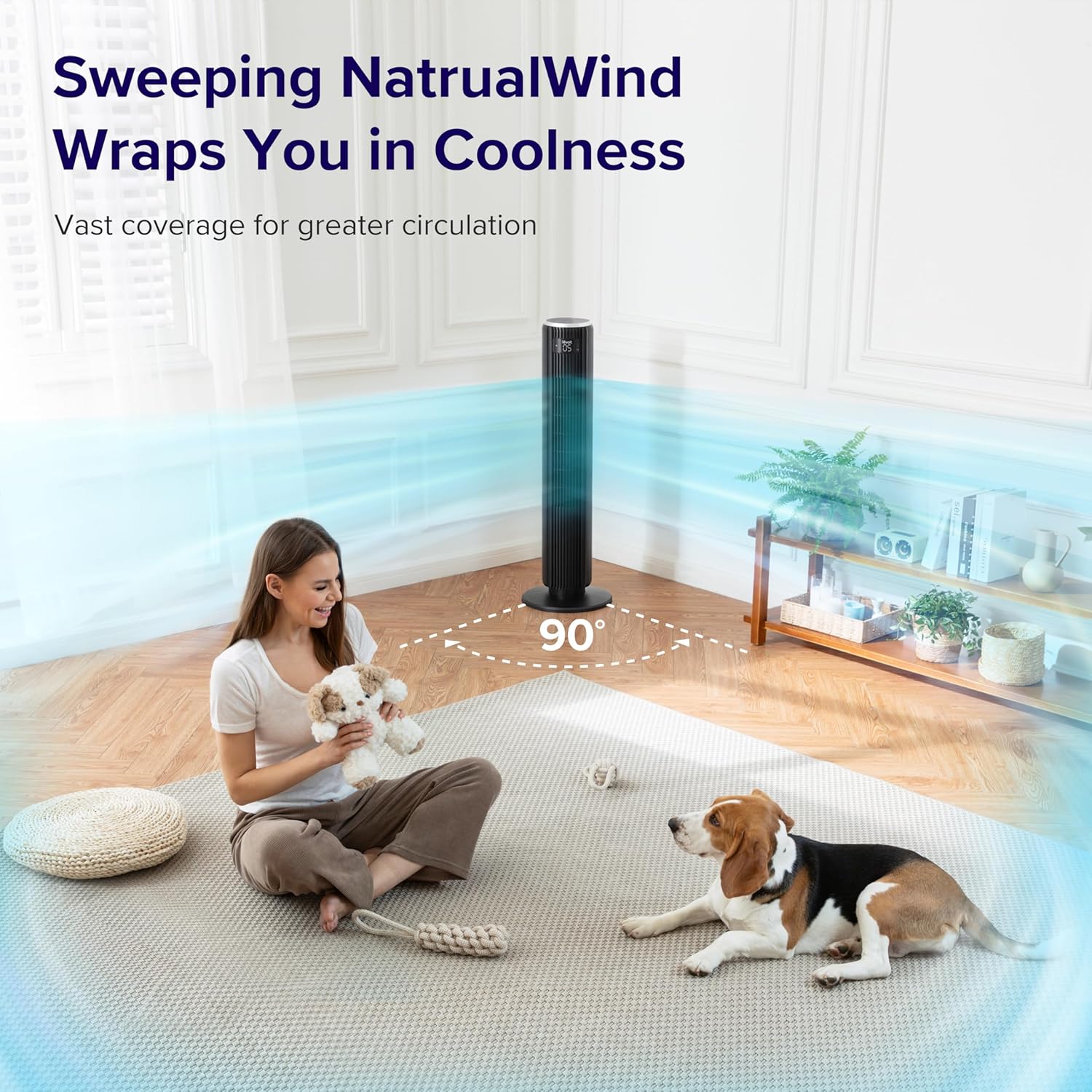
Image: The LEVOIT 36-inch Bladeless Tower Fan is shown oscillating 90 degrees, indicated by blue airflow lines covering a wide area in a living room setting. A person and a dog are comfortably within the fan's cooling range.

Image: The LEVOIT 36-inch Bladeless Tower Fan is positioned in a bedroom, emitting a gentle, natural-feeling breeze, illustrated by light blue airflow lines. A person is meditating peacefully in the background, emphasizing the fan's quiet operation and comfortable airflow.
تشغيل جهاز تنقية الهواء
The air purifier is controlled via the touch buttons on its top panel.
- زر الطاقة: اضغط لتشغيل جهاز تنقية الهواء أو إيقاف تشغيله.
- زر سرعة المروحة: Cycle through 3 quiet fan speeds (Low, Medium, High).
- Aroma Feature: The aroma pad allows for the diffusion of essential oils. Add 2-3 drops of essential oil to the pad located at the bottom of the unit. The fan will then circulate the scent.

Image: The LEVOIT Core Mini-P Air Purifier is shown on a nightstand in a bedroom, with a mother and child in the background. Text overlays emphasize "Multi-Layered Protection" including Pre-Filter, Efficient Filter, and Activated Carbon Filter, illustrating its air purification capabilities.

Image: The LEVOIT Core Mini-P Air Purifier is placed on a table in a living room. A hand is shown adding essential oil drops to the aroma pad, demonstrating the "Refresh With Fragrance" feature for destressing and staying focused.
صيانة
تنظيف مروحة البرج
- افصل المروحة دائمًا قبل التنظيف.
- استخدمي قطعة قماش ناعمةamp قطعة قماش لمسح الأسطح الخارجية للمروحة.
- لا تستخدم المنظفات أو المذيبات الكاشطة.
- For dust accumulation in the air inlet/outlet, use a vacuum cleaner with a brush attachment to gently remove dust.
Cleaning and Filter Replacement for Air Purifier
- Unplug the air purifier before cleaning or replacing the filter.
- امسح الجزء الخارجي بقطعة قماش ناعمة وجافة.
- The 3-in-1 filtration filter should be replaced every 6-8 months, or sooner depending on air quality and usage.
- لاستبدال الفلتر:
- Turn the air purifier upside down and twist the base cover counter-clockwise to unlock.
- قم بإزالة الفلتر القديم وتخلص منه بالطريقة الصحيحة.
- Insert a new LEVOIT Core Mini-P replacement filter (ensure plastic packaging is removed).
- أعد تركيب الغطاء الأساسي وقم بتدويره باتجاه عقارب الساعة لتثبيته.
- Clean the aroma pad as needed with a damp cloth and allow it to dry completely before reapplying essential oils.
استكشاف الأخطاء وإصلاحها
| مشكلة | السبب المحتمل | حل |
|---|---|---|
| Fan/Purifier does not turn on. | غير متصل بالكهرباء؛ منفذ الطاقة لا يعمل؛ لم يتم الضغط على زر الطاقة. | Ensure unit is securely plugged in. Test outlet with another device. Press the power button firmly. |
| Weak airflow from fan. | Fan speed too low; air inlet/outlet blocked. | Increase fan speed. Check for obstructions and clean air inlets/outlets. |
| Air purifier not effectively cleaning air. | Filter is dirty or expired; plastic packaging not removed from filter. | Replace the filter. Ensure all plastic packaging is removed from the new filter before installation. |
| المروحة صاخبة. | Unit not on a level surface; internal obstruction. | ضع المروحة على سطح مستوٍ وثابت. تأكد من عدم وجود أي أجسام غريبة داخل المروحة. |
| جهاز التحكم عن بعد لا يعمل. | Batteries are dead or incorrectly inserted; remote too far from fan. | Replace batteries. Ensure correct polarity. Use remote within range and point towards the fan's receiver. |
تحديد
LEVOIT 36" Bladeless Tower Fan
- نموذج: 5ddce951-f1e5-4fc2-b790-0e25bd06f240
- مصدر الطاقة: كهرباء سلكية
- قدرة تدفق الهواء: 1062 قدم مكعب في الدقيقة (CFM)
- سرعة الهواء: حتى 25 قدمًا/ثانية
- التذبذب: 90°
- مستوى الضوضاء: أقل من 28 ديسيبل
- الأوضاع: Normal, Turbo, Sleep, Auto
- السرعات: 5
- المؤقت: 1-12 ساعات
- طريقة التحكم: جهاز التحكم عن بعد، لوحة اللمس
- المميزات الخاصة: Bladeless, Temperature Sensor
LEVOIT Core Mini-P Air Purifier
- نموذج: Core Mini-P (part of bundle)
- الترشيح: 3-in-1 (Pre-Filter, Efficient Filter, Activated Carbon Filter)
- منطقة التغطية: تصل إلى 129 قدم مربع
- مستوى الضوضاء: 25-44 ديسيبل
- السرعات: 3
- المميزات الخاصة: Fragrance Sponge for Aromatherapy, Portable
الضمان والدعم
LEVOIT provides a limited warranty for this product. For detailed warranty information, including duration and coverage, please refer to the warranty card included in your product packaging or visit the official LEVOIT webموقع.
For technical support, troubleshooting assistance, or to inquire about replacement parts (such as air purifier filters), please contact LEVOIT Customer Support:
- Webموقع: www.levoit.com
- بريد إلكتروني: support@alevooit.com.
- هاتف: (Refer to LEVOIT webموقع لأرقام الاتصال الإقليمية)
Please have your model number (5ddce951-f1e5-4fc2-b790-0e25bd06f240) and purchase information ready when contacting support.
Ask a question about this manual
Ask about setup, troubleshooting, compatibility, parts, safety, or missing instructions. Manuals+ will review the question and use this page’s manual context to help answer it.