
Bestier H105314ZUS
Bestier H105314ZUS Gaming Desk User Manual
Model: H105314ZUS | Brand: Bestier
1. المقدمة
This manual provides detailed instructions for the assembly, operation, maintenance, and troubleshooting of your Bestier H105314ZUS Gaming Desk. Please read this manual thoroughly before assembly and use to ensure safe and correct operation. Keep this manual for future reference.
2. معلومات السلامة
اتبع احتياطات السلامة التالية لمنع الإصابة أو إتلاف المنتج:
- تأكد من وجود جميع الأجزاء وسلامتها قبل البدء بالتجميع. لا تستخدم الأجزاء التالفة.
- قم بتجميع المكتب على سطح ناعم ونظيف لمنع الخدوش.
- أحكم ربط جميع البراغي والمثبتات بإحكام، ولكن لا تفرط في إحكام ربطها.
- Do not exceed the maximum weight capacity of the desk or its shelves.
- أبقِ الأطفال والحيوانات الأليفة بعيدًا عن منطقة التجمع.
- For electrical components (power outlets, LED lights), ensure proper connection to a grounded power source. Do not overload the power outlets.
- تجنب وضع السوائل مباشرة على سطح المكتب، وخاصة بالقرب من منافذ الكهرباء.
- قم بفحص جميع الوصلات والمثبتات بشكل دوري للتأكد من أنها تبقى محكمة.
3. محتويات العبوة
Verify that all components listed below are included in your package. If any parts are missing or damaged, please contact Bestier customer support.
مكونات المكتب
- ✓ Desk Top Panels
- ✓ Monitor Stand Panel
- ✓ Side Shelf Panels (Adjustable)
- ✓ Metal Frame Components (Legs, Crossbars)
- ✓ Power Outlet Unit with LED Controller
- ✓ Cup Holder
- ✓ Headphone Hook
- ✓ Adjustable Feet
الأجهزة والأدوات
- ✓ Screws, Bolts, and Washers (various sizes)
- ✓ Allen Wrench / Hex Key
- ✓ Assembly Instructions Manual
- ✓ Accessory Bag

4. الإعداد والتجميع
Follow these steps carefully for proper assembly. It is recommended to have two people for assembly, although one person can complete it with sufficient time and patience.
- فك الأجزاء وتحديدها: Lay out all components on a clean, soft surface. Refer to the "Package Contents" section and Figure 3.1 to identify each part.
- تجميع الهيكل الرئيسي:
- Attach the main desk legs to the central crossbars using the specified screws. Do not fully tighten yet.
- Connect the X-shaped crossbar at the back for stability.
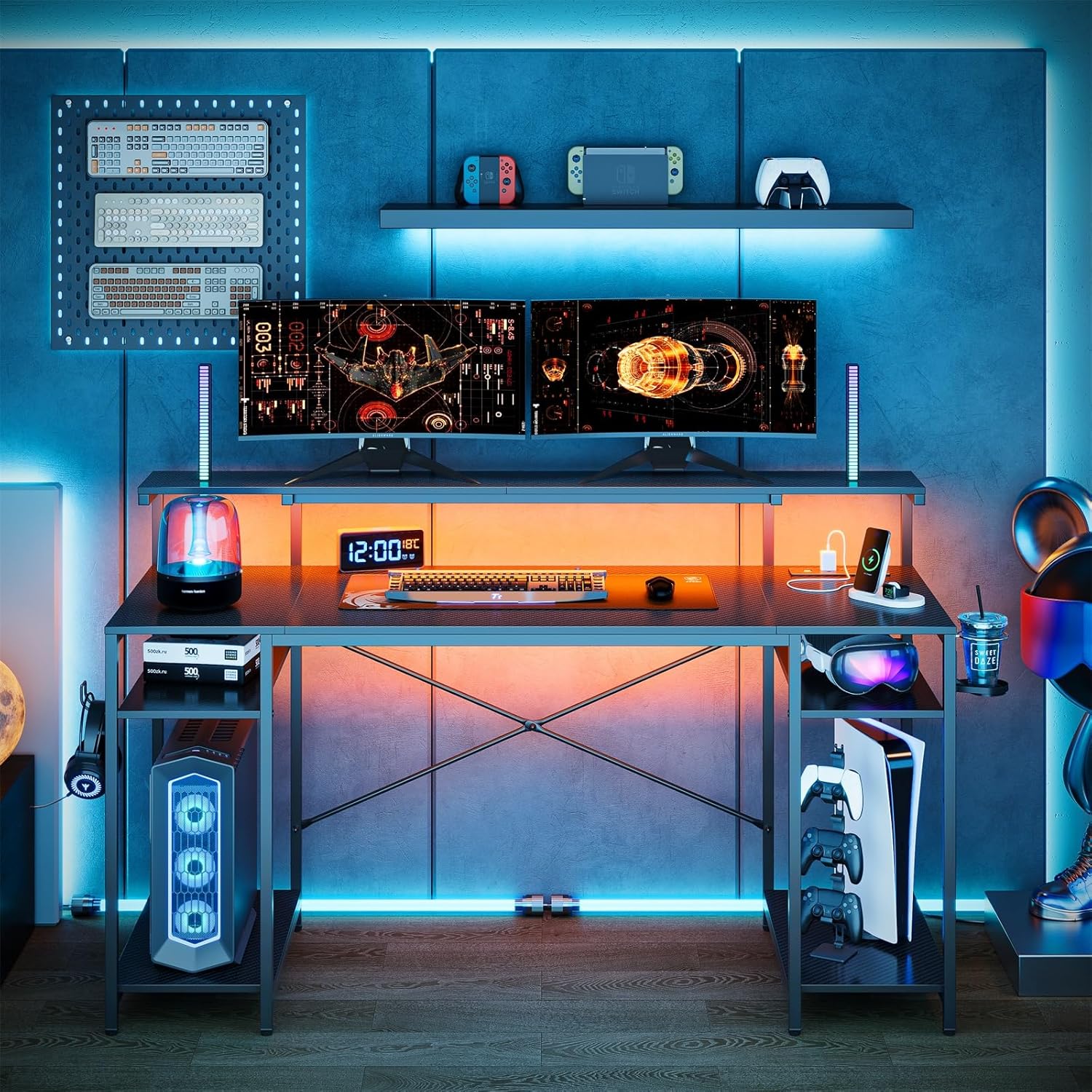
Figure 4.1: Initial frame assembly. - قم بتثبيت لوحات المكتب: Secure the main desk top panels to the assembled frame using the provided screws. Ensure alignment before tightening.
- تثبيت حامل الشاشة: Place the monitor stand panel on the designated supports on the main frame and secure it.
- تجميع الرفوف الجانبية:
- Attach the side frame supports for the shelves.
- Insert the adjustable shelf panels into the desired height slots.
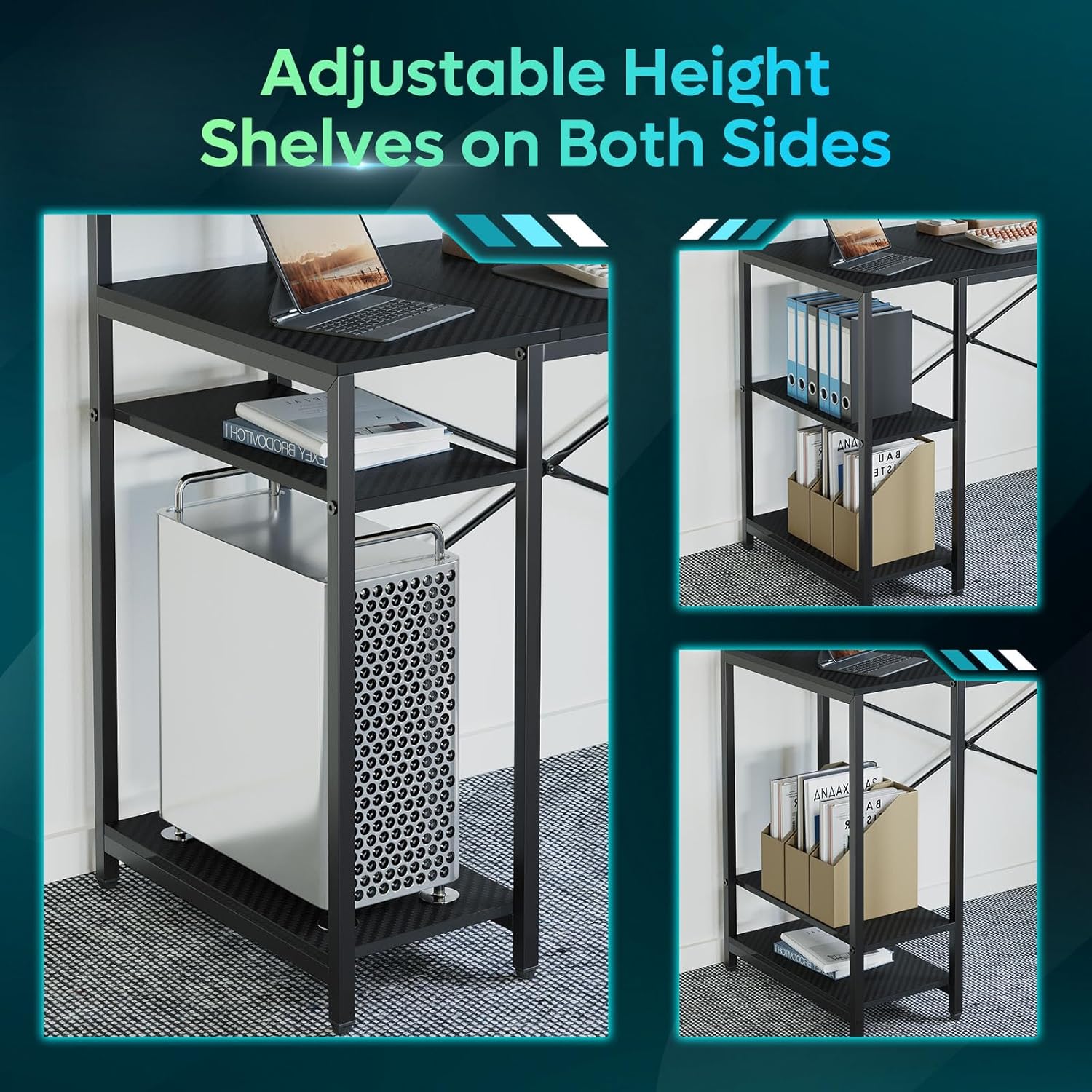
Figure 4.2: Attaching desk panels and side shelves. - Install Power Outlet Unit and LED Lights:
- Mount the power outlet unit to the underside of the desk in the designated area.
- Connect the LED light strip to the controller on the power outlet unit.
- إرفاق الملحقات: Secure the cup holder and headphone hook to the side of the desk as desired.
- ضبط القدمين: Level the desk by adjusting the screw-in feet at the bottom of each leg.
- الشد النهائي: Once the desk is fully assembled and leveled, carefully tighten all screws and bolts.
5. تعليمات التشغيل
5.1 منافذ الطاقة ومنافذ USB
The desk is equipped with a built-in power strip featuring 3 AC outlets and 2 USB charging ports (including one Type-C port). This allows for convenient charging of multiple devices directly from your desk.
- Plug the desk's main power cord into a grounded wall outlet.
- قم بتوصيل أجهزتك بمنافذ التيار المتردد أو منافذ USB حسب الحاجة.
- تأكد من أن إجمالي استهلاك الطاقة للأجهزة المتصلة لا يتجاوز الحد الأقصى المسموح به لشريط الطاقة.

5.2 نظام إضاءة LED
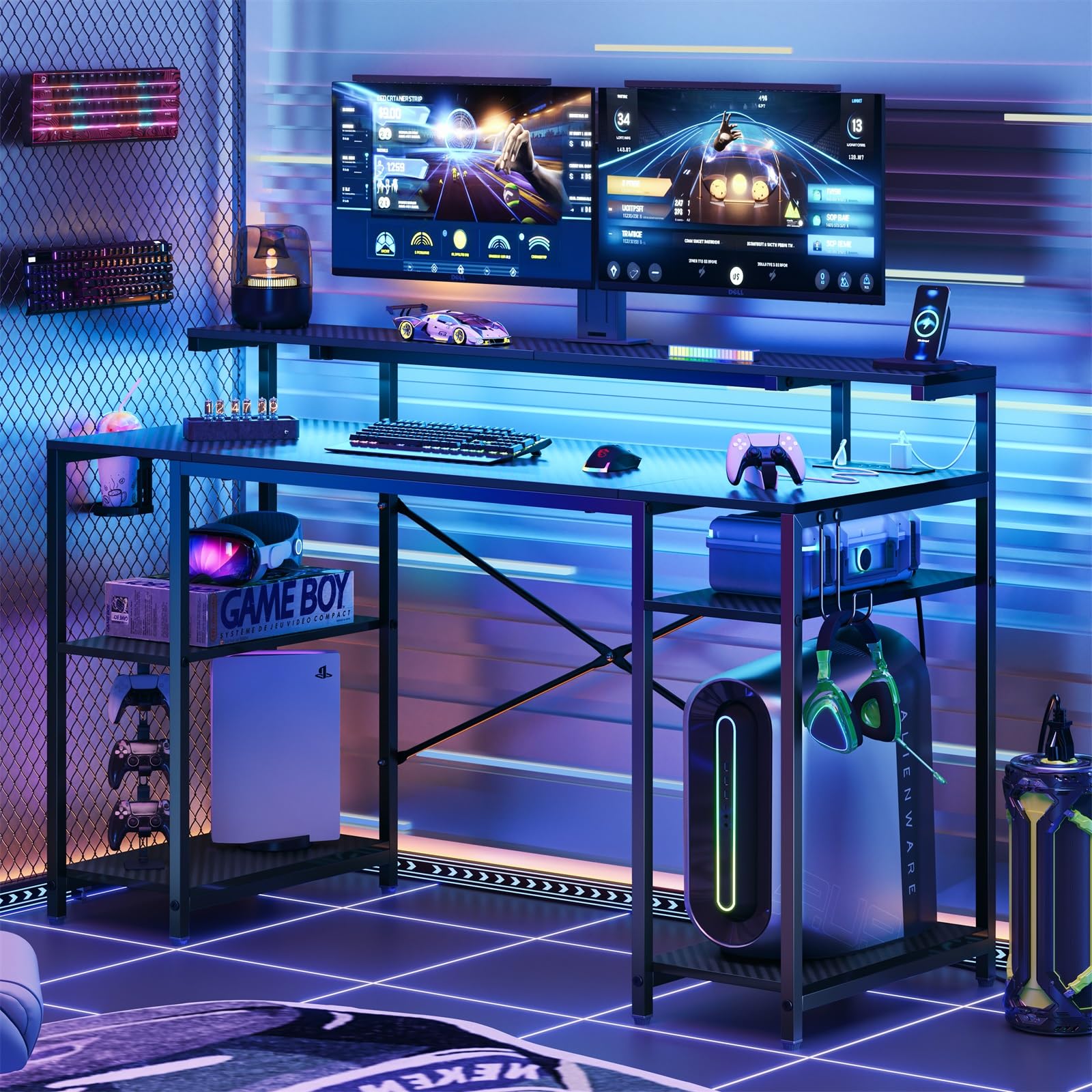
The desk features RGB LED lighting with 7 colors and 22 dynamic effects, controlled via a remote. The LED strip is typically pre-installed or easily attachable to the underside of the monitor stand or main desk.
- Ensure the LED light strip is securely connected to the controller on the power outlet unit.
- Use the provided remote control to power on/off the lights, change colors, adjust brightness, and select dynamic lighting modes.
- Refer to the remote control's specific button functions for detailed operation.
عدد 5.3 أرفف قابلة للتعديل
The side shelves are height-adjustable, allowing you to customize storage space for various items like computer towers, books, or accessories.
- لضبط الرف، قم بإزالة أي أغراض منه.
- Carefully lift the shelf panel and reposition it into the desired slots on the side frame.
- Ensure the shelf is securely seated in all four support pins before placing items on it.

5.4 Cup Holder and Headphone Hook
The desk includes a foldable cup holder and a flexible headphone hook for convenience and organization.
- The cup holder can be folded away when not in use.
- The headphone hook can be used to hang headphones or other small accessories, keeping your workspace tidy.

6. الصيانة
Regular maintenance helps prolong the life and appearance of your desk.
- تنظيف: امسح أسطح المكتب بقطعة قماش ناعمة و...amp cloth. Avoid harsh chemicals or abrasive cleaners that could damage the finish. For the carbon fiber texture, a gentle wipe is sufficient.
- الغبار: Regularly dust all surfaces, including the monitor stand and shelves, to prevent buildup.
- فحص المثبتات: Periodically (e.g., every 3-6 months) check all screws and bolts to ensure they are tight. Retighten if necessary to maintain stability.
- المكونات الكهربائية: Keep the power outlets and LED lights free from dust and moisture. Do not attempt to repair electrical components yourself.
- الانسكابات: In case of spills, wipe immediately with a dry cloth to prevent liquid from seeping into the material or affecting electrical components.
7. استكشاف الأخطاء وإصلاحها
If you encounter issues with your Bestier Gaming Desk, refer to the following common problems and solutions:
| مشكلة | السبب المحتمل | حل |
|---|---|---|
| المكتب متذبذب أو غير مستقر. |
|
|
| مصابيح LED لا تعمل أو تومض. |
|
|
| منافذ الطاقة/منافذ USB لا توفر الطاقة. |
|
|
| الأجزاء المفقودة أو التالفة عند الوصول. |
|
|
8. المواصفات
| ماركة | أفضل |
| رقم الموديل | H105314ZUS |
| رمز المنتج الموحد | 840408605472 |
| لون | Black (3D Carbon Fiber Texture) |
| أسلوب | مكتب الألعاب |
| شكل | على شكل حرف I |
| مادة | P2 Particle Board (Desk Top), High-Strength Steel (Frame) |
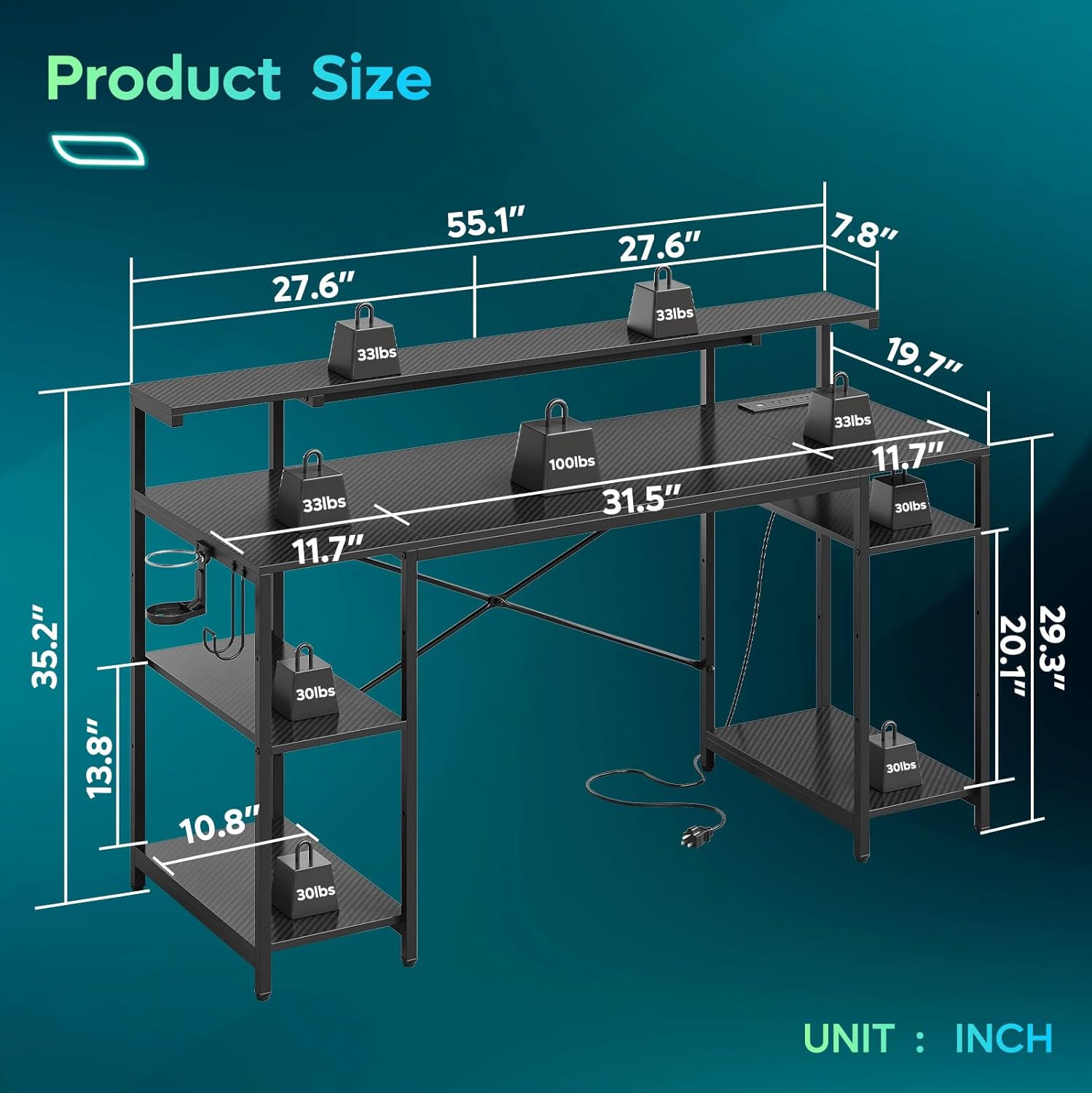
| الأبعاد الكلية (الطول × العرض × الارتفاع) | تقريبا. 55.1 × 20.5 × 35.2 بوصة (140 × 52.1 × 89.5 سم) |
| وزن العنصر | حوالي 40.23 رطل (18.25 كجم) |
| سعة الوزن | Total load capacity up to 355 lbs (161 kg) |
| منافذ الطاقة | 3 AC Outlets, 2 USB Charging Ports (1x USB-A, 1x USB-C) |
| إضاءة LED | RGB LED, 7 Colors, 22 Dynamic Modes, Remote Controlled |
| سمات | Monitor Stand, Adjustable Side Shelves, Foldable Cup Holder, Headphone Hook, Adjustable Leveling Feet, X-shaped Crossbar for Stability |
| مطلوب التجميع | Yes (Recommended 1-2 persons) |
9. الضمان والدعم
Bestier provides customer support for product inquiries, missing parts, or warranty claims. Please retain your proof of purchase.
- For specific warranty details, please refer to the warranty card included in your package or visit the official Bestier webموقع.
- If you require assistance, please contact Bestier customer service with your model number (H105314ZUS) and purchase date.
Ask a question about this manual
Ask about setup, troubleshooting, compatibility, parts, safety, or missing instructions. Manuals+ will review the question and use this page’s manual context to help answer it.