
فوميمو TP88
Phomemo TP88 Tattoo Transfer Stencil Printer User Manual
الموديل: TP88
1. انتهى المنتجview
The Phomemo TP88 Tattoo Transfer Stencil Printer is a compact, portable thermal printer designed for tattoo artists and enthusiasts. It utilizes HD thermal technology to produce clear tattoo stencils without the need for ink. The device supports both A4 and US Letter size transfer paper and offers wide compatibility with smartphones (iOS and Android) via Bluetooth and PCs (Windows, Mac OS, Chrome OS, Linux) via USB connection. Its built-in 1200 mAh battery ensures long-lasting operation, capable of printing up to 140 sheets on a full charge.
تتضمن الميزات الرئيسية ما يلي:
- الربط اللاسلكي: Bluetooth for smartphones and USB for PCs.
- الطباعة الحرارية بدون حبر: High-definition stencils without ink cartridges.
- تصميم محمول: مدمجة وخفيفة الوزن لسهولة النقل.
- توافق واسع مع أنواع الورق: Supports A4 and US Letter size tattoo transfer paper.
- Anti-Wrinkle Function: Designed to prevent paper rolling during printing.
- Powerful Mobile App: Features image editing, cropping, and tattoo preview الوظائف.
2. ماذا يوجد في الصندوق
Upon unboxing your Phomemo TP88 Tattoo Transfer Stencil Printer, you should find the following items:
- 1x Phomemo TP88 Tattoo Transfer Stencil Printer
- 10x Thermal Transfer Paper sheets
- 1 × كابل شحن من النوع C
- 1x Docking Station (USB-A to USB-C adapter)
- 1x Velvet Pouch for carrying
- دليل البدء السريع شنومكس

Image: The Phomemo TP88 printer shown with its accessories, including transfer paper, charging cable, adapter, and velvet pouch.
Video: An unboxing demonstration of the Phomemo TP88 tattoo machine, showcasinج- جميع المكونات المضمنة.
3. Setup and Paper Loading
Follow these steps to prepare your TP88 printer for use:
- تشغيل الطاقة: اضغط مع الاستمرار على زر الطاقة في الطابعة حتى يضيء مؤشر الضوء.
- Open Printer: Press the two side buttons simultaneously to open the printer cover.
- تجهيز ورق النقل:
- Remove the yellow backing paper from the thermal transfer sheet.
- Carefully peel off the transparent protective paper.
- تحميل الورق: Insert the white transfer paper (with the white side facing up) into the printer's paper slot until it is gently gripped by the rollers. Ensure the paper is aligned straight to prevent misprints.

Image: Visual instructions demonstrating how to prepare and load the thermal transfer paper into the TP88 printer.
Video: A demonstration of preparing and loading Phomemo tattoo thermal paper into the printer.
4. تعليمات التشغيل
4.1. Printing from a Smartphone (Bluetooth)
- تحميل التطبيق: Download the "Phomemo" app from the App Store (iOS) or Google Play Store (Android).
- الاتصال عبر البلوتوث: Open the Phomemo app and enable Bluetooth on your smartphone. بحث عن and select "TP88" from the list of available devices to connect.
- Select/Edit Design: Within the app, you can choose from massive material templates, upload your own images, or use the free editing tools to adjust, crop, or splice designs. The app also allows you to convert pictures into transfer lines and preview tattoo patterns.
- مطبعة: Adjust print parameters as needed within the app, then initiate printing. The printer will feed the paper and create your stencil.

Image: A smartphone screen showing the Phomemo app interface with options for editing and printing, connected to the TP88 printer.
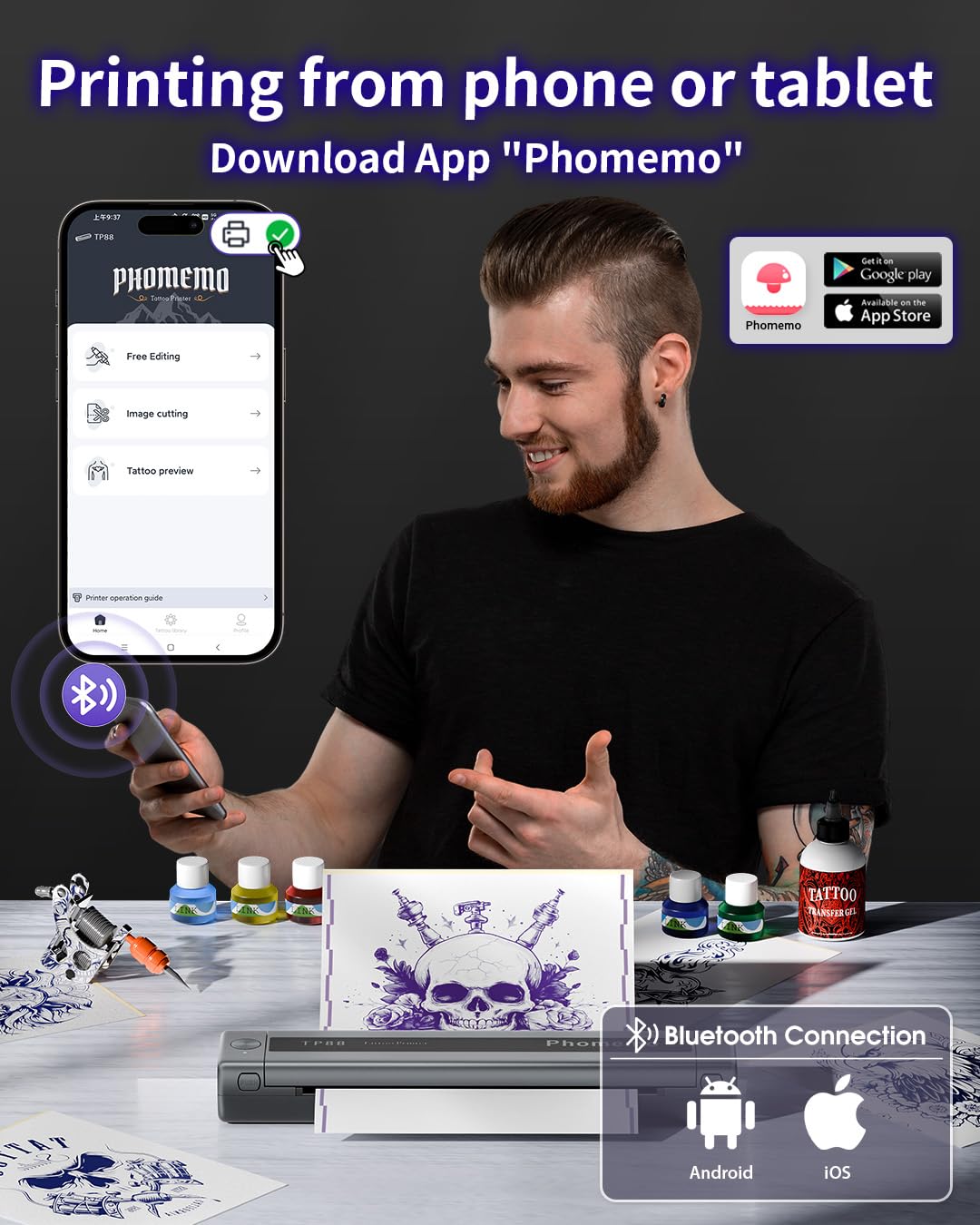
الصورة: مفصلة view of the Phomemo app's features, including tattoo library, image cutting, and tattoo preview.
4.2. Printing from a Computer (USB)
- تنزيل برنامج التشغيل: قم بزيارة موقع Phomemo الرسمي website (pages.phomemo.com/#/TP88) to download the appropriate driver for your operating system (Windows, Mac OS, Chrome OS, or Linux).
- تثبيت سائق: Follow the on-screen instructions to install the printer driver on your computer.
- توصيل الطابعة: Connect the TP88 printer to your computer using the provided Type-C charging cable. If your computer lacks a USB-A port, use the included docking station (USB-A to USB-C adapter).
- مطبعة: Open your desired image or design on your computer, select the TP88 printer from your print options, and initiate printing.

Image: A laptop connected to the Phomemo TP88 printer, demonstrating the process of printing a tattoo stencil from a computer.
Video: A step-by-step guide on how to use the Phomemo TP88 tattoo machine to print stencils via a computer connection.
5. الصيانة
To ensure the longevity and optimal performance of your Phomemo TP88 printer, regular maintenance is recommended:
- تنظيف: Periodically clean the paper path and thermal print head with a soft, lint-free cloth. If necessary, use a small amount of isopropyl alcohol on the cloth for stubborn residue, ensuring the printer is powered off and disconnected from power.
- تخزين: قم بتخزين الطابعة في مكان بارد وجاف بعيدًا عن أشعة الشمس المباشرة ودرجات الحرارة القصوى.
- العناية بالبطارية: For extended storage, ensure the battery is charged to approximately 50-70% to maintain battery health. Avoid fully discharging the battery for long periods.
- التعامل مع الآوراق: Always use high-quality thermal transfer paper designed for stencil printers. Store paper in its original packaging to protect it from light and moisture.
6. استكشاف الأخطاء وإصلاحها
If you encounter issues with your Phomemo TP88 printer, consider the following common solutions:
- الطابعة لا تعمل: Ensure the printer is fully charged. Connect it to a power source using the provided Type-C cable and a standard 5V/2A (10W) charger.
- جودة الطباعة رديئة:
- Check if the thermal transfer paper is loaded correctly (white side up).
- Ensure the paper is not wrinkled or damaged.
- قم بتنظيف رأس الطباعة الحرارية كما هو موضح في قسم الصيانة.
- Verify the image resolution and settings in the app or computer driver.
- مشاكل الاتصال (البلوتوث):
- Make sure Bluetooth is enabled on your smartphone and the printer is within range.
- Restart both the printer and your smartphone.
- تأكد من عدم وجود أجهزة أخرى تتداخل مع اتصال البلوتوث.
- Re-pair the device through the Phomemo app.
- Connection Issues (USB):
- Verify that the USB cable is securely connected to both the printer and the computer.
- Ensure the correct printer driver is installed and updated for your operating system.
- حاول استخدام منفذ USB أو كابل مختلف.
- انحشار ورقي: Power off the printer, gently open the cover, and carefully remove any jammed paper. Ensure no small pieces of paper remain inside before closing the cover and powering on.
7. المواصفات
| ميزة | التفاصيل |
|---|---|
| رقم الموديل | TP88 |
| أبعاد المنتج | 12.2 × 1.57 × 2.64 بوصة |
| وزن | 2.47 رطل |
| بطارية | 1 Lithium Polymer battery (1200 mAh), included |
| تكنولوجيا الطباعة | حراري (بدون حبر) |
| توافق الورق | A4, US Letter size thermal transfer paper |
| الاتصال | Bluetooth (iOS, Android), USB (Windows, Mac OS, Chrome OS, Linux) |
| المكونات المضمنة | TP88 Tattoo Machine, 10x Thermal Transfer Paper, Type-C Charging Cable, Docking Station, Velvet Pouch |
| لون | أسود |
| مستوى مقاومة الماء | غير مقاوم للماء |
8. الضمان والدعم
For any product inquiries, technical support, or warranty claims, please contact Phomemo customer service:
- بريد إلكتروني: bestservice2012@outlook.com
- هاتف: + 1 833 879 0321 (الرقم المجاني)
- واتساب: +1 971 476 7804
- ساعات العمل: Monday - Friday, 9 AM - 5 PM (EST)
يرجى الرجوع إلى وثائق الشراء الخاصة بك للحصول على تفاصيل الضمان المحددة.
Ask a question about this manual
Ask about setup, troubleshooting, compatibility, parts, safety, or missing instructions. Manuals+ will review the question and use this page’s manual context to help answer it.