
1. المقدمة
The SEAFRONT CY306 is a versatile GSM 3G 4G remote access controller designed for managing gates, garage doors, and other access points. It allows for remote operation via mobile phone calls, SMS, or a dedicated application, offering secure and convenient control from any location. This manual provides detailed instructions for installation, operation, and maintenance of your CY306 controller.
2. محتويات العبوة
يرجى التأكد من أن جميع العناصر المدرجة أدناه متضمنة في الحزمة الخاصة بك:
- 1 x CY306 Remote Gate Opener Controller
- 3 x Mounting Bases
- 1 × هوائي

Image 2.1: Contents of the SEAFRONT CY306 package, showing the main controller board, the external antenna, and three small white mounting bases.
3. المواصفات
| ميزة | مواصفة |
|---|---|
| نموذج | السنة الميلادية الأولى |
| مادة | نظام ABS |
| تصنيف المجلدtage | تيار متردد/مستمر 9 فولت-36 فولت |
| درجة حرارة التشغيل | -10 درجة مئوية إلى 60 درجة مئوية |
| درجة حرارة التخزين | -20 درجة مئوية إلى 60 درجة مئوية |
| الرطوبة النسبية | 10-90% (بدون تكاثف) |
| تردد التشغيل | Global GSM, 3G, 4G Frequencies |
| Output Relay Voltage | 5A 250VAC, 7A 125VAC, 20A 14V, 20A 5V |
| Relay Port | إخراج 1 اتجاهات |
| الأبعاد (الطول × العرض × الارتفاع) | 10 × 7 × 4 سم |
| وزن | 55 جرام |
4. انتهى المنتجview
The CY306 controller features a compact design with an ABS casing, making it suitable for industrial control applications. It includes a SIM card slot for network connectivity and terminal blocks for power and relay connections.

الصورة 4.1: تفصيلية view of the CY306 controller board, highlighting the SIM card slot (labeled 'SIM'), antenna connector (labeled 'ANT2'), and the green terminal block for wiring connections.

Image 4.2: The underside of the CY306 controller board, displaying various electronic components and regulatory compliance markings such as CE and RoHS.
5. التثبيت والإعداد
Follow these steps to properly install and set up your CY306 controller:
- تحضير الجهاز: Unpack the CY306 controller, antenna, and mounting bases.
- إدراج بطاقة SIM: Locate the SIM card slot on the controller board (refer to Image 4.1). Insert a valid GSM, 3G, or 4G SIM card into the slot. Ensure the SIM card is activated and has sufficient credit for calls and SMS.
- توصيل الهوائي: Connect the provided antenna to the 'ANT2' connector on the controller board. Ensure a secure connection for optimal signal reception.

الصورة 5.1: لقطة مقربة view demonstrating the proper connection of the external antenna to the 'ANT2' port on the CY306 controller board.
- التوصيلات السلكية: Connect the power supply (AC/DC 9V-36V) and the device to be controlled (e.g., gate motor, garage door opener) to the corresponding terminals on the green terminal block. Refer to the wiring diagram specific to your application. The relay output provides a 1-way switch for control.
- التركيب: Use the provided mounting bases to secure the controller in a suitable location. The device supports wall-mounted installation. Ensure the location provides good cellular signal and is protected from environmental elements.
- تشغيل الطاقة: Once all connections are secure, apply power to the controller. The device will initialize and connect to the cellular network.
6. تعليمات التشغيل
The CY306 controller offers multiple methods for remote operation:
6.1. التحكم في المكالمات
To operate the device via a phone call:
- Call the phone number of the SIM card inserted in the CY306 controller from an authorized mobile number.
- The controller will recognize the authorized number and activate its relay output, which will open or close the connected device (e.g., gate, garage door).
- The call will be automatically rejected after activation, incurring no call charges.
6.2. SMS Control
Specific SMS commands can be sent to the controller's phone number to perform actions or configure settings. Refer to the detailed command list in the full product documentation for specific SMS commands (e.g., adding/removing users, checking status).
6.3. التحكم في تطبيقات الهاتف المحمول
The CY306 supports control via the Callny Control application. This application allows for:
- Adding up to 1001 authorized users.
- Querying user lists.
- Remote control of the connected device with a simple interface.
- Setting relay closing times from 0 to 9999 seconds.
- Remote restart and reset functions.
Download the Callny Control app from your mobile device's app store and follow the in-app instructions to pair it with your CY306 controller.
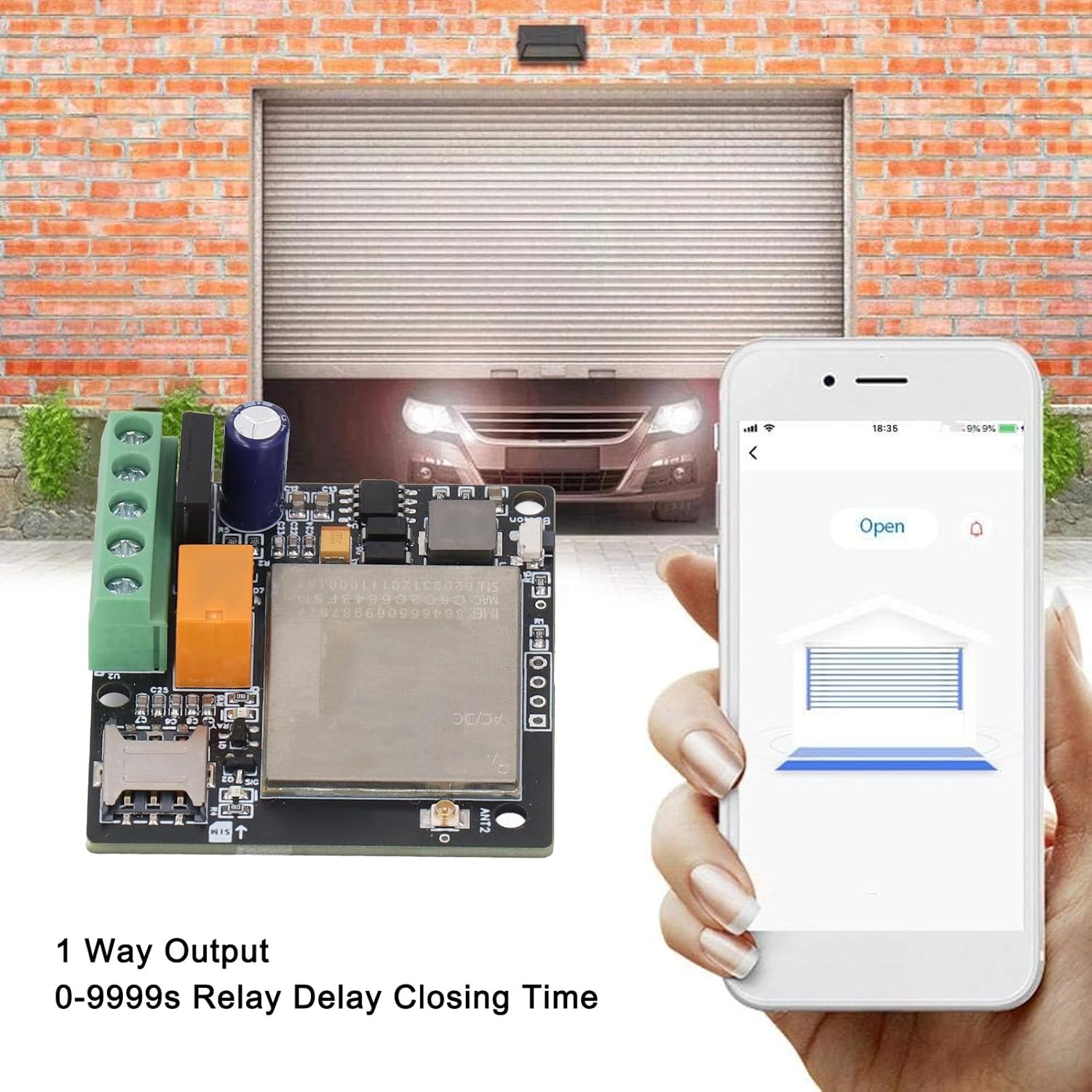
Image 6.1: Illustration of the mobile application interface used to remotely open a garage door, with the CY306 controller visible in the foreground.
7. التطبيقات
The SEAFRONT CY306 controller is suitable for a wide range of access control applications, including but not limited to:
- Residential and commercial gates
- أبواب المرآب
- Parking barriers and systems
- المصاعد
- Rolling shutters and blinds
- Industrial control for machines and equipment
- Remote control for electrical system distribution and traffic controllers

Image 7.1: A common application scenario showing a user operating an access point from inside a vehicle using the mobile application, demonstrating the convenience of the CY306 controller.
8. الصيانة
To ensure optimal performance and longevity of your CY306 controller:
- احرص على إبقاء الجهاز نظيفًا وخاليًا من الغبار والرطوبة.
- Ensure the antenna is securely connected and not obstructed.
- Regularly check power connections for any signs of wear or damage.
- Periodically verify the SIM card's status and credit balance to ensure continuous operation.
9. استكشاف الأخطاء وإصلاحها
If you encounter issues with your CY306 controller, consider the following:
- No Response to Calls/SMS:
- تأكد من إدخال بطاقة SIM وتفعيلها بشكل صحيح.
- Ensure the SIM card has sufficient credit and is not expired.
- Verify cellular network coverage at the device's location.
- Confirm that your mobile number is authorized in the controller's user list.
- الجهاز لا يعمل:
- Check the power supply connection and ensure it meets the 9V-36V AC/DC requirement.
- افحص كابل الطاقة بحثًا عن أي ضرر.
- عملية متقطعة:
- Poor cellular signal can cause intermittent operation. Try relocating the antenna or the controller to an area with better reception.
- Ensure the antenna connection is secure.
- المرحل لا يعمل:
- Verify the wiring to the connected device.
- Check the relay settings via the app or SMS commands to ensure the closing time is correctly configured.
If problems persist, consult the full product documentation or contact customer support.
10. معلومات السلامة
- افصل التيار الكهربائي دائمًا قبل القيام بأي أعمال توصيل أو صيانة.
- Ensure all wiring is done by a qualified professional if you are unsure.
- لا تعرض الجهاز لدرجات حرارة قصوى أو لأشعة الشمس المباشرة أو للماء.
- احتفظ بالجهاز بعيدًا عن متناول الأطفال.
- استخدم فقط وحدة تزويد الطاقة المحددةtage (AC/DC 9V-36V).
11. الضمان والدعم
For warranty information and technical support, please refer to the documentation provided at the time of purchase or contact your retailer. The manufacturer is SEAFRONT.