
VOLT PLUS TECH TG01
User Manual for VOLT PLUS TECH Portable Bluetooth Earbuds
الموديل: TG01
مقدمة
This manual provides comprehensive instructions for the safe and efficient use of your VOLT PLUS TECH Portable Bluetooth Earbuds, Model TG01. Please read this manual thoroughly before using the product and retain it for future reference. These earbuds are designed for compatibility with devices such as the Samsung Galaxy M14, offering features like noise cancellation, an LED display, and a portable charging case with power bank functionality.
محتويات الحزمة
- VOLT PLUS TECH Portable Bluetooth Earbuds (Left and Right)
- Portable Charging Case with Loop and LED Digital Display
- كابل شحن USB-C
- دليل المستخدم
- Two pairs of different size earbud tips (small, large)
المنتج انتهىview

Image: The VOLT PLUS TECH Portable Bluetooth Earbuds shown with their open charging case, revealing the earbuds inside and the digital LED display on the case.

Image: A close-up of the charging case's LED digital display, indicating battery levels for both the case and the earbuds.
The VOLT PLUS TECH earbuds feature a compact design with touch controls. The accompanying charging case is equipped with an intelligent LED display that shows the accurate power level of both the charging box and the earbuds. The case also includes a loop for convenient carrying or attachment.
- سماعات الأذن: In-ear design, touch-sensitive controls, built-in microphone, noise cancellation.
- علبة الشحن: Portable power bank functionality, USB-C charging port, LED digital display for battery status.
يثبت
1. شحن سماعات الأذن والعلبة
Before first use, fully charge the charging case and earbuds. Connect the USB-C charging cable to the charging case and a power source. The LED display on the case will indicate the charging progress. Once fully charged, the display will show 100%.
2. تشغيل / إيقاف التشغيل
- تشغيل الطاقة: Remove the earbuds from the charging case. They will automatically power on, indicated by a flashing blue light. Alternatively, press and hold the touch panel on each earbud for 3 seconds until the blue indicator light flashes.
- إيقاف التشغيل: أعد وضع سماعات الأذن في علبة الشحن. ستتوقف تلقائيًا ويبدأ الشحن.
3. اقتران بلوتوث

Image: A visual guide illustrating the quick pairing process for the earbuds, showing the earbuds and charging case.

Image: Depiction of the earbuds automatically connecting to a mobile device when removed from the case and shutting down when placed back in.
- Remove both earbuds from the charging case. They will automatically power on, and a blue light will indicate this.
- After powering on, you will hear voice prompts, and both earbuds will flash blue and red indicators alternatively.
- Wait until both earbuds pair with each other. Once paired, the left earbud will flash blue and red alternatively.
- You will hear a voice prompt "pairing," which means the earbuds are ready to pair. Enable Bluetooth on your mobile device and search for "JS25".
- Select "JS25" from the list of available devices. Once connected, the earbuds will prompt "Connected".
- Your earbuds will auto-connect to the previously paired device if Bluetooth is enabled when they are turned on.
- إذا لم تتمكن من إقران سماعات الأذن ، فضعها مرة أخرى في العلبة وكرر الخطوات السابقة.
تعليمات التشغيل
عناصر التحكم باللمس
تتميز سماعات الأذن بأزرار تحكم حساسة للمس لوظائف متنوعة:
- تشغيل/إيقاف مؤقت: ضغطة واحدة على أي سماعة أذن.
- الأغنية التالية: اضغط مرتين على سماعة الأذن اليمنى.
- الأغنية السابقة: اضغط مرتين على سماعة الأذن اليسرى.
- رفع الصوت: اضغط ثلاث مرات على سماعة الأذن اليمنى.
- اخفض الصوت: اضغط ثلاث مرات على سماعة الأذن اليسرى.
- الرد/إنهاء المكالمة: اضغط مرة واحدة على أي سماعة أذن أثناء المكالمة الواردة.
- رفض المكالمة: اضغط مع الاستمرار على أي سماعة أذن لمدة ثانيتين أثناء المكالمة الواردة.
- تنشيط مساعد الصوت: اضغط مع الاستمرار على أي من سماعتي الأذن لمدة ثانيتين.
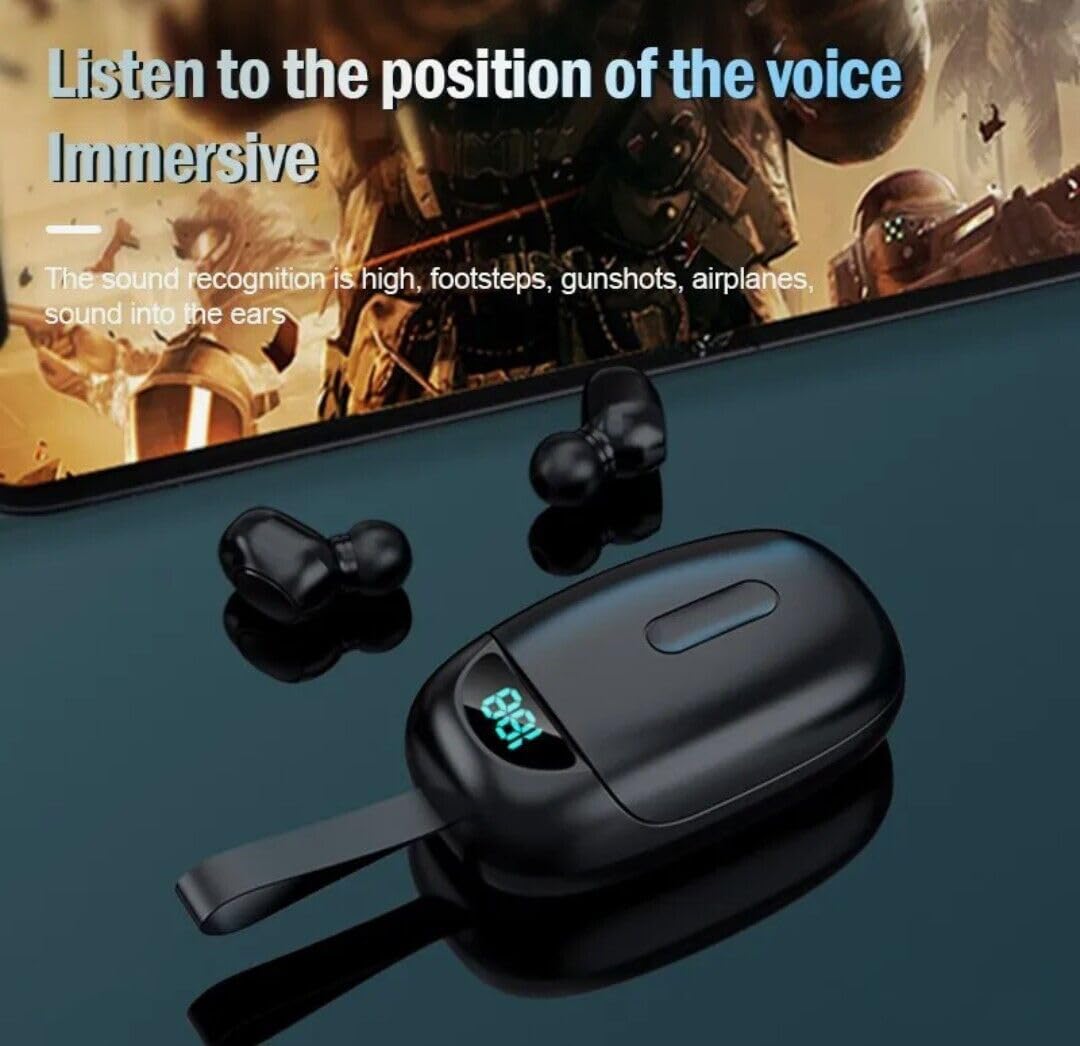
Image: Earbuds being used, illustrating the immersive audio experience and sound recognition capabilities.
إلغاء الضوضاء
The earbuds utilize CVC 8.0 intelligent noise reduction technology to minimize ambient noise, providing clear audio for calls and music even in noisy environments. This feature is automatically active when the earbuds are in use.
وظيفة بنك الطاقة
The charging case has a built-in 2000mAh battery capacity, allowing it to not only charge the earbuds multiple times but also serve as a portable power bank for other small devices via its USB-C port. Connect your device to the USB-C port on the charging case to initiate charging.
صيانة
- تنظيف: Regularly clean the earbuds and charging case with a soft, dry, lint-free cloth. Do not use harsh chemicals or abrasive materials. Ensure charging contacts are free of dust and debris.
- تخزين: عند عدم الاستخدام، ضع سماعات الأذن في علبة الشحن لحمايتها والحفاظ على شحنها. خزّنها في مكان بارد وجاف بعيدًا عن أشعة الشمس المباشرة ودرجات الحرارة العالية.
- مقاومة الماء: The earbuds are IPX4 waterproof, meaning they are resistant to splashing water and sweat. They are suitable for outdoor sports and gym use. Note: The charging box is not waterproof. Avoid submerging the earbuds or exposing them to heavy rain.
استكشاف الأخطاء وإصلاحها
| مشكلة | حل |
|---|---|
| سماعات الأذن لا تعمل. | تأكد من شحن سماعات الأذن. ضعها في علبة الشحن لبضع دقائق، ثم أخرجها. |
| سماعات الأذن غير مقترنة بالجهاز. |
|
| سماعة أذن واحدة فقط تعمل. |
|
| مستوى الصوت منخفض أو جودة الصوت رديئة. |
|
| علبة الشحن لا تشحن. |
|
تحديد
| ميزة | التفاصيل |
|---|---|
| اسم الموديل | تي جي 01 |
| ماركة | فولت بلس تك |
| تكنولوجيا الاتصال | بلوتوث 5.0 |
| التحكم في الضوضاء | إلغاء الضوضاء النشط (CVC 8.0) |
| مستوى مقاومة الماء | IPX4 (سماعات الأذن فقط) |
| سعة بطارية علبة الشحن | 2000 مللي أمبير |
| إجمالي وقت اللعب (مع علبة الشحن) | تصل إلى 24 ساعة |
| منفذ الشحن | يو اس بي-سي |
| الأجهزة المتوافقة | Samsung Galaxy M14 and other Bluetooth-enabled devices |
| طريقة التحكم | يلمس |
| لون | أسود |
| أبعاد المنتج | 1 × 1.7 × 1.5 بوصة |
| وزن العنصر | 4 أونصة |
| عامل الشكل | في الأذن |
الضمان والدعم
For warranty information and technical support, please refer to the contact details provided with your purchase or visit the official VOLT PLUS TECH webالموقع. احتفظ بإثبات الشراء الخاص بك لتقديم مطالبات الضمان.
المستندات ذات الصلة - تي جي 01
 |
Gorenje Indukciós Főzőlap Használati Útmutató Ez a használati útmutató részletes információkat tartalmaz a Gorenje indukciós főzőlap biztonságos használatáról, telepítéséről és karbantartásáról. Ismerje meg a készülék funkcióit és optimális működését. |
 |
Hisense Induction Hob: Instructions for Use and Installation This official instruction manual provides comprehensive guidance for the installation, operation, safety precautions, and maintenance of your Hisense induction hob. Learn how to use its features, troubleshoot common issues, and ensure safe usage. |
 |
تعليمات التثبيت Płyty Indukcyjnej Hisense: التثبيت والاستخدام والتخصيص تتضمن التعليمات الكاملة مجموعة أدوات Hisense، وتفاصيل معلومات التثبيت، وتفاصيل الاستخدام، والوظائف، والصيانة، وحل المشكلات. |
 |
Gorenje Induction Hob: User Manual and Operating Instructions Comprehensive guide for Gorenje induction hobs, covering installation, operation, safety precautions, maintenance, troubleshooting, and technical specifications. |
 |
Gorenje Waschmaschine Gebrauchsanweisung Umfassende Gebrauchsanweisung für Gorenje Waschmaschinen. Enthält Informationen zu Installation, Waschprogrammen, Wartung, Fehlerbehebung und ConnectLife-App-Integration. |
 |
Gorenje Perilica Rublja: Upute za uporabu هناك حاجة إلى مزيد من التفاصيل حول مشاكل التنقيب والترحيل والتخلص والتخلص من مخاطر روبل غورينيه. اكتشف كيف ستساعدك في الحصول على نتائج أفضل. |
Ask a question about this manual
Ask about setup, troubleshooting, compatibility, parts, safety, or missing instructions. Manuals+ will review the question and use this page’s manual context to help answer it.