
Naztech 15352
Naztech Xpods PRO True Wireless Earbuds
دليل التعليمات
مقدمة
The Naztech Xpods PRO are true wireless earbuds designed for an immersive audio experience with advanced features for daily use and active lifestyles. These earbuds offer high-definition sound, noise isolation, and extended battery life, all within a compact and durable design.
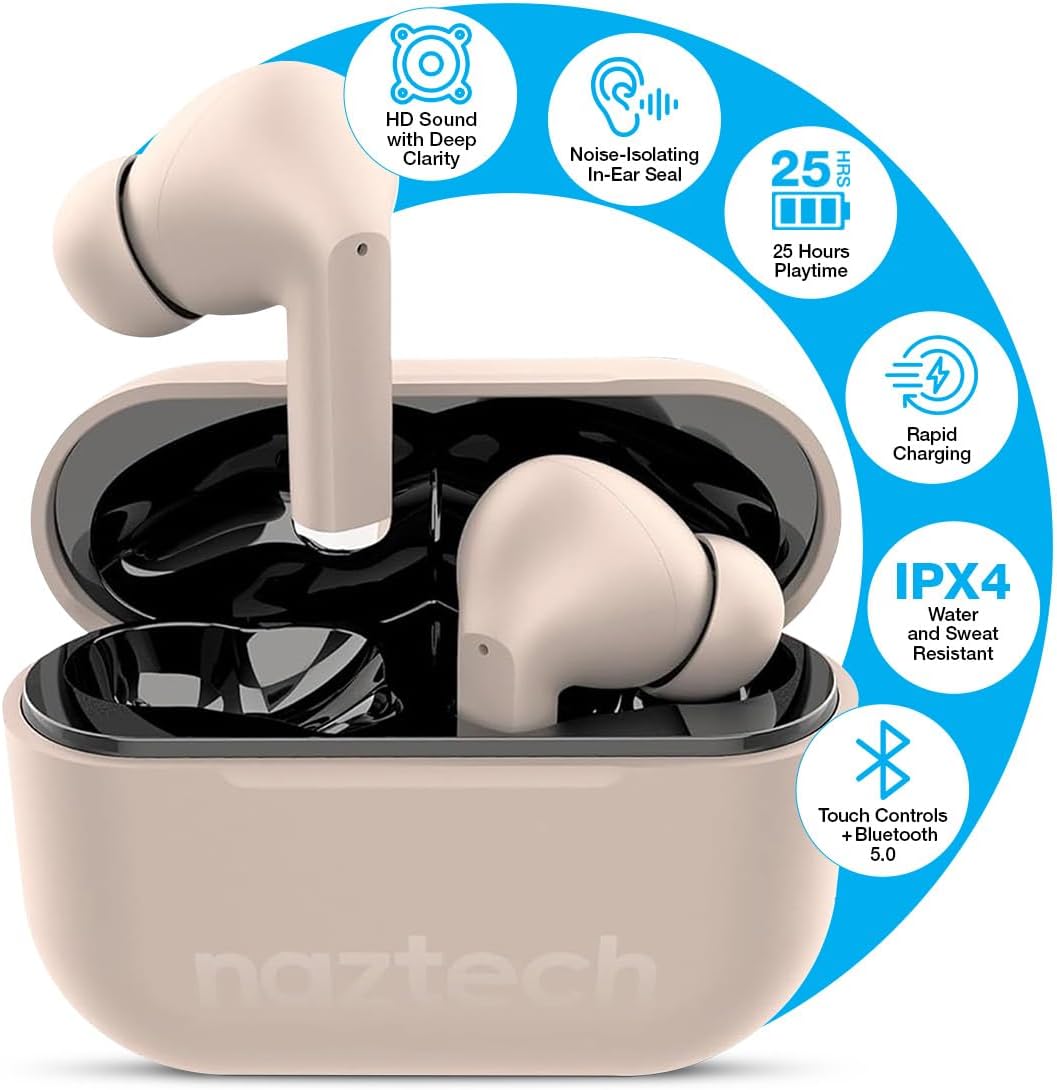
Image: Naztech Xpods PRO True Wireless Earbuds in Sandstone, resting in their open charging case.
ماذا يوجد في الصندوق
- Naztech Xpods PRO True Wireless Earbuds
- حافظة الشحن اللاسلكي
- كابل شحن USB-C
- أحجام متعددة من أطراف الأذن المصنوعة من السيليكون
- دليل التعليمات
يثبت
1. شحن سماعات الأذن والعلبة
Before first use, fully charge the Xpods PRO charging case and earbuds. The case can be charged via the included USB-C cable or a compatible Qi wireless charging pad (sold separately).
- شحن USB-C: قم بتوصيل كابل USB-C بمنفذ الشحن الموجود على العلبة وبمصدر الطاقة.
- الشحن اللاسلكي: ضع علبة الشحن على قاعدة شحن لاسلكية متوافقة مع تقنية Qi.
- The LED indicator on the case will show charging status. A full charge provides up to 25 hours of total playtime (5 hours per charge from earbuds + 20 hours from case). A 10-minute quick charge can provide 1 hour of playback.

Image: Naztech Xpods PRO charging case on a wireless charging pad, illustrating 25 hours total playtime and quick charge feature.
2. الاقتران بجهازك
The Xpods PRO utilize Bluetooth 5.0 for stable and universal compatibility with Android and iPhone devices.
- تأكد من وضع سماعات الأذن في علبة الشحن وأن العلبة مشحونة.
- افتح علبة الشحن. ستدخل سماعات الأذن تلقائيًا في وضع الاقتران.
- على هاتفك الذكي أو جهازك المزود بتقنية Bluetooth، انتقل إلى إعدادات Bluetooth.
- Select "Naztech Xpods Pro" from the list of available devices.
- بمجرد الاتصال، ستسمع تأكيدًا صوتيًا، وستكون سماعات الأذن جاهزة للاستخدام.

Image: Naztech Xpods PRO earbuds and a smartphone screen showing successful Bluetooth pairing.
تعليمات التشغيل
The Xpods PRO feature intuitive touch controls for easy management of audio playback and calls.
وظائف التحكم باللمس

Image: Visual guide to touch sensor controls on the Naztech Xpods PRO earbuds.
- تشغيل/إيقاف مؤقت: ضغطة واحدة على أي سماعة أذن.
- المسار التالي: اضغط مرتين على سماعة الأذن اليمنى.
- المسار السابق: اضغط مرتين على سماعة الأذن اليسرى.
- الرد/إنهاء المكالمة: ضغطة واحدة على أي سماعة أذن.
- رفض المكالمة: اضغط مع الاستمرار على أي من سماعات الأذن لمدة ثانيتين.
- تنشيط مساعد الصوت: اضغط ثلاث مرات على أي سماعة أذن.
إجراء واستقبال المكالمات
The Xpods PRO feature dual microphones with advanced voice capture technology to filter out wind and background noise, ensuring clear conversations.
- Use the touch controls as described above to manage calls.
- Audio will automatically switch to the earbuds when a call is initiated or received while connected.
العناية والصيانة
To ensure the longevity and optimal performance of your Naztech Xpods PRO, follow these care guidelines:
- تنظيف: نظّف سماعات الأذن وعلبة الشحن بانتظام بقطعة قماش ناعمة وجافة وخالية من الوبر. تجنّب استخدام المواد الكيميائية القاسية أو المواد الكاشطة.
- نصائح الأذن: قم بإزالة أطراف الأذن المصنوعة من السيليكون وتنظيفها دوريًا بالماء والصابون اللطيف. تأكد من جفافها تمامًا قبل إعادة تركيبها.
- مقاومة الماء: The Xpods PRO are IPX4 water and sweat resistant, meaning they are protected against splashing water from any direction. They are suitable for workouts and light rain but should not be submerged in water.
- تخزين: عندما لا تكون قيد الاستخدام، قم بتخزين سماعات الأذن في علبة الشحن الخاصة بها لحمايتها والحفاظ عليها مشحونة.
- درجة حرارة: تجنب تعريض سماعات الأذن لدرجات حرارة قصوى (ساخنة أو باردة) أو لأشعة الشمس المباشرة لفترات طويلة.

Image: Naztech Xpods PRO earbuds designed for active lifestyles, featuring IPX4 water resistance.
استكشاف الأخطاء وإصلاحها
If you encounter issues with your Xpods PRO, refer to the following common solutions:
- سماعات الأذن لا تقترن:
- Ensure both earbuds are charged and in the case.
- قم بإيقاف تشغيل البلوتوث على جهازك وتشغيله مرة أخرى.
- Forget/delete "Naztech Xpods Pro" from your device's Bluetooth list and attempt to re-pair.
- سماعة أذن واحدة فقط تعمل:
- أعد وضع سماعتي الأذن في علبة الشحن، وأغلق الغطاء، وانتظر بضع ثوانٍ، ثم افتحه مرة أخرى.
- تأكد من شحن كلا سماعات الأذن.
- مشاكل الشحن:
- افحص كابل USB-C ومحول الطاقة بحثًا عن أي تلف.
- تأكد من أن نقاط اتصال الشحن الموجودة على سماعات الأذن وفي العلبة نظيفة وخالية من الحطام.
- في حالة استخدام الشحن اللاسلكي، تأكد من محاذاة الغطاء بشكل صحيح على قاعدة الشحن.
- Low Sound Quality/Noise:
- Ensure the ear tips provide a secure seal in your ear. Try different sizes.
- Clean the earbud speakers and ear tips.
- تأكد من ضبط مستوى صوت جهازك بشكل مناسب.
تحديد
| ميزة | مواصفة |
|---|---|
| رقم الموديل | 15352 |
| نسخة البلوتوث | 5.0 |
| مدى البلوتوث | 33 أقدام |
| عمر البطارية (الإجمالي) | Up to 25 Hours (5 hours per charge + 20 hours with charging case) |
| وقت الشحن | ساعة واحدة (للحالة) |
| طريقة التحكم | يلمس |
| مستوى مقاومة الماء | IPX4 (مقاوم للماء) |
| وزن العنصر | 4 أونصات |
| أبعاد المنتج | 4.7 × 4.7 × 1.2 بوصة |
| الأجهزة المتوافقة | Any device with Bluetooth capabilities |
| نوع برنامج تشغيل الصوت | سائق ديناميكي |
| التحكم في الضوضاء | Active Noise Cancellation (Passive Noise Isolation from fit) |
الضمان والدعم
For warranty information or technical support, please refer to the official Naztech webالموقع الإلكتروني أو تواصل مع قسم خدمة العملاء. احتفظ بإيصال الشراء لأي مطالبات بالضمان.
Ask a question about this manual
Ask about setup, troubleshooting, compatibility, parts, safety, or missing instructions. Manuals+ will review the question and use this page’s manual context to help answer it.