
ASMAX ASMAXF1DP01
ASMAX F1 Motorcycle Bluetooth Headset User Manual
Model: ASMAX F1
1. المقدمة
The ASMAX F1 Motorcycle Bluetooth Headset is an advanced communication system designed for motorcyclists. It features Bluetooth 5.3 technology, supporting up to 10 riders with a communication range of up to 1.8km. The F1 offers dual intercom modes (Free and Group Mesh), voice control, superior sound quality with ENC noise reduction, and an IP67 waterproof rating. Its magnetic mounting system and fast-charging capabilities ensure convenience and reliability for all your rides.
2. معلومات السلامة
- أعطِ الأولوية دائمًا للسلامة على الطريق. لا تشغّل الجهاز بطريقة تُشتت انتباهك عن القيادة.
- تأكد من تثبيت سماعة الرأس بشكل آمن على خوذتك قبل ركوب الدراجة.
- Adjust volume levels to ensure you can still hear ambient traffic sounds.
- لا تحاول تفكيك الجهاز أو تعديله، لأن ذلك قد يبطل الضمان ويشكل مخاطر على السلامة.
- احفظ الجهاز بعيدًا عن درجات الحرارة القصوى وأشعة الشمس المباشرة.
- اشحن الجهاز باستخدام الكابل المرفق ومصدر طاقة متوافق فقط.
3. محتويات العبوة
تأكد من وجود جميع العناصر في الحزمة الخاصة بك:
- ASMAX F1 Bluetooth Headset Unit(s)
- Speaker and Microphone Kit(s)
- Magnetic Mounting Base(s)
- كابل (كابلات) شحن USB
- دليل المستخدم
- Mounting Accessories (e.g., adhesive pads, clips)

Image: ASMAX F1 Headset and included accessories.
4. انتهى المنتجview
4.1 مكونات
The ASMAX F1 unit features a sleek design with an illuminated cross-shaped indicator. It is designed for easy attachment to most motorcycle helmets.

Image: ASMAX F1 Bluetooth Headset units.
4.2 الضوابط والمؤشرات
The ASMAX F1 is equipped with intuitive controls and indicators for ease of use while riding.
- زر الاتصال الداخلي: Initiates and manages intercom connections.
- أزرار التحكم في مستوى الصوت +/-: ضبط مستوى الصوت.
- زر الوظيفة: Multi-purpose button for various operations.
- مؤشر LED: Displays device status (e.g., power, pairing, charging).
- التحكم الصوتي: Activates functions using voice commands (e.g., "Hi Max").

Image: ASMAX F1 controls and helmet compatibility.
5. الإعداد
5.1 Installation on Helmet
The ASMAX F1 features a magnetic mounting system for easy and secure attachment to your helmet.
- Choose a suitable location on the side of your helmet, typically on the left side, ensuring it does not obstruct your vision or helmet functionality.
- Clean the helmet surface thoroughly where the mounting base will be attached.
- Attach the magnetic mounting base to the helmet using the provided adhesive pad or clamp. Ensure it is firmly secured.
- Insert the speakers into the helmet's ear pockets. Ensure they are positioned directly over your ears for optimal sound.
- Route the microphone boom or wired microphone to a position near your mouth, ensuring clear voice pickup and minimal wind noise.
- Connect the speaker and microphone cables to the ASMAX F1 unit.
- Attach the ASMAX F1 unit to the magnetic mounting base. The strong magnet will secure it in place.
5.2 الشحن الأولي
Before first use, fully charge the ASMAX F1 unit. The 1250mAh battery supports fast charging.
- Connect the provided USB charging cable to the ASMAX F1 unit's charging port.
- قم بتوصيل الطرف الآخر من الكابل بمحول طاقة USB (غير مرفق) أو بمنفذ USB في الكمبيوتر.
- The LED indicator will show charging status. Once fully charged, the indicator will change (refer to specific LED behavior in the full manual).
- يمكن شحن الجهاز أثناء الاستخدام.
6. تعليمات التشغيل
6.1 تشغيل/إيقاف التشغيل
- تشغيل الطاقة: Press and hold the Function Button for approximately 3 seconds until the LED indicator lights up and you hear a voice prompt.
- إيقاف التشغيل: Press and hold the Function Button for approximately 3 seconds until the LED indicator turns off and you hear a voice prompt.
6.2 Bluetooth Pairing with Mobile Device
The ASMAX F1 uses Bluetooth 5.3 for stable connections.
- With the ASMAX F1 powered off, press and hold the Function Button for approximately 5-7 seconds until the LED indicator flashes rapidly (usually blue/red alternating), indicating pairing mode.
- على هاتفك المحمول، قم بتفعيل البلوتوث وابحث عن أجهزة جديدة.
- Select "ASMAX F1" from the list of available devices.
- Once paired, the LED indicator will change (e.g., slow blue flashes) and you will hear a confirmation tone.

Image: Universal pairing capability of ASMAX F1.
6.3 Intercom Modes
The ASMAX F1 supports various intercom modes for group communication.
- وضع حر: For spontaneous connections within range. Up to 10 riders can join instantly.
- Group Mode (MESH Communication): For private conversations with a team of up to 10 riders. Supports 1-on-1 chats within the group.
- CloudTalk Mode: (Requires app update) Supports cross-brand cloud intercom for up to 50 people, anywhere with a mobile network.

Image: ASMAX F1 10-Rider Mesh Group Intercom.
6.4 التحكم الصوتي
Activate voice commands by saying "Hi Max" followed by your command. This allows for hands-free operation.
- "Hi Max, Music On"
- "Hi Max, Next Track"
- "Hi Max, Volume Up/Down"
- "Hi Max, Answer The Phone"
- "Hi Max, End Intercom"
- "Hi Max, Phone Pairing"
- "Hi Max, Group Mesh"
- "Hi Max, Free Mode"

Image: ASMAX F1 Voice Control feature.
6.5 تعدد المهام الصوتية
The ASMAX F1 allows for simultaneous audio streams, such as listening to music while receiving navigation instructions or participating in an intercom conversation.

Image: ASMAX F1 Audio Multitasking.
7. الصيانة
- تنظيف: امسح الوحدة بقطعة قماش ناعمة ، دamp قماش. لا تستخدم مواد كيميائية قاسية أو منظفات كاشطة.
- تخزين: قم بتخزين الجهاز في مكان بارد وجاف عندما لا يكون قيد الاستخدام.
- العناية بالبطارية: لضمان عمر بطارية مثالي، تجنب تفريغ البطارية بالكامل بشكل متكرر. اشحنها بانتظام.
- مقاومة الماء: The ASMAX F1 is IP67 waterproof. While it can withstand rain and splashes, avoid prolonged submersion.

Image: ASMAX F1 IP67 Waterproof feature.
8. استكشاف الأخطاء وإصلاحها
| مشكلة | السبب المحتمل | حل |
|---|---|---|
| الجهاز لا يعمل. | بطارية منخفضة. | اشحن الجهاز بالكامل. |
| لا يمكن الاقتران بالهاتف. | الجهاز ليس في وضع الاقتران؛ البلوتوث معطل على الهاتف. | Ensure device is in pairing mode (flashing LED). Turn on phone's Bluetooth. Forget previous pairings on phone. |
| مشاكل في اتصال الاتصال الداخلي. | Out of range; interference; incorrect mode. | Ensure units are within range. Check for obstacles. Verify correct intercom mode (Free/Group). |
| جودة صوت رديئة / ضوضاء. | Microphone position; speaker placement; high speed. | Adjust microphone closer to mouth. Ensure speakers are aligned with ears. ENC noise reduction works best with visor closed at high speeds. |
| لا تستجيب الأوامر الصوتية. | مشكلة في الميكروفون؛ بيئة صاخبة؛ أمر غير صحيح. | Ensure microphone is clear. Speak clearly. Try again in a quieter environment. Refer to voice command list. |
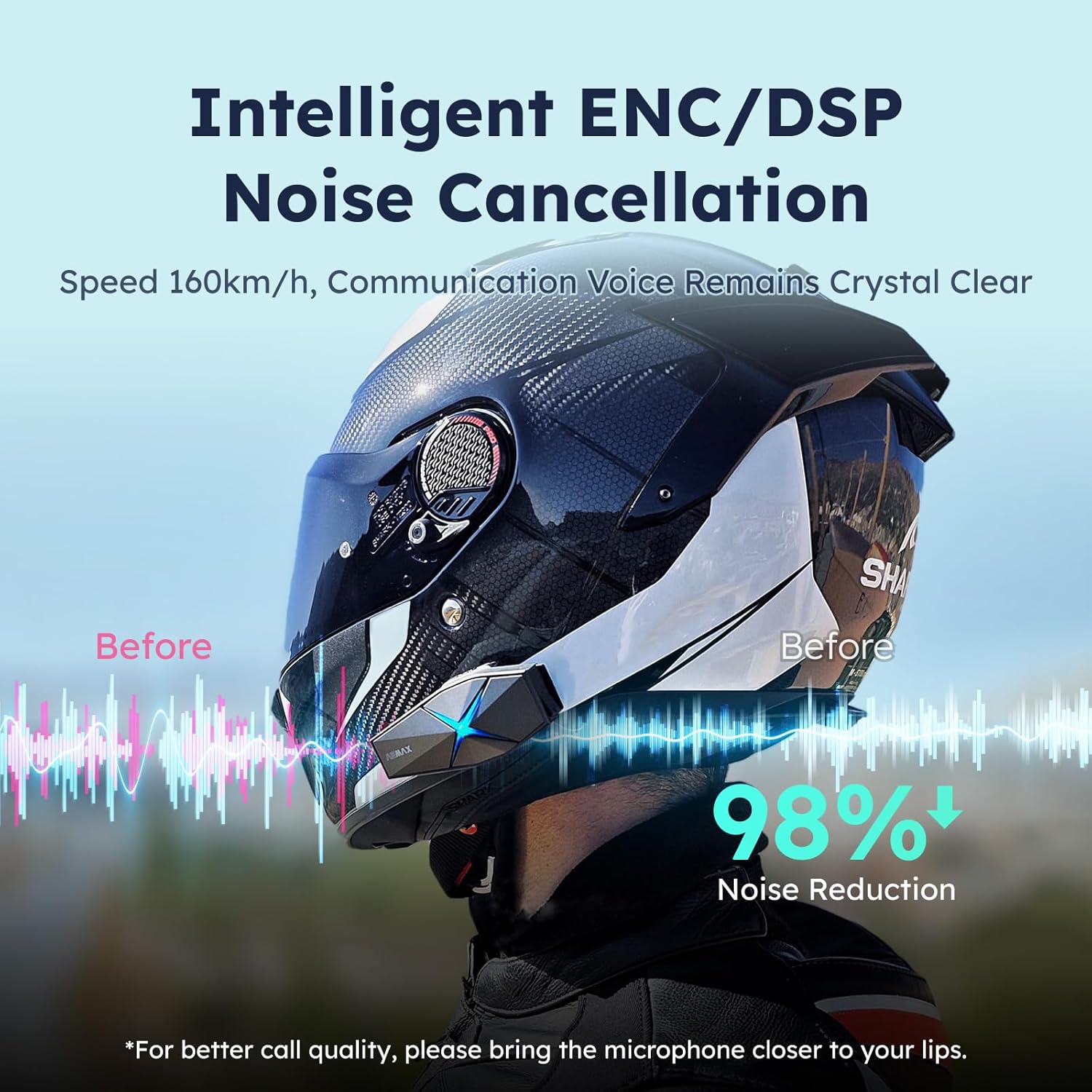
Image: ASMAX F1 Noise Cancellation technology.
9. المواصفات
| ميزة | التفاصيل |
|---|---|
| اسم الموديل | ASMAX F1 (F1 DP) |
| نسخة البلوتوث | 5.3 |
| نطاق الاتصال الداخلي | Up to 1.8 km (10 riders) |
| سعة البطارية | 1250 مللي أمبير |
| الشحن | Fast Charging, USB |
| تصنيف مقاومة الماء | IP67 |
| التحكم في الضوضاء | Active Noise Cancellation (ENC/DSP) |
| التحكم الصوتي | "Hi Max" commands |
| ميزات الصوت | Audio Multitasking, Superior Sound Quality |
| أبعاد | Approx. 86mm x 36mm x 23.6mm (unit) |
| وزن | Approx. 50g (unit) |
| وضع الأذن | في الأذن |
| مقاومة | 32 أوم |
| حساسية | 105 ديسيبل |
| استجابة التردد | 20 هرتز (الحد الأدنى) |

Image: ASMAX F1 Dual-Chip Octa-Core technology.
10. الضمان والدعم
ASMAX products come with a standard manufacturer's warranty. For specific warranty terms and conditions, please refer to the warranty card included in your product packaging or visit the official ASMAX webموقع.
For technical support, troubleshooting assistance, or any inquiries regarding your ASMAX F1 headset, please contact ASMAX customer service through their official channels. Contact information can typically be found on the ASMAX webالموقع أو في عبوة المنتج.
Regularly check the ASMAX website or app for firmware updates to ensure optimal performance and access to new features, such as CloudTalk Mode.
Ask a question about this manual
Ask about setup, troubleshooting, compatibility, parts, safety, or missing instructions. Manuals+ will review the question and use this page’s manual context to help answer it.