
مقدمة
Thank you for choosing the Vention TGESB USB-C Docking Station. This manual provides essential information for the proper setup, operation, and maintenance of your device. Please read it thoroughly before use to ensure optimal performance and longevity.
المنتج انتهىview
The Vention TGESB is a versatile 5-in-1 USB-C docking station designed to expand the connectivity of your USB-C enabled devices. It features multiple ports for data transfer, video output, and power delivery.

Figure 1: Vention TGESB USB-C Docking Station with port labels.
المميزات الرئيسية:
- USB-C Power Delivery (PD) 100W: Supports fast charging for compatible laptops and devices.
- منافذ USB 3.0 (x3): Provides high-speed data transfer up to 5Gbps.
- منفذ HDMI: Supports video output up to 4K resolution at 30Hz.
- غلاف ألومنيوم متين: Ensures heat dissipation and product longevity.
- تصميم مضغوط: سهل الحمل والاستخدام أثناء التنقل.
محتويات الحزمة
- Vention TGESB USB-C Docking Station (x1)
- دليل المستخدم (x1)
تعليمات الإعداد
- الاتصال بجهاز المضيف: Plug the USB-C connector of the Vention TGESB docking station into an available USB-C port on your laptop, tablet, or smartphone. Ensure your device's USB-C port supports video output (DisplayPort Alternate Mode) and power delivery for full functionality.
- توصيل الأجهزة الطرفية:
- جهاز USB:٪ s: Connect USB flash drives, external hard drives, keyboards, mice, or other USB peripherals to the USB 3.0 ports.
- شاشة HDMI: Connect an HDMI cable from the docking station's HDMI port to your monitor or TV.
- محول الطاقة (اختياري): If your host device requires charging, connect your original USB-C power adapter to the PD (Power Delivery) port on the docking station. This will pass power through to your host device.
- تثبيت برنامج التشغيل: The Vention TGESB is typically plug-and-play and does not require additional drivers for most operating systems (Windows, macOS, Linux, Android). If you encounter issues, ensure your operating system is up to date.
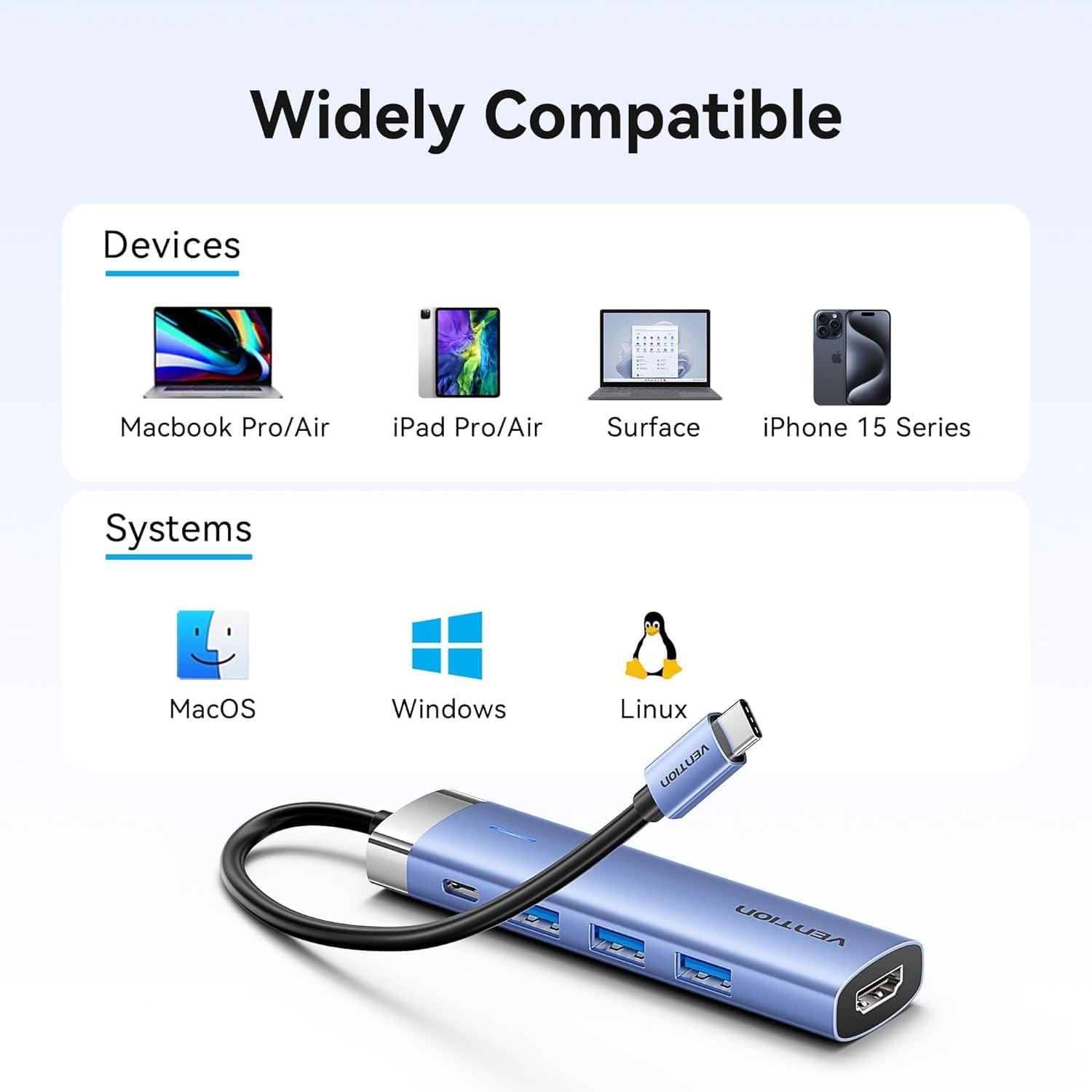
Figure 2: Device and operating system compatibility.
تعليمات التشغيل
Using USB 3.0 Ports:
Connect your USB devices to any of the three USB 3.0 ports. These ports support data transfer speeds up to 5Gbps, allowing for quick file transfers. For optimal performance, ensure your connected USB devices also support USB 3.0.
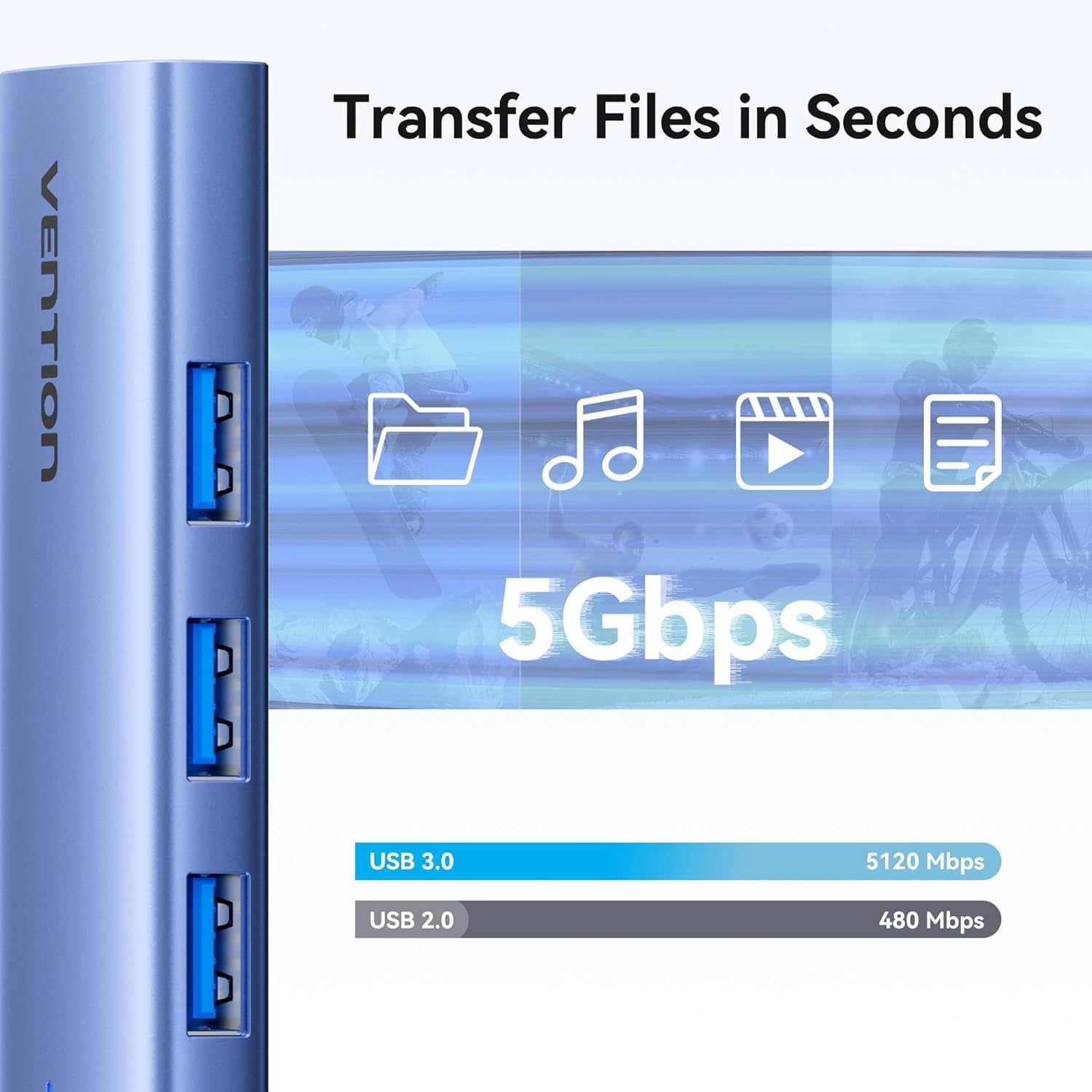
الشكل 3: نقل البيانات عالي السرعة عبر منافذ USB 3.0.
Using HDMI Output:
The HDMI port supports resolutions up to 4K at 30Hz. After connecting your monitor, your operating system should automatically detect the external display. You can configure display settings (mirror mode, extend mode) through your device's display settings.

Figure 4: Multiple display modes (Mirror and Extend).
Using Power Delivery (PD) Port:
Connect your laptop's original USB-C power adapter to the PD port on the docking station. This port supports up to 100W power delivery, allowing you to charge your host device while using the docking station's other features.

Figure 5: Power Delivery 100W fast charging.
صيانة
- تنظيف: استخدم قطعة قماش ناعمة وجافة لتنظيف سطح قاعدة الشحن. تجنب استخدام المنظفات السائلة أو المذيبات.
- تخزين: قم بتخزين الجهاز في مكان بارد وجاف بعيدًا عن أشعة الشمس المباشرة ودرجات الحرارة القصوى.
- التعامل: Avoid dropping or subjecting the device to strong impacts. Do not attempt to disassemble the docking station.
استكشاف الأخطاء وإصلاحها
| مشكلة | السبب المحتمل | حل |
|---|---|---|
| لا يوجد مخرج عرض عبر منفذ HDMI. |
|
|
| لم يتم التعرف على أجهزة USB. |
|
|
| Host device is not charging. |
|
|
تحديد
| ميزة | التفاصيل |
|---|---|
| نموذج | TGESB |
| ماركة | فينتيون |
| مدخل | يو اس بي-سي |
| منافذ الإخراج |
|
| الأبعاد (الطول × العرض × الارتفاع) | 6.5 × 3.54 × 0.79 بوصة (16.5 × 9 × 2 سم) |
| وزن | 2.46 أوقية (0.07 كجم) |
| مادة الغلاف | سبائك الألومنيوم |
| التوافق | Devices with full-featured USB-C port (supporting DisplayPort Alt Mode and Power Delivery). Compatible with Windows, macOS, Linux, Android. |
الضمان والدعم
Vention products come with a standard manufacturer's warranty. For detailed warranty information, technical support, or customer service, please visit the official Vention webتفضل بزيارة الموقع الإلكتروني أو الاتصال بالموزع المحلي. يرجى الاحتفاظ بإثبات الشراء لتقديم مطالبات الضمان.
Official Vention Webموقع: Vention Store on Amazon (الرابط المقدم للرجوع إليه، الرسمي الفعلي) webقد يختلف الموقع)